Defining and Declaring Structs
Swipe to show menu
Defining
A structure declaration begins with the keyword struct.

main.c
1234567struct <name_of_struct> { <type_1> <field_1>; <type_2> <field_2>; … <type_N> <field_N>; };
<type_1> <field_1> - variables that will make up the structure. The structure declaration does not take up memory, that is, it is just a blueprint, a template.
First Method
Once we have declared a structure, we can create a variable of that type using the word struct.
main.c
1struct <name_of_struct> <name_of_variable>;
Declaring multiple struct variables is the same as declaring regular variables:
main.c
1struct <name_of_struct> <name_of_variable_1>, <name_of_variable_2>,<name_of_variable_3>;
Second Method
This option allows the structure to be instantiated immediately after it is defined.
main.c
1234567struct <name_of_struct> { <type_1> <field_1>; <type_2> <field_2>; … <type_N> <field_N>; } <name_of_variable>; // defining of a variable
In this way it is convenient to create several variables at once:
main.c
1234567struct <name_of_struct> { <type_1> <field_1>; <type_2> <field_2>; … <type_N> <field_N>; } <name_of_variable_1>, <name_of_variable_2>;
Initialization
Initializing a structure == initializing a variable of a new data type
To initialize a structure, you must use curly braces {...}:
main.c
12345678910struct <name_of_struct> { <type_1> <field_1>; <type_2> <field_2>; … <type_N> <field_N>; }; // initialization of struct-variable struct <name_of_struct> <name_of_variable> = {field_1, field_2, field_N};
In this case, the fields will be assigned in order and there is no need to indicate the data type of each field, because this has already been done in the blueprint of the structure.
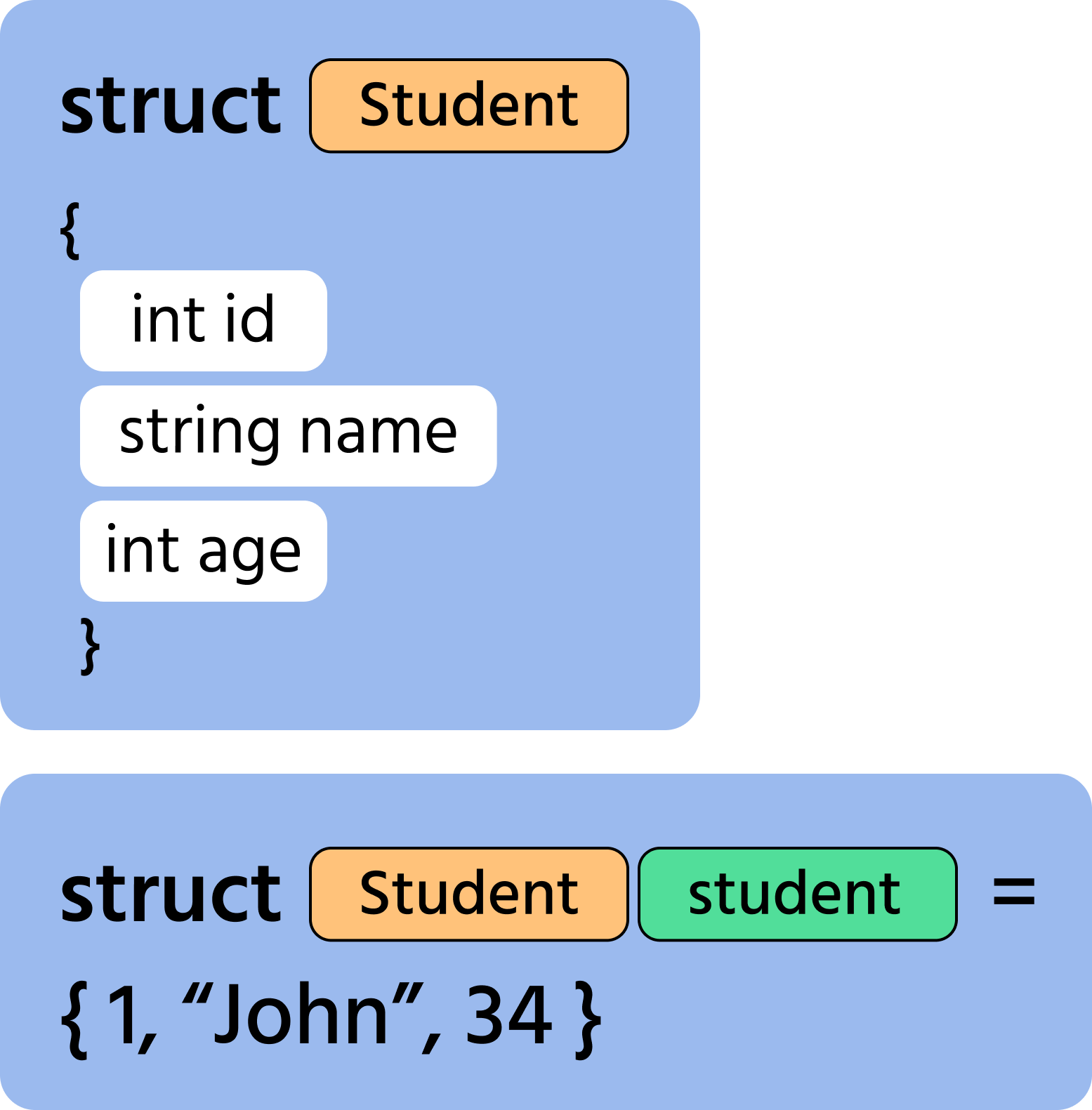
Using the Student structure as an example — it includes all the fields we need for a student: id, name, and age. Now all the data is stored in one place, and we have a separate structure that we can easily reuse.
Thanks for your feedback!
Ask AI

Ask AI

Ask anything or try one of the suggested questions to begin our chat
Defining and Declaring Structs
Defining
A structure declaration begins with the keyword struct.
main.c
1234567struct <name_of_struct> { <type_1> <field_1>; <type_2> <field_2>; … <type_N> <field_N>; };
<type_1> <field_1> - variables that will make up the structure. The structure declaration does not take up memory, that is, it is just a blueprint, a template.
First Method
Once we have declared a structure, we can create a variable of that type using the word struct.
main.c
1struct <name_of_struct> <name_of_variable>;
Declaring multiple struct variables is the same as declaring regular variables:
main.c
1struct <name_of_struct> <name_of_variable_1>, <name_of_variable_2>,<name_of_variable_3>;
Second Method
This option allows the structure to be instantiated immediately after it is defined.
main.c
1234567struct <name_of_struct> { <type_1> <field_1>; <type_2> <field_2>; … <type_N> <field_N>; } <name_of_variable>; // defining of a variable
In this way it is convenient to create several variables at once:
main.c
1234567struct <name_of_struct> { <type_1> <field_1>; <type_2> <field_2>; … <type_N> <field_N>; } <name_of_variable_1>, <name_of_variable_2>;
Initialization
Initializing a structure == initializing a variable of a new data type
To initialize a structure, you must use curly braces {...}:
main.c
12345678910struct <name_of_struct> { <type_1> <field_1>; <type_2> <field_2>; … <type_N> <field_N>; }; // initialization of struct-variable struct <name_of_struct> <name_of_variable> = {field_1, field_2, field_N};
In this case, the fields will be assigned in order and there is no need to indicate the data type of each field, because this has already been done in the blueprint of the structure.
Using the Student structure as an example — it includes all the fields we need for a student: id, name, and age. Now all the data is stored in one place, and we have a separate structure that we can easily reuse.
Thanks for your feedback!
