Notice: This page requires JavaScript to function properly.
Please enable JavaScript in your browser settings or update your browser.
フロントエンド開発 オンラインコース(証明書付き)
フロントエンド開発

フロントエンド開発コース

目標に合わせてコースを選択可能。フロントエンド開発の基礎から応用スキルまでを網羅。
4.4
評価は以下に基づく 54 レビュー.
238 学習者
すでに登録済み
身につけたスキル:
3D Animation in React3D Object Manipulation3D Scene CompositionAOS BasicsAPI Organization in ReactAbstract ClassesAccess ModifiersAccessibility EvaluationAccessibility and ARIA rolesAccessibility in UI SystemsAdding MarkersAdvanced CSSAdvanced Canvas TechniquesAdvanced Component PatternsAdvanced Drag-and-Drop FeaturesAdvanced Flexbox Item ControlAdvanced JavaScript ProgrammingAdvanced Positioning and Layout with CSSAdvanced Toastify FeaturesAdvanced TypeScript FeaturesAlert Styling and ThemingAlgorithmic ArtAlpine.js BasicsAnimating ComponentsAnimation CustomizationAnimation timing and playback controlAnimation with CodeAnimation with FramesAnime.js BasicsAnime.js HelpersArray ManipulationArray Searching and FilteringArrow Function TypingArrow functions and modern syntax Assistive Technology AwarenessAsync Error HandlingAsync State HandlingAsync/Await SyntaxAsynchronous Error ManagementAsynchronous JavaScriptAsynchronous Programming in JavaScriptAudio Effects ProcessingAuth0 IntegrationAuthentication and CRUD Functionality in Web AppsAxios Basics in ReactAxios InterceptorsBest Practices for Non-blocking CodeBootstrap Fundamentals for Web DevelopmentBuilding Kanban BoardsBuilding Map-Based ProjectsBuilding Simple ChartsBuilding Single-Page ApplicationsBuilding UI ComponentsBuilding Whiteboard FeaturesCSS Box ModelCSS Cascade and SpecificityCSS Flexbox FundamentalsCSS Form StylingCSS GridCSS SelectorsCSS SyntaxCSS Units and ColorsCSS transformsCSS transitionsCSSによるReactアプリケーションのスタイリングCSSセレクタCallback TypingCanvas API BasicsCanvas AnimationsCanvas InteractivityCanvas Object ManipulationChart AnimationsChart CustomizationChart Styling and CustomizationChart Theming and ColorsChart.js FundamentalsChart.js VisualizationClass InheritanceClean Code PracticesClean DOM PracticesClerk IntegrationClient-Server CommunicationClient-Side Routing with React RouterClipboard APICode OrganizationComparison and Logical OperatorsComplex TypesComponent CompositionComponent Styling and ThemingComponent TransitionsComponent-Based ArchitectureConditional RenderingContainer OrganizationContent and Attribute ManipulationControl FlowCreating Transitions, Animations, and TransformationsCreative CodingCustom Alert DialogsCustom Authentication FlowsCustom Cell RenderingCustom Chart ConfigurationCustom Chart LabelsCustom Element CreationCustom Error CreationCustom Map IconsCustom ThemingCustom Validation RulesCustomizing Leaflet MapsCustomizing SortableJSCustomizing SwiperCustomizing Tailwind ThemesD3.js Element SelectionD3.js TransitionsDNS and Domain NamesDOM AnimationDOM FundamentalsDOM ManipulationDOM Manipulation and Event HandlingDashboard DesignData Binding in D3.jsData Fetching in ReactData Fetching, Routing, and UI OptimizationData TransformationData Visualization in ReactDate ArithmeticDate CalculationsDate ComparisonDate Component ManipulationDate FormattingDay.js BasicsDebugging E2E TestsDebugging JavaScriptDebugging Test FailuresDebugging with DevtoolsDiagram CustomizationDiagram SyntaxDiscriminated UnionsDrag-and-Drop UI DesignDrawing Shapes and TextDynamic Content HandlingDynamic Data Handling in ReactDynamic Data PresentationDynamic Data VisualizationDynamic Data Visualization on MapsDynamic Forms with React Hook FormDynamic Navigation and URL-Based RenderingDynamic StylingECharts Advanced UsageES6 SyntaxEasing FunctionsElement Creation and RemovalElement SelectionEmbedding DiagramsEncapsulation in JavaScriptEnd-to-End TestingError Handling in Async CodeError Handling with AxiosError Management in UIEvent DelegationEvent HandlingEvent Handling in Alpine.jsEvent Handling in CanvasEvent Handling in ReactExhaustive Checking with neverFabric.js BasicsFile Upload FundamentalsFile Upload HandlingFile ValidationFilePond CustomizationFilePond IntegrationFilePond PluginsFirebase Authentication IntegrationFirebase Security RulesFlexbox Alignment and SpacingFlexbox vs CSS GridFlexboxレイアウトForm AccessibilityForm Handling and ValidationForm InteractivityForm ValidationForm Validation in ReactForm Validation with TypesForm building with MUI inputsFramer Motion BasicsFrontend Development PrinciplesFull Stack Web Development with Next.js 14Fullscreen APIFunction OverloadingGSAP EasingGSAP TimelinesGSAP TweeningGenerative Art TechniquesGenerics in ClassesGeolocation APIGeolocation in ReactGesture and Drag InteractionsGlobal Axios ConfigurationGrid Item PlacementGrid.js Table BasicsHTML Drag & DropHTML FormsHTML Media EmbeddingHTML Text ElementsHTML5 ValidationHTML5 layout tagsHTMLの基本HTML開発HTTP Requests with AxiosHTTP and HTTPS ProtocolsIP Addressing and PortsImage ManipulationInheritanceInline Error MessagingIntegrating UI Libraries with FormsIntegration TestingInteractive Audio DesignInteractive ChartsInteractive Data VisualizationInteractive GraphicsInteractive Map ElementsInteractive Map FeaturesInteractive UI ElementsInteractive VisualsInteractive Web FormsInterfaces and ImplementsJSON Parsing and StringifyingJSON StructureJavaScript AnimationJavaScript Array MethodsJavaScript Charting BasicsJavaScript ClassesJavaScript ConditionalsJavaScript Data TypesJavaScript Date BasicsJavaScript Date HandlingJavaScript Design PatternsJavaScript Error HandlingJavaScript Event HandlingJavaScript Form ValidationJavaScript LoopsJavaScript ObjectsJavaScript Testing FundamentalsJavaScript functions JavaScriptオブジェクトの操作と構造化Jest BasicsKPI Dashboard DevelopmentKeyboard and Mouse EventsKeyframe animationsKeyframes and TimelinesKonva.js BasicsLayer and Group ManagementLayout and UI Component DevelopmentLeaflet.js BasicsLighting and Camera ControlList RenderingLitElement Reactive TemplatingLocalization and Time ZonesMUI component developmentManaging Application StateMap InitializationMap Rendering in ReactMapbox Data HandlingMapbox IntegrationMasonry.js InitializationMermaid.js BasicsMeta Information in HTMLMetadata and SEO basicsMiddleware IntegrationMini-Project DevelopmentMocking and Spying FunctionsMocking in TestsModern Date LibrariesModern Web IntegrationModern Web Styling Without Writing CSSMusic SequencingMutation HandlingNavigation and LinkingNested Flexbox StructuresNotification CustomizationNull Safety in DOM ManipulationObject CompositionObject Creation and ManipulationObject HandlingObject-Oriented ProgrammingOptimistic UpdatesOptimizing Form PerformanceOptional and Default ParametersP5.js FundamentalsPagination ImplementationPagination and Infinite QueriesParameters and return values Password Reset HandlingPerformance OptimizationPerformance and accessibility in motion designPersistent Data Storage in BrowserPixiJS BasicsPlaywright BasicsPopover ConfigurationPopups and InteractivityPrimitive TypesPrimitive vs Reference TypesProblem Solving with PatternsPromise Chaining and CombinatorsProperty DescriptorsPropsによるデータフローと条件付きレンダリングProtected RoutingPrototypal InheritancePrototype ChainQuery CachingReact Animation FundamentalsReact AuthenticationReact Authentication FlowsReact Chart IntegrationReact Component CustomizationReact Component Story CreationReact Component StylingReact FormsReact Hook Form BasicsReact Hooksによる状態管理React Integration with LeafletReact Integration with Three.jsReact Map RenderingReact Real-Time CommunicationReact State ManagementReact TestingReact Testing FundamentalsReact Testing Library UsageReact Toastify BasicsReact interface layout designReactive Data BindingReactive Data HandlingReactによるモダンUI開発Reactプロジェクトの構成と実行Real-Time Data UpdatesReal-Time UI UpdatesReal-World Slider ImplementationRecharts IntegrationRegex in ValidationResponsive Carousel DesignResponsive Chart IntegrationResponsive Design with TailwindResponsive Grid LayoutsResponsive Layout DesignResponsive Layouts with FlexboxResponsive SlidersResponsive design using MUI utilitiesRest ParametersReusable Code StructuresReusable Schema DesignReusable Type PatternsReusable and modular code patternsRoute Protection in ReactSEO BasicsSVG AnimationSafe Union NarrowingScalable Type DesignScales and Axes in D3.jsScroll-triggered EffectsScrollTrigger AnimationsSection 508 ComplianceSecuring React AppsSemantic HTMLSerialization and ExportingServer State SynchronizationSession ManagementShape ManipulationSimple Game PhysicsSimple Physics in JSSocial Login ImplementationSocket.IO IntegrationSortableJS BasicsSorting and Flattening ArraysSpecial TypesSprite ManipulationStaggered AnimationsState Management in React with Redux ToolkitState Management in VueStorybook Addons UsageStorybook BasicsStyling Vue ComponentsSweetAlert2 IntegrationSwiper.js BasicsSwiper.js ConfigurationSwiperJS Advanced FeaturesSwiperJS IntegrationTable Sorting and SearchingTailwind CSS IntegrationTailwind CSS for Web DevelopmentTanStack Query BasicsTest AutomationTest-Driven Development MindsetTesting Asynchronous CodeText AnimationText and content semanticsTexture HandlingTheming and component customizationThree.js BasicsTile Layer ManagementTime Zones and UTC HandlingTone.js SynthesisTooltip ImplementationType AssertionsType ConversionType Guards in TypeScriptType InferenceType NarrowingType SafetyType Safety in JavaScript ProjectsType-Safe Event HandlingType-Safe Form HandlingTypeScript BasicsTypeScript Best PracticesTypeScript ClassesTypeScript DOM TypingTypeScript Function TypingTypeScript FundamentalsTypeScript GenericsTypeScript Generics for DOMTypeScript InterfacesTypeScript Migration StrategiesTypeScript SyntaxTypeScript ToolingTypeScript Type SystemTypeScript TypesUI AccessibilityUI Animation Mini-ProjectsUI DocumentationUI InteractivityUI prototyping with MUI mini-projectsUnderstanding the Event LoopUnderstanding this in FunctionsUnion and Intersection TypesUser Feedback IntegrationUser Interaction HandlingUser Interaction in 3DUser Profile ManagementUser Session ManagementUsing CallbacksUtility-First Styling with Tailwind CSSVariable scope and local context Variants and KeyframesVector Map CustomizationVisual Testing with StorybookVue.js BasicsWAI-ARIA FrameworkWCAG GuidelinesWeb AccessibilityWeb Accessibility PrinciplesWeb Animation FundamentalsWeb Audio FundamentalsWeb Components BasicsWeb Hosting FundamentalsWeb IntegrationWeb Storage APIsWeb Technology FoundationWebSocket FundamentalsWebsite DevelopmentWorking with PromisesWriting Unit TestsZod ValidationZustand SelectorsZustand Store CreationdisplayプロパティlocalStorage UsagesessionStorage Usageウェブサイト開発ウェブ技術の基礎コンポーネントベースのアーキテクチャとJSXタイポグラフィスタイリングボックスモデルマージンとパディング副作用の処理とデータ取得装飾的なCSS効果配列操作およびイテレーション技法
もっと見る
短いクイズに挑戦して、目標に近づこう!

80,000
学生たちはすでにコースを成功裏に修了し、職場でそのスキルを活用しています
92%
利用者は当社のコースを有用と感じています
コース
コース
閲覧 フロントエンド開発 コースとプロジェクト
レベル
レッスンの種類
テクノロジー

コース

HTML Essentials

HTML Essentials

description 3 時間
description 35 章

初心者

1 現在学習中

習得済みスキル: Web Technology Foundation, Website Development, HTML Essentials, HTML Development

コース

Ultimate HTML

Ultimate HTML

description 4 時間
description 42 章

初心者

1 現在学習中

習得済みスキル: Web Technology Foundation, Website Development, HTML Essentials, HTML Development

コース

CSS Fundamentals

CSS Fundamentals

description 3 時間
description 28 章

初心者

習得済みスキル: CSS Selectors , Typography Styling , Box Model , Margin and Padding , Display Property , Flexbox Layout , Decorative CSS Effects

コース

Next.js 14 Mastery for Building Modern Web Apps

Next.js 14 Mastery for Building Modern Web Apps

description 8 時間
description 48 章

上級

1 現在学習中

習得済みスキル: Full Stack Web Development with Next.js 14, Data Fetching, Routing, and UI Optimization, Authentication and CRUD Functionality in Web Apps

コース

CSS Layout, Effects, and Sass

CSS Layout, Effects, and Sass

description 6 時間
description 48 章

中級

習得済みスキル: Advanced Positioning and Layout with CSS, Creating Transitions, Animations, and Transformations, Advanced CSS

コース

Bootstrap Foundations

Bootstrap Foundations

description 4 時間
description 31 章

中級

1 現在学習中

習得済みスキル: Bootstrap Fundamentals for Web Development, Layout and UI Component Development

コース

React Router Essentials

React Router Essentials

description 4 時間
description 24 章

上級

習得済みスキル: Client-Side Routing with React Router, Dynamic Navigation and URL-Based Rendering

コース

Tailwind CSS for Web Development

Tailwind CSS for Web Development

description 4 時間
description 28 章

中級

1 現在学習中

習得済みスキル: Tailwind CSS for Web Development, Utility-First Styling with Tailwind CSS, Modern Web Styling Without Writing CSS

コース

Introduction to React

Introduction to React

description 3 時間
description 25 章

中級

習得済みスキル: Modern UI Development with React, Component-Based Architecture and JSX, Data Flow with Props and Conditional Rendering, State Management with React Hooks, Handling Side Effects and Data Fetching, Styling React Applications with CSS, Structuring and Running React Project

コース

JavaScript Data Structures

JavaScript Data Structures

description 6 時間
description 44 章

中級

習得済みスキル: JavaScript Object Manipulation and Structuring, Array Operations and Iteration Techniques

コース

State Management with Redux Toolkit in React

State Management with Redux Toolkit in React

description 4 時間
description 24 章

上級

習得済みスキル: State Management in React with Redux Toolkit, Managing Application State

コース

Introduction to TypeScript

Introduction to TypeScript

description 3 時間
description 34 章

初心者

1 現在学習中

習得済みスキル: TypeScript Basics, Website Development, Web Technology Foundation

Codefinityの強み
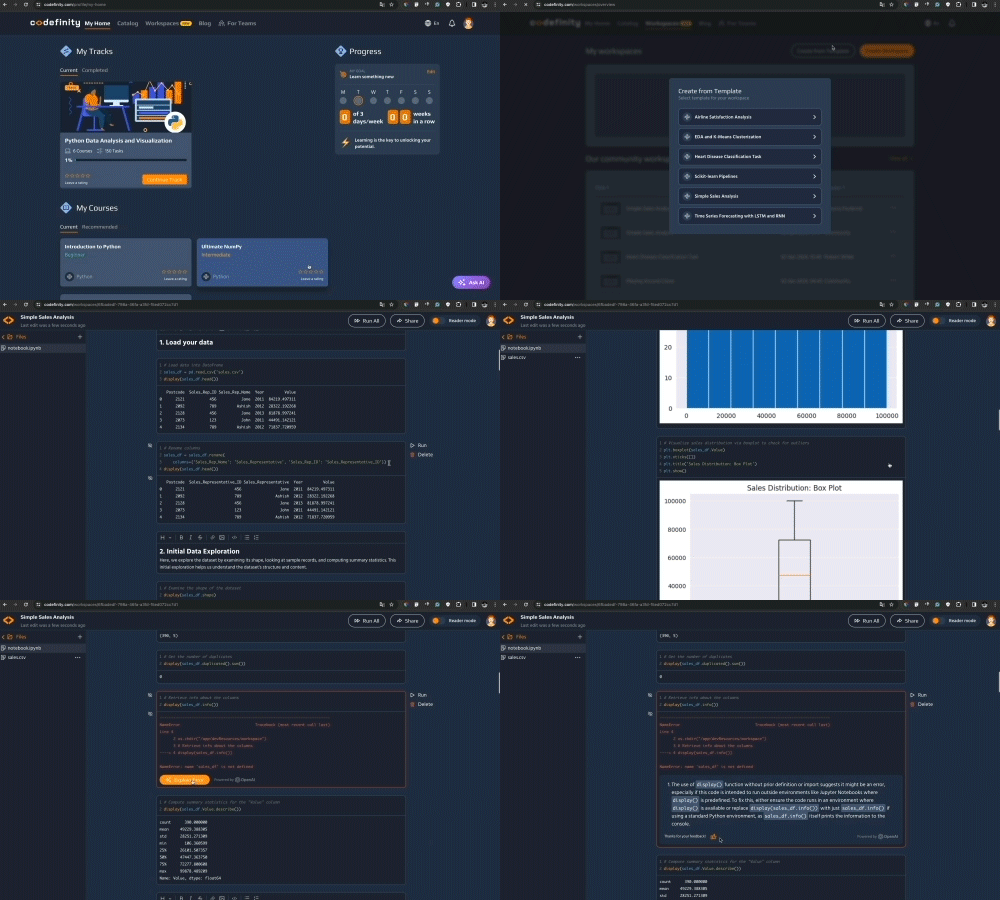
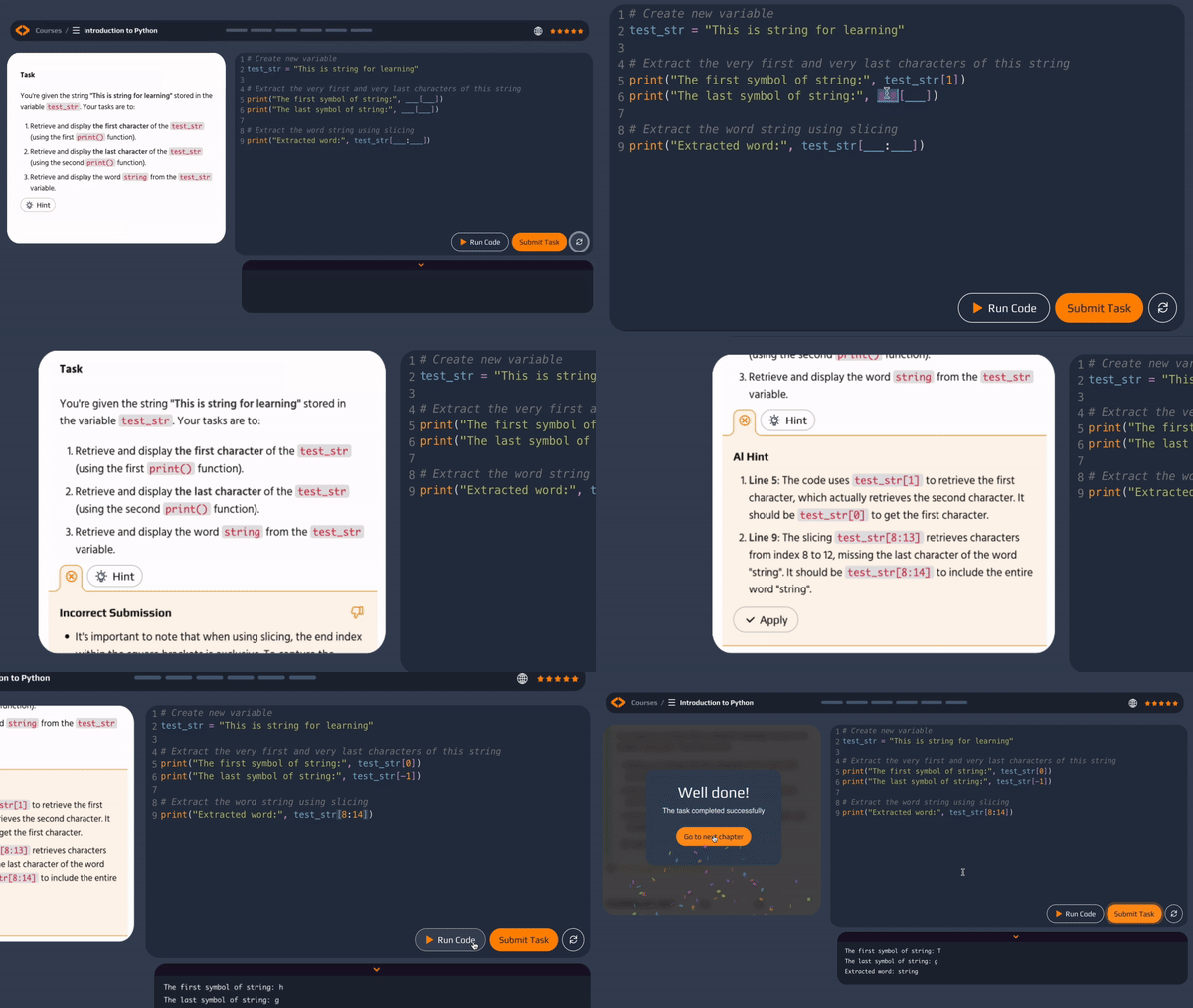
AI支援学習

テクノロジースキルの魅力を存分に味わいましょう!AIアシスタントがリアルタイムのフィードバック、パーソナライズされたヒント、エラーの説明を提供し、自信をもって学習できるようサポートします。

ワークスペース

ワークスペースを利用すれば、プラットフォーム上で直接プロジェクトを作成・共有できます。利便性のためにテンプレートもご用意しています

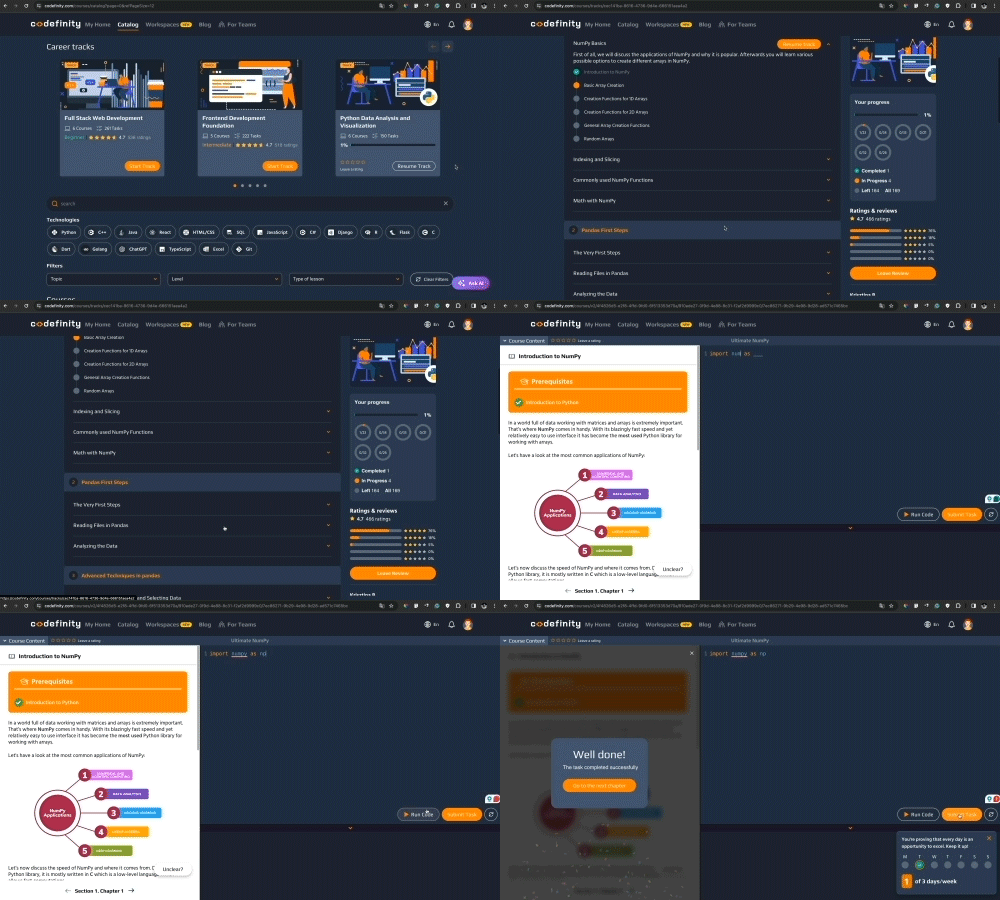
学習トラック

キャリア開発を自分でコントロールし、最新技術の習得への道を歩み始めましょう

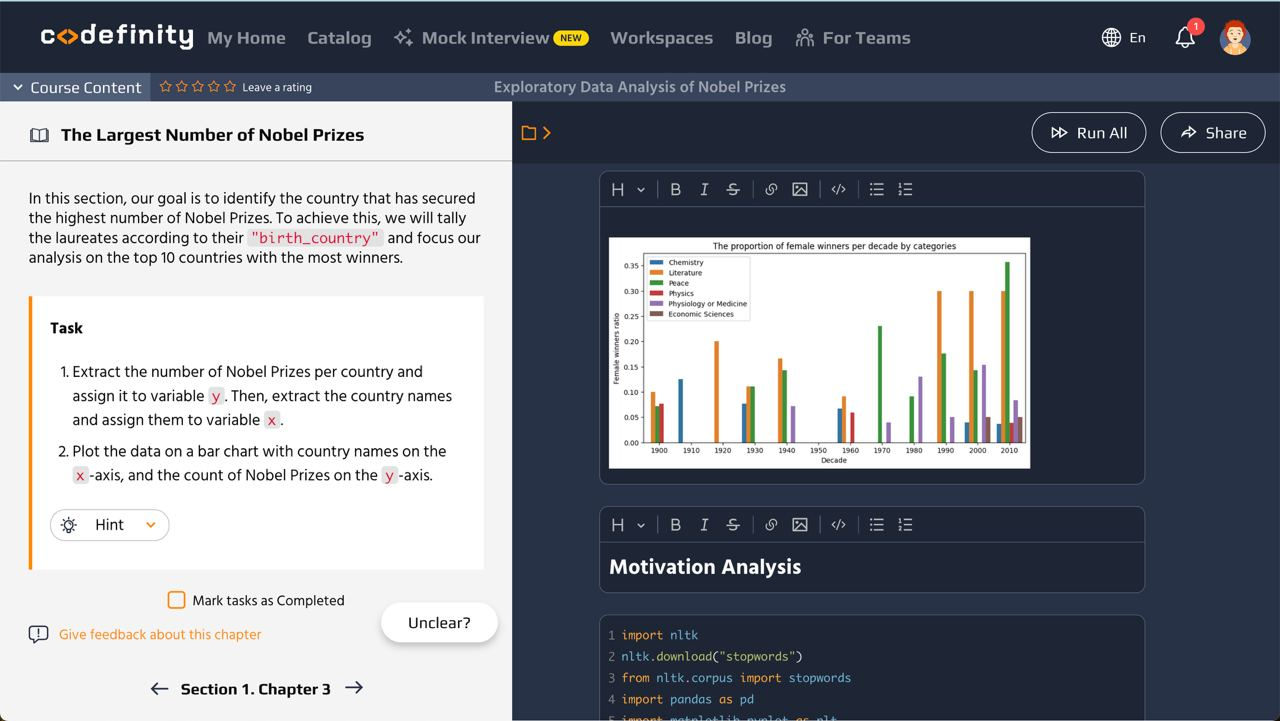
実践的なプロジェクト

実践的なプロジェクトでポートフォリオを強化し、潜在的な雇用主に実務能力をアピールしましょう
AI-Assisted LearningAI-Assisted LearningAI-Assisted LearningAI-Assisted Learning
なぜCodefinityが際立っているのか
動画コンテンツ
ダウンロード可能な教材
権威ある証明書
インタラクティブな学習環境
誤りの修正
AIアシスタント
1つのサブスクリプションで全コンテンツにアクセス
Codefinity
yes
yes
yes
yes
yes
yes
yes
動画ベースの学習プラットフォーム
yes
yes
yes
no
no
no
no
Codefinity
動画ベースの学習プラットフォーム
動画コンテンツ
yesyes
ダウンロード可能な教材
yesyes
権威ある証明書
yesyes
インタラクティブな学習環境
yesno
誤りの修正
yesno
AIアシスタント
yesno
1つのサブスクリプションで全コンテンツにアクセス
yesno
キャリアの機会この分野で最も人気のある職業、平均給与、そして積極的に専門家を求める企業について学ぼう。
フロントエンドデベロッパー
Web開発者
React開発者
ソフトウェアエンジニア
マークアップ開発者
$77k
$109k
$142k
Min
Average
Max
年収
(米国平均)
Meta
Workday
Dropbox
Splunk
VMware
Wish
採用企業
*情報源: Glassdoor
トップ校の学生に選ばれた
うち30校を含む米国トップ30の大学
virginia
texas
michigan
duke
berkeley
yale
mit
brown
carnegie
rochester
california
connecticut
massachusetts
city-new-york
virginia
texas
michigan
duke
berkeley
yale
mit
virginia
texas
michigan
duke
berkeley
yale
mit
brown
carnegie
rochester
california
connecticut
massachusetts
city-new-york
virginia
texas
michigan
duke
berkeley
yale
mit
florida
illinois
colorado
indiana
new-york
cornell
columbia
notre-dame
florida
illinois
colorado
indiana
florida
illinois
colorado
indiana
new-york
cornell
columbia
notre-dame
florida
illinois
colorado
indiana

フロントエンド開発コース: 主要情報と質問

フロントエンド開発入門
フロントエンド開発コースでは、HTML、CSS、JavaScript、およびReactやNext.jsなどのフレームワークを使用して、レスポンシブでインタラクティブなウェブサイトの構築方法を学びます。初心者からスキルアップを目指す方まで、実践的な経験を通じて、現代的でユーザーフレンドリーなウェブインターフェースを作成する力を身につけられます。
フロントエンド開発者コースのメリット
当コースは業界の専門家によって設計されており、最新の知識、実践的なコーディング課題、柔軟な学習スタイル、認定資格を提供します。テック業界で高く評価される実践的なスキルを身につけることで、就職市場での競争力を高めることができます。
フロントエンド開発者コース修了後のキャリア機会
フロントエンド開発者コースを修了すると、フロントエンド開発者、React開発者、マークアップ開発者、ウェブ開発者など、さまざまなキャリアの選択肢が広がります。これらの職種は多くの業界で高い需要があります。
フロントエンド開発者コースの選択肢
初心者から上級者まで対応したコースを提供しています。HTML、CSS、JavaScriptなどの基本技術から、TypeScript、React、Next.jsなどの応用トピックまで学ぶことができ、フロントエンド分野での強固な基礎を築けます。
フロントエンド開発認定証について
フロントエンド開発コース修了後には、スキルを証明する認定証が発行されます。この認定証は履歴書を強化し、雇用主に能力を示す手段となります。
フロントエンド開発とは何か、なぜテック業界で重要なのか?
フロントエンド開発は、ユーザーが目にし操作するウェブサイトやアプリの部分を構築する分野です。デジタル製品のユーザー体験を左右する重要な役割を担い、ウェブサイトをアクセシブルで魅力的、かつ使いやすくするために不可欠です。
フロントエンド開発者の平均給与と就職見通しについて
フロントエンド開発者の給与は地域や経験によって異なりますが、競争力のある水準です。多くの企業がオンラインプレゼンス強化のために優秀な開発者を積極的に採用しており、就職の見通しも良好です。
フロントエンド開発で活躍するために必要な主要スキルは?
HTML、CSS、JavaScriptの習熟、およびReactやNext.jsなどのフロントエンドフレームワークの知識が主要なスキルです。さらに、レスポンシブデザイン、アクセシビリティ、バージョン管理などの追加スキルも重要です。
フロントエンド開発者になるには?
フロントエンド開発者になるには、まずHTML、CSS、JavaScriptなどの基本技術を学びます。スキルを実践するためにプロジェクトを作成し、関連コースを受講し、継続的に練習します。強力なポートフォリオを作成し、インターンシップやフリーランスの経験を積むことも有益です。
フロントエンド開発で一般的に使われるプログラミング言語は?
フロントエンド開発で主に使用されるプログラミング言語はJavaScriptです。加えて、TypeScriptはJavaScriptのスーパーセットとして静的型付けを提供するためによく使われます。HTMLとCSSはプログラミング言語ではありませんが、ウェブページの構造やデザインを作成するために不可欠なマークアップ言語およびスタイルシート言語です。
フロントエンド開発者コースの中で最適なコースは?
初心者には「Ultimate HTML」コースが最適で、ウェブページの構築と構造化の基礎をしっかり学んだ後、応用トピックに進むことができます。
フロントエンド開発のキャリアを始めるためのステップは?
フロントエンド開発のキャリアを始めるには、HTML、CSS、JavaScriptを学ぶことから始めましょう。プロジェクトのポートフォリオを作成し、関連コースを受講し、コーディングチャレンジに参加し、業界の最新動向を常に把握することが重要です。
フロントエンド開発は3か月で学べますか?
多くのフロントエンドコースは、継続的な努力をすれば3か月で修了可能です。HTML、CSS、JavaScript、フレームワークの基礎を身につけた後、実際のプロジェクトを構築し、スキルを拡張することで、就職に備えることができます。
フロントエンド開発者コースの受講料の目安は?
学習ニーズに合わせた柔軟な価格設定を用意しています。Proプランは月額49ドルから、3か月99ドル、年間144ドルでご利用いただけます。より包括的な学習体験を希望される場合は、Ultimateプラン(月額59ドル、3か月147ドル、年間299ドル)もございます。いずれのプランも専門家が作成したコース、インタラクティブな課題、認定証へのアクセスが含まれます。詳細は料金ページをご覧ください。
自分に合ったフロントエンド開発者コース選びのコツは?
初心者の方は「Ultimate HTML」や「CSS Fundamentals」コースでウェブ開発の基礎を理解しましょう。フロントエンド開発のプログラミングに興味がある場合は「Introduction to JavaScript」コースがおすすめです。現在のスキルや目標、学習スタイルを考慮して最適なコースを選択してください。
適切なフロントエンド開発者コースの選び方は?
現在の知識や目標を評価しましょう。初心者はHTML、CSS、JavaScriptから始め、上級者はフレームワークや専門的なツールに焦点を当てて専門性を深めてください。
フロントエンド開発者コースを成功裏に修了し、強力なポートフォリオを作るには?
計画的に学習を進め、定期的に練習し、学びながらプロジェクトを構築しましょう。多様なプロジェクトを完成させてスキルをアピールすることが、就職活動における強力なポートフォリオ作成の鍵となります。
フロントエンド開発とバックエンド開発、フルスタック開発のスキルや職務の違いは?
フロントエンド開発は、HTML、CSS、JavaScriptなどの技術を用いてユーザーインターフェースやユーザー体験に特化します。バックエンド開発は、Node.js、Python、Javaなどを使ったサーバーサイドのロジックやデータベース、APIの構築が中心です。フルスタック開発は、フロントエンドとバックエンドの両方のスキルを組み合わせ、ウェブアプリケーション全体を構築できる能力を指します。
利用者の声
参加する 150万以上 CodefinityにおけるAIとデータスキルの向上
さあ、始める準備はできましたか?
Pro最高のイントロオファー$12 /月年額請求

benefit250以上の高評価コース
benefit修了証明書
benefit全てのコースにAIアシスタント付き
benefit40+ hands-on Real-world projects
benefitパーソナライズされた学習トラック
benefit無制限のワークスペース
Ultimateキャリア向上に必要なすべて$25 /月年額請求

benefit250以上の高評価コース
benefit修了証明書
benefit全てのコースにAIアシスタント付き
benefit40+ hands-on Real-world projects
benefitパーソナライズされた学習トラック
benefit無制限のワークスペース
上位のコース: フロントエンド開発 カテゴリー
1.
HTMLの基本
時間3 時間
章35
2.
究極のHTML
時間4 時間
章42
3.
CSSの基礎
時間3 時間
章28
4.
Next.js 14 Mastery for Building Modern Web Apps
時間8 時間
章48
5.
CSS Layout, Effects, and Sass
時間6 時間
章48
1. HTMLの基本
時間時間
3
章
35
2. 究極のHTML
時間時間
4
章
42
3. CSSの基礎
時間時間
3
章
28
4. Next.js 14 Mastery for Building Modern Web Apps
時間時間
8
章
48
5. CSS Layout, Effects, and Sass
時間時間
6
章
48
何か問題が発生したようで申し訳ありません。何が起こりましたか?
some-alt