Створення Першої Зведеної Таблиці
Свайпніть щоб показати меню
Після підготовки даних їх можна підсумувати за допомогою зведеної таблиці.
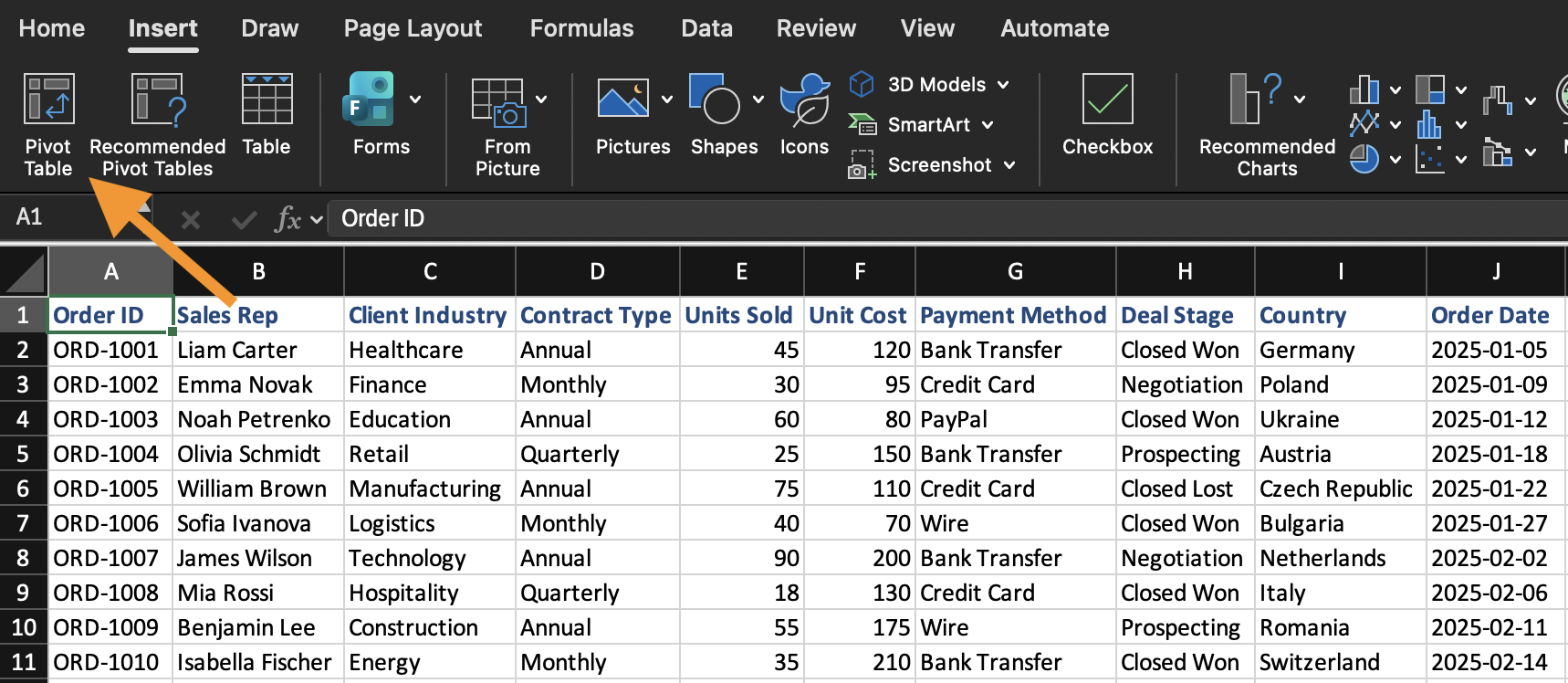
Зведена таблиця створюється на основі наявного набору даних. Щоб вставити зведену таблицю:
- Виберіть будь-яку клітинку всередині набору даних;
- Відкрийте вкладку Вставлення;
- Натисніть Зведена таблиця;
- Підтвердьте діапазон даних;
- Виберіть розміщення зведеної таблиці на новому аркуші.
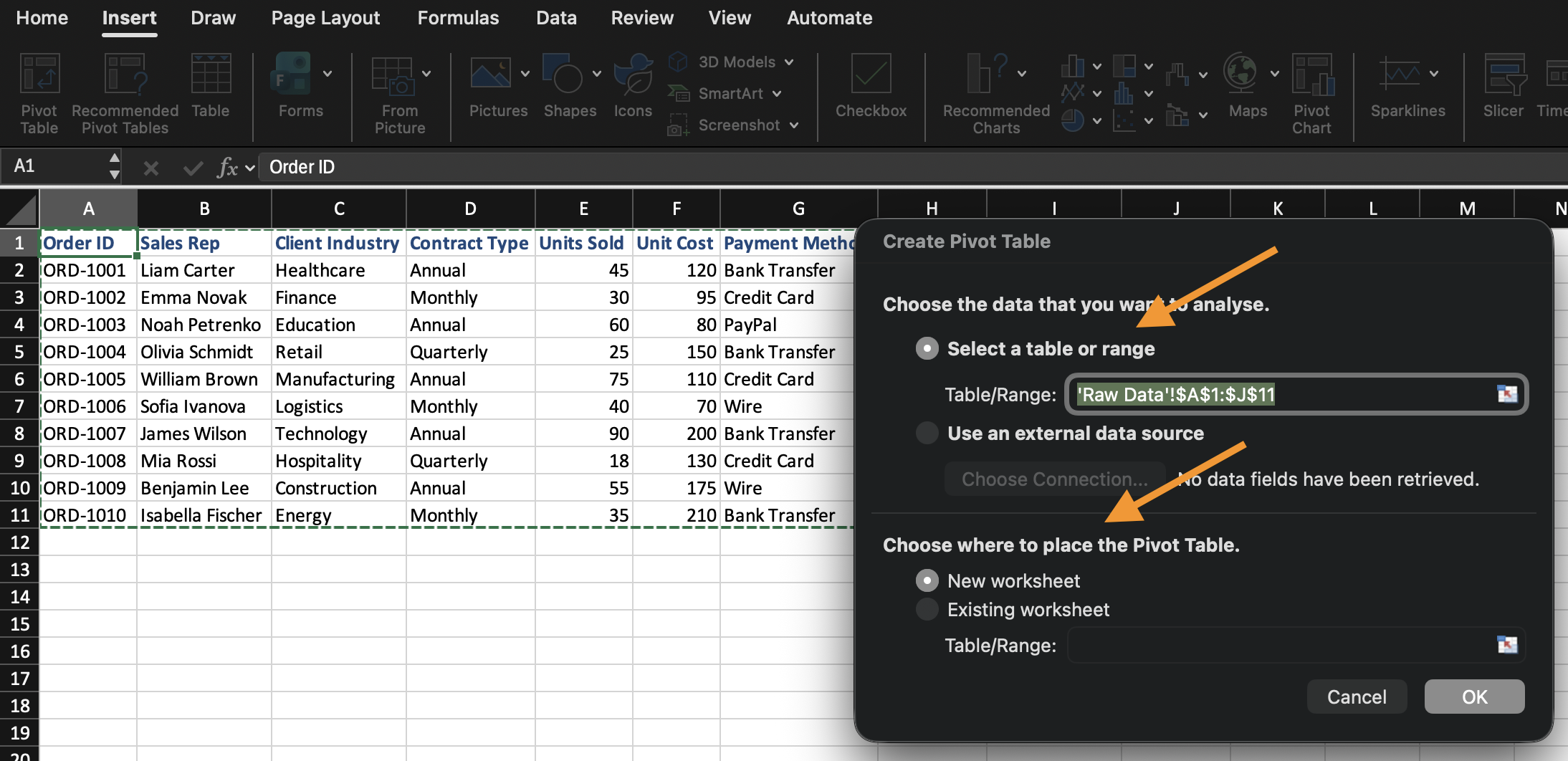
Excel створює порожню зведену таблицю та відкриває список полів зведеної таблиці.
Огляд областей списку полів
Список полів керує побудовою зведеної таблиці. Він складається з чотирьох окремих областей, і кожна з них виконує різну функцію для поля, яке ви туди розміщуєте:
- Рядки: визначення групування. Поле, розміщене тут, стає мітками, на які розбиваються ваші дані (наприклад, якщо розмістити
Category, буде створено один рядок для кожної категорії); - Стовпці: також визначення групування, але по горизонталі, а не по вертикалі. Працює так само, як і Рядки, тільки розташовано горизонтально;
- Значення: визначення обчислень. Замість простого відображення поля, Excel агрегує його (сума, кількість, середнє тощо) відповідно до групування, встановленого у Рядках/Стовпцях;
- Фільтри: звуження всієї зведеної таблиці до підмножини даних без відображення цього поля у самій таблиці.
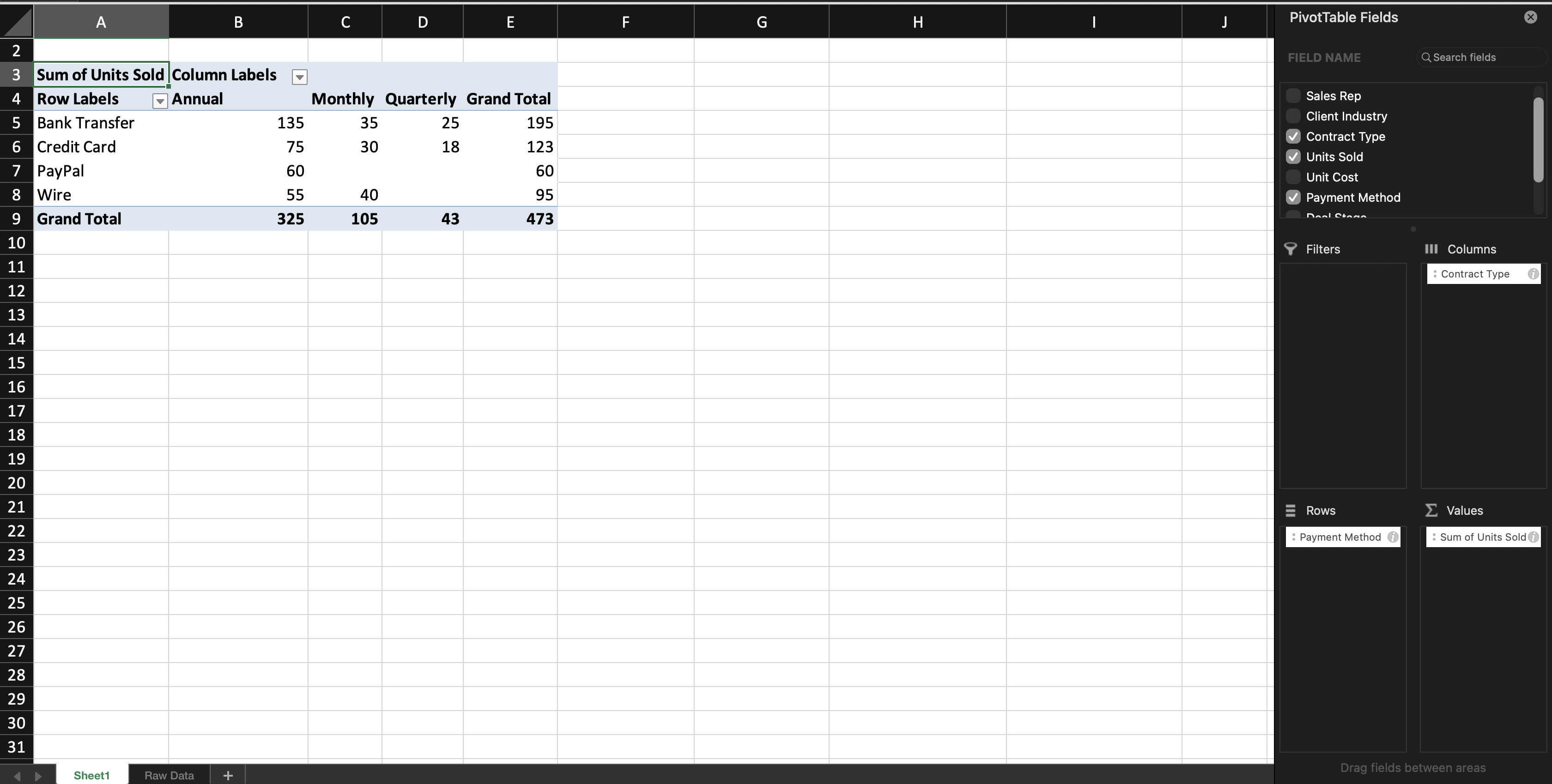
Коли ви додаєте текстове поле до Рядків (або Стовпців), Excel групує записи за цим полем. Коли ви додаєте числове поле до Значень, Excel за замовчуванням обчислює підсумок (Сума) — це значення за замовчуванням залежить від типу даних поля: числові поля за замовчуванням підсумовуються, а текстові — підраховуються, оскільки текстові значення не можна підсумовувати. Ви дізнаєтеся, як змінити це значення за замовчуванням у наступному розділі.
Ви можете змінювати Зведену таблицю у будь-який момент, переміщаючи поля між областями. Початкові дані при цьому не змінюються.

Якщо панель Список полів зведеної таблиці закрилася, натисніть будь-де всередині зведеної таблиці, і вона з'явиться знову автоматично.
Завдання
Створення першої зведеної таблиці.
Виконайте наступне:
- Вставте зведену таблицю з набору даних;
- Розмістіть Category у рядках;
- Розмістіть Sales у значеннях;
Створіть зведену таблицю на новому аркуші.
Дякуємо за ваш відгук!
Запитати АІ

Запитати АІ

Запитайте про що завгодно або спробуйте одне із запропонованих запитань, щоб почати наш чат
