Від Даних до Діаграми
Свайпніть щоб показати меню
Excel пропонує два способи створення діаграми. Рекомендовані діаграми — це швидший старт. Excel аналізує вибрані дані та пропонує типи діаграм, які відповідають їхній структурі. Група Діаграми на вкладці Вставлення дає змогу вручну обрати будь-який тип.

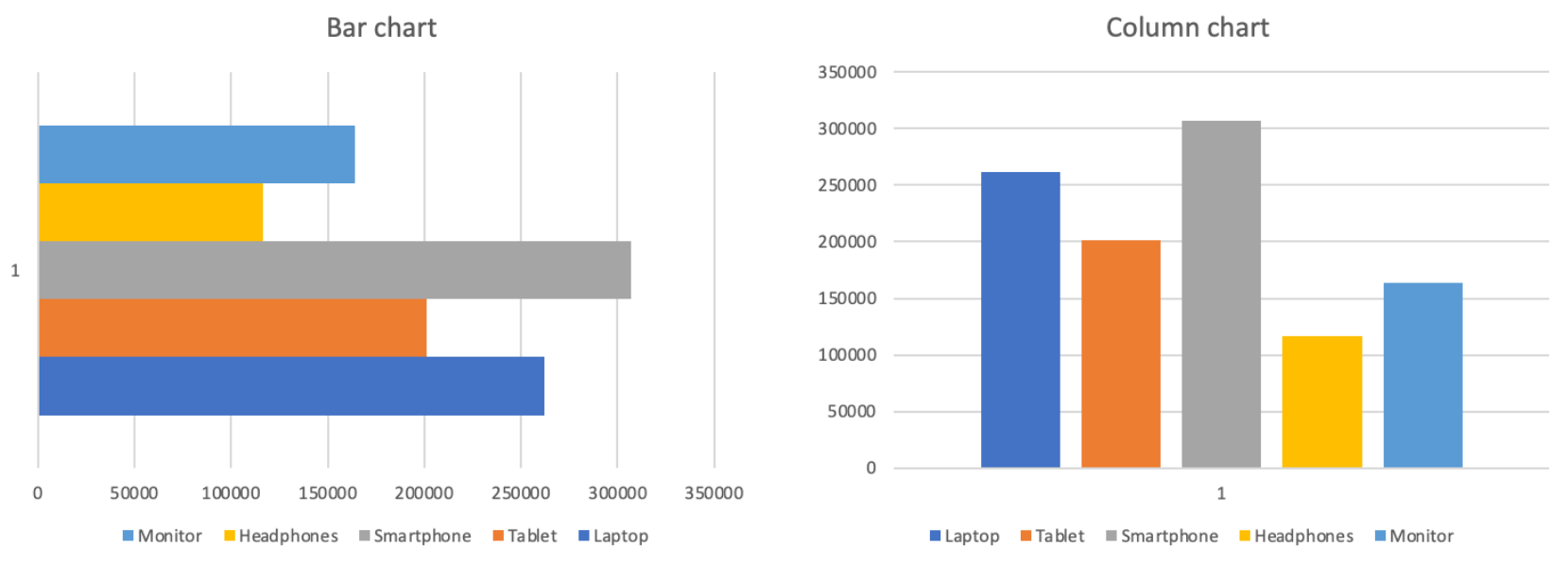
Стовпчаста / Гістограма
Висота кожного стовпця відображає значення. Проміжки між стовпцями підкреслюють, що категорії є дискретними та незалежними, а не частиною безперервної послідовності.
Порівняння:
- Загальний дохід за продуктами;
- Продажі за регіонами або категоріями;
- Будь-яке ранжування або порівняння поруч;
- Не підходить для відображення змін у часі.
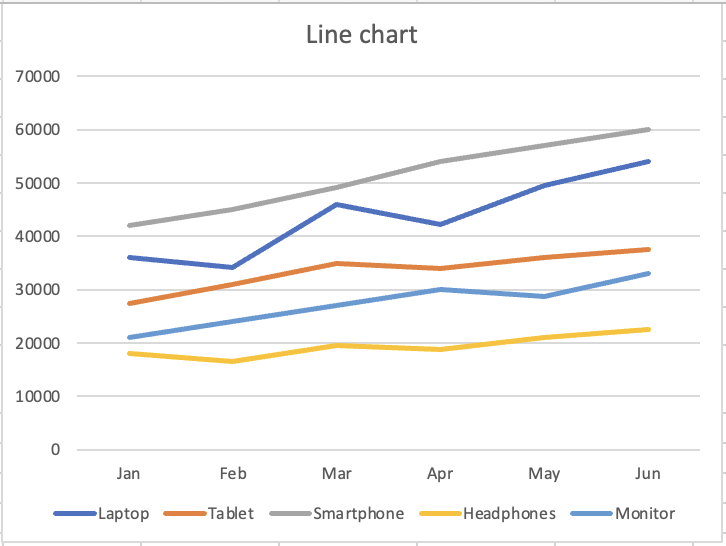
Лінійна діаграма
Безперервна лінія вказує на рух і розвиток. Кожна точка з'єднується з наступною, показуючи напрямок і динаміку. Візуальна форма повідомляє читачу: "це змінюється".
Тренд у часі:
- Місячний дохід за продуктами;
- Будь-який показник, відстежуваний у часових періодах;
- Порівняння трендів кількох рядів;
- Не підходить для порівняння дискретних категорій.
Дякуємо за ваш відгук!
Запитати АІ

Запитати АІ

Запитайте про що завгодно або спробуйте одне із запропонованих запитань, щоб почати наш чат
