Relative Positioning Explained
Svep för att visa menyn
Relative positioning allows us to position an element visually relative to its original positioning. At the same time, the neighboring elements do not take the element's place.
position: relative;
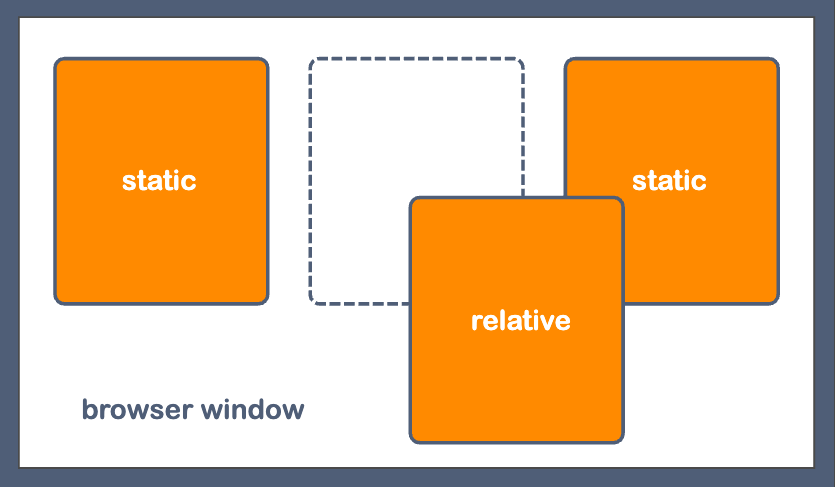
We can use the properties of top, left, bottom, and right to indicate the visual displacement of an element with respect to its initial position. The values can be positive and negative in different units (px, %, etc.). Let's run the following example to see what effect we can get:

index.html

index.css
Note
It is essential to mention that there is no need to specify all
top,bottom,left, andrightproperties for the element with the position value that differs from thestatic. It is enough to set one property for the vertical positioning (toporbottom) and one for the horizontal positioning (leftorright).
Tack för dina kommentarer!
Fråga AI

Fråga AI

Fråga vad du vill eller prova någon av de föreslagna frågorna för att starta vårt samtal
