Slutprojekt i Photoshop: Tillämpning av Avancerade Redigeringsfärdigheter
Svep för att visa menyn
Några saker jag nämnde i videon som kan vara till hjälp för dig:
Ctrl/Cmd+ Skapa nytt lager-ikonen skapar ett nytt lager under det valda lagret;Ctrl/Cmd+ musklick på lagrets miniatyrbild gör en markering runt lagrets komponenter;- Byt namn på lager när du skapar dem för att hålla ordning och reda;
- Fokusera alltid på att arbeta icke-destruktivt (skapa lagermasker, grupper, smarta objekt, smarta filter, etc.).
Ladda ner bilden som är bifogad till detta kapitel och lägg till en andra skugga för den gående mannen. Detta är din referens:
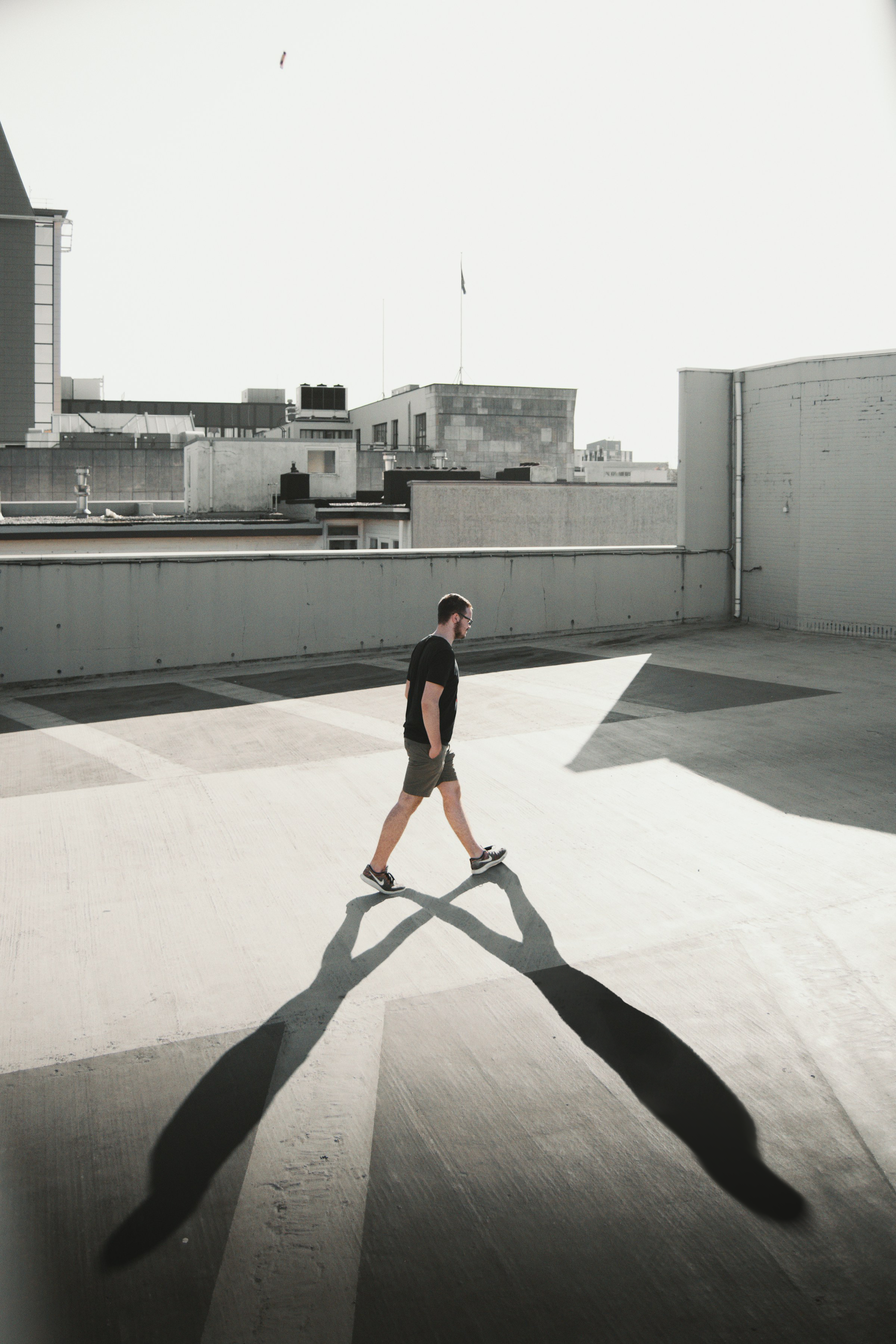
Här är några tips: Maskning, Opacitet, Oskärpa, Pensel, Blandning.
Var allt tydligt?
Tack för dina kommentarer!
Avsnitt 6. Kapitel 5
Fråga AI

Fråga AI

Fråga vad du vill eller prova någon av de föreslagna frågorna för att starta vårt samtal
Avsnitt 6. Kapitel 5
