Translating and Animating Content with AI
Svep för att visa menyn
Translate rewrites all the text in a design into another language while keeping the original layout, and Animate adds motion to a static page without any manual keyframing.
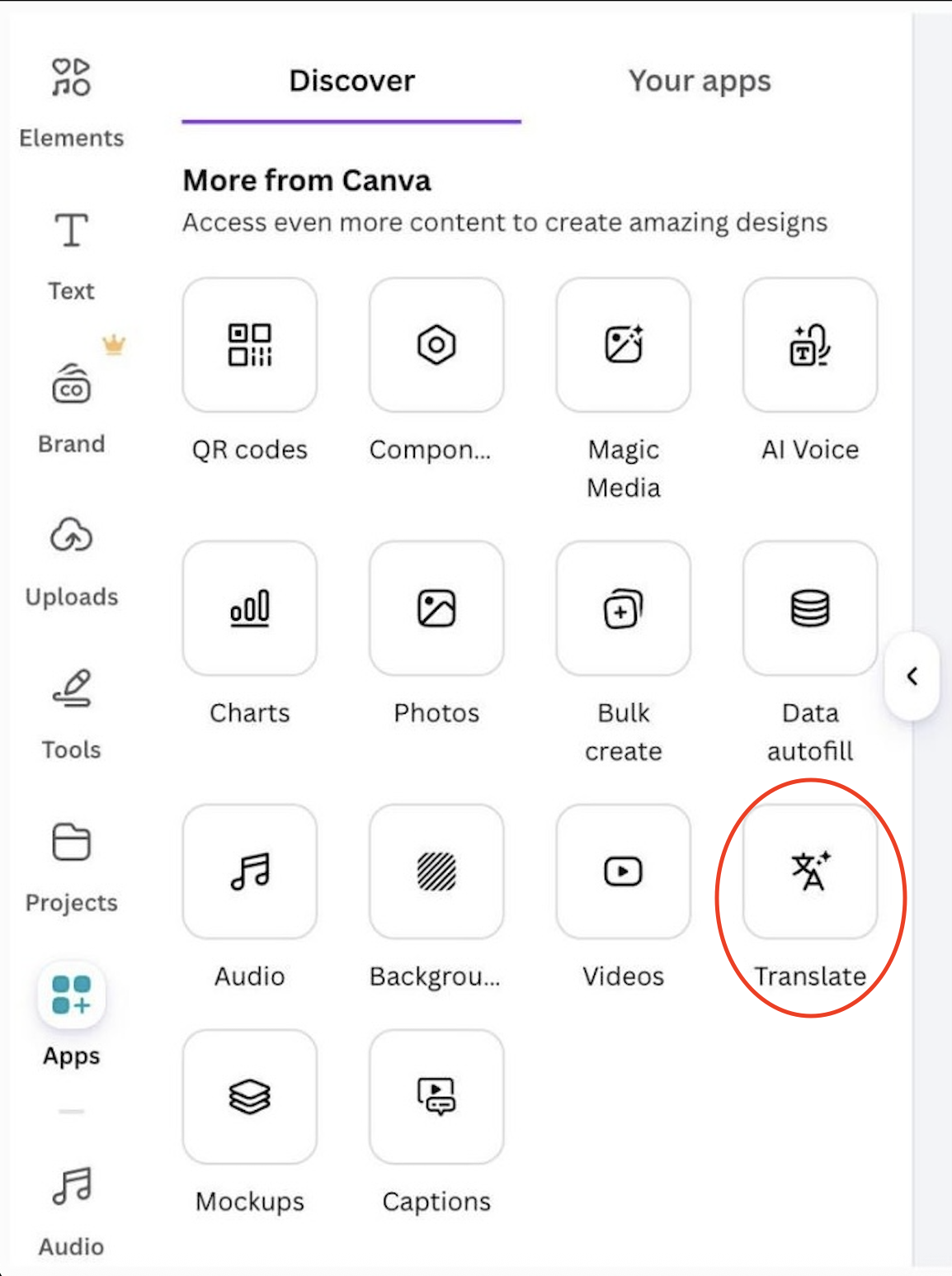
Translating a design:
- Open Apps → Translate;
- Choose the target language;
- Canva replaces the text in every text box and regenerates the layout if needed.
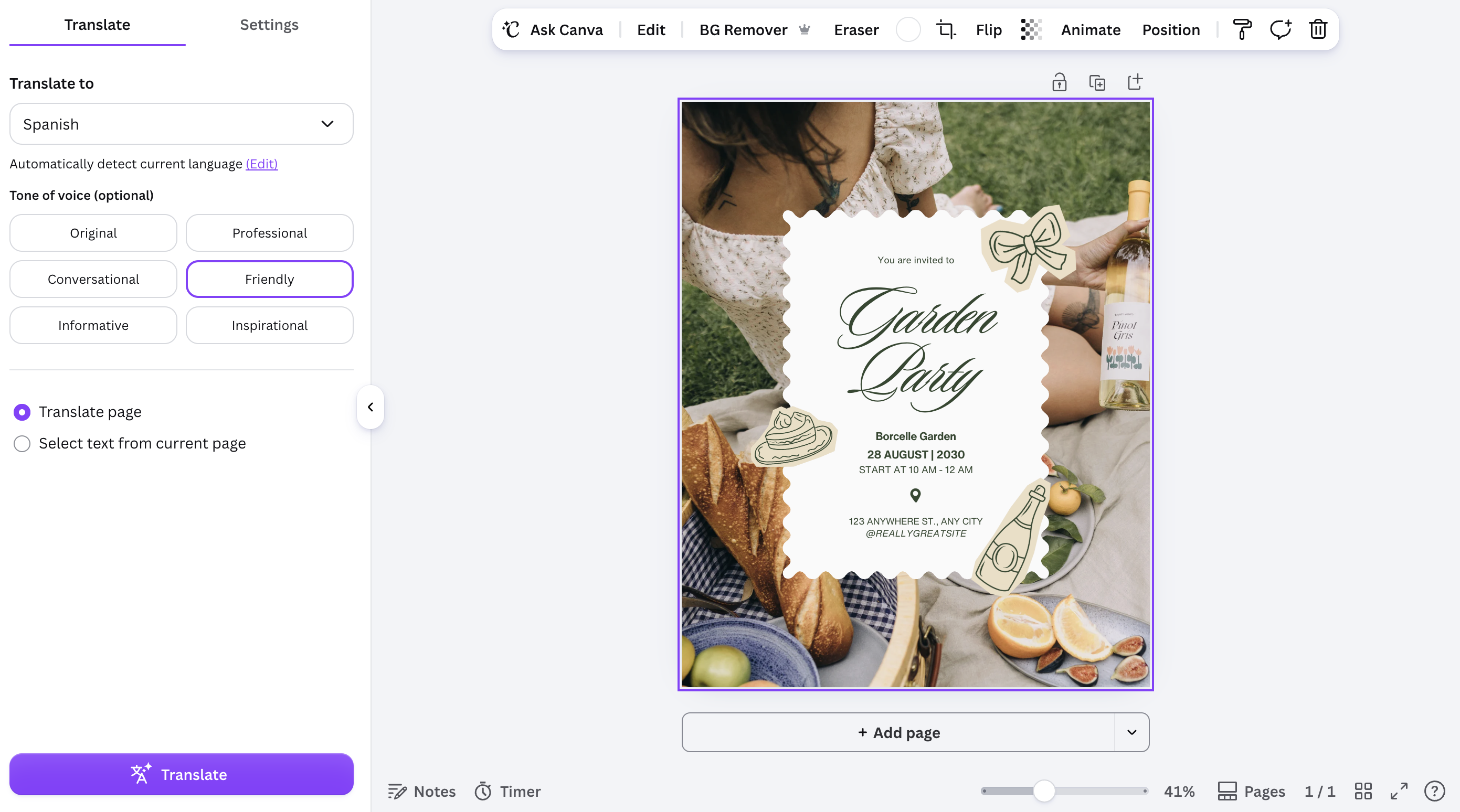
Result:

Animating a page:
- Select a page or an individual element;
- Open Animate;
- Choose a style, such as Fade, Rise, or Pulse;
- Preview the result before exporting.
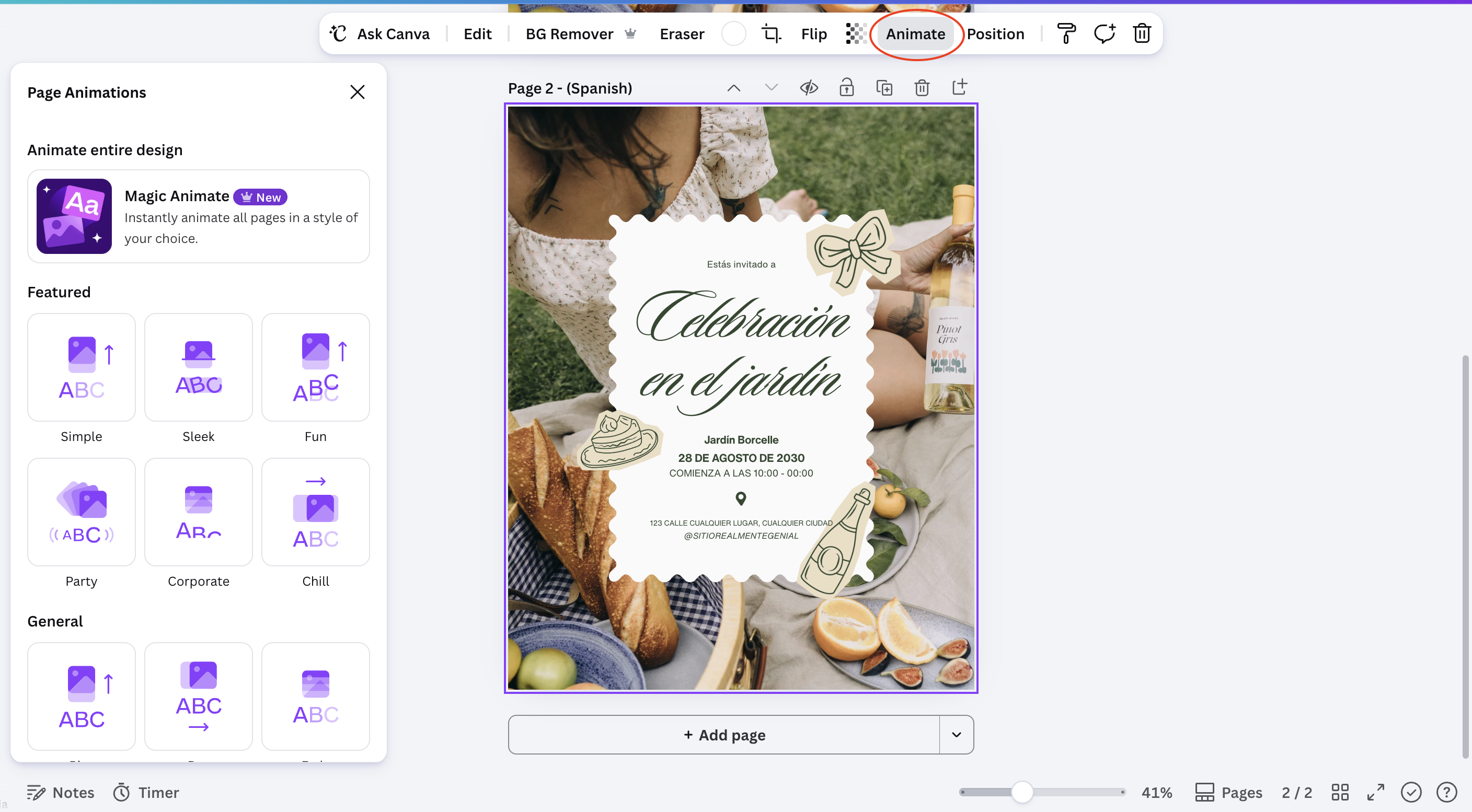
Result:


Note
Translate changes text only. Images, icons, and any text baked into a photo stay exactly as they were, so double-check for leftover source-language text inside images.
Both tools are reversible: switching the language back or removing an animation restores the design to its previous state without losing any content.
Var allt tydligt?
Tack för dina kommentarer!
Avsnitt 1. Kapitel 9
Fråga AI

Fråga AI

Fråga vad du vill eller prova någon av de föreslagna frågorna för att starta vårt samtal
