Notice: This page requires JavaScript to function properly.
Please enable JavaScript in your browser settings or update your browser.
Lära Enhancing Videos with AI Tools | Canva AI Toolkit
Canva AI

Enhancing Videos with AI Tools

Svep för att visa menyn

Canva's video AI tools handle tasks that used to require a separate video editor: matching cuts to a beat, adding captions automatically, and smoothing out a rough voiceover.

Beat Sync:

  • Add a video and an audio track to your timeline;
  • Click the audio track → Beat Sync;
  • Canva detects the beat and trims clip transitions to match it automatically.
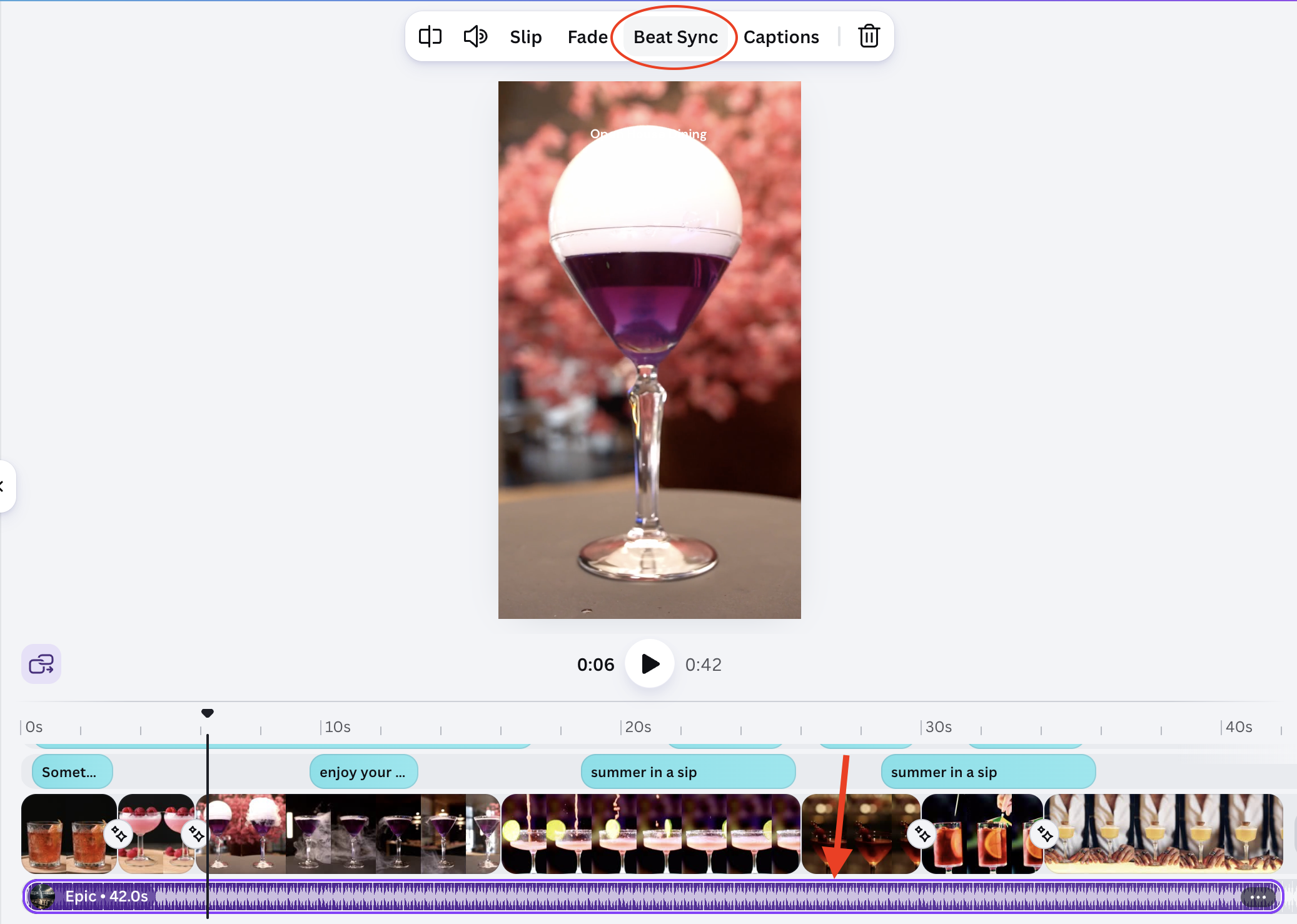
Result:

(open full screen)

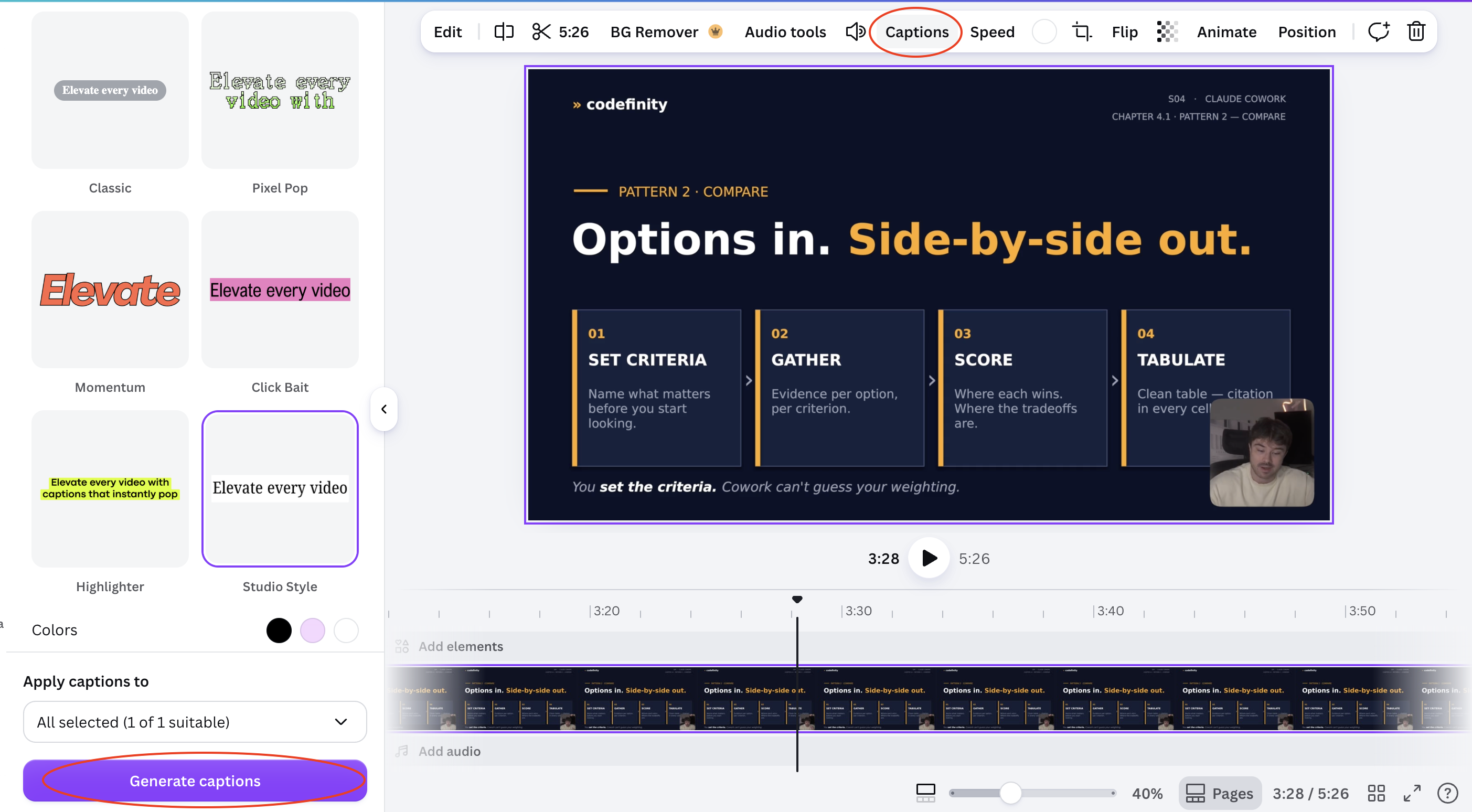
Auto captions:

  • Select your video clip;
  • Click Captions in the toolbar;
  • Select the Style
  • Click Generate captions
  • Canva transcribes the audio and places timed caption text on the video;
  • Edit any line that was transcribed incorrectly.
Result:
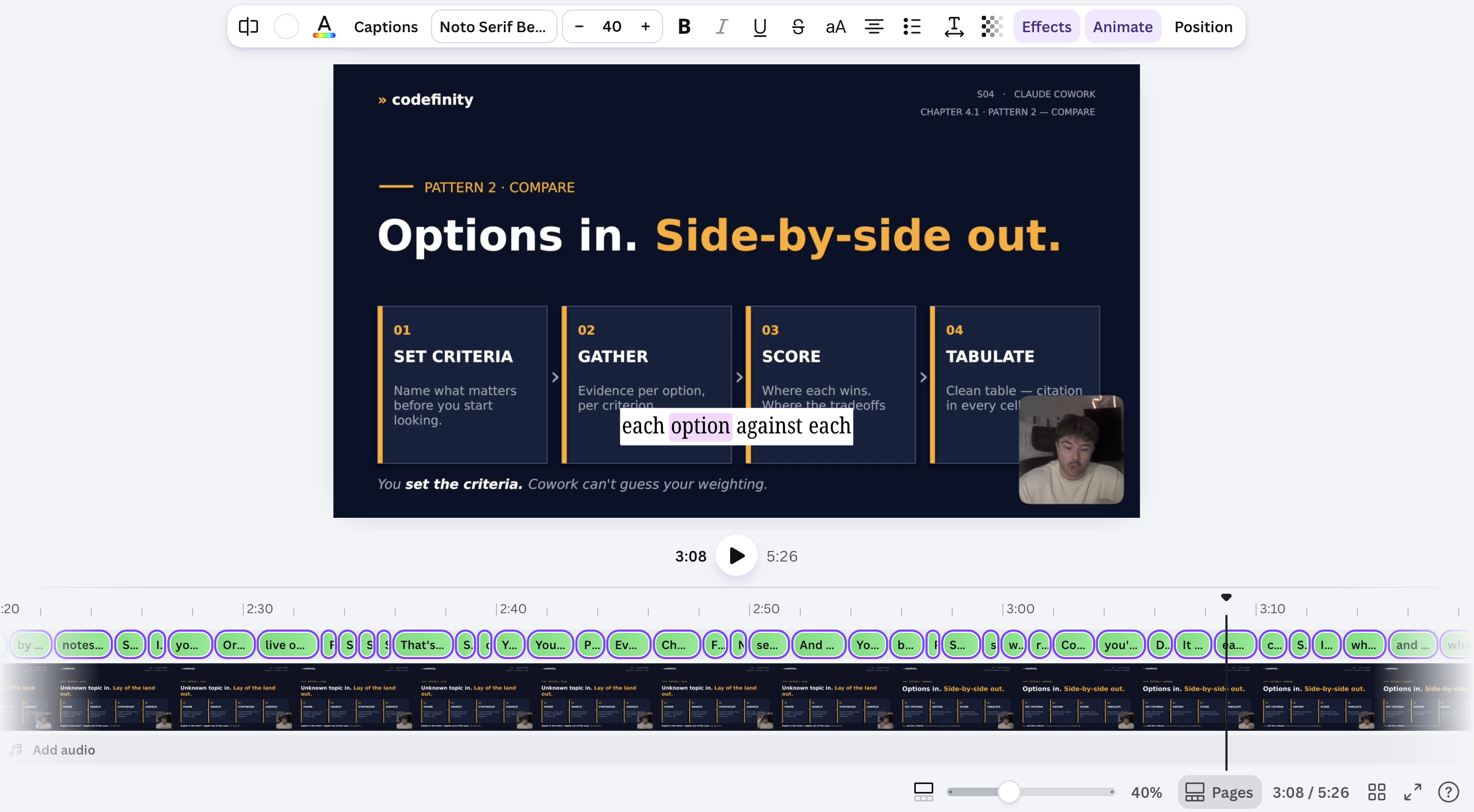
Auto-generated captions and beat-matched cuts both need a quick manual check — transcription can miss names or jargon, and beat detection can misread a quiet intro as the start of the track.

Var allt tydligt?

Hur kan vi förbättra det?

Tack för dina kommentarer!

Avsnitt 1. Kapitel 8

Fråga AI

expand

Fråga AI

ChatGPT

Fråga vad du vill eller prova någon av de föreslagna frågorna för att starta vårt samtal

Enhancing Videos with AI Tools

Canva's video AI tools handle tasks that used to require a separate video editor: matching cuts to a beat, adding captions automatically, and smoothing out a rough voiceover.

Beat Sync:

  • Add a video and an audio track to your timeline;
  • Click the audio track → Beat Sync;
  • Canva detects the beat and trims clip transitions to match it automatically.

Result:

(open full screen)

Auto captions:

  • Select your video clip;
  • Click Captions in the toolbar;
  • Select the Style
  • Click Generate captions
  • Canva transcribes the audio and places timed caption text on the video;
  • Edit any line that was transcribed incorrectly.

Result:

Auto-generated captions and beat-matched cuts both need a quick manual check — transcription can miss names or jargon, and beat detection can misread a quiet intro as the start of the track.

Var allt tydligt?

Hur kan vi förbättra det?

Tack för dina kommentarer!

Avsnitt 1. Kapitel 8
some-alt