Från Data till Diagram
Svep för att visa menyn
Excel erbjuder två sätt att skapa ett diagram. Rekommenderade diagram är det snabbaste startalternativet. Excel analyserar den markerade datan och föreslår diagramtyper som passar dess struktur. Diagramgruppen på fliken Infoga ger dig manuell kontroll att välja vilken typ som helst direkt.

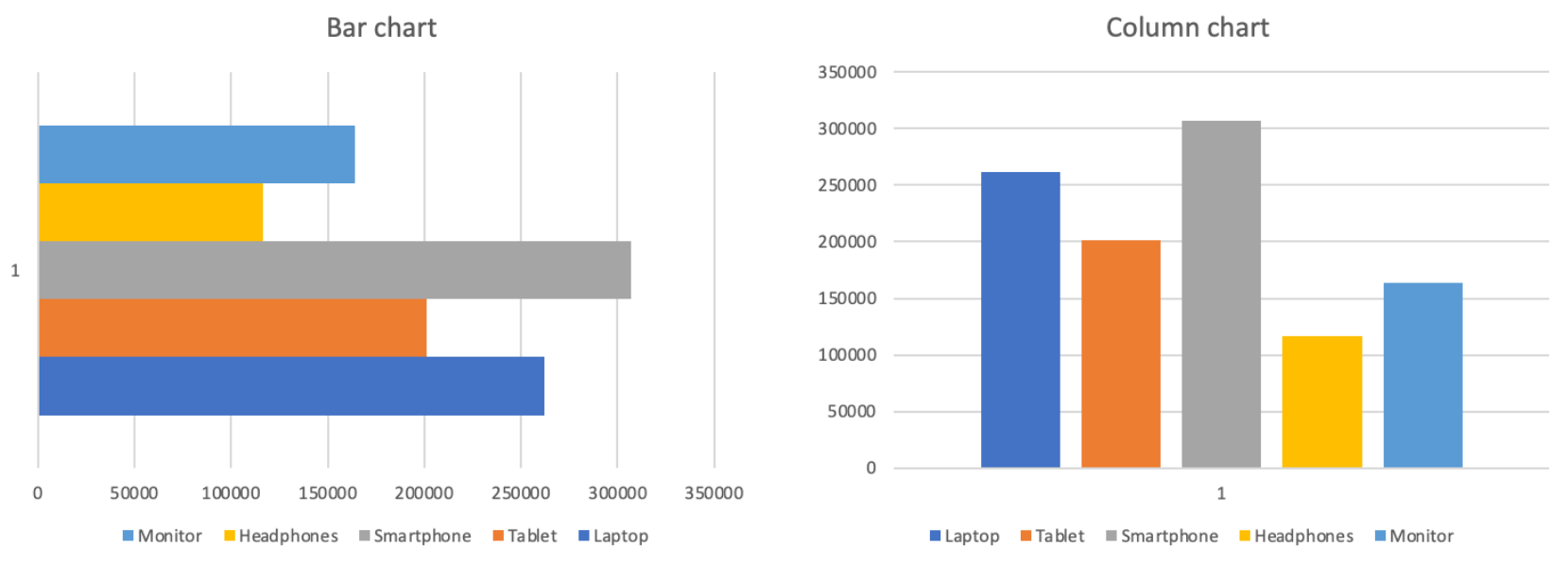
Kolumn-/Stapeldiagram
Höjden på varje stapel representerar värdet. Mellanrummen mellan staplarna betonar att kategorierna är diskreta och oberoende, inte en del av en kontinuerlig sekvens.
Jämförelse:
- Total intäkt per produkt;
- Försäljning per region eller kategori;
- Alla typer av rankning eller jämförelse sida vid sida;
- Inte idealiskt för att visa förändring över tid.
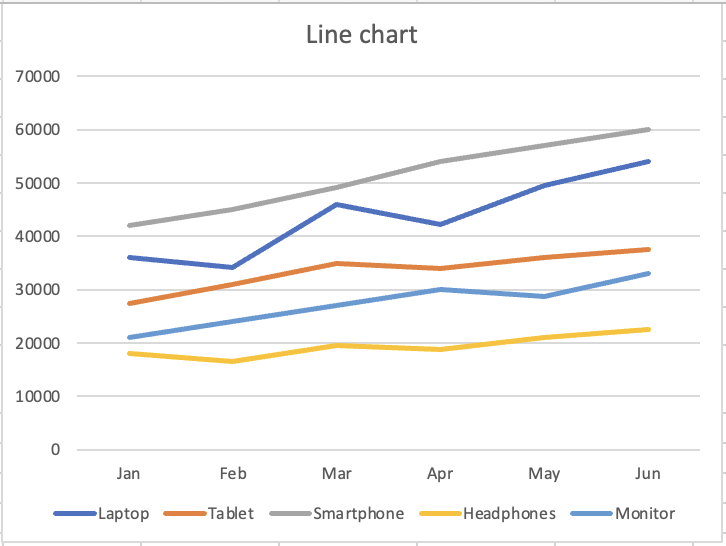
Linjediagram
Den kontinuerliga linjen antyder rörelse och utveckling. Varje punkt är kopplad till nästa och visar riktning och momentum. Den visuella formen signalerar till läsaren "detta förändras".
Trend över tid:
- Månatlig intäkt per produkt;
- Alla mått som följs över tidsperioder;
- Jämförelse av trender för flera serier;
- Inte idealiskt för att jämföra diskreta kategorier.
Tack för dina kommentarer!
Fråga AI

Fråga AI

Fråga vad du vill eller prova någon av de föreslagna frågorna för att starta vårt samtal
