Förhindra felaktig inmatning
Svep för att visa menyn

I det här kapitlet fortsätter vi arbeta i samma arbetsbok som i föregående kapitel.
Den viktigaste strukturella principen i en välbyggd Excel-fil: inmatning och beräkning är separata. Endast särskilda inmatningsceller ska tillåta manuell inmatning. Alla andra celler ska vara låsta, tomma eller formelstyrda. Denna uppdelning gör arbetsboken förutsägbar när den växer.

Datavalidering är en regel som tillämpas på ett specifikt cellområde och styr vilka värden som kan anges. Fungerar som en grindvakt innan data når formler eller tabeller. Tillämpas via Data → Datavalidering.
Excel stöder sex typer av valideringsregler. Varje regel styr en annan aspekt av vad som är tillåtet.
Rullgardinslistor
Fri textinmatning i kategoriska kolumner ("Paid", "PAID", "paid", "Piad") skapar inkonsekvenser som tyst förstör filter och pivottabeller. Rullgardinslistor eliminerar detta helt genom att användare måste välja istället för att skriva.
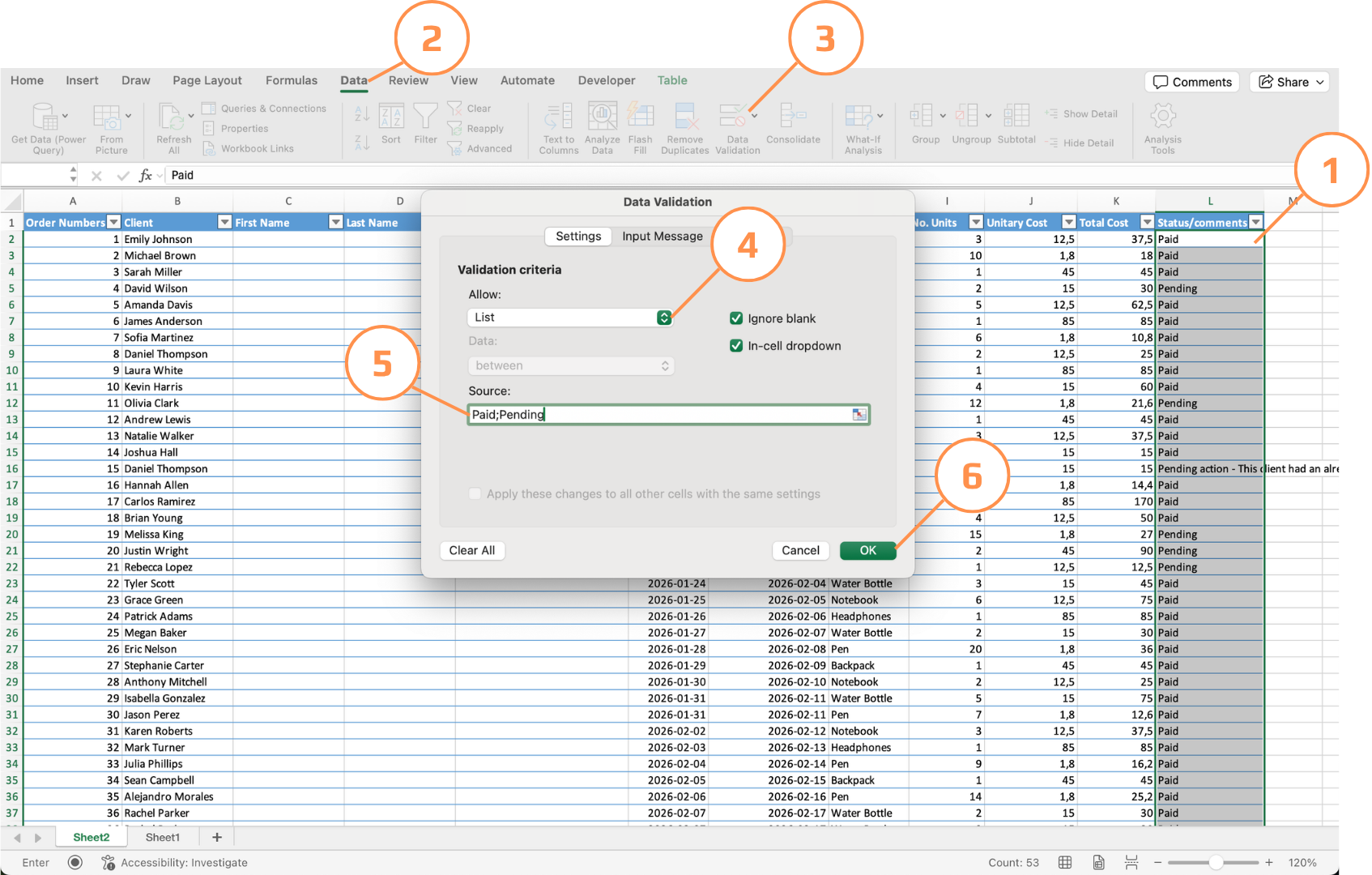
Markera cellen/cellerna → Data → Dataverifiering → Tillåt: Lista → Ange värden separerade med kommatecken eller semikolon (beroende på systemets avgränsare), t.ex. Paid,Pending,Cancelled. Klicka på OK.
Valideringsregler
Textlängd, heltal och datumvalidering fungerar alla på samma sätt i grunden — du definierar ett villkor, och Excel blockerar allt som inte uppfyller det. Det som skiljer är vilken aspekt som kontrolleras:
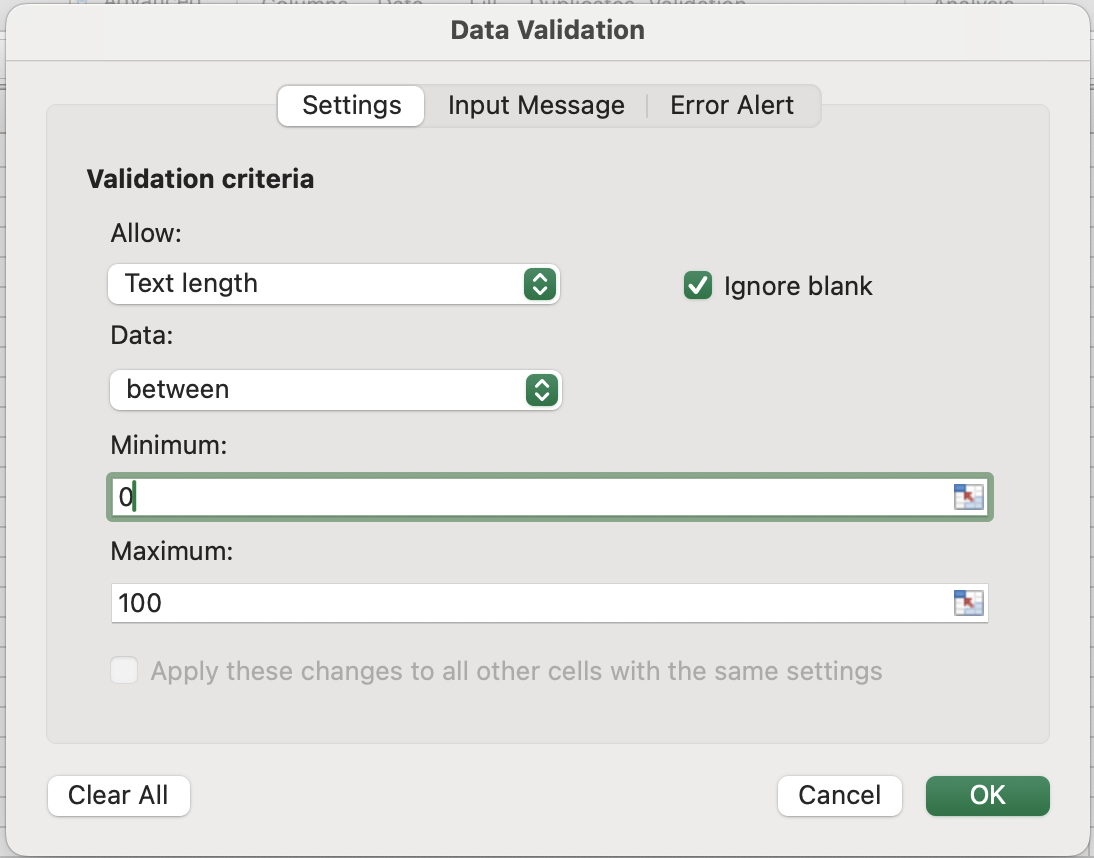
- Textlängd tittar inte på värdet i sig — den räknar tecken med
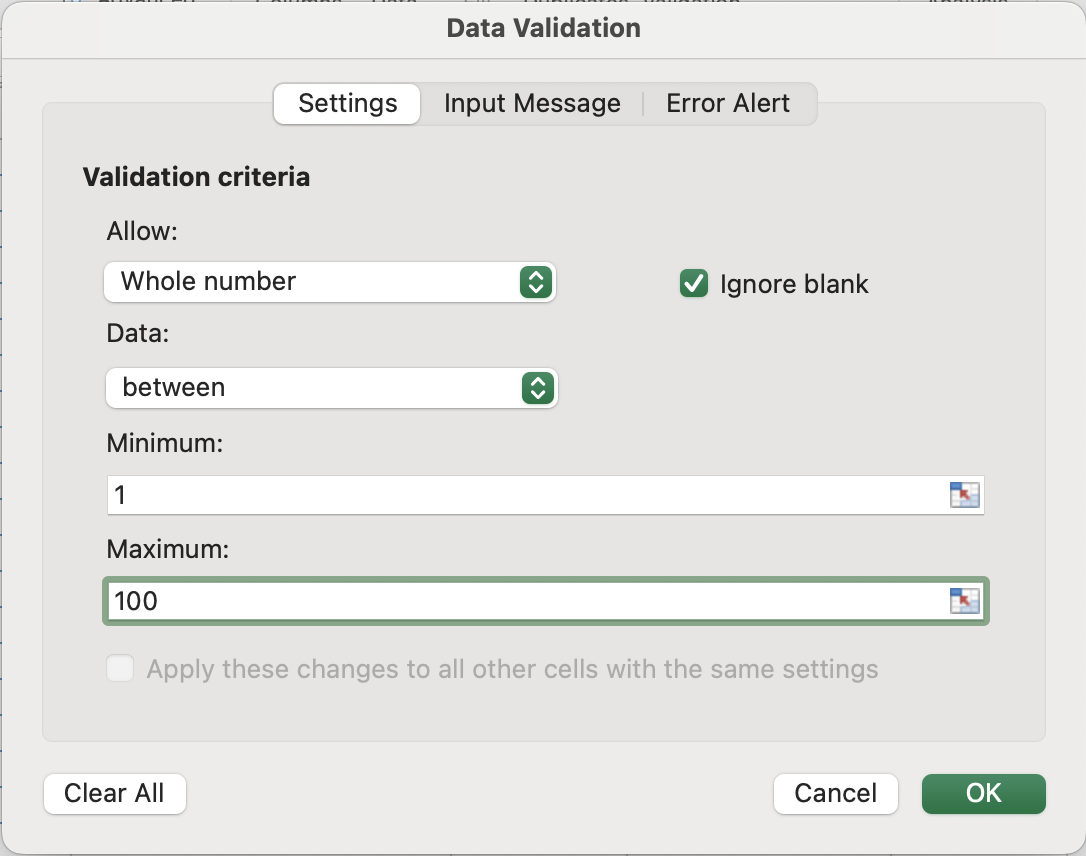
LEN()internt. Så"1234"och"hello"har båda längd 4, oavsett typ. Användbart för telefonnummer, postnummer eller andra fält med fast teckenkrav; - Heltal kontrollerar att värdet ligger inom ett numeriskt intervall och inte har någon decimaldel;
- Decimal är samma intervallkontroll men tillåter decimaltal, vilket är användbart för priser eller mått;
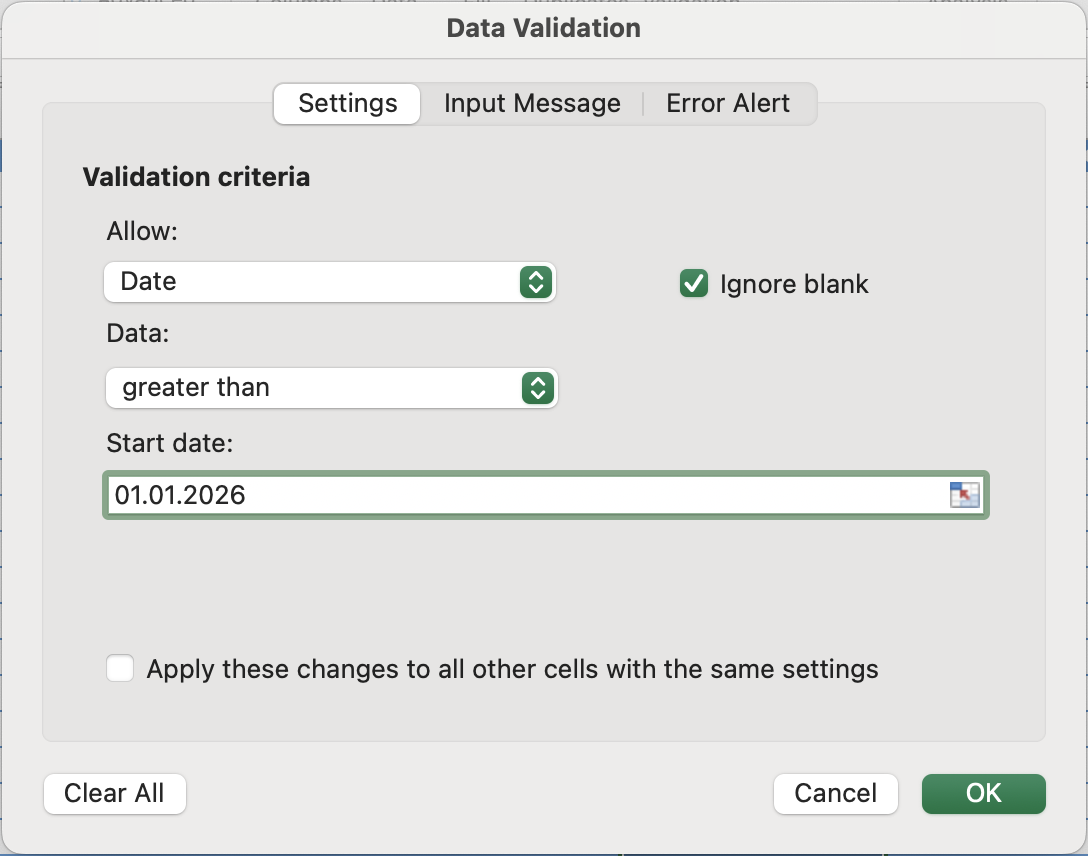
- Datum är den mest subtila. Eftersom datum lagras som serienummer är en regel som "större än idag" faktiskt en numerisk jämförelse —
TODAY()returnerar ett heltal, och det inmatade datumet behöver bara ge ett högre värde för att godkännas.
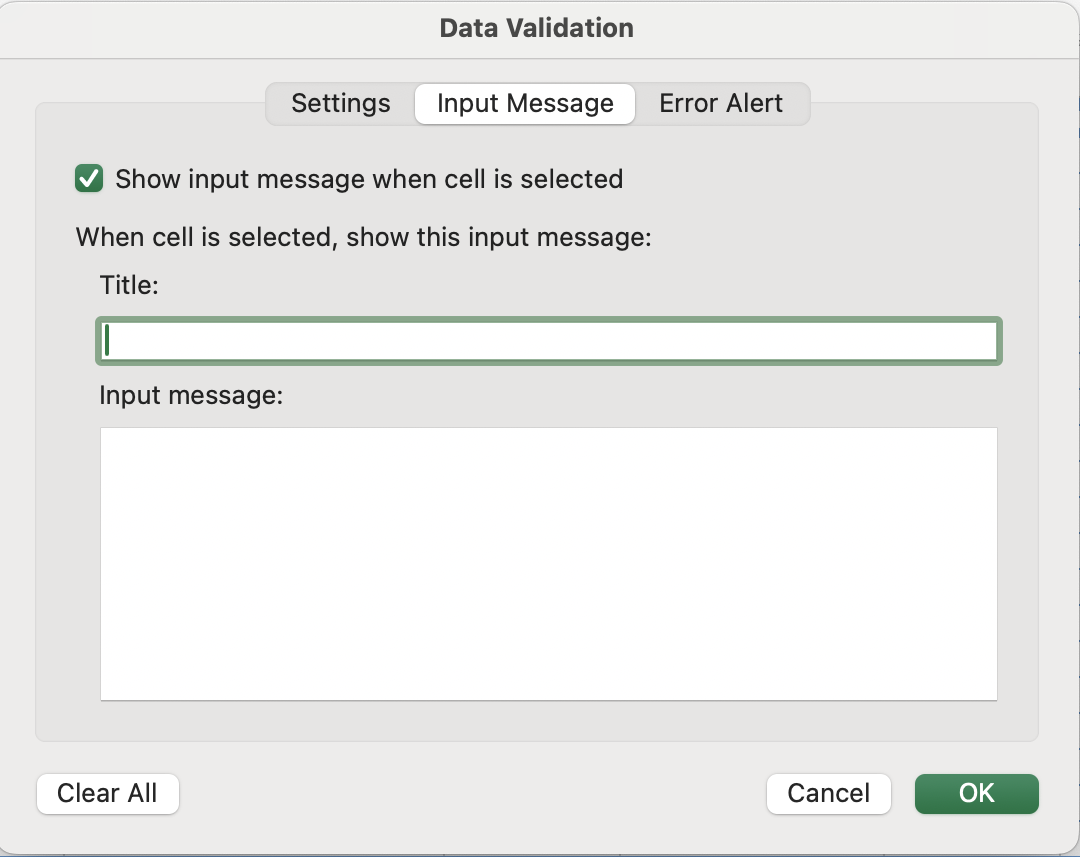
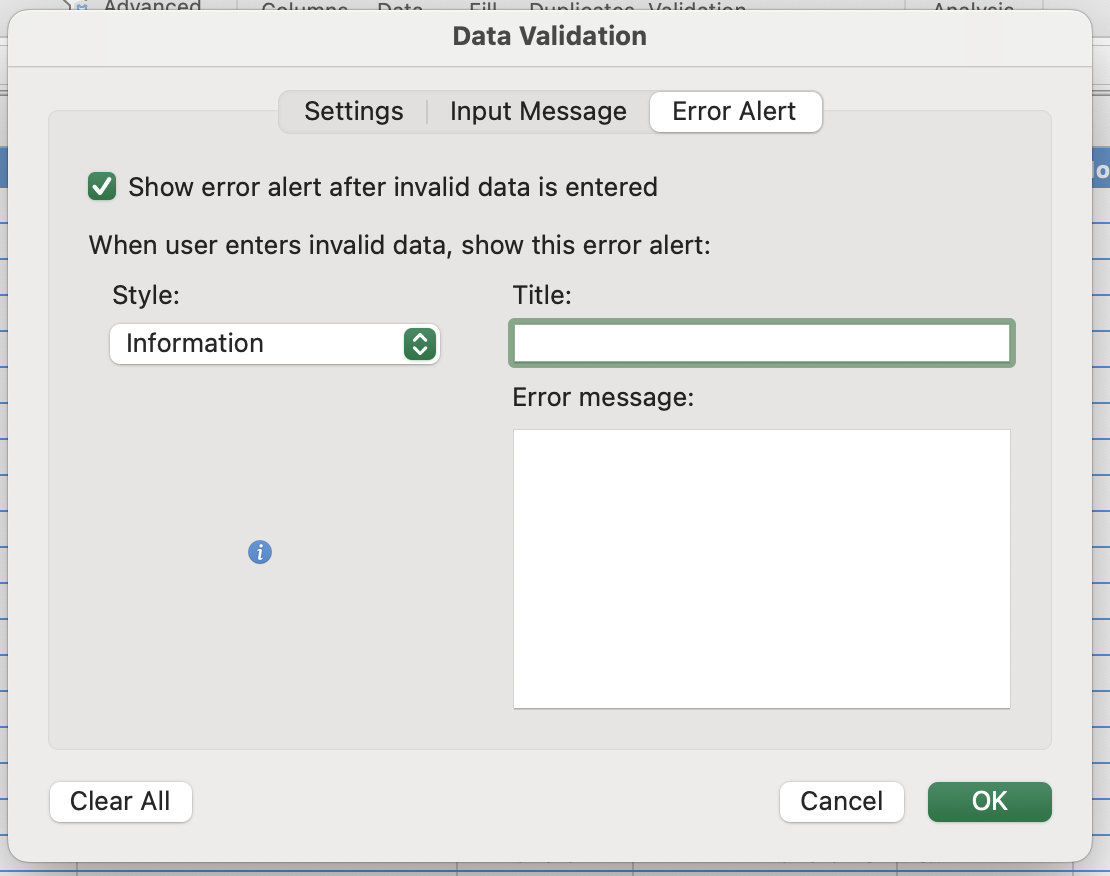
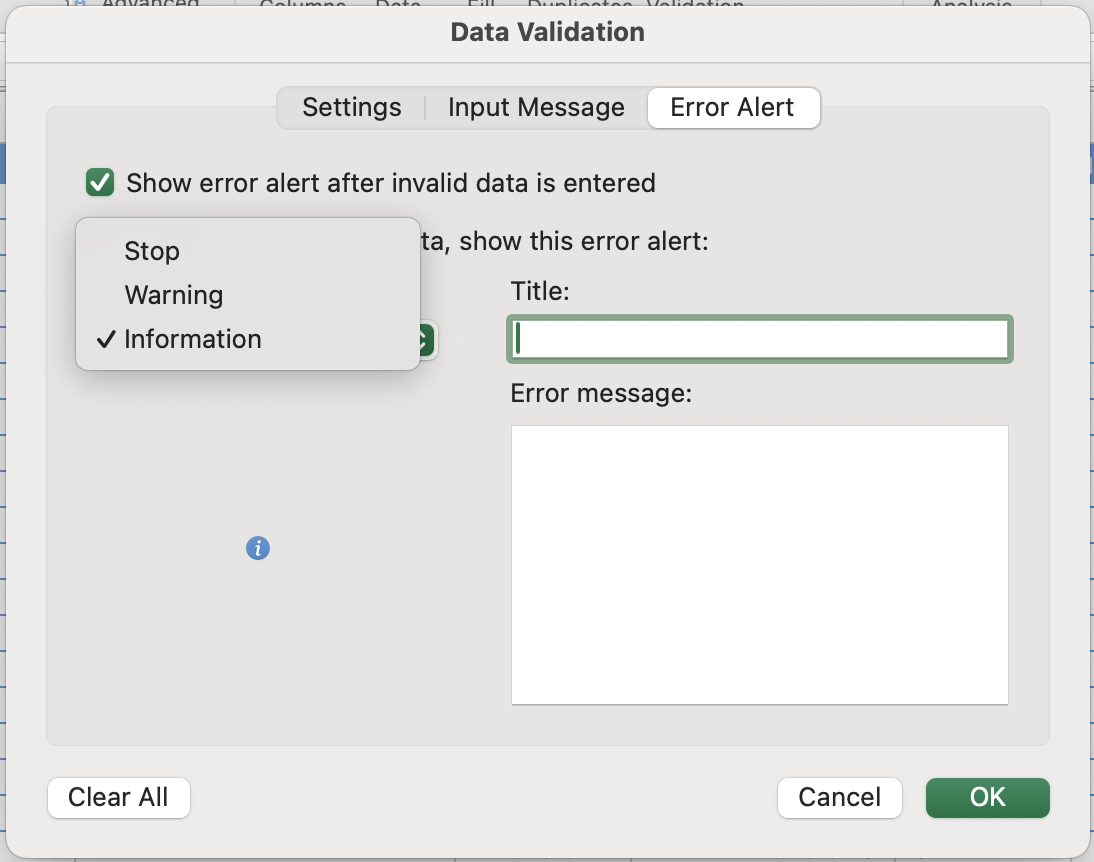
Inmatningsmeddelanden vs Felmeddelanden
Validering har två kommunikationsnivåer. Den första informerar användaren om vad som ska anges innan de försöker. Den andra styr vad som händer när något ogiltigt anges. Dessa konfigureras i separata flikar i dialogrutan Datavalidering.
Ta bort dubbletter
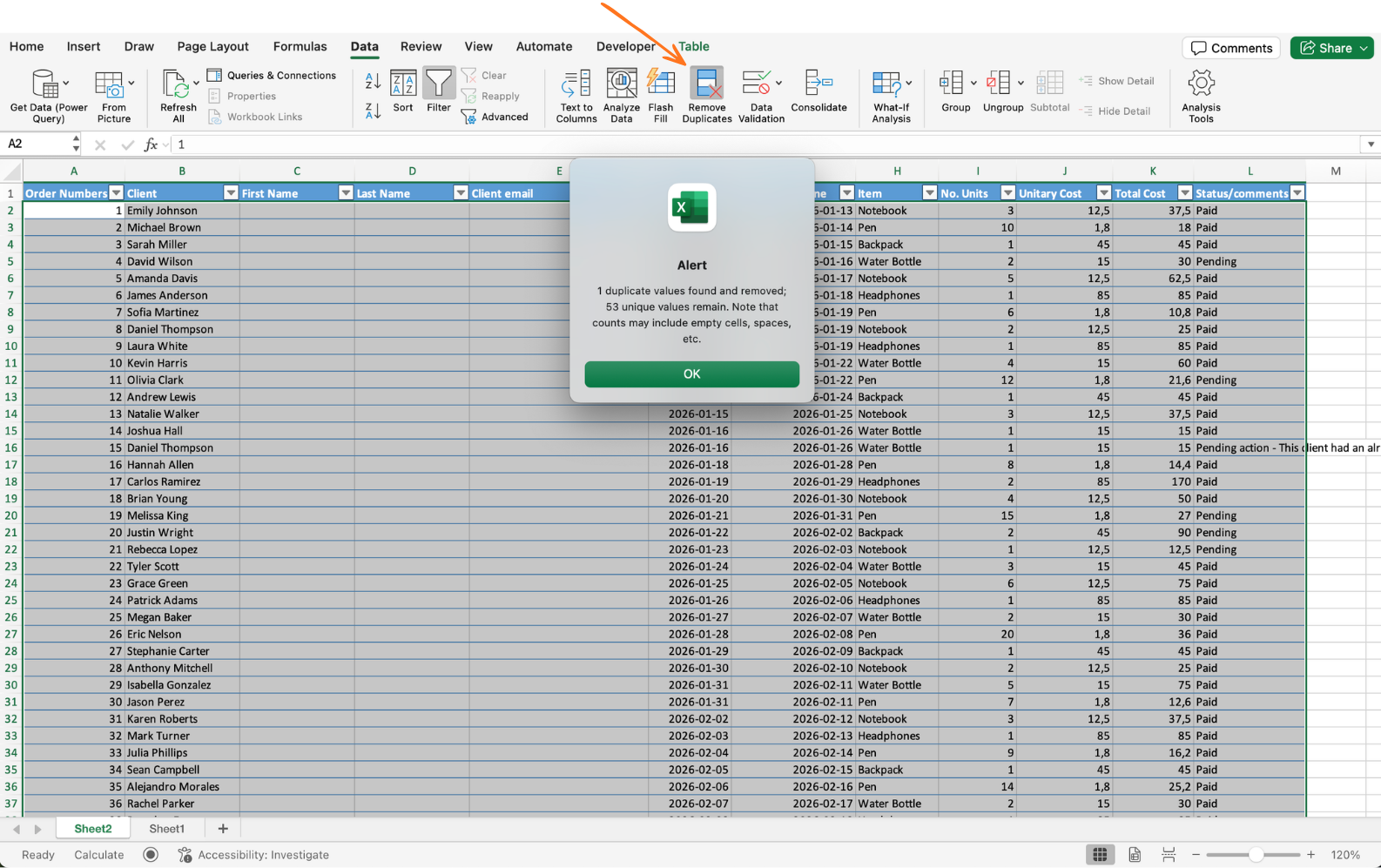
Använd Data → Ta bort dubbletter. Välj kolumner att jämföra. Excel behåller den första förekomsten av varje kombination och tar bort resten. Bäst för importerad eller historisk data.
Det går inte att ångra efter att dialogrutan har stängts om du sparar. Arbeta alltid på en kopia av datan eller använd Ctrl+Z direkt om resultatet ser fel ut. Dialogrutan visar också hur många dubbletter som togs bort — kontrollera att detta antal är rimligt innan du stänger.
Uppgift
- Skapa en kontrollerad rullgardinsmeny för Betalningsstatus
Lokalisera kolumnen Betalningsstatus i din datamängd och markera alla rader med data, inklusive den senaste. Öppna Dataverifiering, välj Lista och ange alternativen: Paid, Pending.
Klicka på en cell i kolumnen för att bekräfta att rullgardinsmenyn visas. Försök att skriva in ett annat värde — det ska begränsas eller visa en varning.
- Gör rullgardinsmenyn till ett dynamiskt system
Skapa en källa för rullgardinsmenyn på ett nytt blad. I cell A1, skriv Statuses. I A2 och A3, ange Paid och Pending. Konvertera detta område till en tabell med Ctrl/Cmd + T.
Gå tillbaka till din huvuddataset, markera kolumnen Betalningsstatus och öppna Dataverifiering igen. Ersätt källan med:
=INDIRECT("TableName[Statuses]")
Se till att använda det faktiska tabellnamnet.
För att testa, gå tillbaka till källtabellen och lägg till ett nytt värde, till exempel Booked. Gå sedan tillbaka till din datamängd och bekräfta att det nya värdet automatiskt visas i rullgardinsmenyn.
- Ta bort dubblettposter
Markera hela datamängden eller tabellen. Gå till Data → Ta bort dubbletter och välj en unik kolumn, till exempel Order ID.
Excel visar hur många dubbletter som togs bort — bekräfta resultatet.
Tack för dina kommentarer!
Fråga AI

Fråga AI

Fråga vad du vill eller prova någon av de föreslagna frågorna för att starta vårt samtal
