Notice: This page requires JavaScript to function properly.
Please enable JavaScript in your browser settings or update your browser.
Aprenda Mind Maps, Reports and Study Tools | Grounded Research with Gemini Notebook
Gemini Notebook Overview

Mind Maps, Reports and Study Tools

Deslize para mostrar o menu

Four more Studio outputs, all generated from the same sources, all aimed at a different way of working through material.

Mind Maps

A mind map is an interactive tree of the concepts across your sources and the connections between them. Branches expand and collapse, and clicking a node asks the chat about that specific concept.

It answers a question a summary cannot: what is actually in here, and how do the pieces relate. That makes it the right first move on an unfamiliar source set, before you know what to ask. It also downloads as an image.
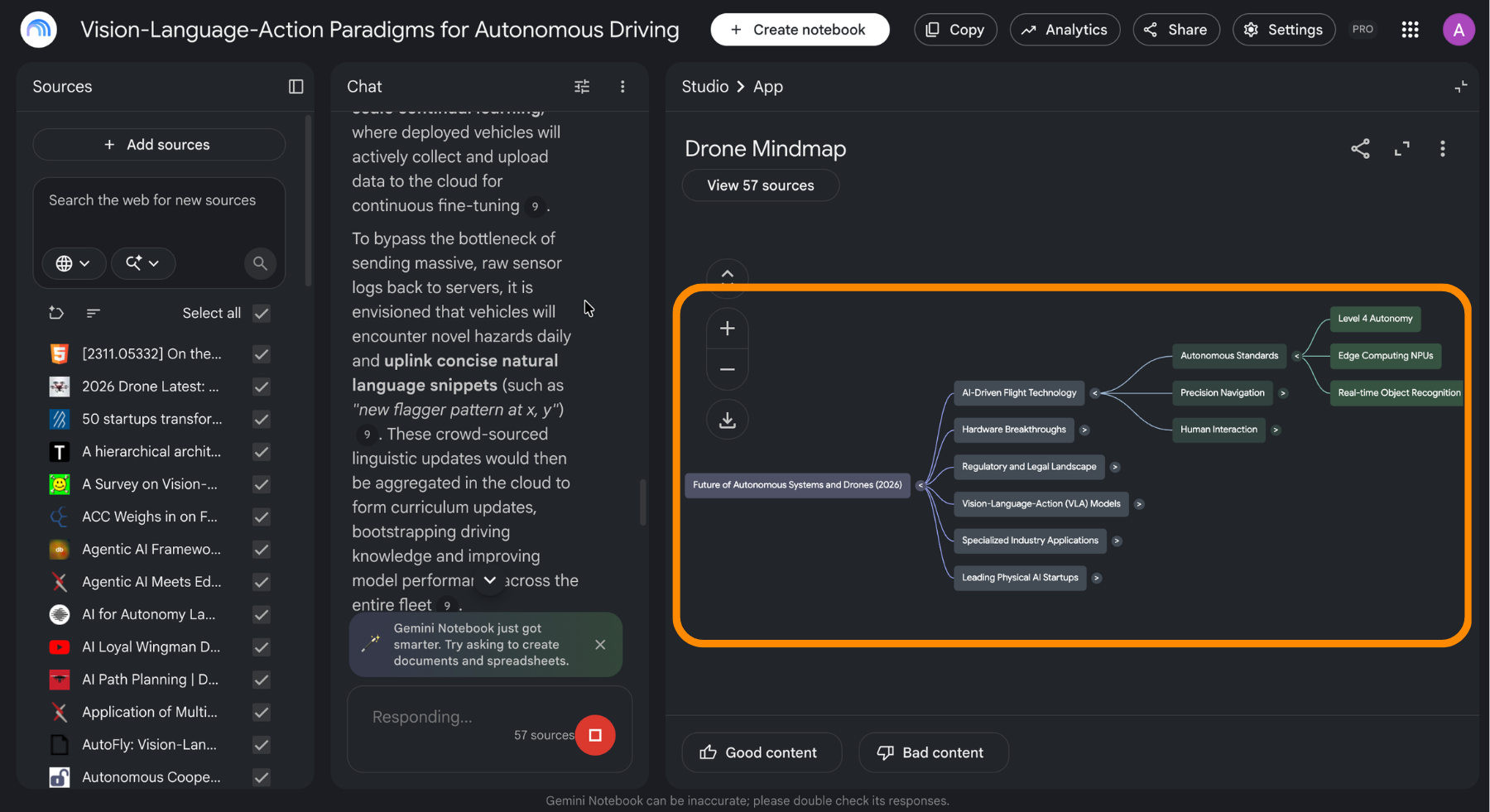
> **📸 Screen 8** – Page: a generated mind map with several branches expanded, whole window. > Circle: one expanded branch, and the download control.

Reports

Reports turn the source set into a structured document: a briefing doc, a study guide, a comparison, a summary with headings and citations.

The part worth knowing is that the suggested formats are generated from your specific sources rather than picked from a fixed list. Those suggestions are consistently more useful than the generic defaults, because the tool has read the material and you have not yet.

Flashcards and Quizzes

Both are interactive, and both are customizable before generation: number of items, topic, and difficulty.

  • Flashcards extract terms and concepts into question and answer pairs, and progress is saved as you work through them;
  • Quizzes generate multiple-choice questions with cited answers and give you a score at the end.

Because answers are cited, a wrong answer leads straight back to the passage that explains it, which is the part that makes this actually useful for studying rather than just testing.
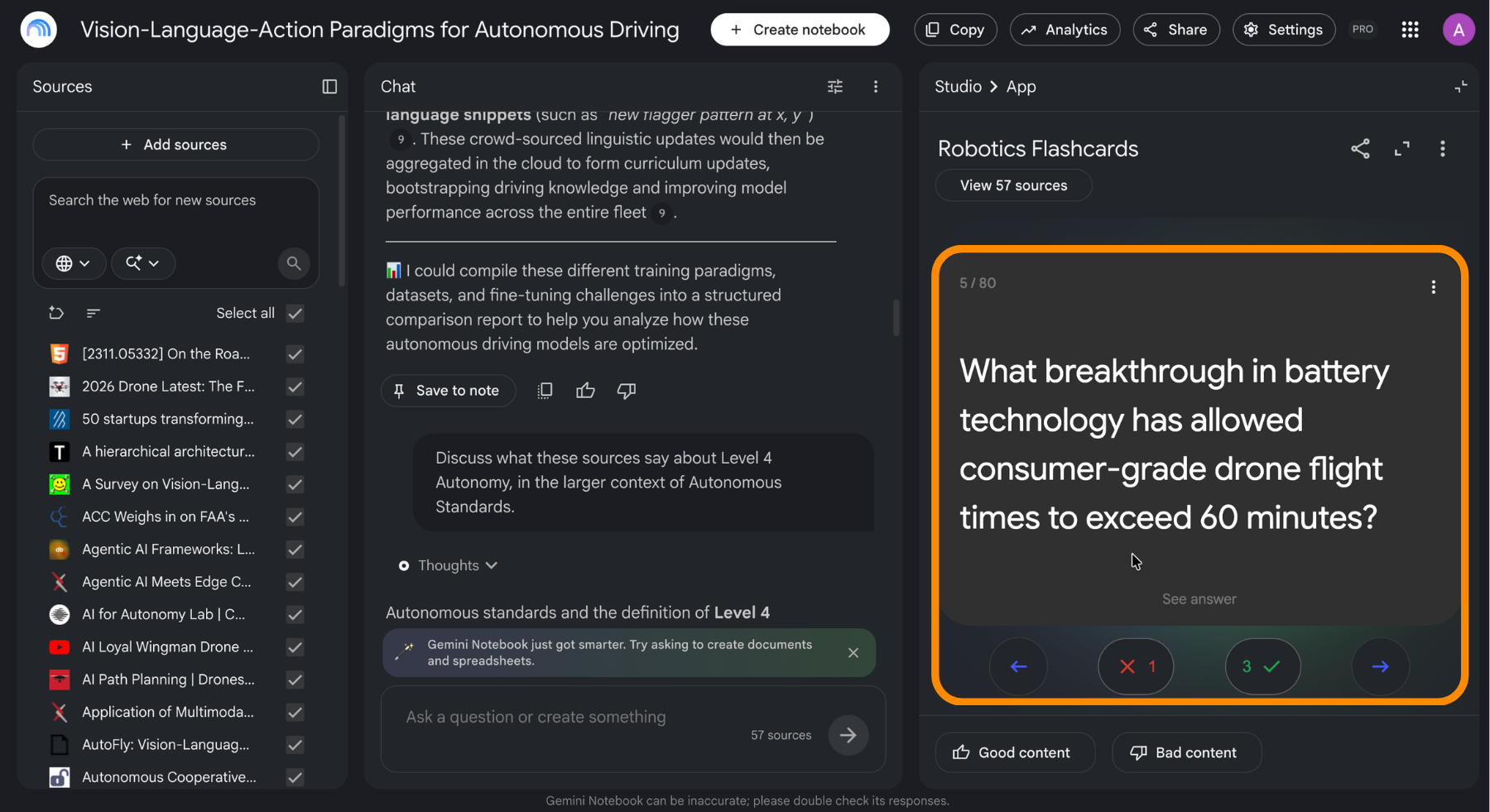
  > **📸 Screen 9** – Page: a generated quiz or flashcard set open in the notebook, whole window. > Circle: the customization controls (question count and difficulty).

Custom Instructions Change Everything

Every output in the Studio accepts a custom instruction before it runs. Naming the audience, the depth, and the focus is the difference between a generic artifact and one you can use. Explain this for someone who has never seen a balance sheet produces a different study guide than the default, from identical sources.

question mark

Why are the suggested report formats better than the default ones?

Selecione a resposta correta

Tudo estava claro?

Como podemos melhorá-lo?

Obrigado pelo seu feedback!

Seção 1. Capítulo 7

Pergunte à IA

expand

Pergunte à IA

ChatGPT

Pergunte o que quiser ou experimente uma das perguntas sugeridas para iniciar nosso bate-papo

Mind Maps, Reports and Study Tools

Four more Studio outputs, all generated from the same sources, all aimed at a different way of working through material.

Mind Maps

A mind map is an interactive tree of the concepts across your sources and the connections between them. Branches expand and collapse, and clicking a node asks the chat about that specific concept.

It answers a question a summary cannot: what is actually in here, and how do the pieces relate. That makes it the right first move on an unfamiliar source set, before you know what to ask. It also downloads as an image.

> **📸 Screen 8** – Page: a generated mind map with several branches expanded, whole window. > Circle: one expanded branch, and the download control.

Reports

Reports turn the source set into a structured document: a briefing doc, a study guide, a comparison, a summary with headings and citations.

The part worth knowing is that the suggested formats are generated from your specific sources rather than picked from a fixed list. Those suggestions are consistently more useful than the generic defaults, because the tool has read the material and you have not yet.

Flashcards and Quizzes

Both are interactive, and both are customizable before generation: number of items, topic, and difficulty.

  • Flashcards extract terms and concepts into question and answer pairs, and progress is saved as you work through them;
  • Quizzes generate multiple-choice questions with cited answers and give you a score at the end.

Because answers are cited, a wrong answer leads straight back to the passage that explains it, which is the part that makes this actually useful for studying rather than just testing.

  > **📸 Screen 9** – Page: a generated quiz or flashcard set open in the notebook, whole window. > Circle: the customization controls (question count and difficulty).

Custom Instructions Change Everything

Every output in the Studio accepts a custom instruction before it runs. Naming the audience, the depth, and the focus is the difference between a generic artifact and one you can use. Explain this for someone who has never seen a balance sheet produces a different study guide than the default, from identical sources.

Tudo estava claro?

Como podemos melhorá-lo?

Obrigado pelo seu feedback!

Seção 1. Capítulo 7
some-alt