Enhancing Videos with AI Tools
Deslize para mostrar o menu
Canva's video AI tools handle tasks that used to require a separate video editor: matching cuts to a beat, adding captions automatically, and smoothing out a rough voiceover.
Beat Sync:
- Add a video and an audio track to your timeline;
- Click the audio track → Beat Sync;
- Canva detects the beat and trims clip transitions to match it automatically.
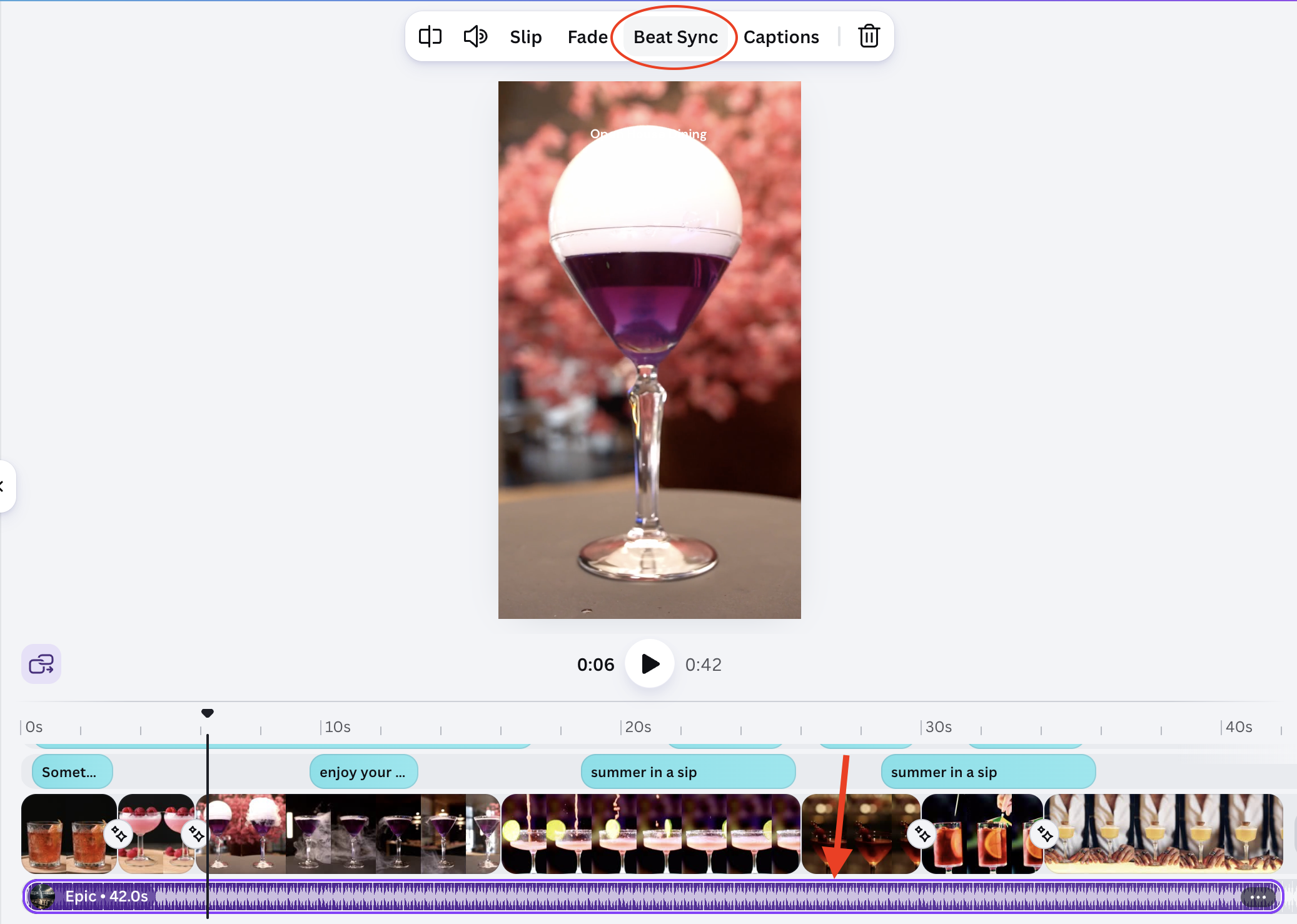
Result:
(open full screen)
Auto captions:
- Select your video clip;
- Click Captions in the toolbar;
- Select the Style
- Click Generate captions
- Canva transcribes the audio and places timed caption text on the video;
- Edit any line that was transcribed incorrectly.
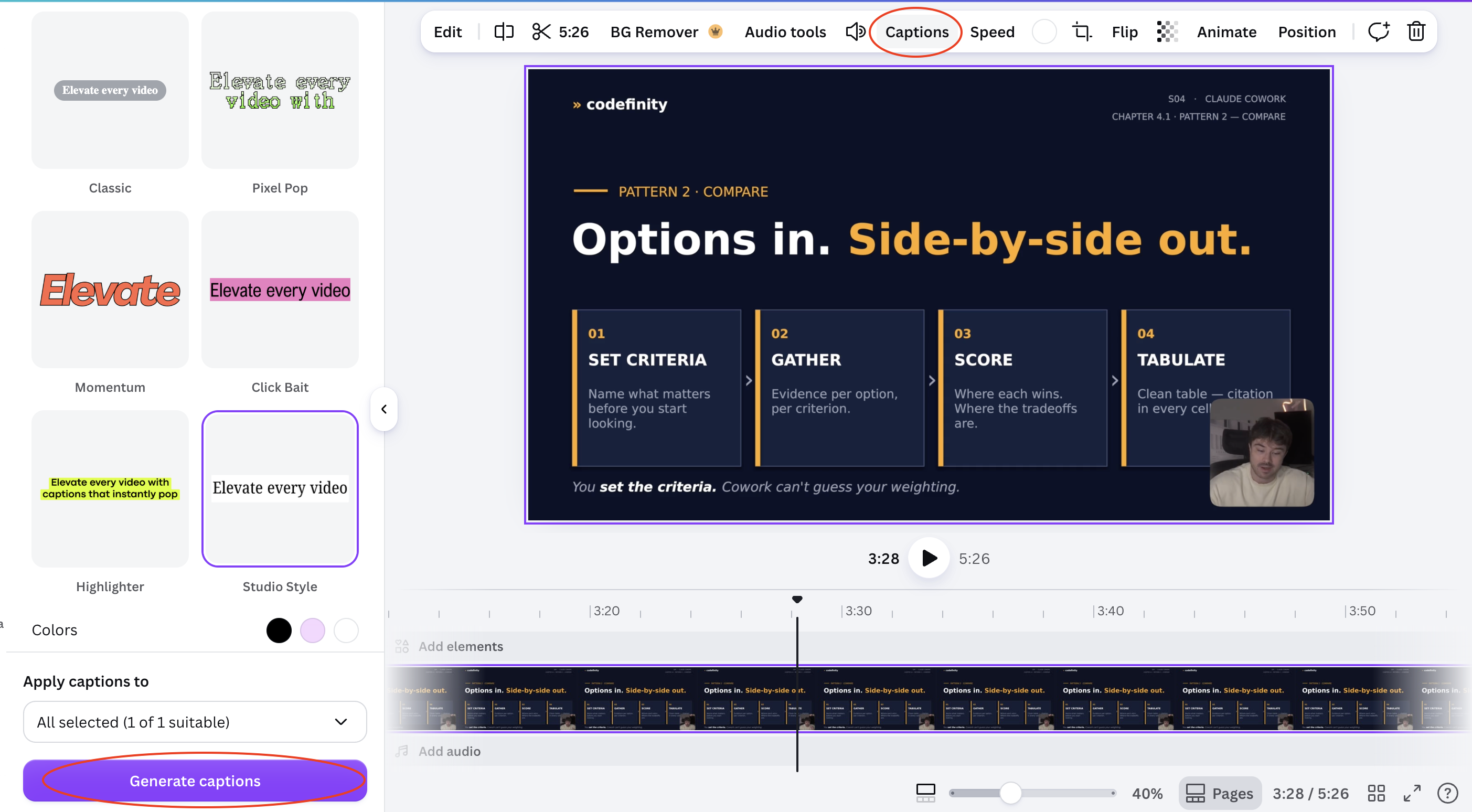
Result:
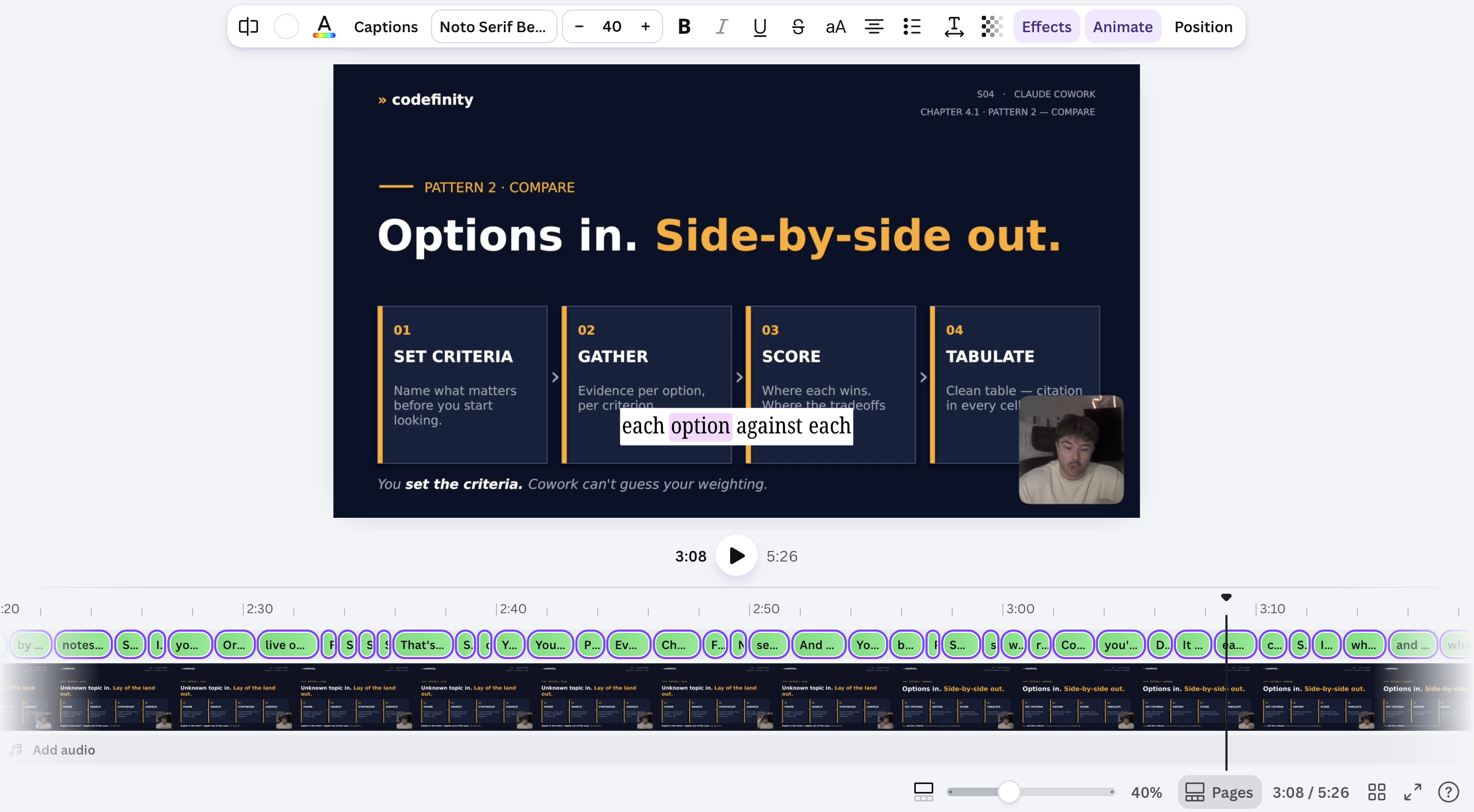
Auto-generated captions and beat-matched cuts both need a quick manual check — transcription can miss names or jargon, and beat detection can misread a quiet intro as the start of the track.
Tudo estava claro?
Obrigado pelo seu feedback!
Seção 1. Capítulo 8
Pergunte à IA

Pergunte à IA

Pergunte o que quiser ou experimente uma das perguntas sugeridas para iniciar nosso bate-papo
