Gemini Basics You Need to Know
Deslize para mostrar o menu
Getting In
Sign in with a Google account at gemini.google.com, or install the mobile or desktop app. Everything syncs, so a chat you start on a laptop continues on a phone.
Finding Your Way Around
The app was rebuilt in 2026, so older tutorials show a layout that no longer exists. Four places matter:
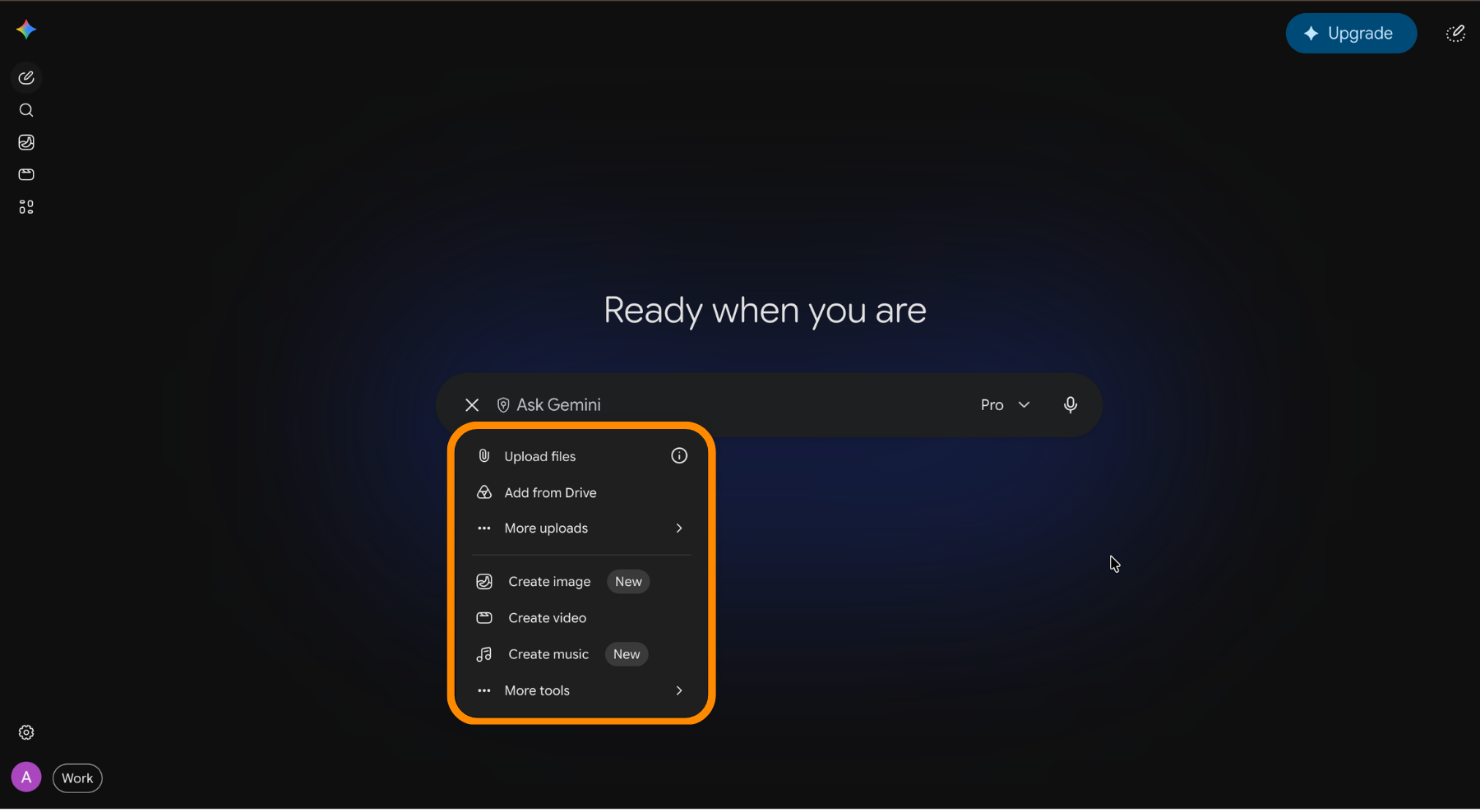
- Prompt box: the pill in the center, with the plus menu on one side and voice input and Gemini Live on the other;
- Model picker: the dropdown in the top-left corner;
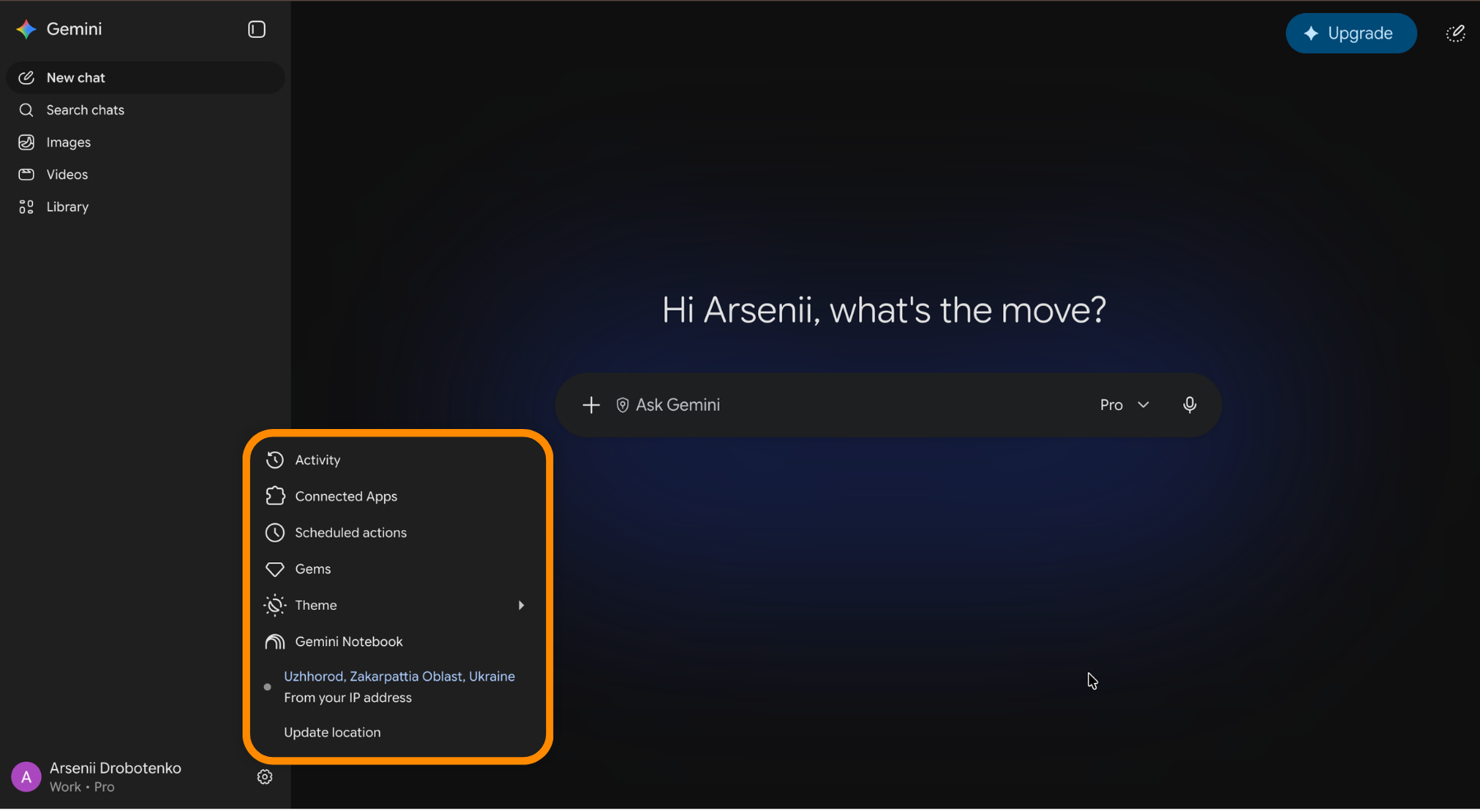
- Navigation drawer: new chat, chat search, your library, Gems, notebooks, and recent conversations;
- Settings: at the bottom of the drawer, next to your profile picture.
What You Can Attach
The plus menu opens photos, the camera, files, Drive documents, and notebooks. Gemini reads PDFs, spreadsheets, images, and code. It also accepts a YouTube link and answers questions about the video without you watching it.
Writing Prompts That Work
A prompt is a brief, not a search query. Four habits cover most of it:
- State the goal and who the output is for;
- Give the source material instead of describing it;
- Name the format and the length you expect;
- Correct the result in the same chat rather than starting a new one.
Weak prompt: write about our new feature
Strong prompt: Write a 150-word release note for non-technical users based on the attached spec. Plain language, no marketing adjectives, end with one sentence on how to turn the feature on.
Tools Change What a Chat Does
The same menu lists the tools that switch a chat into a different mode: deep research, Canvas, guided learning, image, video, and music creation, and personal context from your Google apps. Picking one before you type sets the mode for that request, and each one gets its own chapter later in this course.
Obrigado pelo seu feedback!
Pergunte à IA

Pergunte à IA

Pergunte o que quiser ou experimente uma das perguntas sugeridas para iniciar nosso bate-papo
