Combining UNIQUE SORT and FILTER
Deslize para mostrar o menu
Why Combine Dynamic Array Functions
The FILTER function returns all records that meet a condition.
In many real-world cases, the result needs further refinement.
For example, you may want to:
- Remove duplicate values;
- Sort the returned list;
- Create cleaner summaries from raw data.
This is where UNIQUE and SORT become useful.
When combined with FILTER, they allow Excel to return a clean and organized dynamic result.
The UNIQUE Function
The UNIQUE function returns distinct values from a range.
If the source data contains repeated values, UNIQUE removes duplicates.
=UNIQUE(array)
array: the range containing the values.
The SORT Function
The SORT function sorts a range or spilled result.
=SORT(array)
array: the range or dynamic result to sort.
Example Returning a Sorted Unique List of Customers
Assume a worksheet contains the following table.
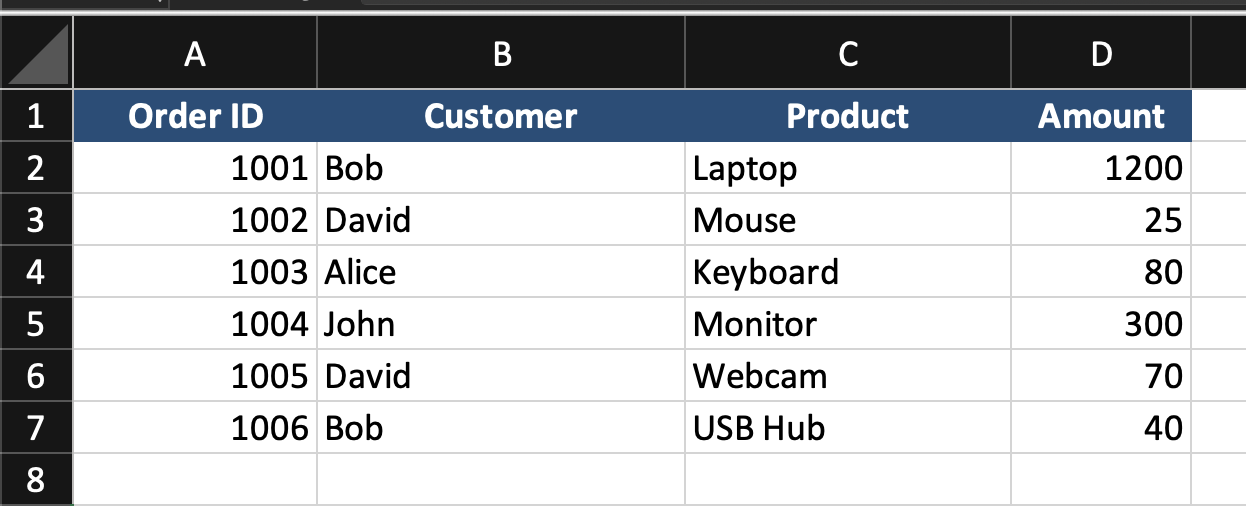
The goal is to return a list of customer names without duplicates and sorted alphabetically.
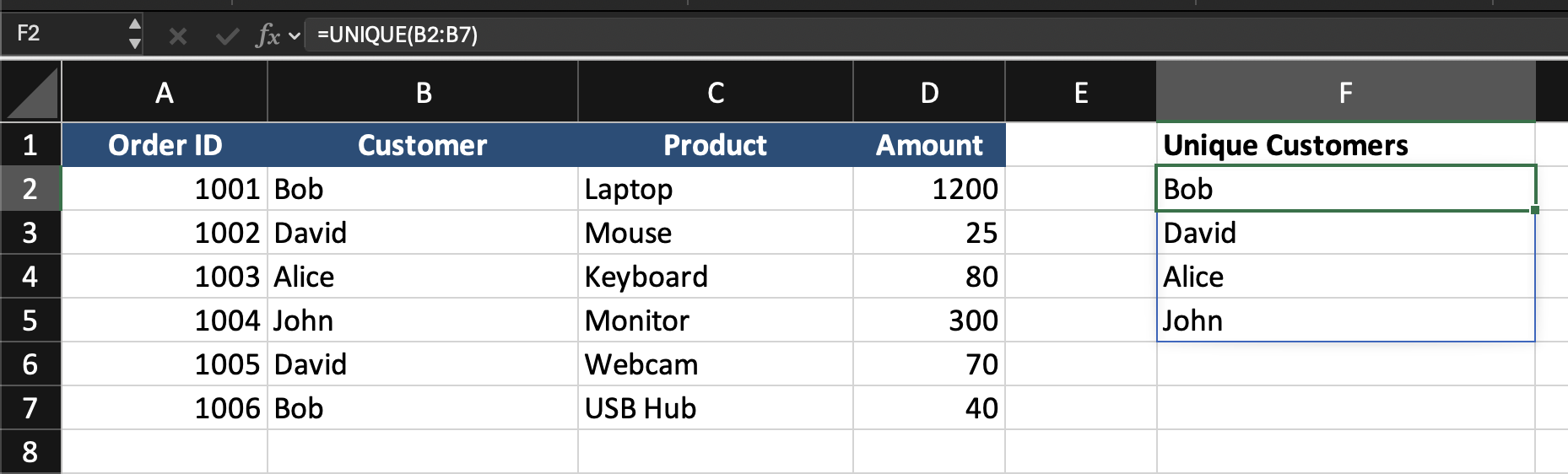
=UNIQUE(B2:B7)
This returns each customer name once.
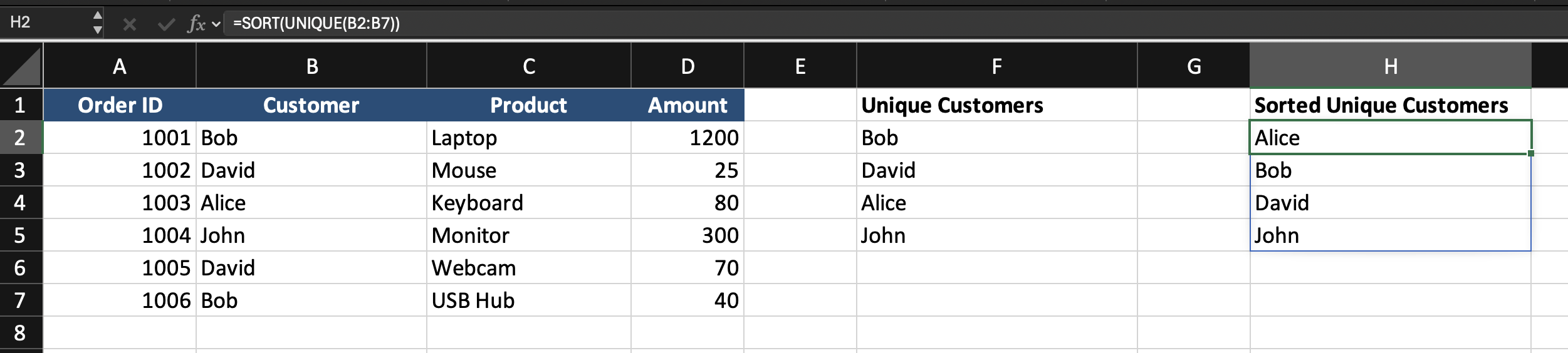
=SORT(UNIQUE(B2:B7))
This returns a distinct list of customers in sorted order.
Combining FILTER with UNIQUE and SORT
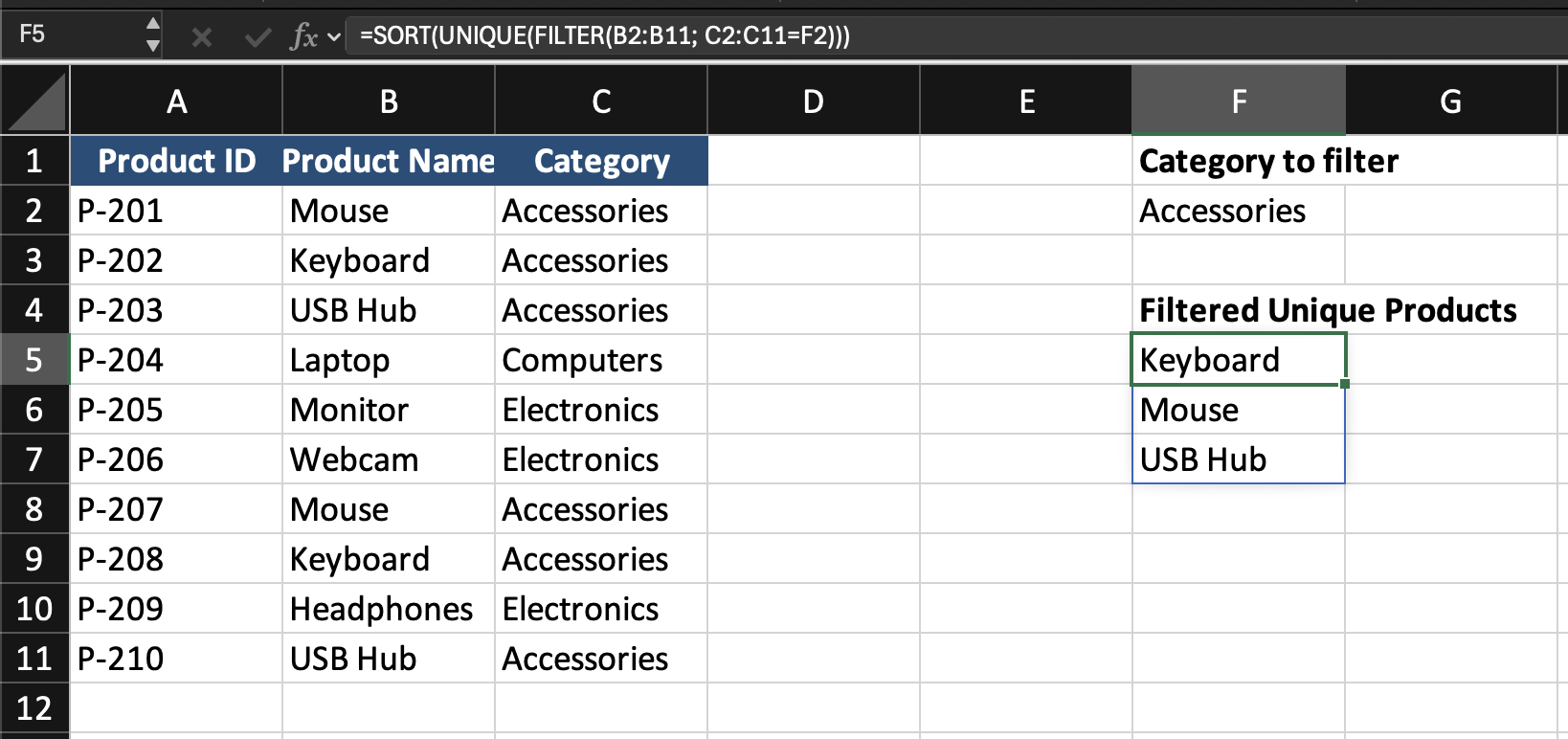
Assume the worksheet contains a product table with Product ID, Product Name, Category.
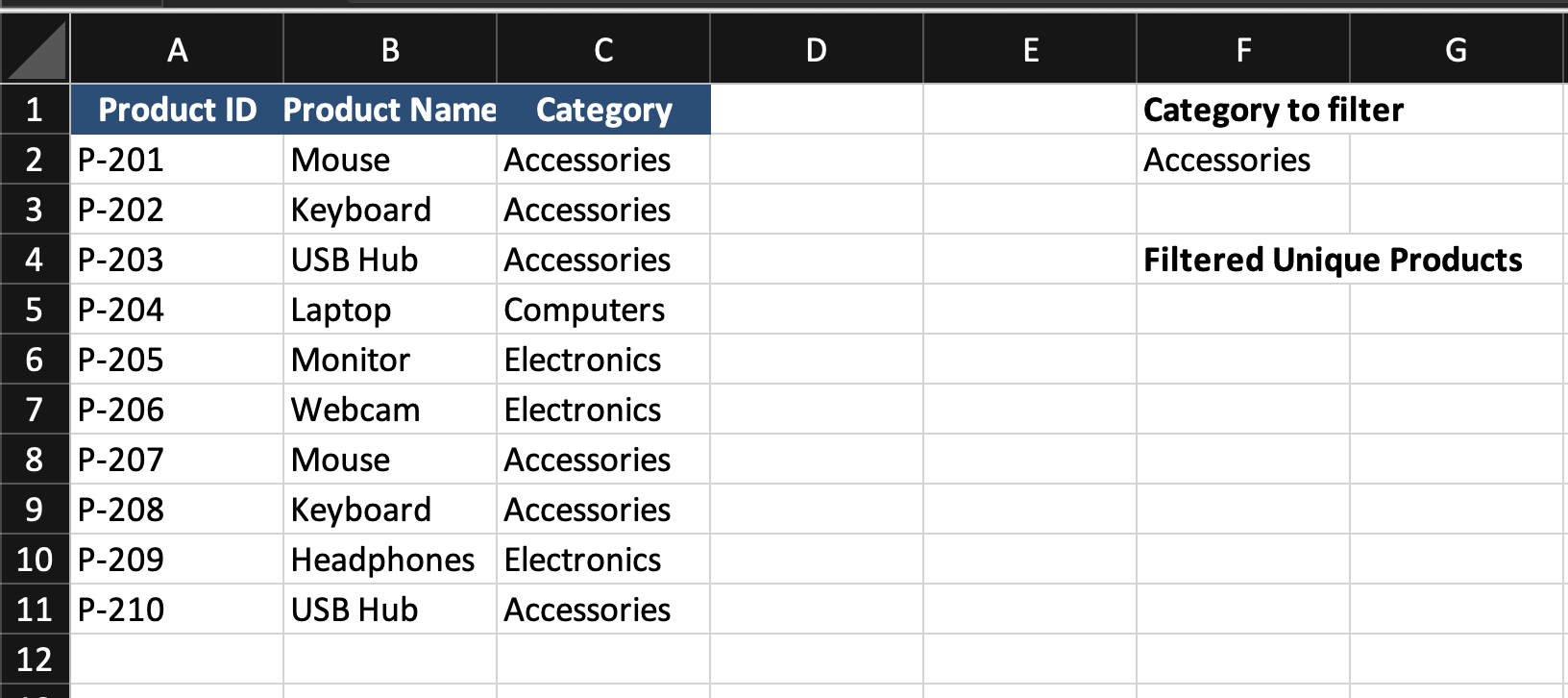
The category is entered in cell F2.
The goal is to return a sorted list of unique product names that belong to the selected category.
=SORT(UNIQUE(FILTER(B2:B11; C2:C11=F2)))
- The
FILTERfunction runs first and returns all product names that match the category; UNIQUEremoves duplicates from that filtered list;SORTarranges the final result in ascending order.
This creates a dynamic list that updates automatically when the selected category changes.
Task
Scenario
A worksheet contains a sales table with Sales ID, Customer, City, Amount, Region.
A region is entered in an input cell.
Your goal is to return a sorted list of unique cities from that region.
Task Instructions
- Filter the rows based on
Region; - Return only the
Cityvalues; - Remove duplicate city names;
- Sort the result alphabetically.
Obrigado pelo seu feedback!
Pergunte à IA

Pergunte à IA

Pergunte o que quiser ou experimente uma das perguntas sugeridas para iniciar nosso bate-papo
