Using FILTER for Multi Result Lookups
Deslize para mostrar o menu
Why Multi Result Lookups Are Needed
Traditional lookup functions such as VLOOKUP, XLOOKUP, or INDEX with XMATCH return a single result.
However, many real-world scenarios require retrieving multiple matching records.
For example:
- All orders placed by a specific customer;
- All employees in a department;
- All transactions above a certain value.
In these cases, a single-value lookup is not sufficient. Modern Excel provides dynamic array functions that can return multiple results at once.
The FILTER Function
The FILTER function extracts rows from a dataset that meet a specified condition.
Instead of returning a single value, FILTER returns all rows that match the criteria.
Basic Syntax
=FILTER(array; include; [if_empty])
array: the range containing the data;include: the condition that determines which rows should be returned;if_empty: optional value displayed if no matching results exist.
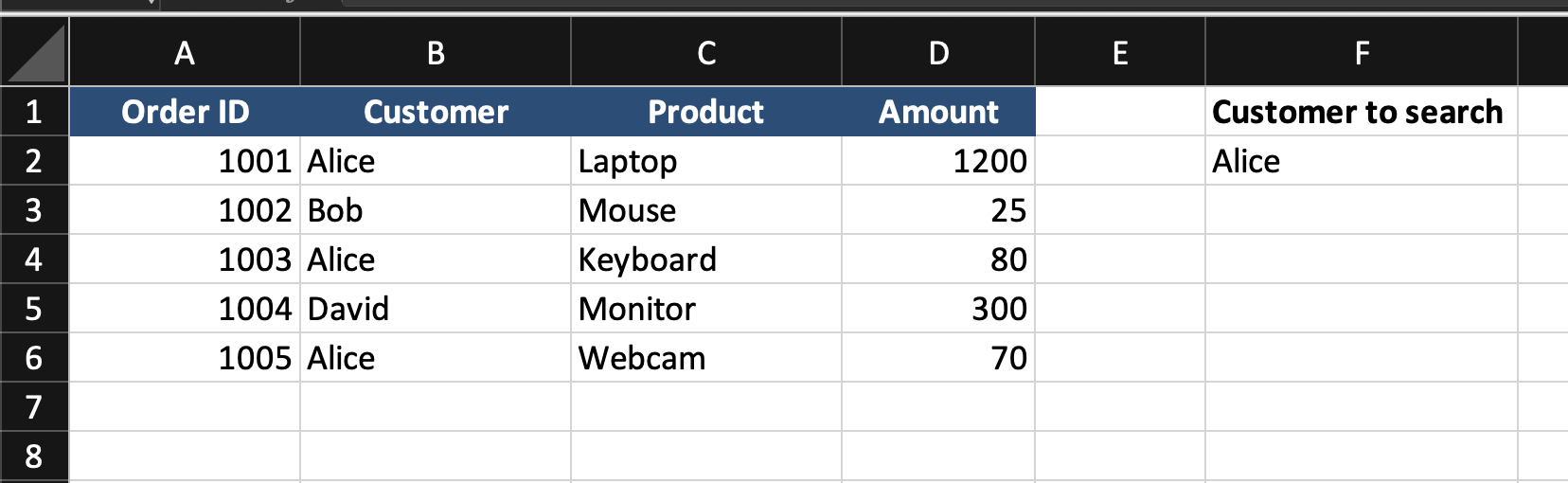
The customer name is entered in cell F2.
The goal is to return all orders placed by that customer.
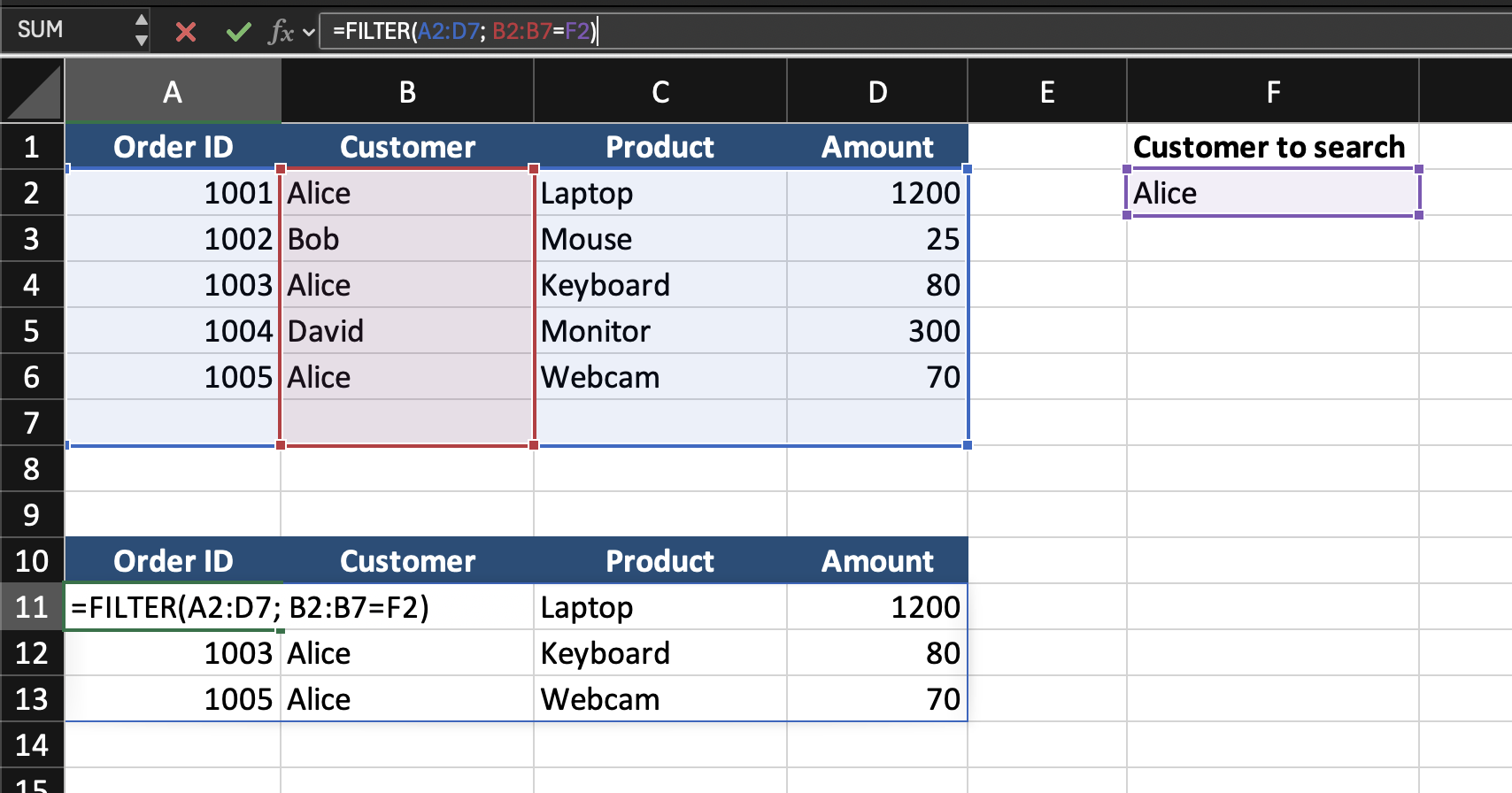
=FILTER(A2:D7; B2:B7=F2)
- Excel evaluates the condition:
B2:B7=F2. This checks which rows match the selected customer; - The
FILTERfunction extracts all rows where the condition isTRUE; - The results automatically spill into multiple rows.
If F2 contains Alice, Excel returns:
Dynamic Array Behavior
The results automatically expand into neighboring cells. This is called a spill range. If the dataset grows or the input value changes, the results update automatically.
Task
Scenario
A worksheet contains a table with Employee ID, Employee Name, Department, Salary.
A department name is entered in an input cell.
Your goal is to return all employees working in that department.
Task Instructions
- Use the
FILTERfunction to extract matching rows; - Return all employees belonging to the selected department;
- Ensure the results update automatically when the department changes.
Obrigado pelo seu feedback!
Pergunte à IA

Pergunte à IA

Pergunte o que quiser ou experimente uma das perguntas sugeridas para iniciar nosso bate-papo
