Uw Eerste Draaitabel Maken
Veeg om het menu te tonen
Zodra de gegevens zijn voorbereid, kun je deze samenvatten met een draaitabel.
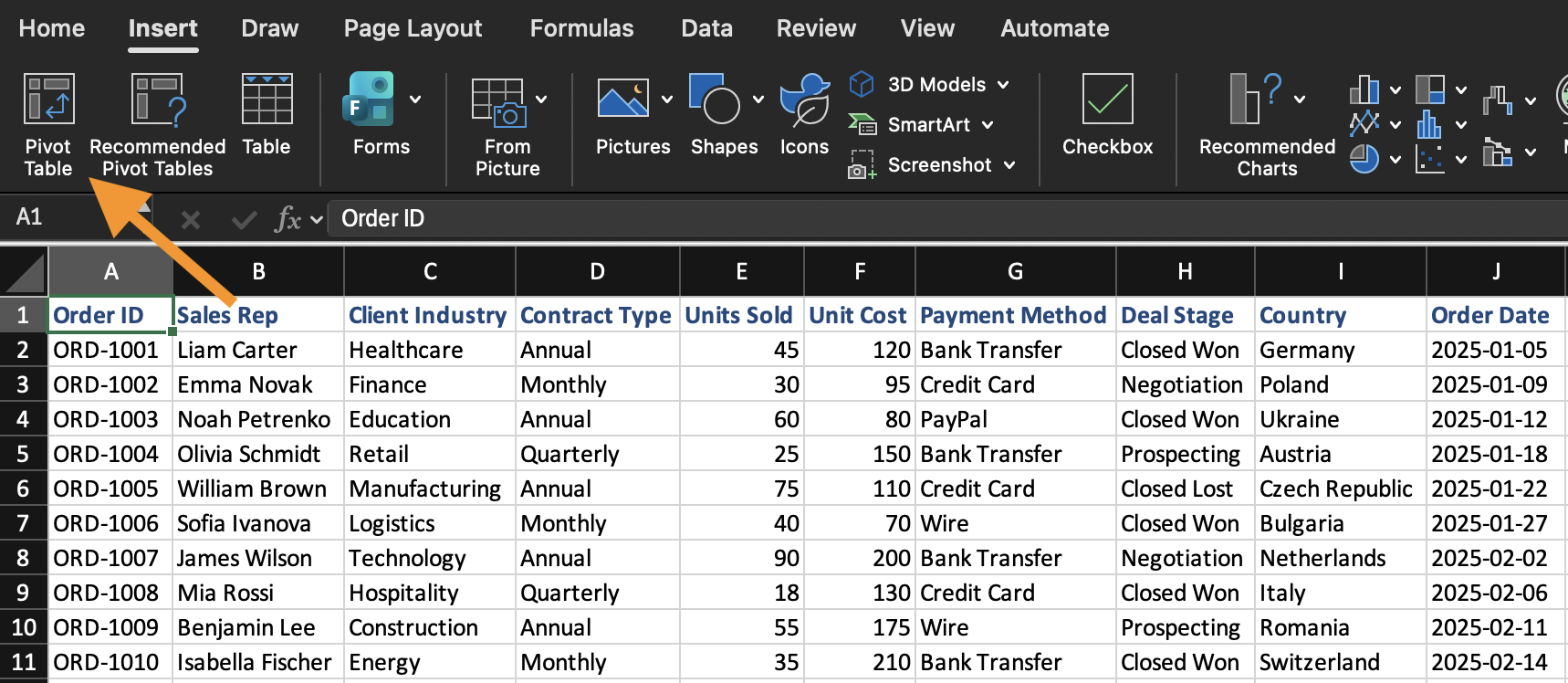
Een draaitabel wordt gemaakt op basis van een bestaand gegevensbereik. Een draaitabel invoegen:
- Selecteer een willekeurige cel binnen het gegevensbereik;
- Open het tabblad Invoegen;
- Klik op Draaitabel;
- Bevestig het gegevensbereik;
- Kies om de draaitabel op een nieuw werkblad te plaatsen.
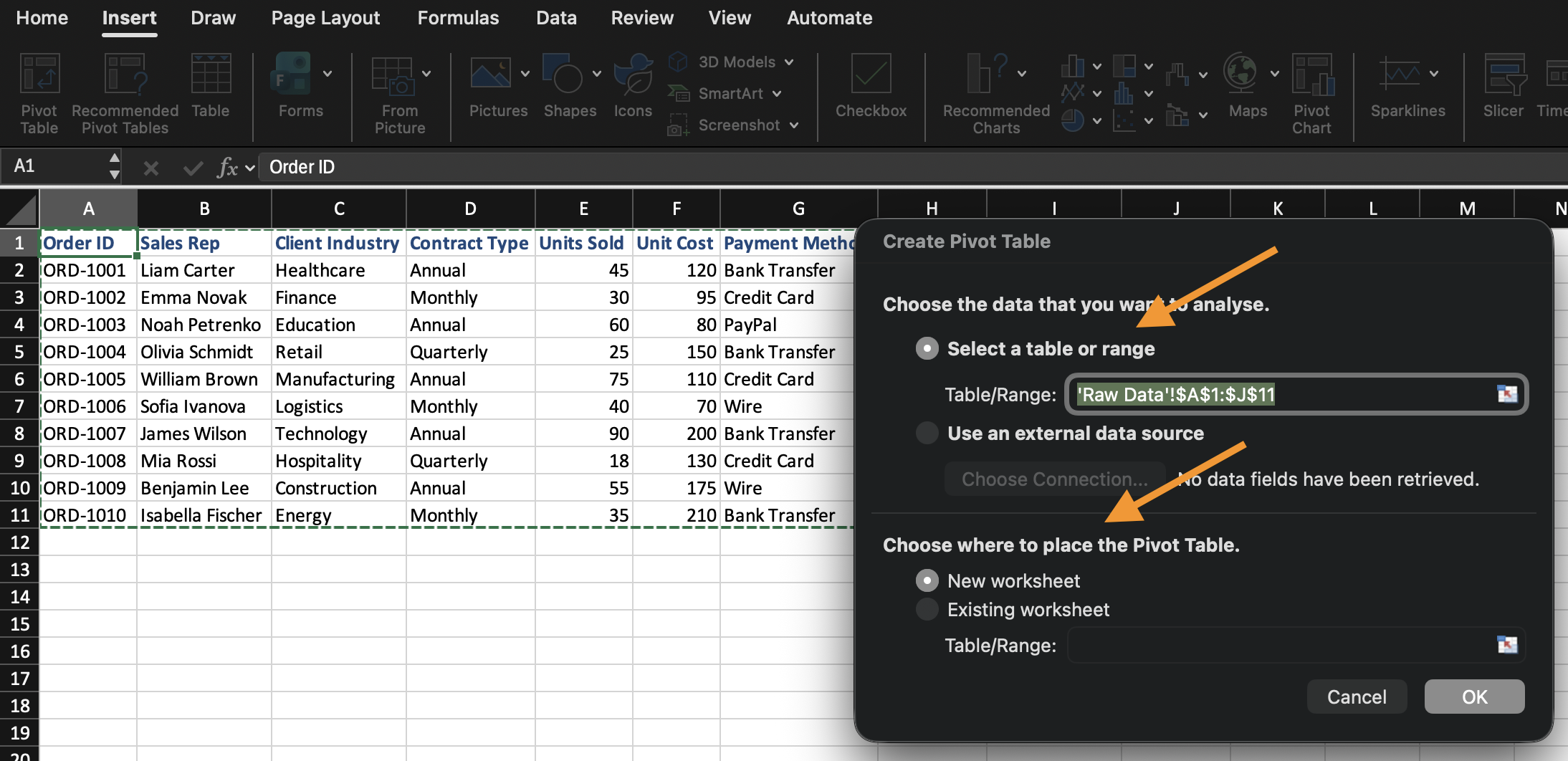
Excel maakt een lege draaitabel aan en opent de lijst met draaitabelvelden.
Uitleg van de veldlijstgebieden
De veldlijst bepaalt hoe de draaitabel wordt opgebouwd. Deze bestaat uit vier afzonderlijke gebieden, die elk iets anders doen met het veld dat je daar plaatst:
- Rijen: bepaalt de groepering. Het veld dat hier wordt geplaatst, wordt de labels waarin je gegevens worden onderverdeeld (bijvoorbeeld het plaatsen van
Categoryhier creëert één rij per categorie); - Kolommen: bepaalt ook de groepering, maar dan bovenaan in plaats van aan de zijkant. Werkt hetzelfde als Rijen, maar dan horizontaal weergegeven;
- Waarden: bepaalt de berekeningen. In plaats van alleen het veld weer te geven, aggregeert Excel het (Som, Aantal, Gemiddelde, enz.) over de ingestelde groepering in Rijen/Kolommen;
- Filters: beperkt de hele draaitabel tot een subset van gegevens, zonder dat dat veld zichtbaar is in de tabel zelf.
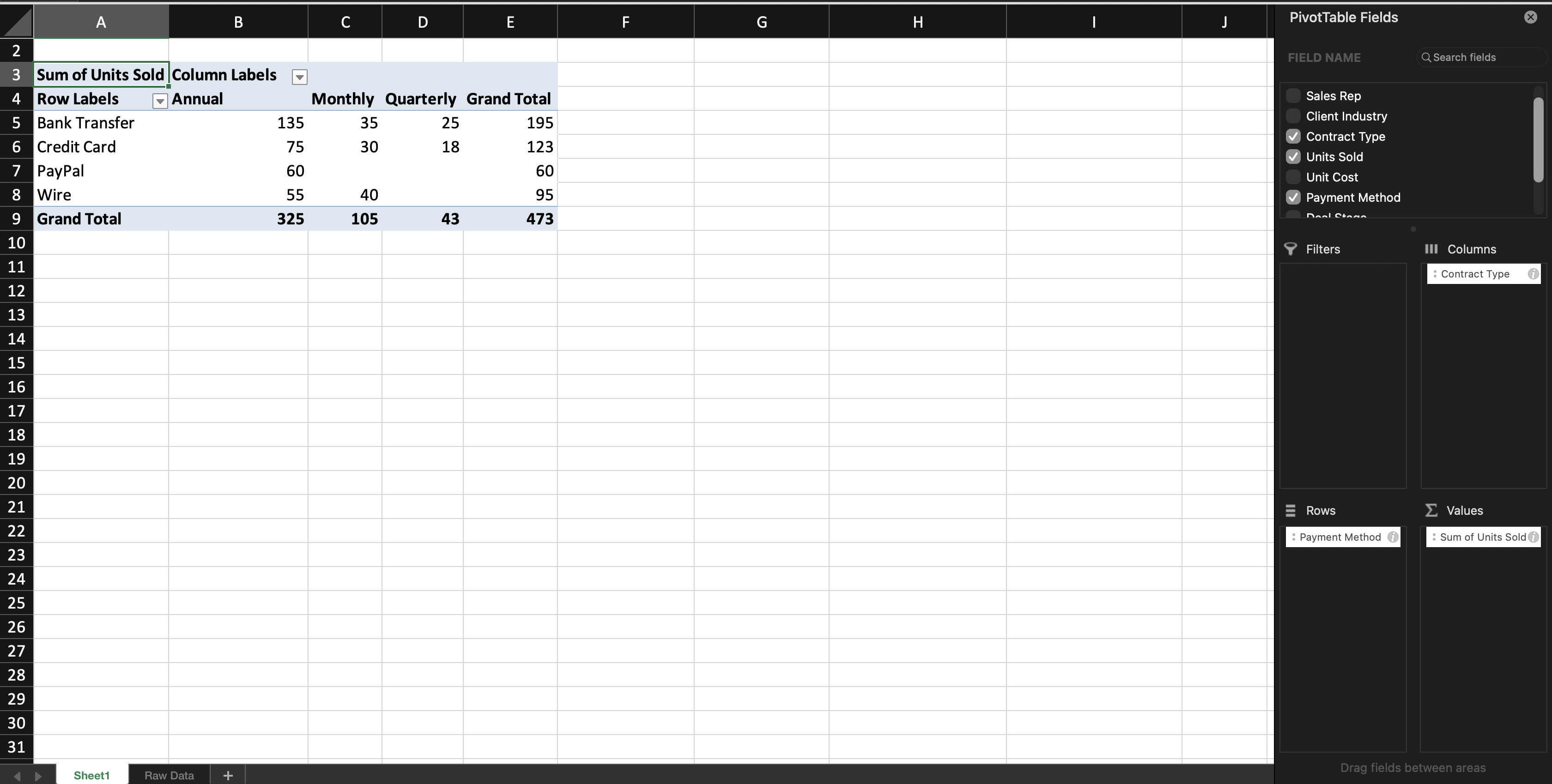
Wanneer je een tekstveld toevoegt aan Rijen (of Kolommen), groepeert Excel de records op dat veld. Wanneer je een numeriek veld toevoegt aan Waarden, berekent Excel standaard een totaal (Som) — deze standaardinstelling is gebaseerd op het gegevenstype van het veld: numerieke velden worden standaard opgeteld (Som), terwijl tekstvelden standaard worden geteld (Aantal), omdat tekstwaarden niet kunnen worden opgeteld. In het volgende hoofdstuk leer je hoe je deze standaardinstelling kunt wijzigen.
Je kunt de draaitabel op elk moment aanpassen door velden tussen gebieden te verplaatsen. De brongegevens worden niet gewijzigd.

Als het veldlijstvenster van de draaitabel sluit, klik dan ergens in de draaitabel en het verschijnt automatisch weer.
Taak
Maak je eerste draaitabel.
Voer het volgende uit:
- Voeg een draaitabel in vanuit de dataset;
- Plaats Categorie in Rijen;
- Plaats Verkoop in Waarden;
Maak de draaitabel op een nieuw werkblad.
Bedankt voor je feedback!
Vraag AI

Vraag AI

Vraag wat u wilt of probeer een van de voorgestelde vragen om onze chat te starten.
