Sharing Notebooks and Working with a Team
Veeg om het menu te tonen
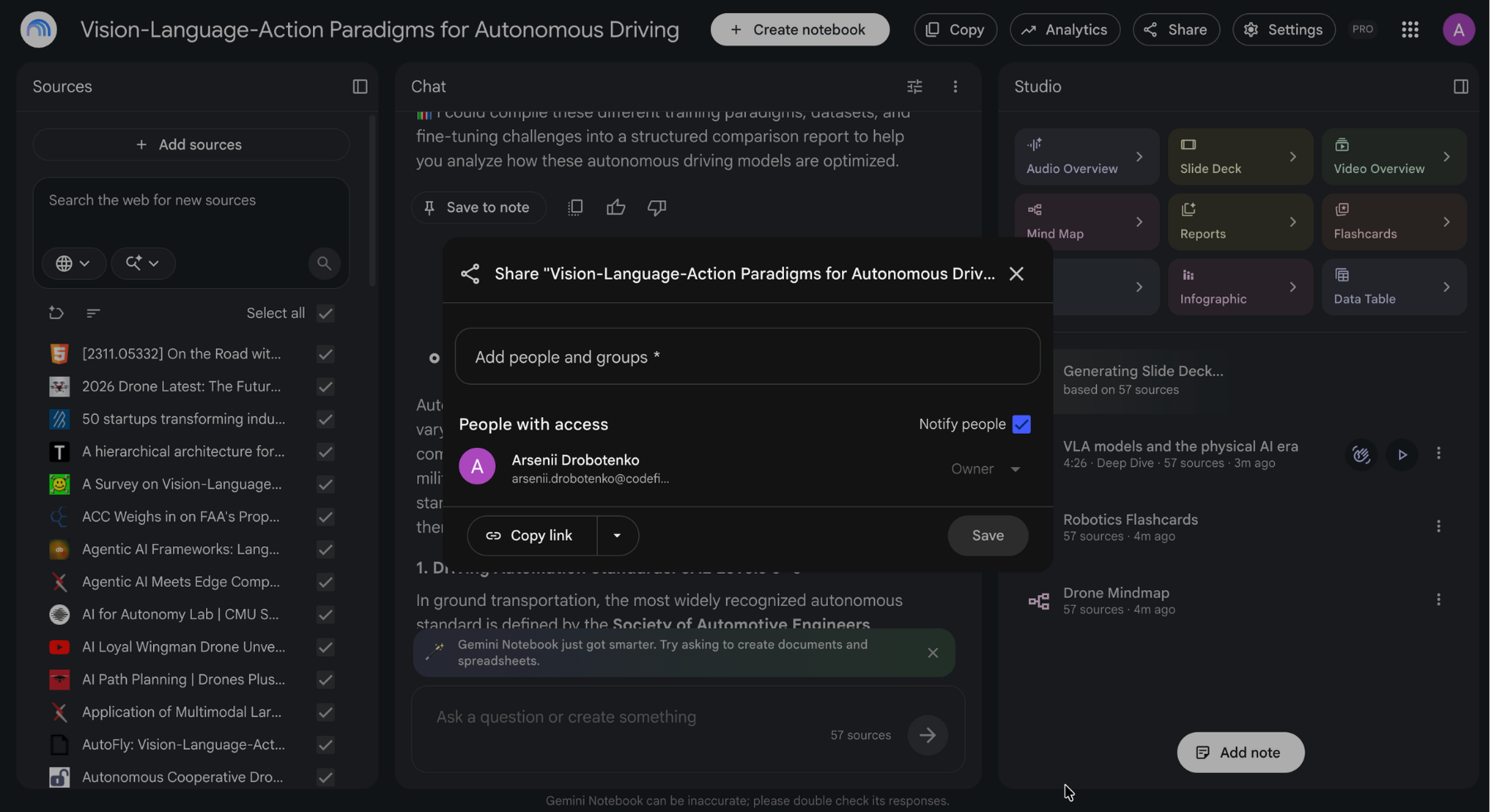
A notebook is more useful shared than kept. The source set someone assembled is often worth more than the answers they got from it.
How Sharing Works
Share a notebook with specific people, or publish it with a link anyone can open. Shared viewers get the sources, the outputs, and the ability to ask their own questions of the same material, which is the part that makes it different from sending someone a folder of PDFs.
- A team notebook holding your documentation lets anyone answer their own question instead of asking you;
- A public notebook turns a research project into something others can interrogate rather than just read;
- A course notebook gives students the sources and the study tools in the same place.
noteBlock (Note) Sharing a notebook shares every source in it. Check what is loaded before you send the link, since a single internal document among forty public ones is easy to forget about.
Two limits worth knowing: sharing does not raise the source cap, and access on the receiving end still depends on the plan for some Studio features.
The Gemini App Connection
Your notebooks also appear in the Gemini app under Notebooks, and changes sync in both directions. That gives you a practical split: build and organize the notebook in the full tool, then reach into it from the app when you are already there working on something else.
Privacy
Google states that content you upload to a notebook is not used to train its models, and Workspace and Enterprise accounts add further protections. Your own judgment still applies to what goes into a cloud tool at all, particularly for client material covered by an agreement.
Bedankt voor je feedback!
Vraag AI

Vraag AI

Vraag wat u wilt of probeer een van de voorgestelde vragen om onze chat te starten.
