Notice: This page requires JavaScript to function properly.
Please enable JavaScript in your browser settings or update your browser.
Leer Translating and Animating Content with AI | Canva AI Toolkit
Canva AI

Translating and Animating Content with AI

Veeg om het menu te tonen

Translate rewrites all the text in a design into another language while keeping the original layout, and Animate adds motion to a static page without any manual keyframing.

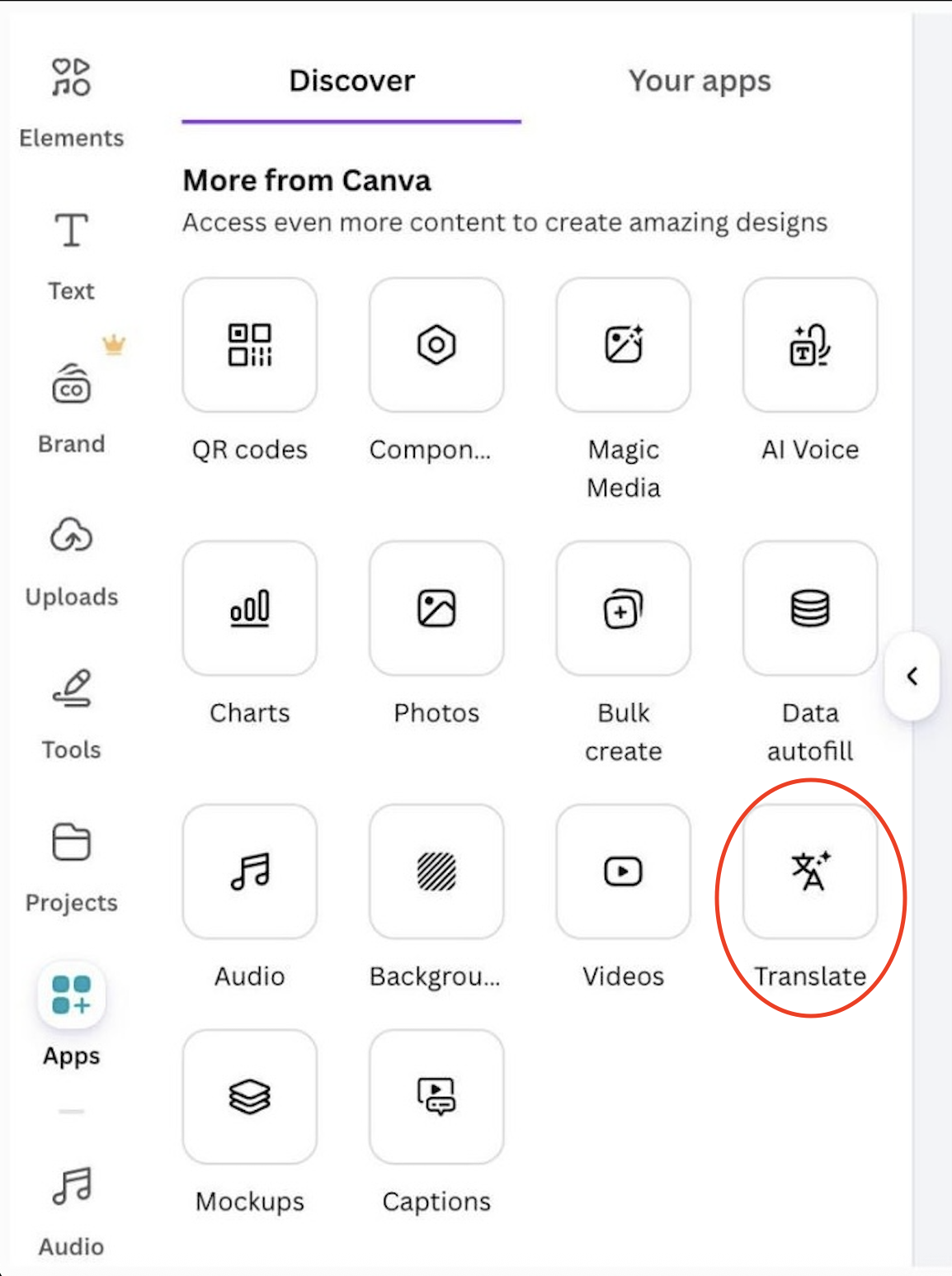
Translating a design:

  • Open Apps → Translate;
  • Choose the target language;
  • Canva replaces the text in every text box and regenerates the layout if needed.
Result:

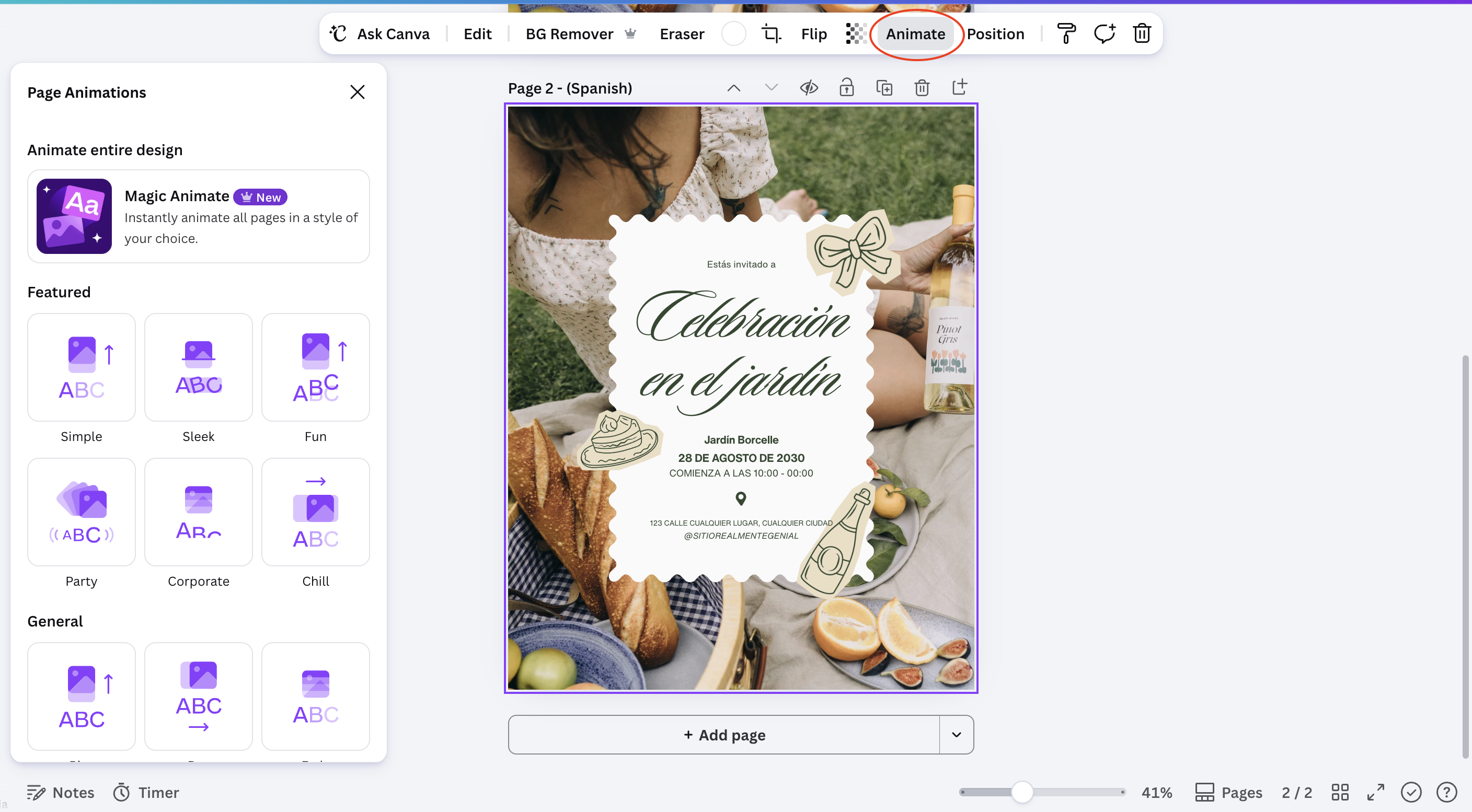
Animating a page:

  • Select a page or an individual element;
  • Open Animate;
  • Choose a style, such as Fade, Rise, or Pulse;
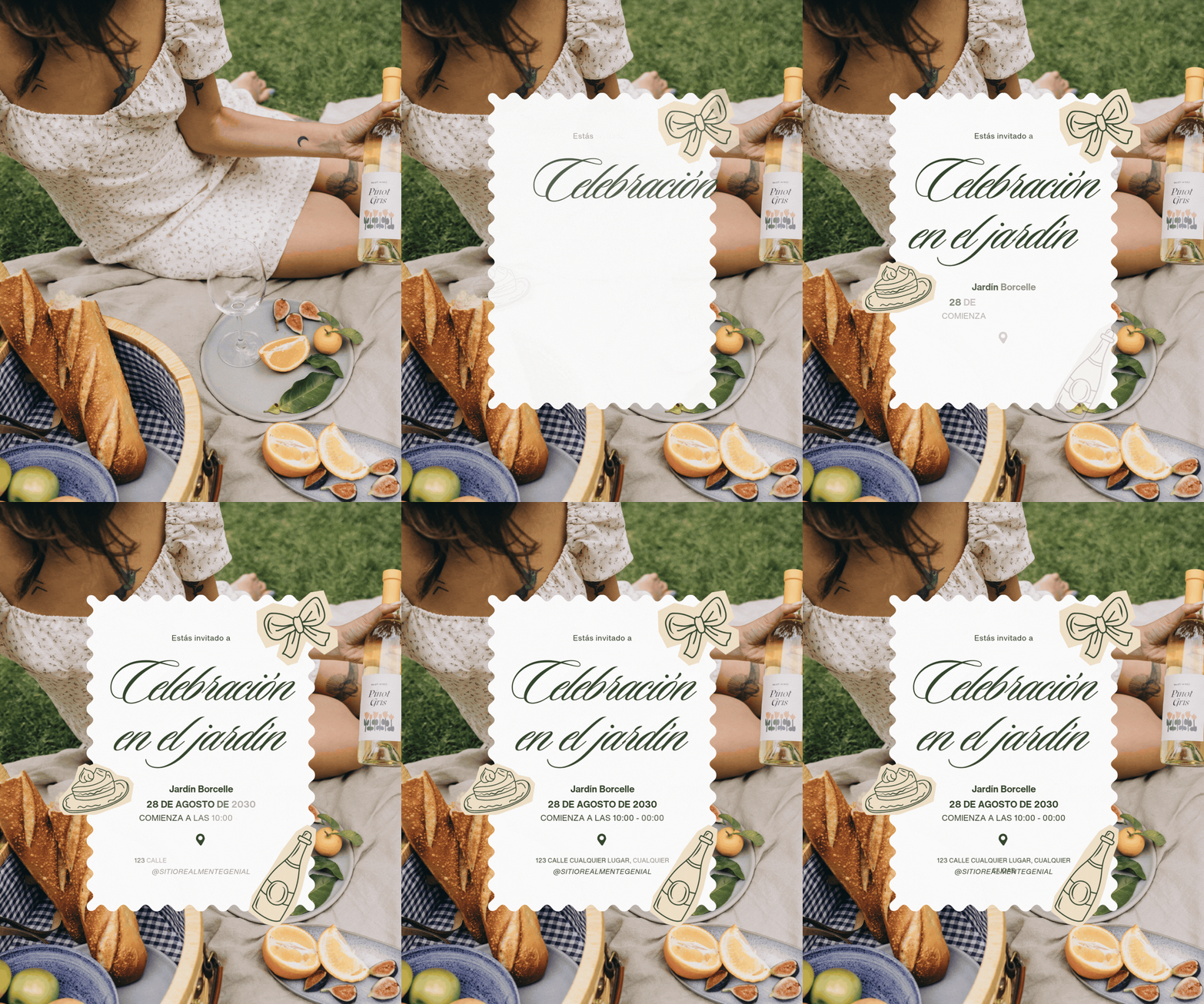
  • Preview the result before exporting.

Result:

Note
Note

Translate changes text only. Images, icons, and any text baked into a photo stay exactly as they were, so double-check for leftover source-language text inside images.

Both tools are reversible: switching the language back or removing an animation restores the design to its previous state without losing any content.

Was alles duidelijk?

Hoe kunnen we het verbeteren?

Bedankt voor je feedback!

Sectie 1. Hoofdstuk 9

Vraag AI

expand

Vraag AI

ChatGPT

Vraag wat u wilt of probeer een van de voorgestelde vragen om onze chat te starten.

Translating and Animating Content with AI

Translate rewrites all the text in a design into another language while keeping the original layout, and Animate adds motion to a static page without any manual keyframing.

Translating a design:

  • Open Apps → Translate;
  • Choose the target language;
  • Canva replaces the text in every text box and regenerates the layout if needed.
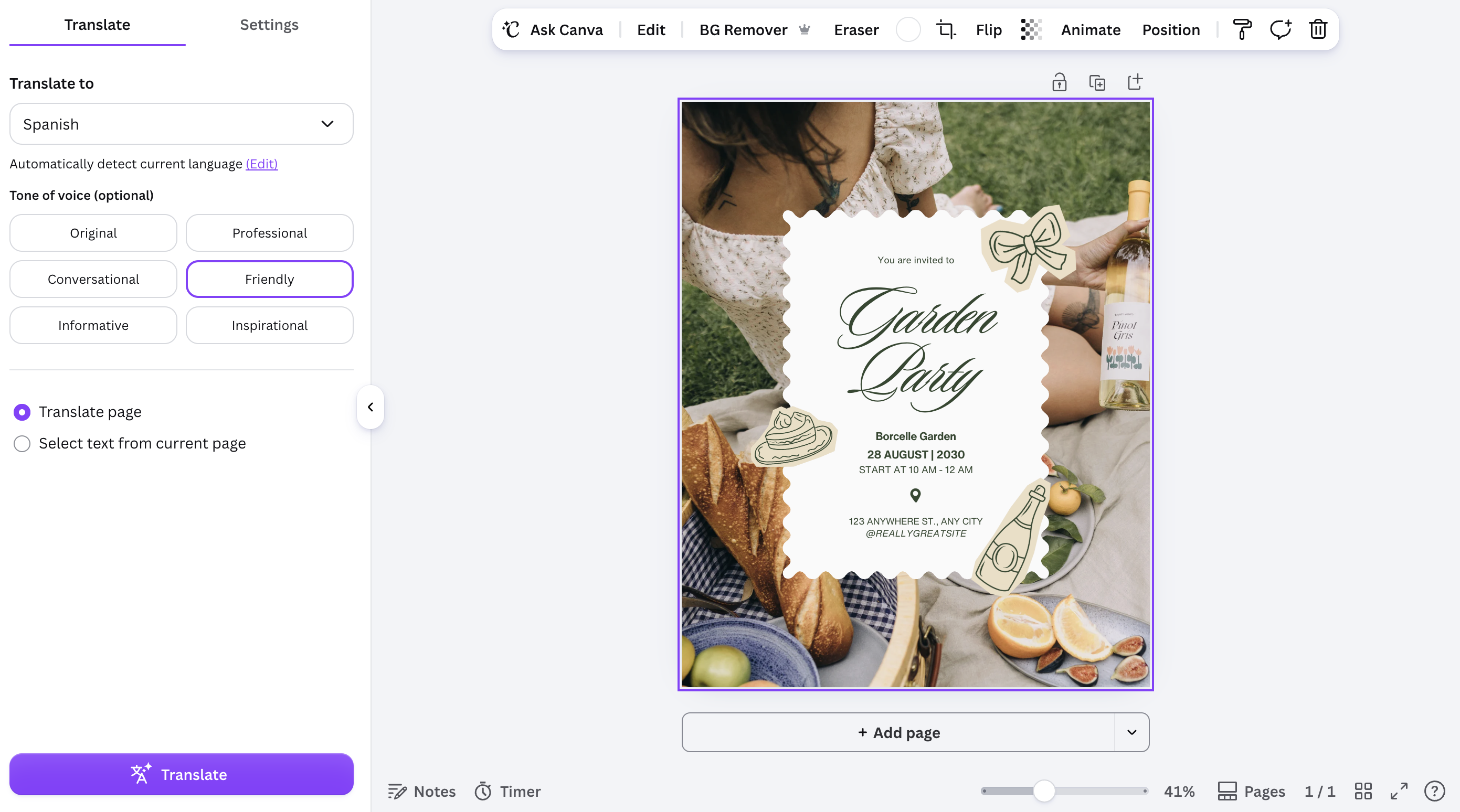
Result:
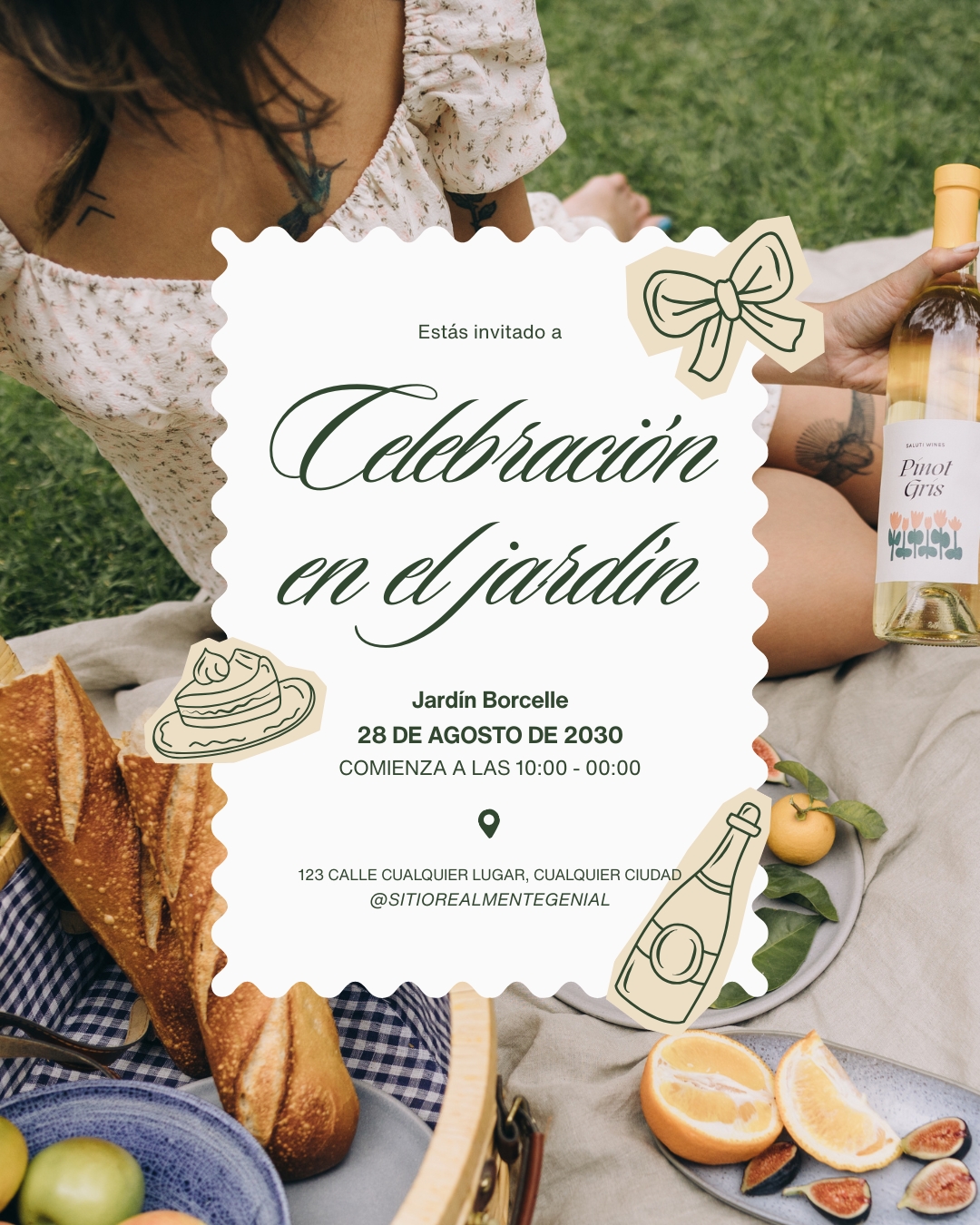
Animating a page:

  • Select a page or an individual element;
  • Open Animate;
  • Choose a style, such as Fade, Rise, or Pulse;
  • Preview the result before exporting.

Result:
Note
Note

Translate changes text only. Images, icons, and any text baked into a photo stay exactly as they were, so double-check for leftover source-language text inside images.

Both tools are reversible: switching the language back or removing an animation restores the design to its previous state without losing any content.

Was alles duidelijk?

Hoe kunnen we het verbeteren?

Bedankt voor je feedback!

Sectie 1. Hoofdstuk 9
some-alt