Hash # Operator
Veeg om het menu te tonen
The # operator is a powerful tool for dynamic arrays, allowing you to reference the entire spill range from a single cell. This means that any time the number of rows in your data changes—such as when you add new sales records—the summary calculation in your formula cell updates automatically.

Continue to work with workbook from the previous chapter.
=SUM(G2#)
The # operator ensures that your totals, averages, or other aggregate calculations always reflect the current data set, making your spreadsheets more robust and easier to maintain.
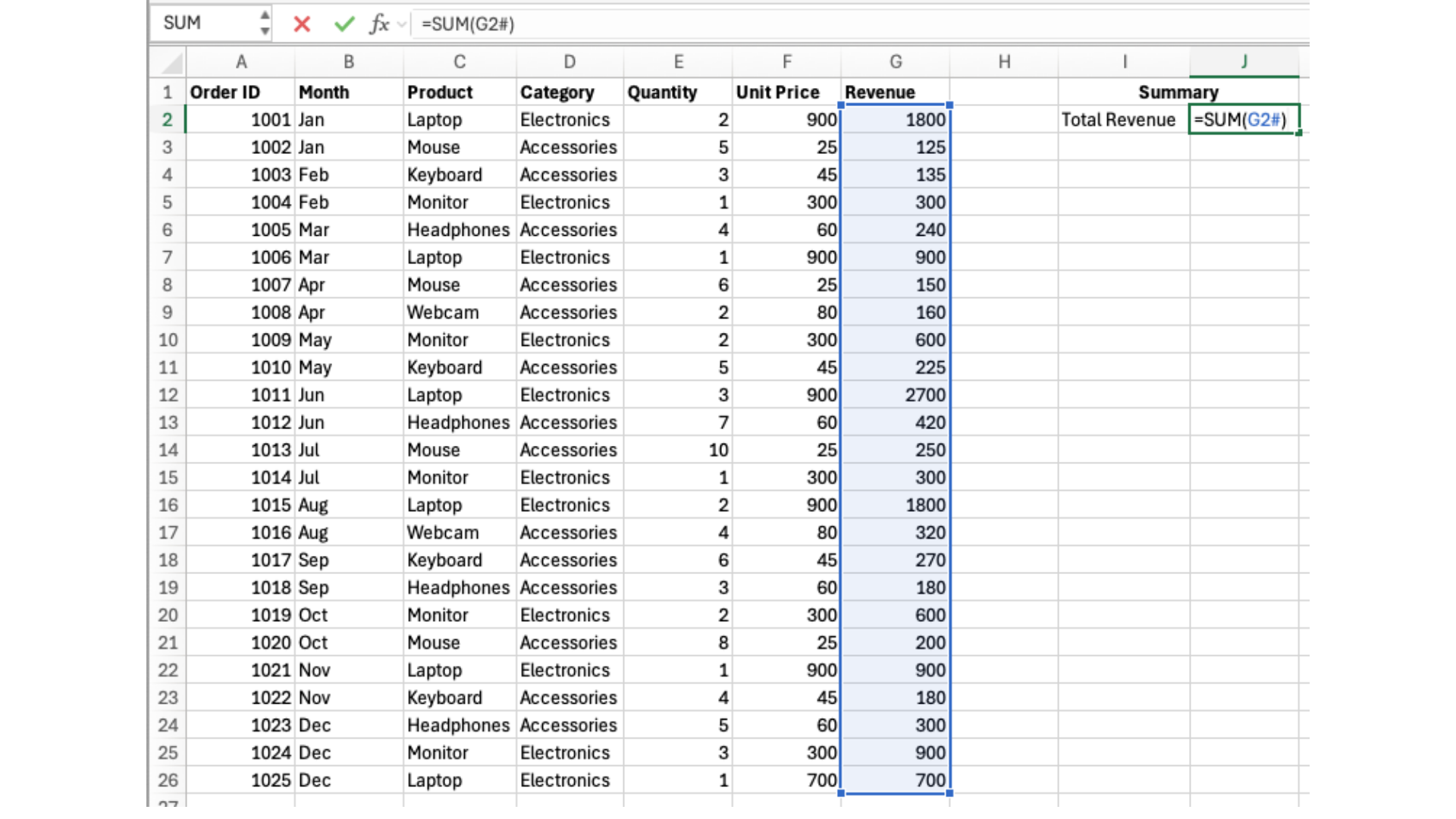
You may notice that using G:G (full column range referencing) can sometimes give the same result as using the # operator. For example, both formulas below can return the maximum revenue:
- =SUM(G2#) → uses the spill range;
- =SUM(G:G) → uses the entire column.
However, these approaches are not the same. The # operator (G2#) references only the dynamic spill result, meaning it includes exactly the values produced by your formula and nothing else. In contrast, G:G references the entire column, which may include headers, empty cells, or unrelated data.
In this course, you should use the # operator because it is more precise, reliable, and directly connected to your dynamic array logic.
Use the existing Revenue spill result to calculate the Average Revenue using the # operator. Use =AVERAGE() function.
Write a single formula that references the entire spilled Revenue column and calculates the average value.
If your formula only uses one cell, you are not referencing the full spill range.
Use =AVERAGE() function.
=AVERAGE(G2#)
Bedankt voor je feedback!
Vraag AI

Vraag AI

Vraag wat u wilt of probeer een van de voorgestelde vragen om onze chat te starten.
