Connecting Tools and Writing Your First Instructions
Veeg om het menu te tonen
Setting up an agent is a two-part process. First, you connect it to the tools it will need – your email, calendar, documents, or other apps. Second, you write instructions that tell the agent who you are, what you do, and how you want it to work. Both steps are simpler than they sound.
Connecting Your Tools
Most platforms connect to external tools through a permissions flow – you click a button, authorize access, and the agent can start working with that tool. No technical knowledge is required.
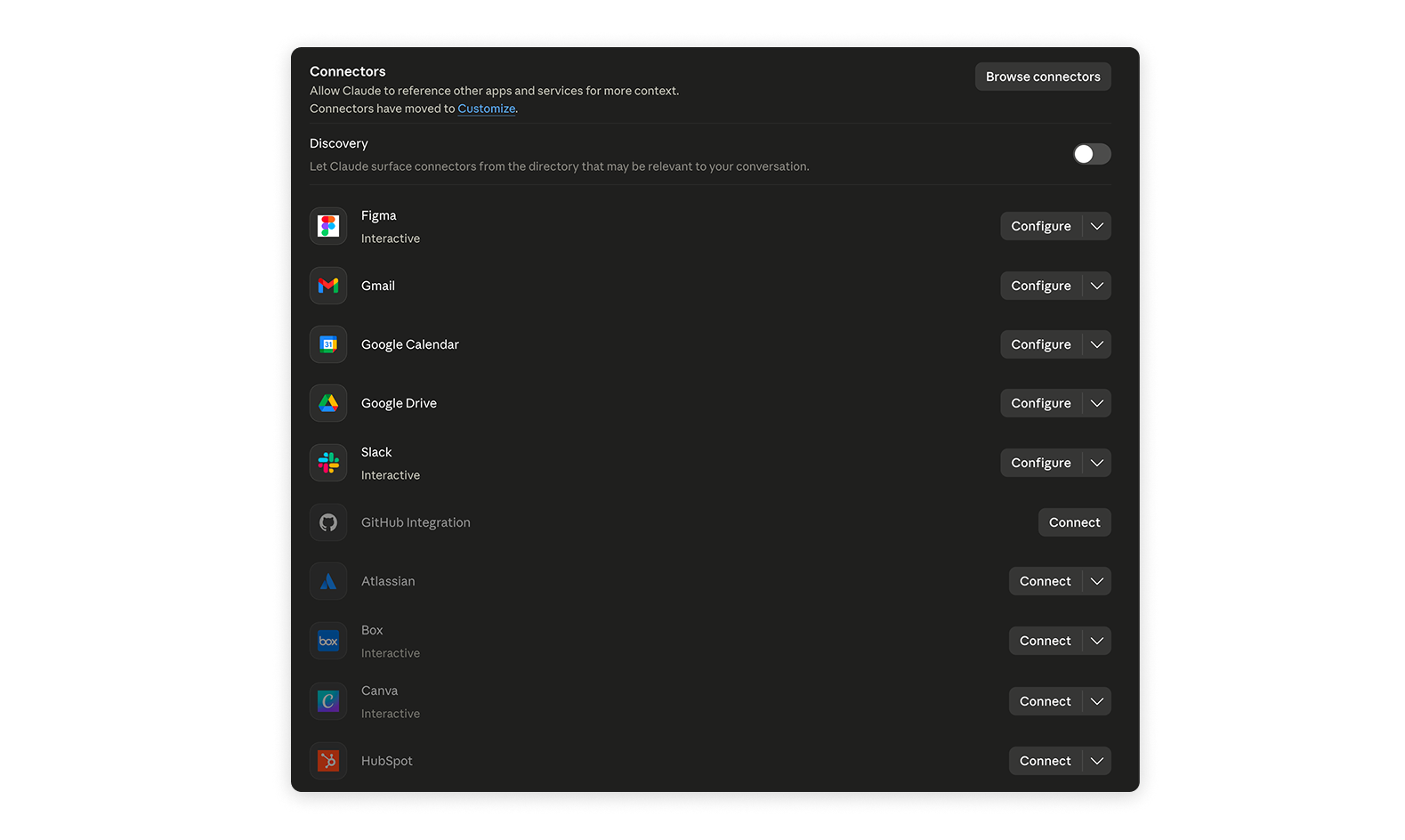
The tools worth connecting first depend on where you spend most of your time. A good starting set for most professionals is:
- Email – so the agent can read, draft and organize messages;
- Calendar – so it can check your schedule and help with planning;
- File storage – Google Drive, OneDrive or Dropbox, so it can read and produce documents.

You are always in control of what the agent can access. Connecting a tool does not mean the agent will use it without being asked – it simply means the capability is available when you need it.
Writing Your First Instructions
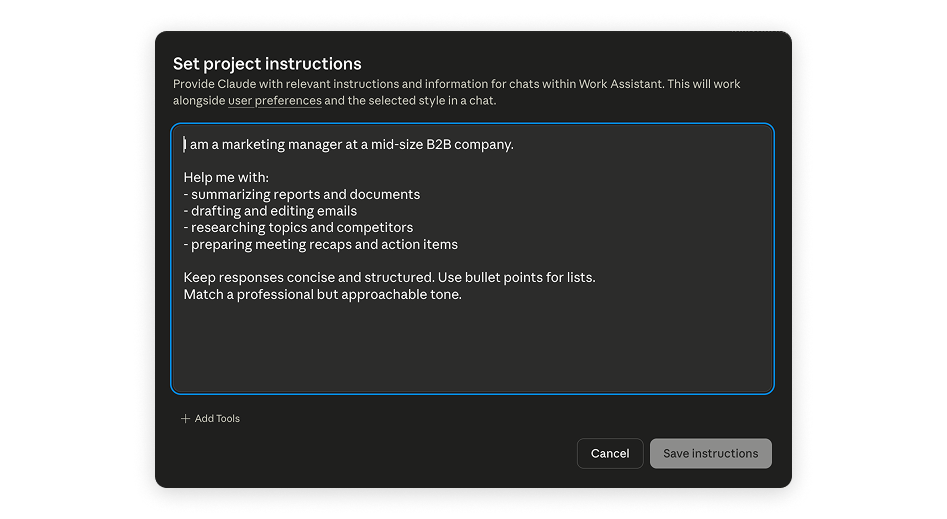
Instructions – sometimes called a system prompt or custom instructions – are a short description you write once that the agent reads at the start of every session. Think of it as a briefing you give a new colleague on their first day.
A good set of instructions covers three things:
- Who you are – your role, industry and the kind of work you do;
- What you need – the types of tasks you will ask the agent to help with most often;
- How you want it to respond – tone, level of detail, format preferences.

System prompt – a set of instructions given to an agent before the conversation starts. It shapes how the agent behaves, what it knows about you, and how it formats its responses throughout the session.
A Simple Template to Start With
You do not need to write perfect instructions on day one. Start with something like this and refine it as you go:

I am a [your role] at a [type of company]. I mostly use this agent to help me with [main tasks]. Please keep responses concise and structured. When drafting text for me, match a professional but approachable tone.
This takes two minutes to write and immediately makes every interaction more relevant and useful.
How Detailed Should My Instructions Be?
There is no single right answer, but a useful benchmark is one short paragraph – enough to give the agent real context without overwhelming it with rules it cannot realistically follow.
Avoid writing instructions that are too vague ("help me work better") or too rigid ("always use exactly three bullet points and never write more than 50 words per section"). The first gives the agent nothing to work with. The second creates friction when the task genuinely needs a different format.
The sweet spot is context plus preferences – tell the agent enough about your situation that it can make sensible default choices, then adjust on a task-by-task basis when needed.
Bedankt voor je feedback!
Vraag AI

Vraag AI

Vraag wat u wilt of probeer een van de voorgestelde vragen om onze chat te starten.
