Filteren
Veeg om het menu te tonen
Filters in- en uitschakelen
- Klik op een willekeurige cel binnen het bereik → Gegevens-tabblad → Filter, of druk op
Ctrl+Shift+L(Win)/Control+Shift+L(Mac). Dropdown-pijlen verschijnen in elke kopcel; - Tabellen gemaakt met
Ctrl+Thebben automatisch filters ingeschakeld in de koprij — geen handmatige stap nodig; - Klik opnieuw op Filter in het lint, of druk een tweede keer op
Ctrl+Shift+L. De dropdown-pijlen worden uit de koprij verwijderd.
Het filtertype hangt af van het gegevenstype:
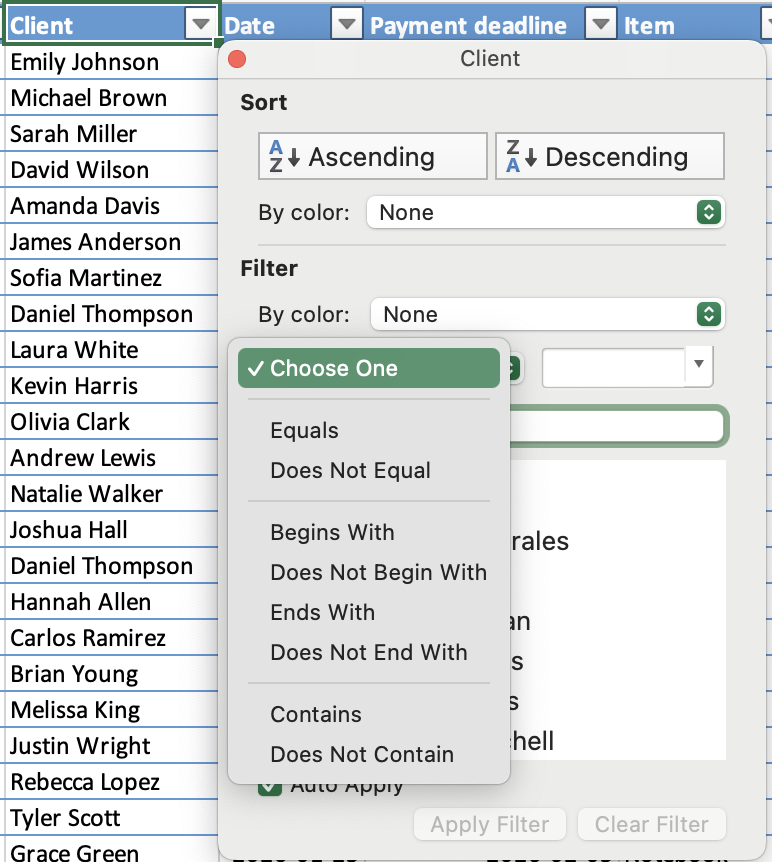
- Tekstfilter: filteren op specifieke waarden of tekstcondities;
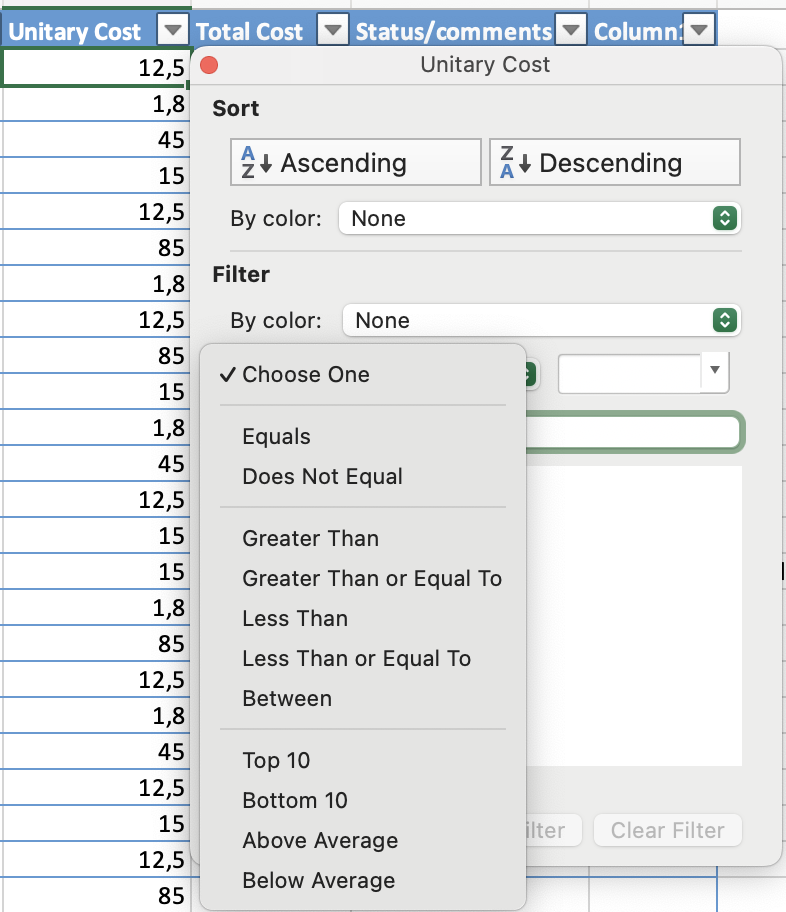
- Getalfilter: filteren op vergelijkingen zoals groter dan, kleiner dan of tussen;
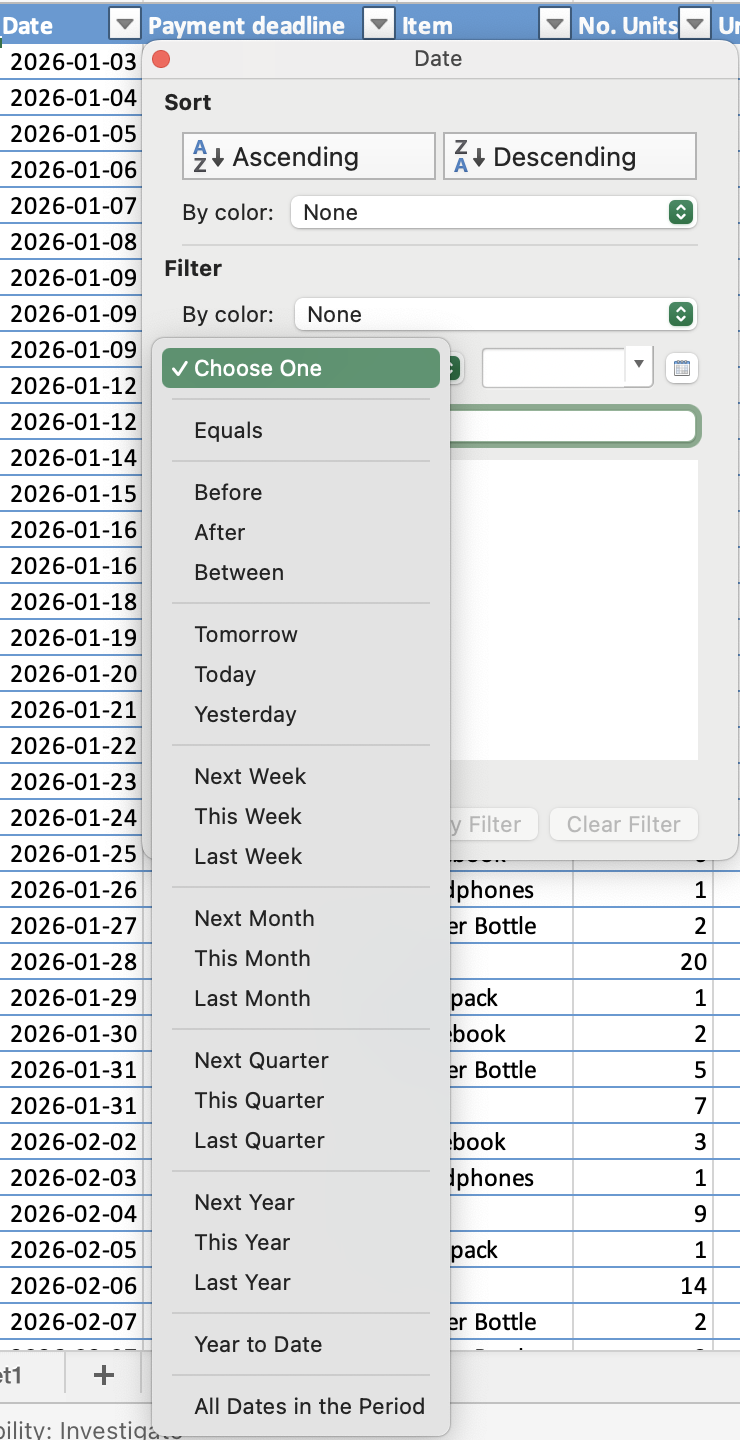
- Datumfilter: filteren op perioden, zoals specifieke datums, maanden of jaren.
EN / OF-logica over meerdere filters
- OF: binnen één kolom — een rij wordt weergegeven als deze overeenkomt met een van de geselecteerde waarden;
- EN: over verschillende kolommen — een rij moet aan alle actieve filters voldoen om zichtbaar te blijven.

Sneltoets schakelt alle filters tegelijk uit. Door op Ctrl+Shift+L te drukken worden alle actieve filtercondities in alle kolommen tegelijk verwijderd — niet alleen in de huidige kolom. Als je slechts één kolom wilt resetten, gebruik dan Filter wissen in het dropdownmenu van die kolom.
Bedankt voor je feedback!
Vraag AI

Vraag AI

Vraag wat u wilt of probeer een van de voorgestelde vragen om onze chat te starten.
Filteren
Filters in- en uitschakelen
- Klik op een willekeurige cel binnen het bereik → Gegevens-tabblad → Filter, of druk op
Ctrl+Shift+L(Win)/Control+Shift+L(Mac). Dropdown-pijlen verschijnen in elke kopcel; - Tabellen gemaakt met
Ctrl+Thebben automatisch filters ingeschakeld in de koprij — geen handmatige stap nodig; - Klik opnieuw op Filter in het lint, of druk een tweede keer op
Ctrl+Shift+L. De dropdown-pijlen worden uit de koprij verwijderd.
Het filtertype hangt af van het gegevenstype:
- Tekstfilter: filteren op specifieke waarden of tekstcondities;
- Getalfilter: filteren op vergelijkingen zoals groter dan, kleiner dan of tussen;
- Datumfilter: filteren op perioden, zoals specifieke datums, maanden of jaren.
EN / OF-logica over meerdere filters
- OF: binnen één kolom — een rij wordt weergegeven als deze overeenkomt met een van de geselecteerde waarden;
- EN: over verschillende kolommen — een rij moet aan alle actieve filters voldoen om zichtbaar te blijven.
Sneltoets schakelt alle filters tegelijk uit. Door op Ctrl+Shift+L te drukken worden alle actieve filtercondities in alle kolommen tegelijk verwijderd — niet alleen in de huidige kolom. Als je slechts één kolom wilt resetten, gebruik dan Filter wissen in het dropdownmenu van die kolom.
Bedankt voor je feedback!
