Asking Questions and Reading Citations
Sveip for å vise menyen
With sources loaded, the chat panel behaves like a research assistant who has read everything in front of you and nothing else.
Citations Are the Product
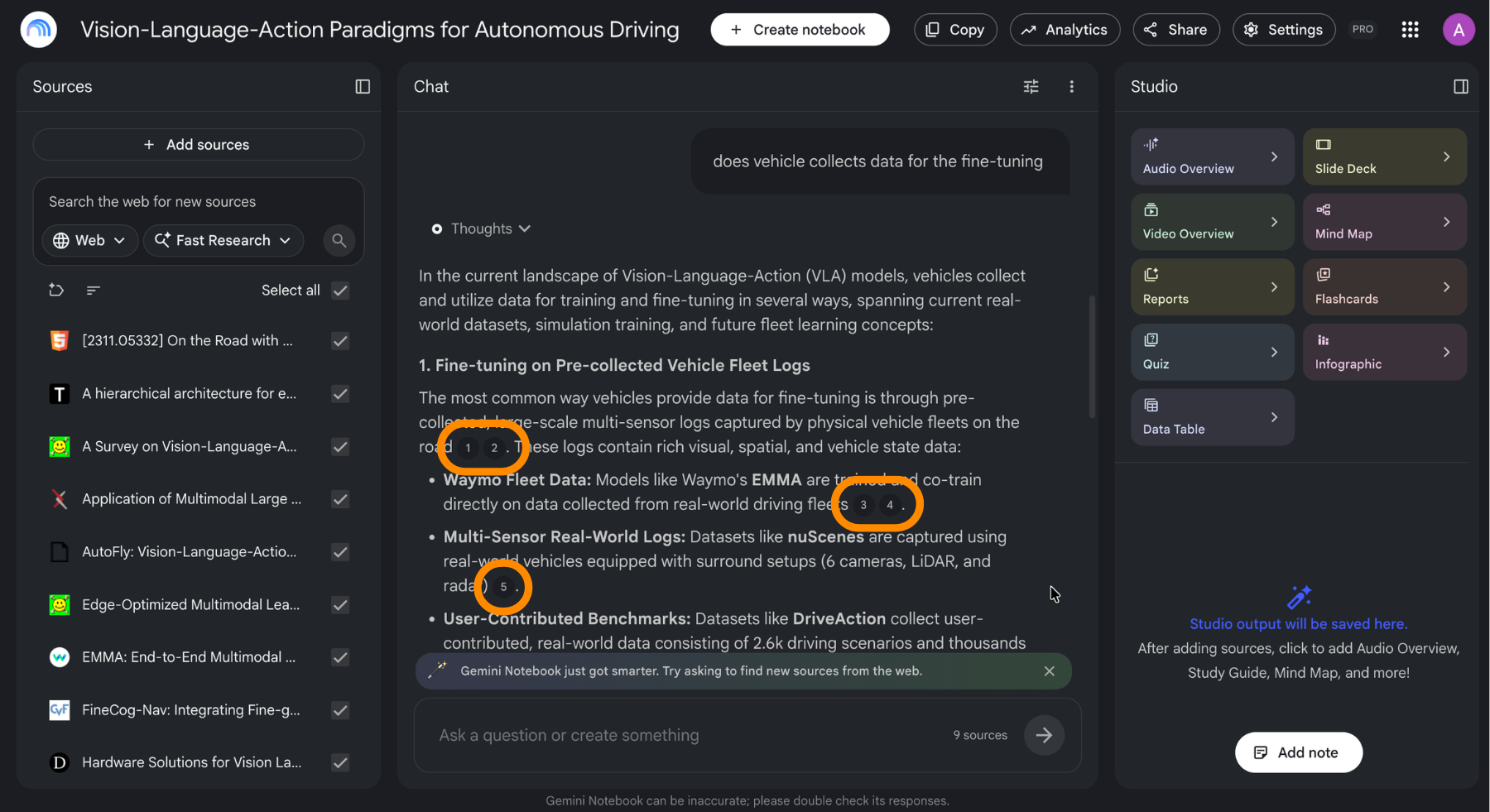
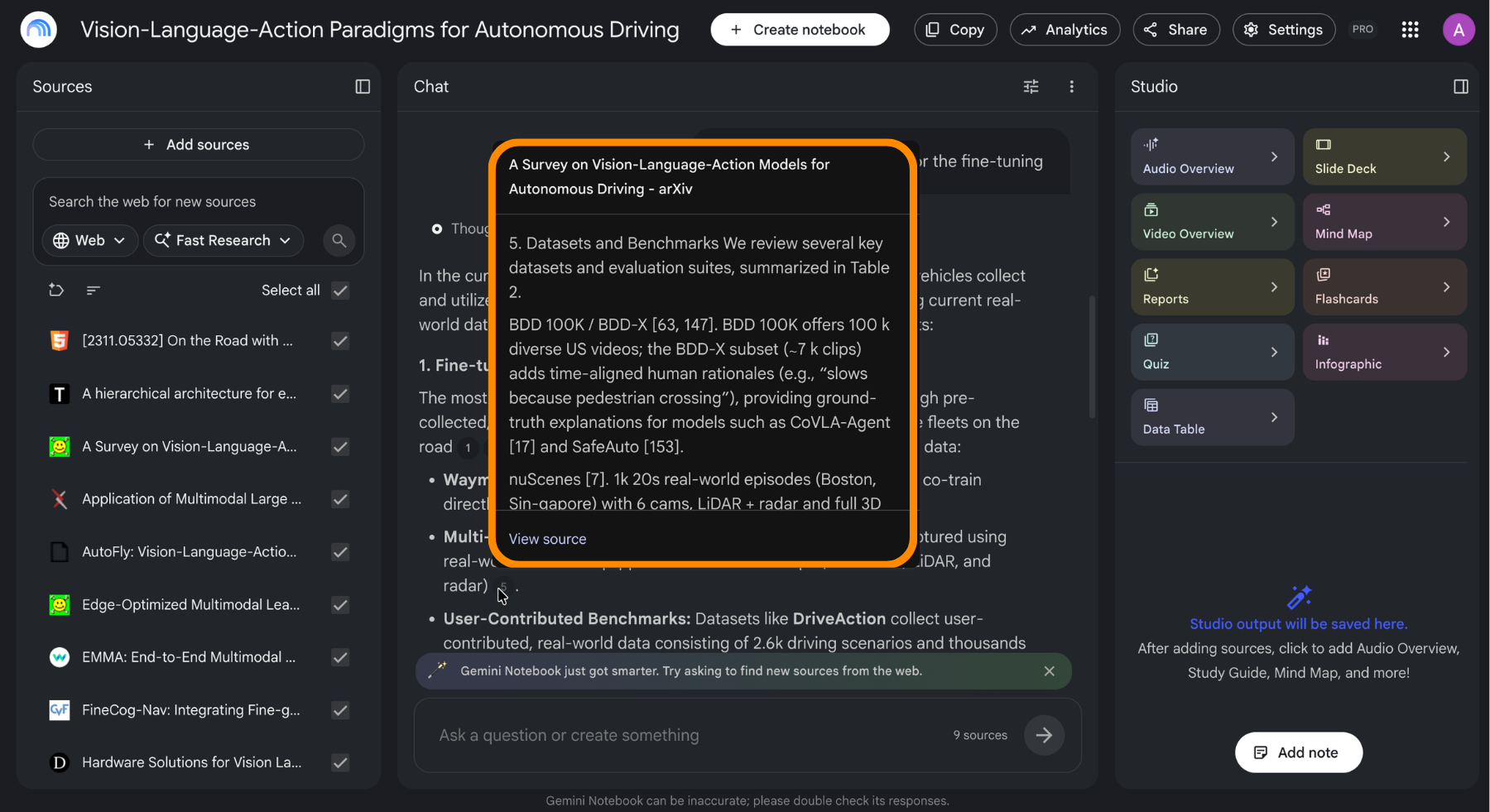
Every answer arrives with numbered citations attached to the claims inside it. Clicking one opens the source at the exact passage the claim came from.
Build the habit early: click at least one citation on any answer you plan to act on. It takes two seconds and it catches the failure mode that matters, which is a summary that is fluent, confident, and subtly wrong about what the document actually said.
When the Answer Is Not There
Ask something your sources do not cover and the notebook says so rather than filling the gap from general knowledge. That refusal is a feature. It tells you the document set is incomplete, which is information you would not get from an assistant willing to improvise.
Notes and How They Feed Back
A useful answer can be saved as a note and kept in the notebook. Notes can then be converted into sources, which is the part most people miss: once a note becomes a source, every future answer and every Studio output takes it into account.
That gives you a way to build on your own conclusions. Ask a hard question, verify the answer, save it, promote it to a source, and the notebook now reasons from your verified synthesis instead of rebuilding it every time.
Managing Chat History
Conversations are saved, which is convenient until an old thread starts pulling answers in a direction you have moved on from. Clearing the chat history resets that, and anything worth keeping should be saved as a note first.
Takk for tilbakemeldingene dine!
Spør AI

Spør AI

Spør om hva du vil, eller prøv ett av de foreslåtte spørsmålene for å starte chatten vår
