Enhancing Videos with AI Tools
Sveip for å vise menyen
Canva's video AI tools handle tasks that used to require a separate video editor: matching cuts to a beat, adding captions automatically, and smoothing out a rough voiceover.
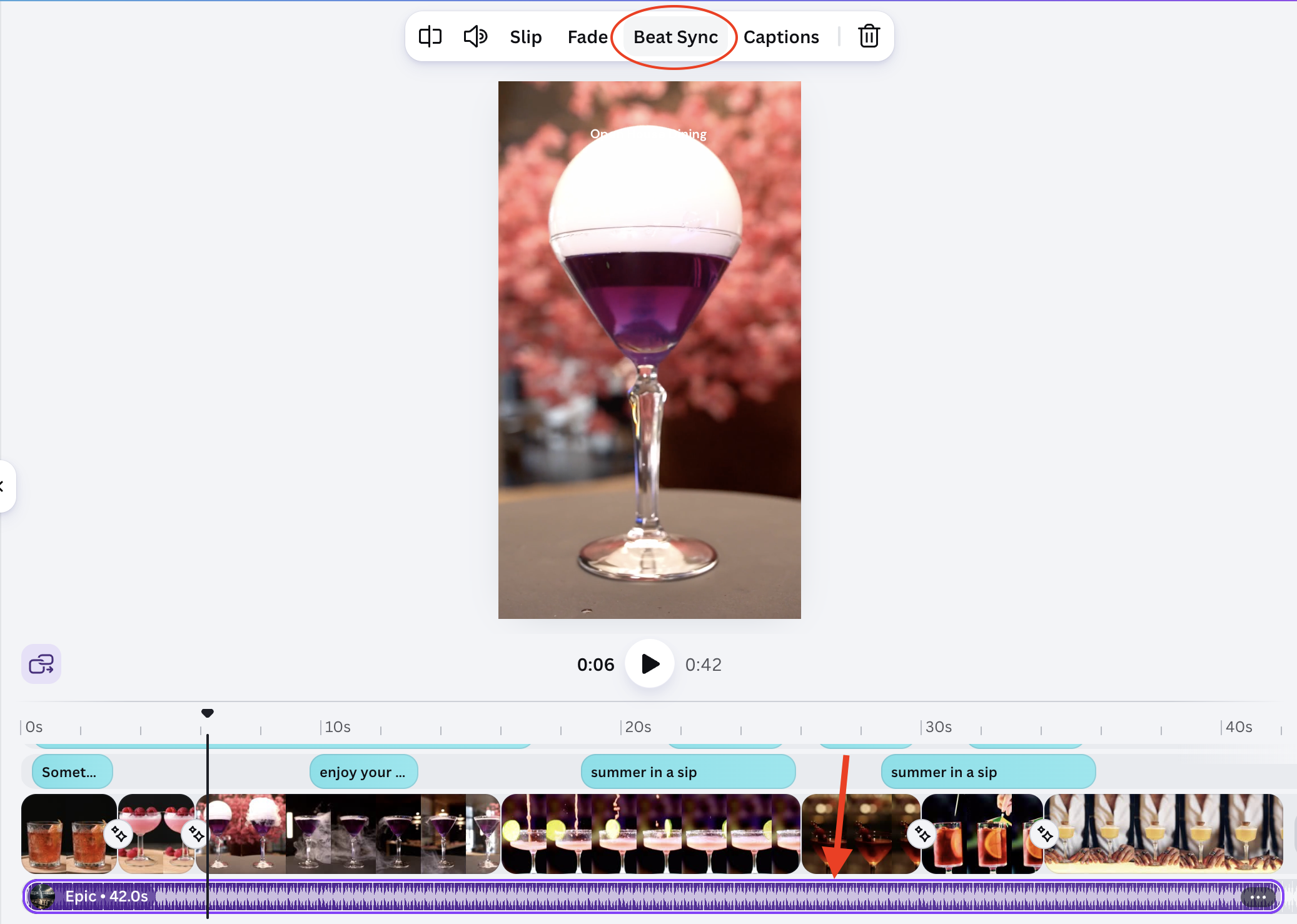
Beat Sync:
- Add a video and an audio track to your timeline;
- Click the audio track → Beat Sync;
- Canva detects the beat and trims clip transitions to match it automatically.
Result:
(open full screen)
Auto captions:
- Select your video clip;
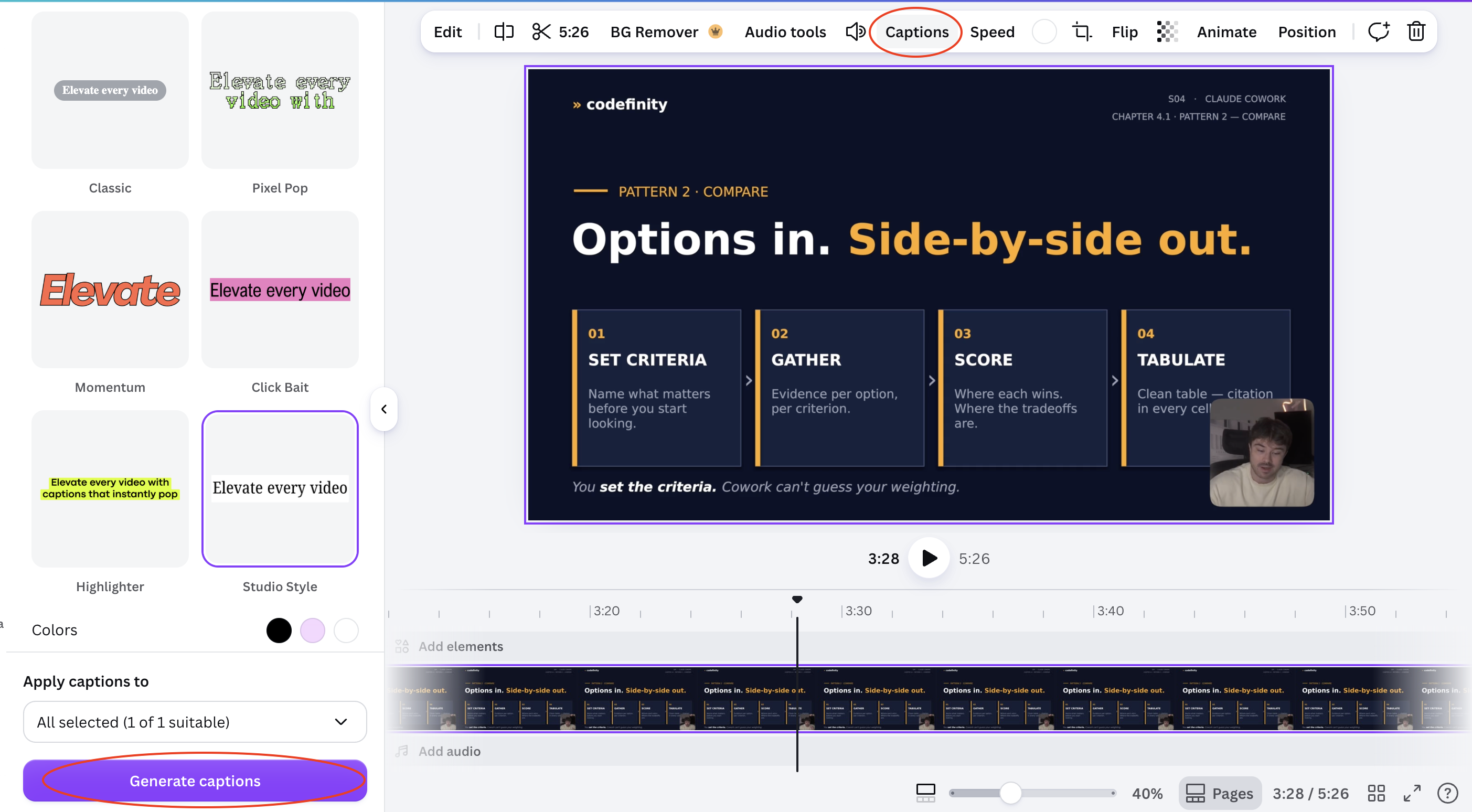
- Click Captions in the toolbar;
- Select the Style
- Click Generate captions
- Canva transcribes the audio and places timed caption text on the video;
- Edit any line that was transcribed incorrectly.
Result:
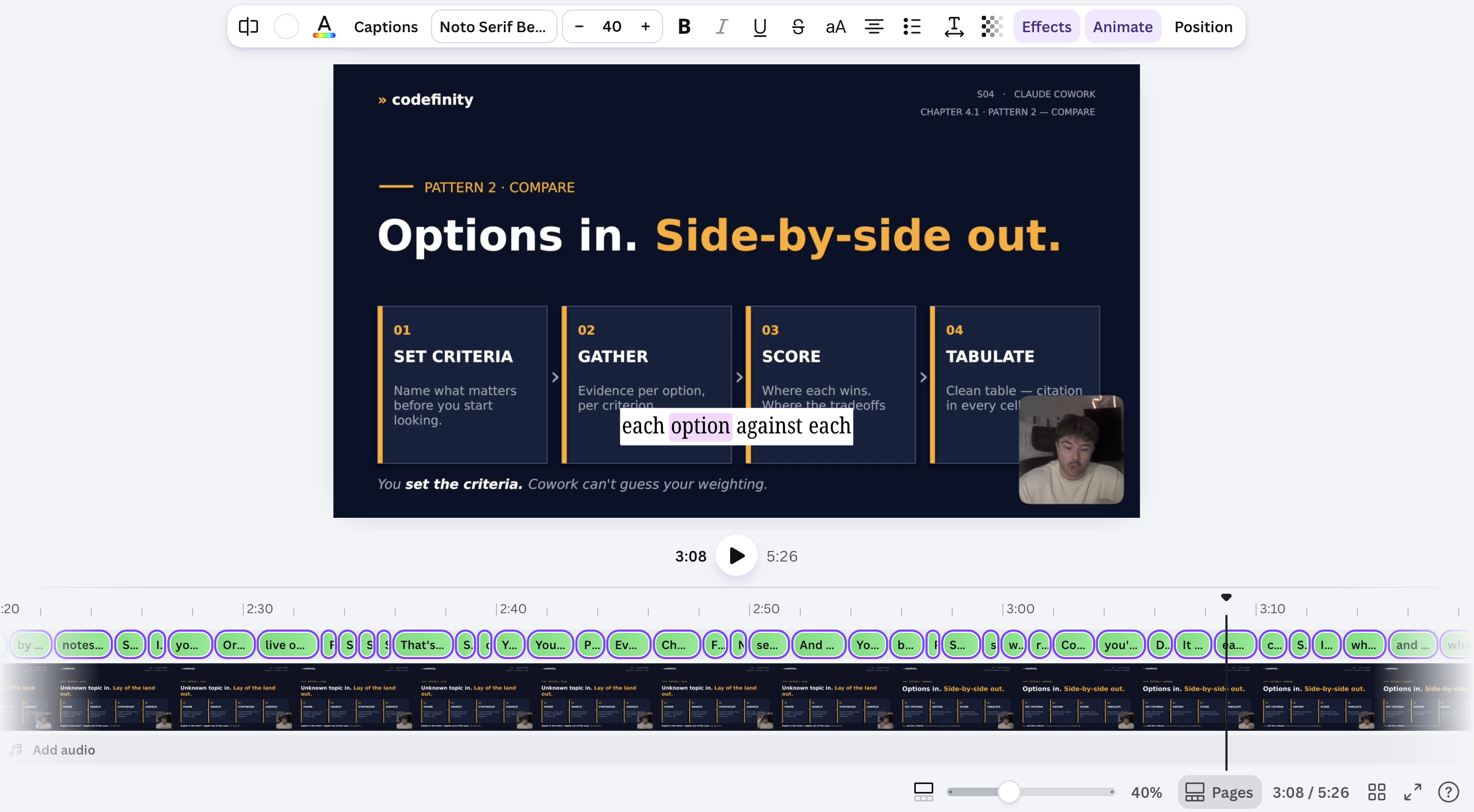
Auto-generated captions and beat-matched cuts both need a quick manual check — transcription can miss names or jargon, and beat detection can misread a quiet intro as the start of the track.
Alt var klart?
Takk for tilbakemeldingene dine!
Seksjon 1. Kapittel 8
Spør AI

Spør AI

Spør om hva du vil, eller prøv ett av de foreslåtte spørsmålene for å starte chatten vår
