Personal Intelligence
Sveip for å vise menyen
Every standalone chatbot has the same weakness. It knows nothing about you until you tell it, so half of any useful request is spent pasting in context it should already have. Personal Intelligence is Google's answer to that, and it is the feature no competitor can copy easily, because it depends on owning the apps.
What It Actually Does
Personal Intelligence connects Gemini to the Google apps you choose, such as Gmail, Photos, YouTube, and Search. Once connected, Gemini retrieves the specific detail it needs at the moment you ask, which unlocks questions a normal chatbot cannot touch:
- Find the tire size on the receipt somewhere in your inbox;
- Recall what the supplier said about the delivery date;
- Suggest a weekend trip that matches the places in your photos;
- Recommend a book based on what you have already watched and searched.
Turning It On
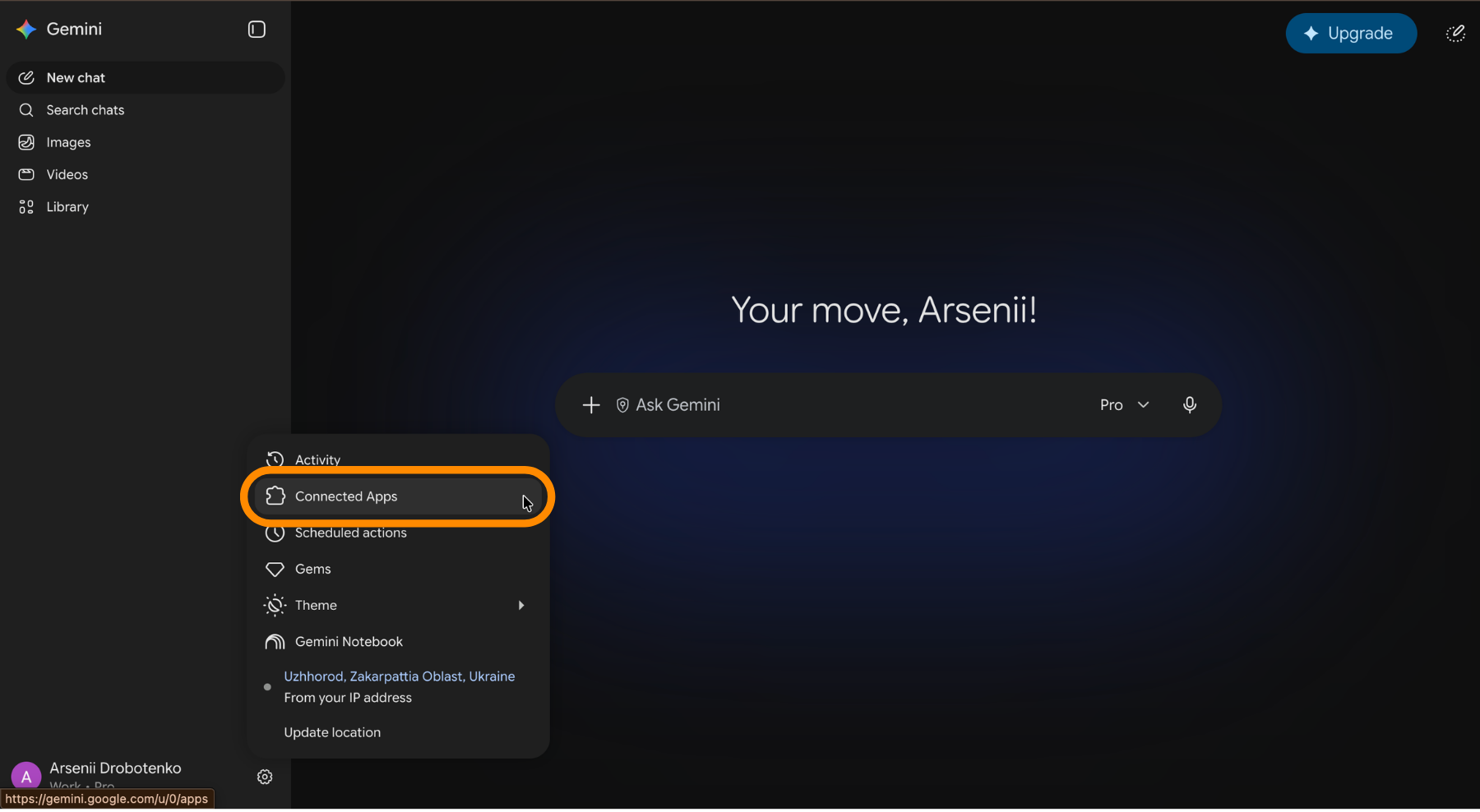
- Open
Settingsand go to the Personal Intelligence section; - Connect each app you want Gemini to reach, one at a time;
- Disconnect an app, or switch the whole feature off, whenever you want;
- Use a temporary chat when you want a single conversation left out of it.

Personal Intelligence is off until you connect something, and it is unavailable in the European Economic Area, Switzerland, and the United Kingdom, and on Workspace business, enterprise, and education accounts. Google states that connected data is read when you ask rather than absorbed into the model.
Takk for tilbakemeldingene dine!
Spør AI

Spør AI

Spør om hva du vil, eller prøv ett av de foreslåtte spørsmålene for å starte chatten vår
