Building AI Autofill in Databases
Sveip for å vise menyen
AI Autofill adds a database column that Notion AI fills in automatically for every row, based on the other information already in that row. This replaces manually writing a summary, a category, or a status for each item one by one.
To set up an AI Autofill column:
- Open a database;
- Click the + button to add a new column;
- Choose AI Autofill as the column type;
- Pick a task such as Summarize, Translate, or Custom prompt;
- If you choose Custom prompt, describe what the column should generate, referencing other columns by name.
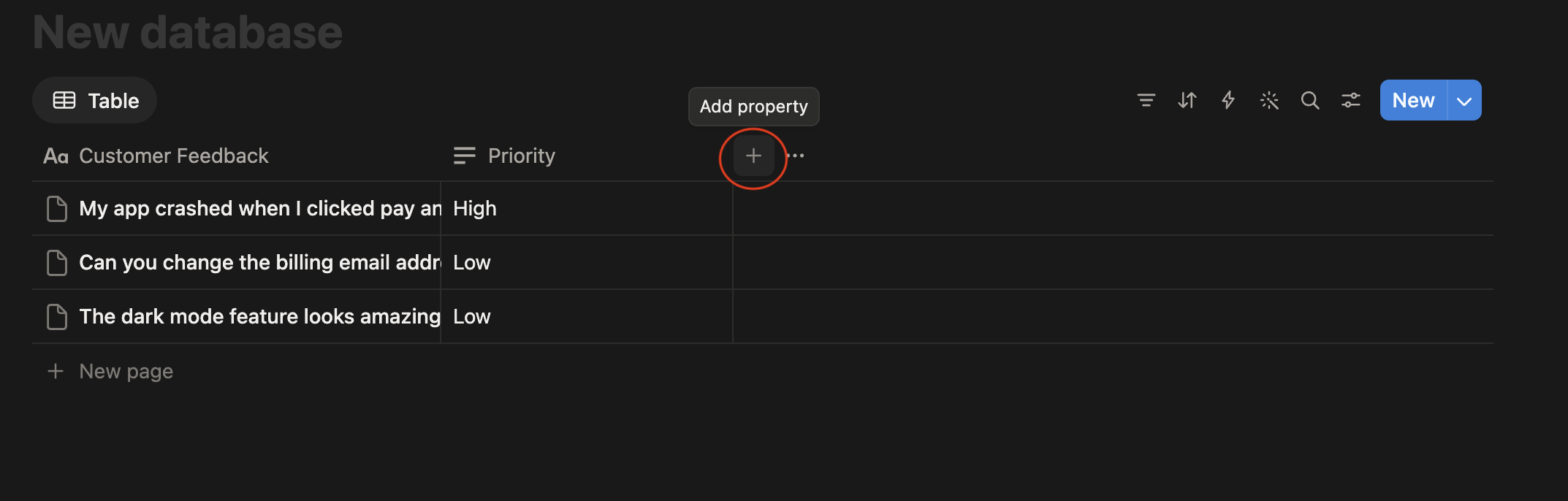
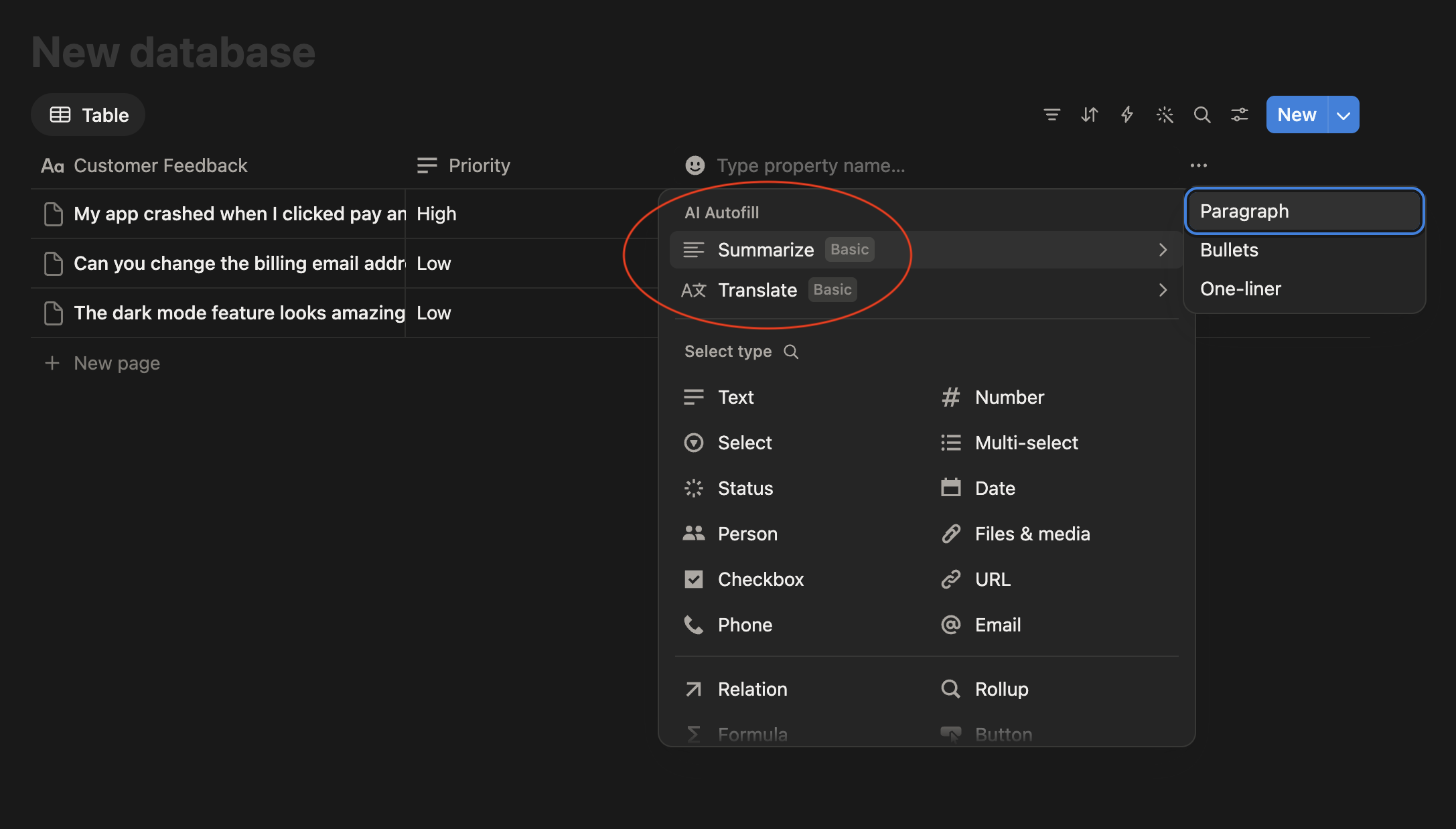
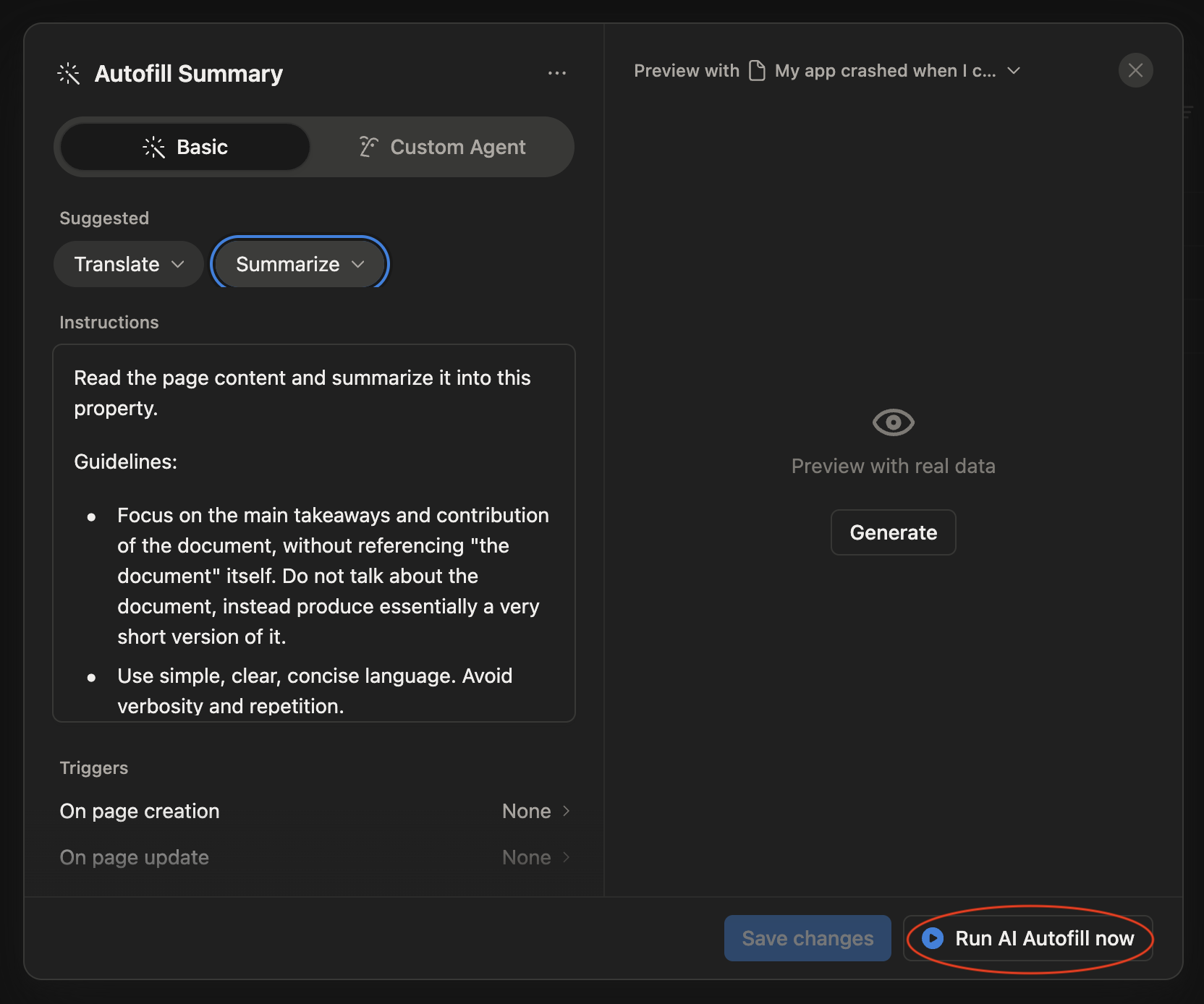
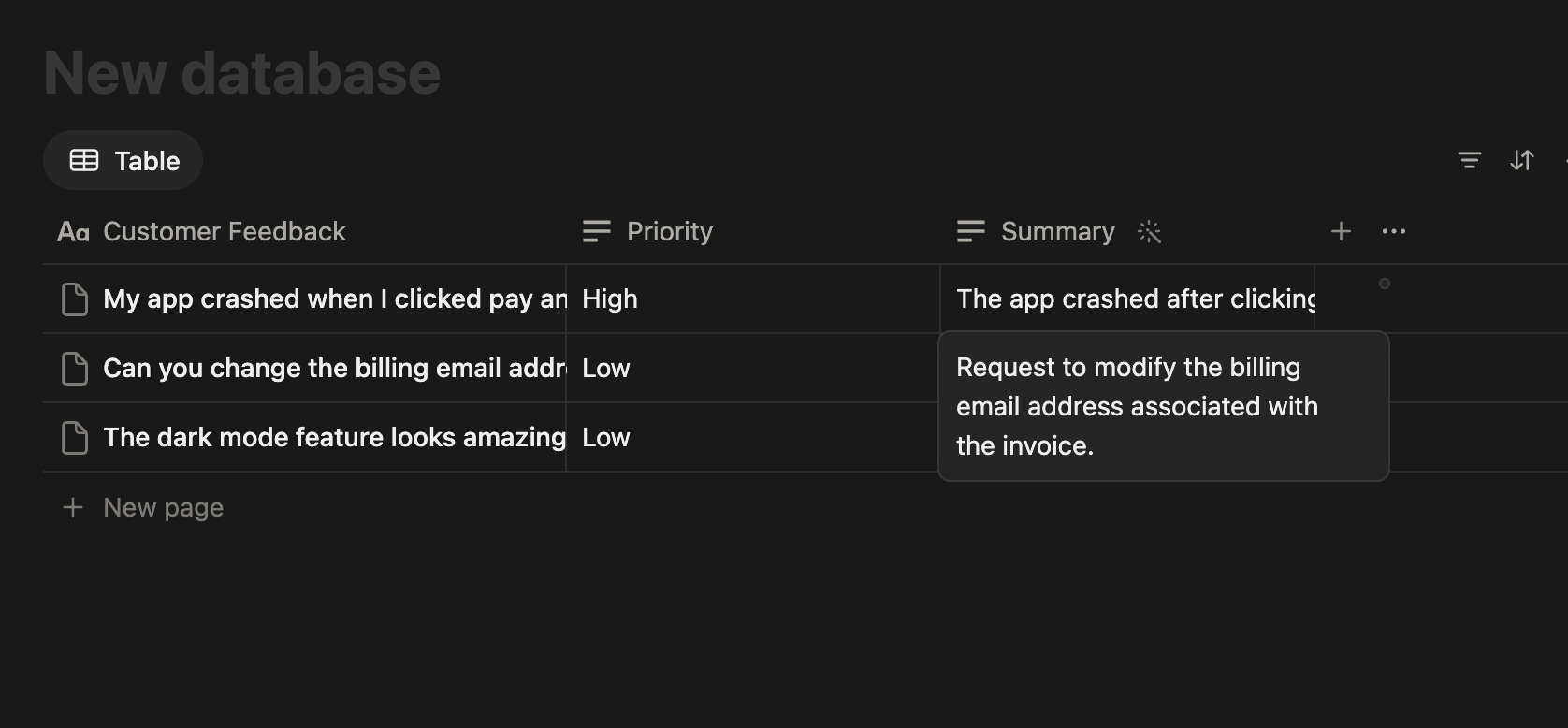
Consider another database that tracks customer feedback:
Once the column is set up, every new row gets a category automatically as soon as the Feedback column is filled in, without any manual tagging.
Alt var klart?
Takk for tilbakemeldingene dine!
Seksjon 1. Kapittel 7
Spør AI

Spør AI

Spør om hva du vil, eller prøv ett av de foreslåtte spørsmålene for å starte chatten vår
Seksjon 1. Kapittel 7
