Working with Objects
Sveip for å vise menyen
PowerShell differs from traditional command-line interfaces because it is object-oriented. Instead of producing plain text, PowerShell commands return structured objects. Each object contains properties, which store data, and methods, which define actions that can be performed on that object.
This object-based approach makes it easier to filter, sort, and manipulate data without relying on text parsing. It also enables you to build more reliable and powerful automation scripts by passing objects directly between commands through the PowerShell pipeline. Understanding how objects work is a fundamental step toward using PowerShell effectively.
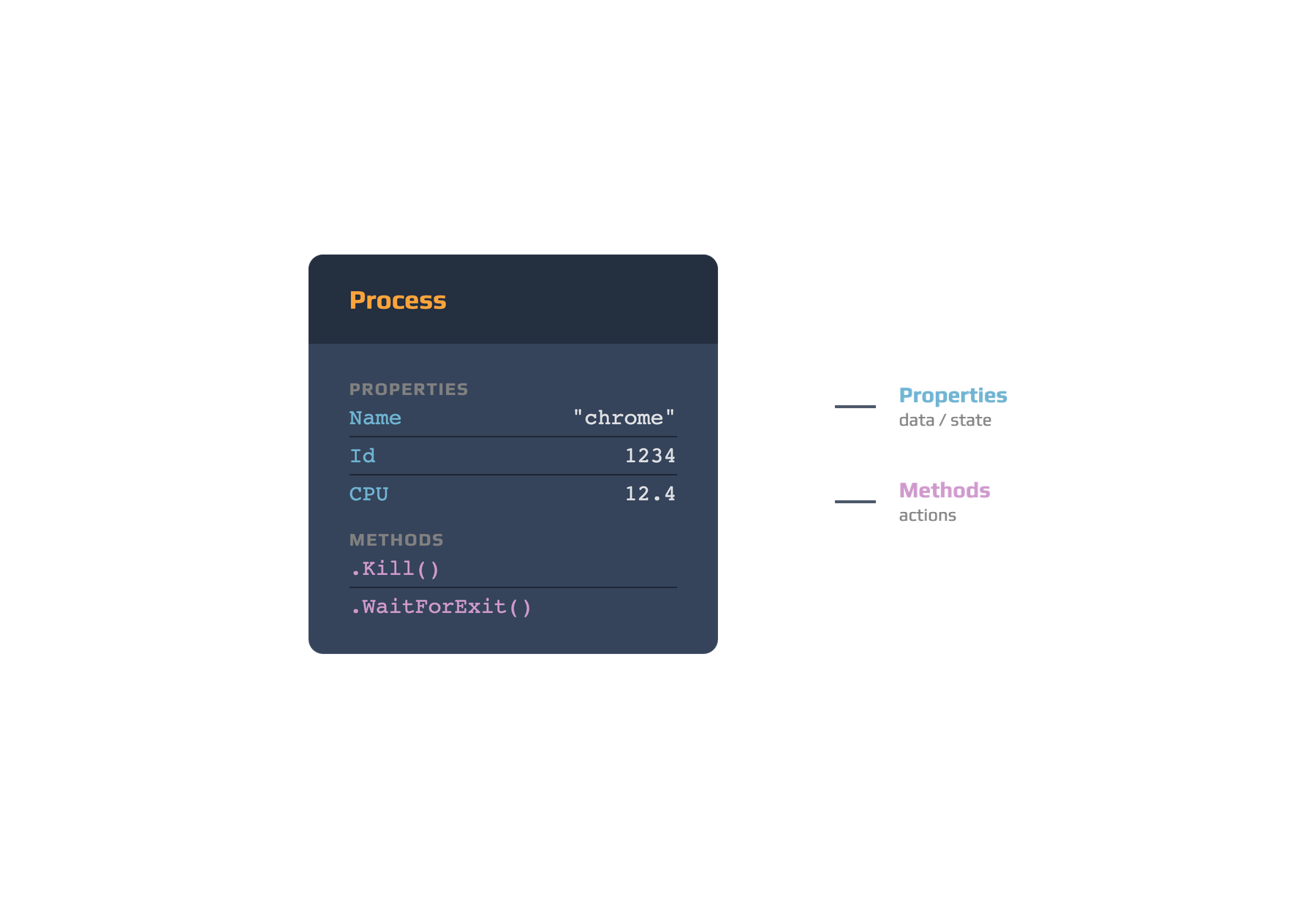
When you run a command such as Get-Process, PowerShell returns one or more process objects. Each object contains a variety of properties, including values like ProcessName, Id, and CPU.
You can access a property's value using dot notation. For example, if a process is stored in the variable $process, you can retrieve its process ID with:
$process.Id
Objects also include methods, which are actions that can be performed on them. For example, the Kill() method terminates a process:
$process.Kill()
By exposing both data through properties and functionality through methods, PowerShell objects provide a flexible and powerful way to interact with the operating system and automate administrative tasks.
Takk for tilbakemeldingene dine!
Spør AI

Spør AI

Spør om hva du vil, eller prøv ett av de foreslåtte spørsmålene for å starte chatten vår
Working with Objects
PowerShell differs from traditional command-line interfaces because it is object-oriented. Instead of producing plain text, PowerShell commands return structured objects. Each object contains properties, which store data, and methods, which define actions that can be performed on that object.
This object-based approach makes it easier to filter, sort, and manipulate data without relying on text parsing. It also enables you to build more reliable and powerful automation scripts by passing objects directly between commands through the PowerShell pipeline. Understanding how objects work is a fundamental step toward using PowerShell effectively.
When you run a command such as Get-Process, PowerShell returns one or more process objects. Each object contains a variety of properties, including values like ProcessName, Id, and CPU.
You can access a property's value using dot notation. For example, if a process is stored in the variable $process, you can retrieve its process ID with:
$process.Id
Objects also include methods, which are actions that can be performed on them. For example, the Kill() method terminates a process:
$process.Kill()
By exposing both data through properties and functionality through methods, PowerShell objects provide a flexible and powerful way to interact with the operating system and automate administrative tasks.
Takk for tilbakemeldingene dine!
