Tekst, justering og gjenbrukbar formatering
Sveip for å vise menyen
Skriftstørrelse
Skriftstørrelse bør gjenspeile viktighet, ikke brukes til å dekorere enkeltceller. Endre størrelse for å etablere struktur — tittel, overskrift, data, merknad — og hold hvert nivå konsekvent gjennom hele tabellen.
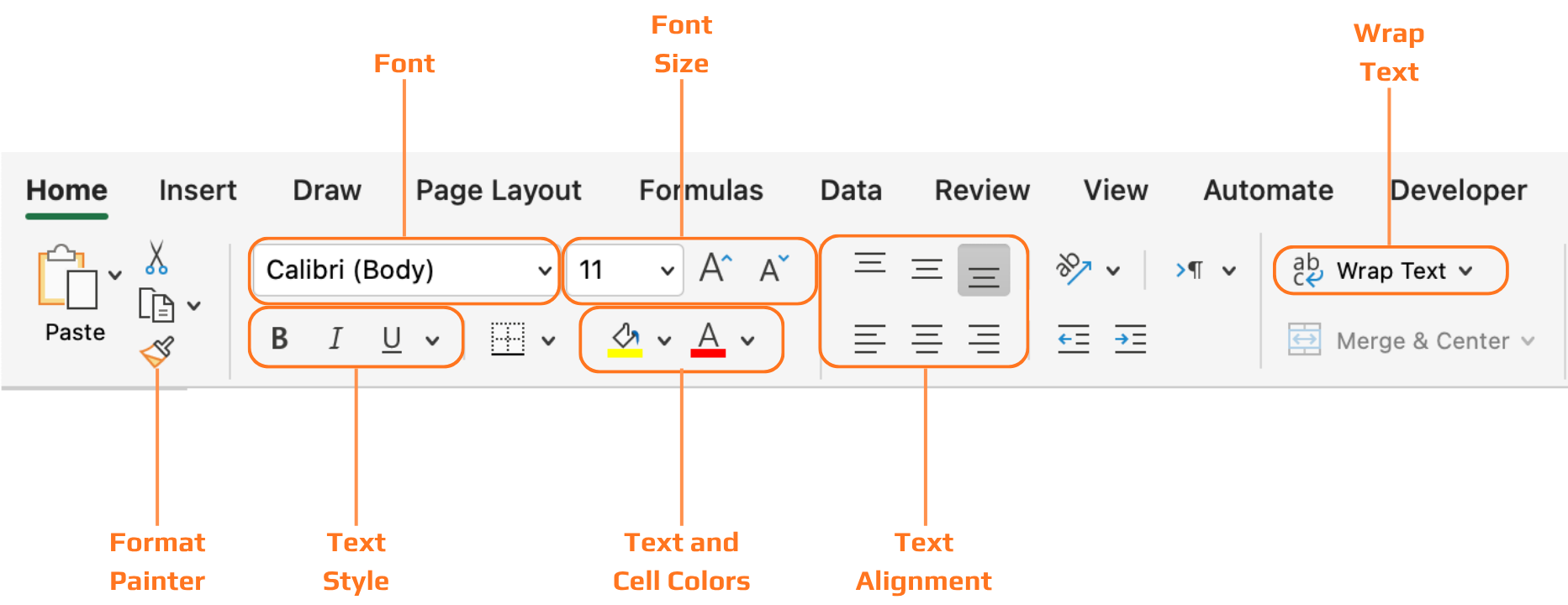
Tekstjustering
- Horisontal justering: tekst → venstrejustert. Tall → høyrejustert (desimaltegnene står på linje, noe som gjør kolonnene lettere å sammenligne). Statusetiketter → midtstilling fungerer godt;
- Vertikal justering: Excel har som standard bunnjustering. Når du øker radens høyde, havner innholdet nederst — bytt til midtstilling for et renere utseende.

Roterte eller skråstilte tekster er tilgjengelige for smale overskrifter, men bør brukes med måte. Det gjør lesingen tregere og kan føles unaturlig. Bruk det kun når horisontal plass virkelig er begrenset.
Tekstbryting
- Tekstbryting av: den lange notisen flyter over til tilstøtende celler, dekker annen data og forstyrrer tabelloppsettet;
- Tekstbryting på: notisen holder seg innenfor cellen. Radhøyden utvides automatisk. Alle andre kolonner forblir uforstyrret;
Formatpensel
Kopierer all formatering (skriftstørrelse, justering, tekstbryting, farge) fra én celle og bruker det på en annen. Raskere og mer pålitelig enn å gjenta hvert steg manuelt.
- Velg cellen du vil kopiere formateringen fra;
- Klikk på Formatpensel i Utklippstavle-gruppen på Hjem-fanen;
- Klikk (eller dra over) målcellen eller området. Formateringen brukes umiddelbart.
Cellestiler
Innebygde formateringsmaler for titler, overskrifter, summer, advarsler og aksenter. Nyttig når du ønsker et profesjonelt resultat uten å bygge hver stil manuelt. Hold musepekeren over en stil for forhåndsvisning før du bruker den.
- Velg cellen eller området;
- Hjem-fane → Cellestiler → hold musepekeren for forhåndsvisning → klikk for å bruke;
- Du kan når som helst gå tilbake til manuell formatering.
Dobbeltklikk på Formatpensel for å låse den. Du kan da bruke samme formatering på flere områder etter hverandre. Trykk Esc for å slå den av når du er ferdig.
Takk for tilbakemeldingene dine!
Spør AI

Spør AI

Spør om hva du vil, eller prøv ett av de foreslåtte spørsmålene for å starte chatten vår
