XLOOKUP Essentials
Sveip for å vise menyen
XLOOKUP retrieves a value from one column based on a matching value found in another column.
It is used when:
- A unique identifier exists;
- One result is expected;
- An exact match is required.
XLOOKUP searches for a value and returns related information from another column in the same row.
Syntax
=XLOOKUP(lookup_value, lookup_array, return_array)
lookup_value: the value to search for;lookup_array: the column where Excel searches for a match;return_array: the column containing the result to return.
Retrieving Salary Using Employee ID
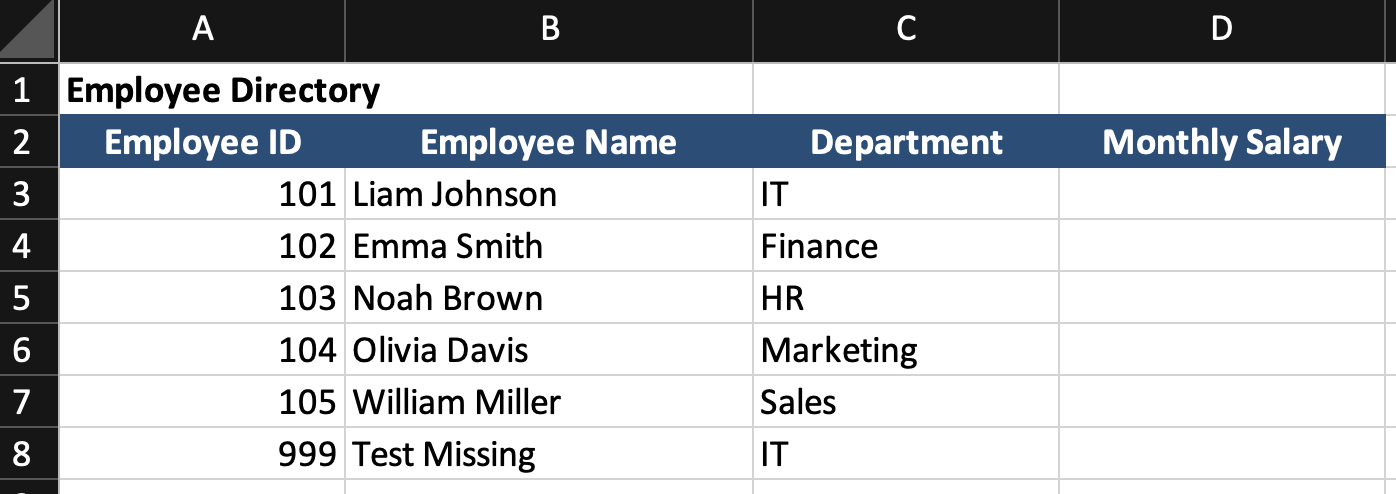
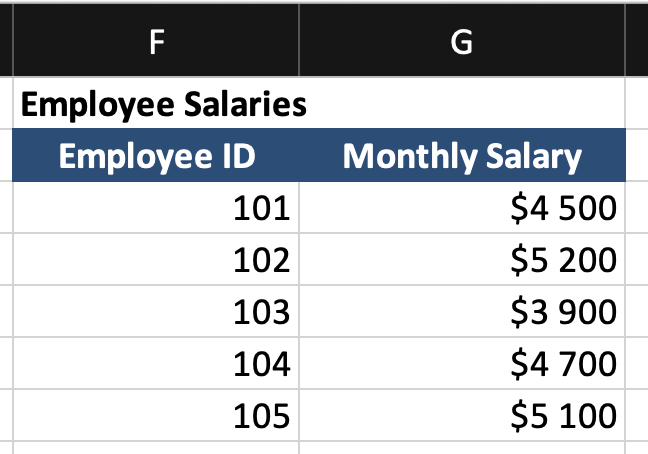
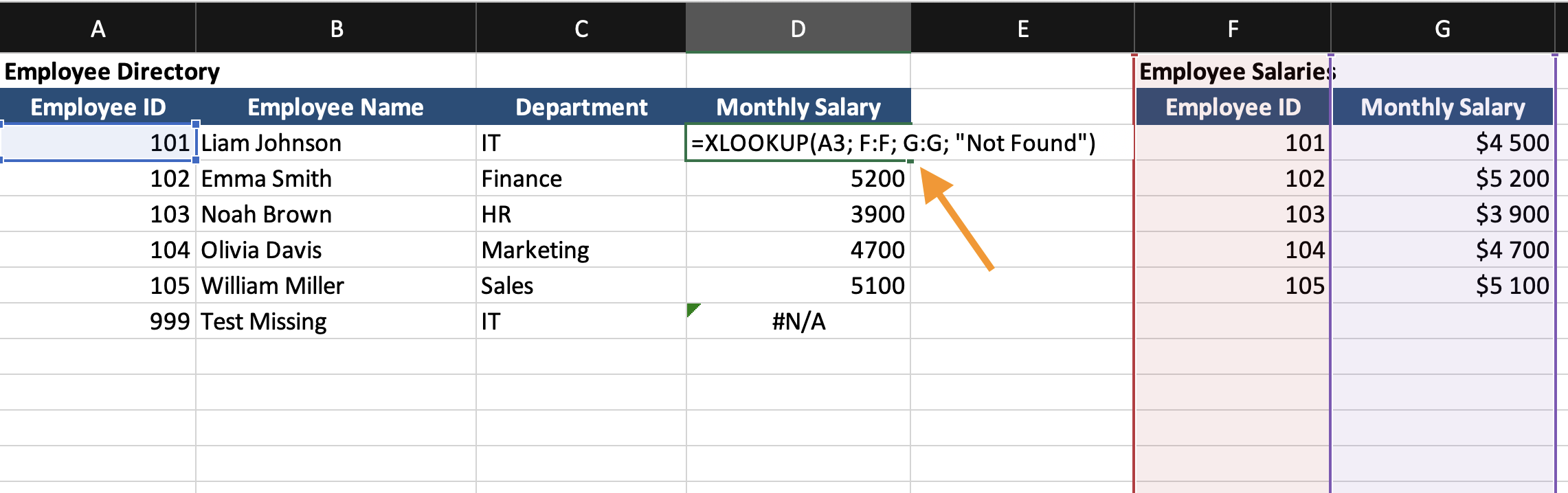
Two tables are available in the worksheet.
Employee Directory contains Employee ID, Employee Name, Department.
Employee Salaries contains Employee ID and Monthly Salary.
The goal is to return Monthly Salary into the Employee Directory table based on Employee ID.
Creating the Lookup Formula
Insert a new column in the Employee Directory table named Monthly Salary.
In the first cell of that column:
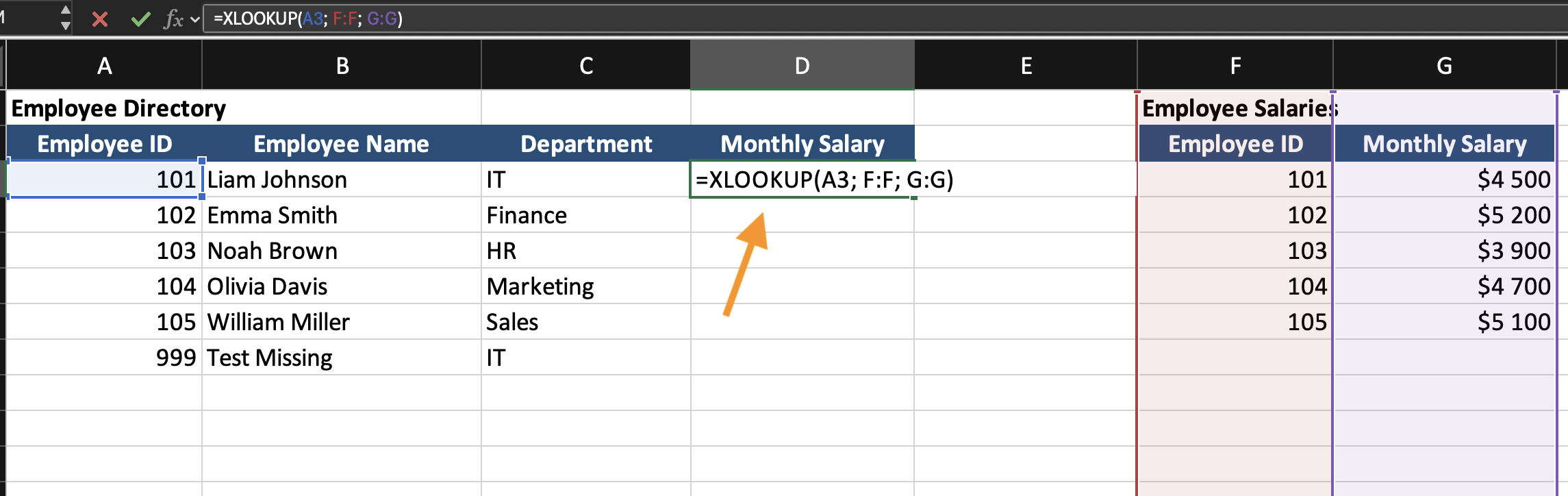
=XLOOKUP(A3; F:F; G:G)
A3isEmployee IDfrom the directory table;F:FisEmployee IDcolumn in the Salary table;G:GisMonthly Salarycolumn in the Salary table.
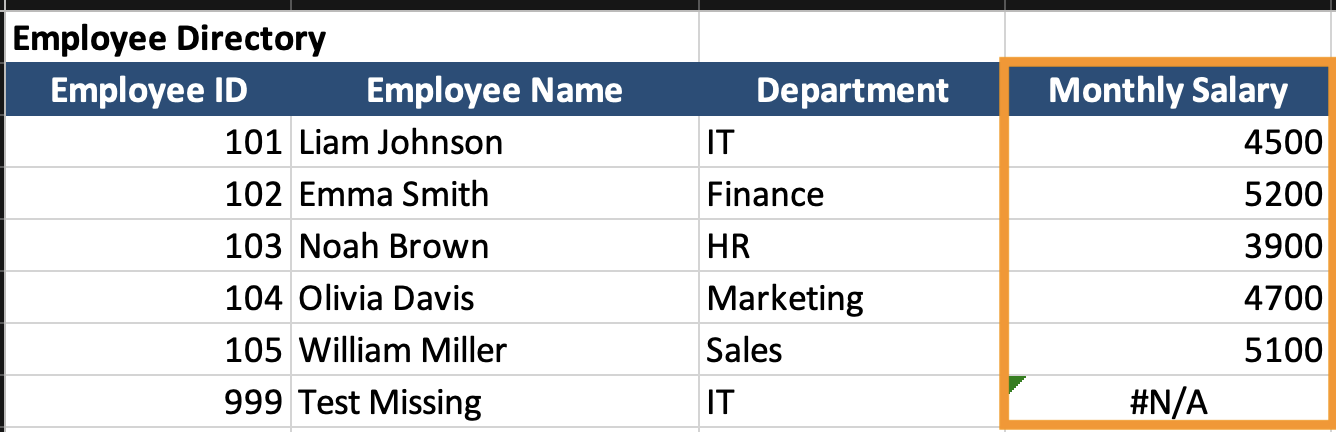
Excel searches column F for the value in A3. When a match is found, Excel returns the corresponding value from column G.
Handling Missing Matches
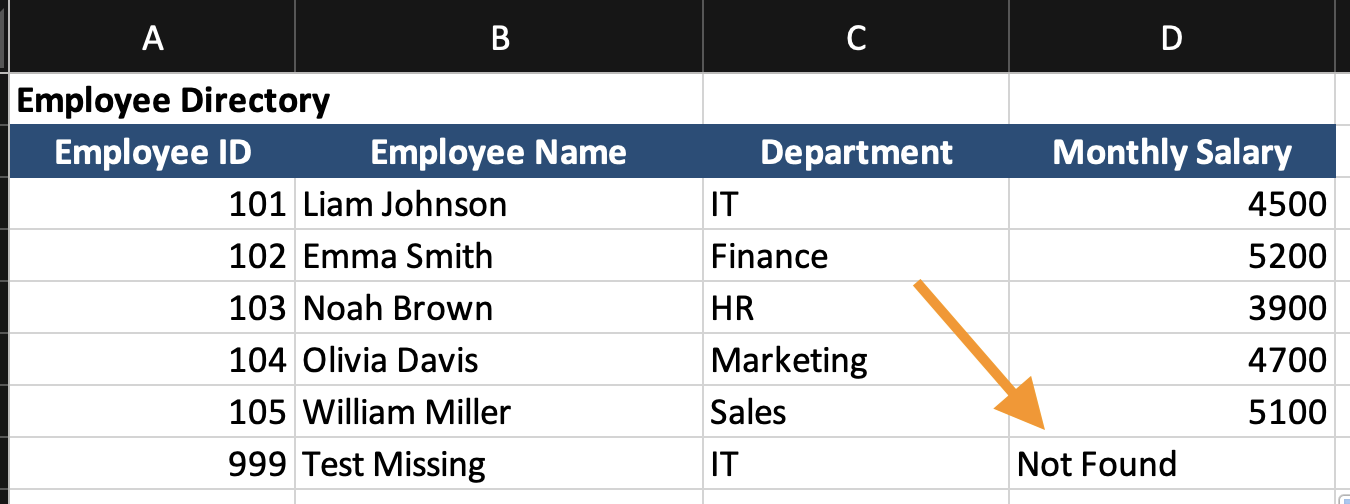
If an Employee ID does not exist in the Salary table, Excel returns an error.
To control the output, add the fourth argument:
=XLOOKUP(A3; F:F; G:G; "Not Found")
If no match is found, Excel displays Not Found instead of an error.
What Happens Internally
When the formula runs, Excel:
- Reads the lookup value;
- Scans the lookup column from top to bottom;
- Finds the first exact match;
- Returns the value from the return column in the same row.
The original data tables are not modified. The result is calculated dynamically based on the formula.
Task
Scenario
The worksheet contains two tables:
Employee Directory and Employee Details.
The goal is to retrieve the Job Title for each employee using XLOOKUP.
Task Instructions
- Insert a new column in the Employee Directory table named
Job Title; - Use
XLOOKUPto retrieveJob Titlebased onEmployee ID; - Ensure the formula returns
Not Foundif no match exists; - Fill the formula down the column.
Takk for tilbakemeldingene dine!
Spør AI

Spør AI

Spør om hva du vil, eller prøv ett av de foreslåtte spørsmålene for å starte chatten vår
