Notice: This page requires JavaScript to function properly.
Please enable JavaScript in your browser settings or update your browser.
学ぶ Editing Photos with Magic Edit and Magic Eraser | Canva AI Toolkit
Canva AI

Editing Photos with Magic Edit and Magic Eraser

メニューを表示するにはスワイプしてください

Magic Edit replaces part of a photo based on a text description, while Magic Eraser removes an unwanted object and fills the gap automatically. Both work by painting over the area you want to change.

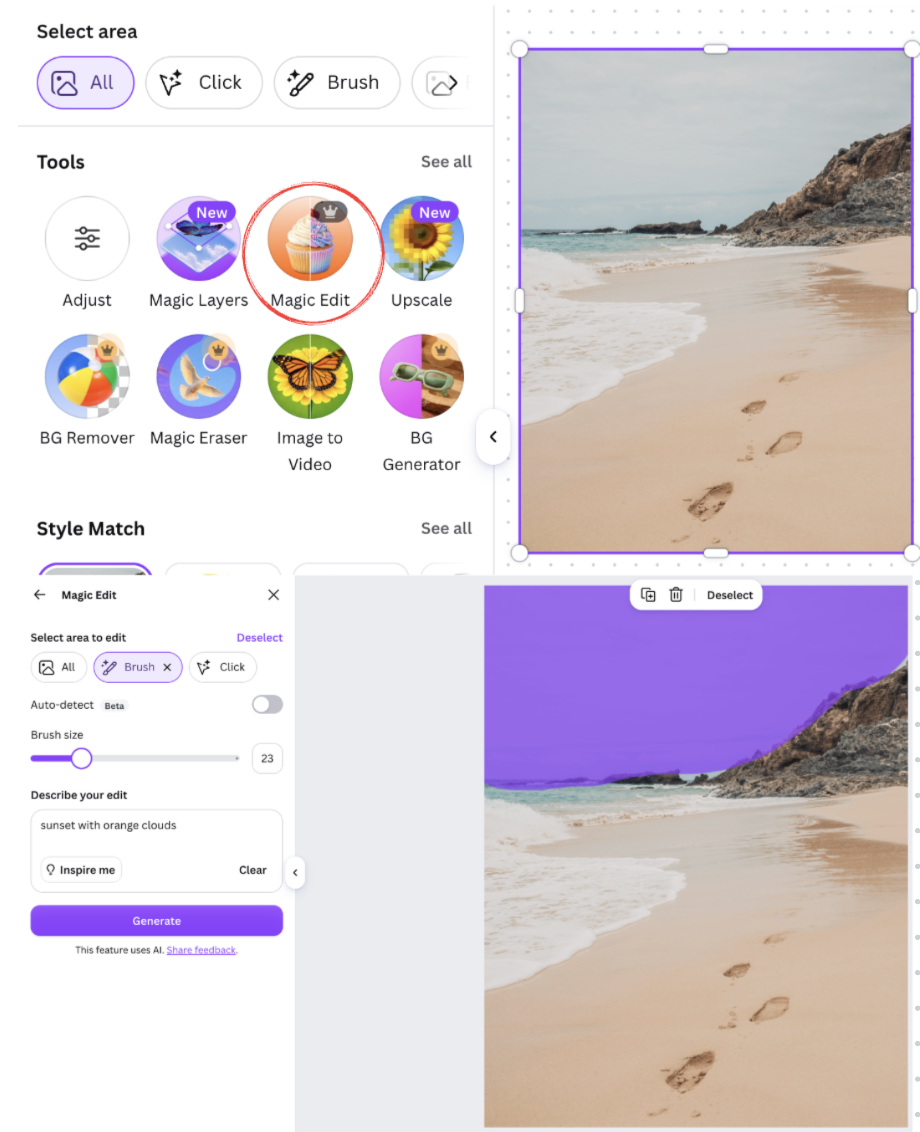
Using Magic Edit:

  • Select a photo already on your canvas;
  • Open Edit photo → Magic Edit;
  • Paint over the region to replace, such as a plain sky;
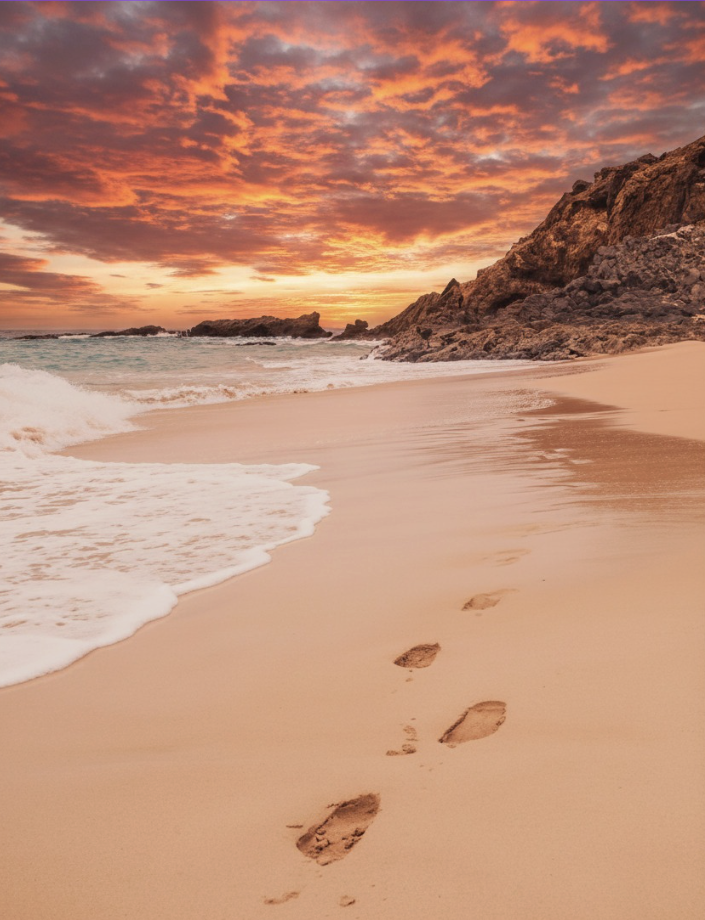
  • Type what should appear instead, for instance "sunset with orange clouds";
  • Click Generate and pick the result you prefer.
Result:
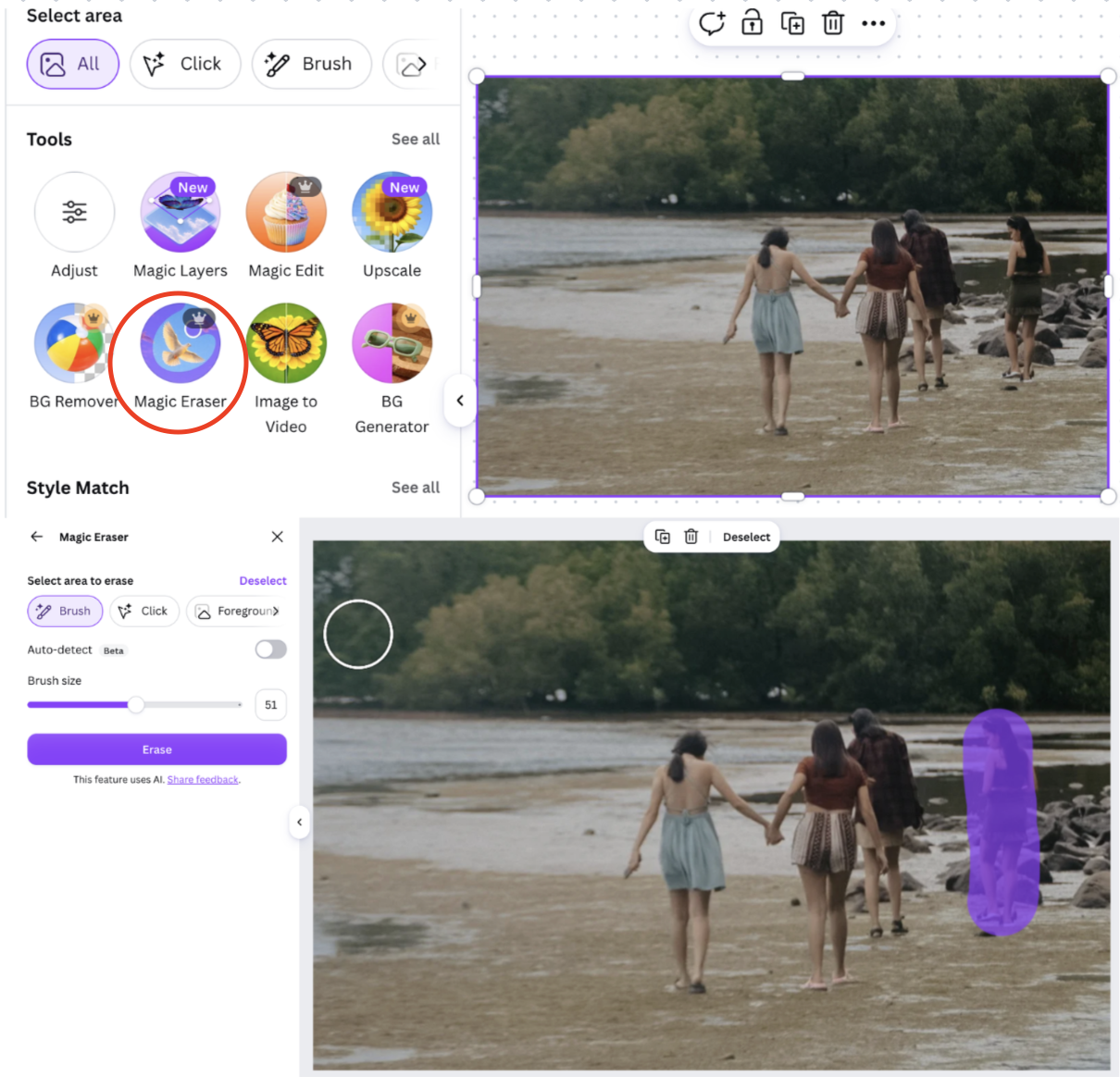
Using Magic Eraser:

  • Select the photo;
  • Open Edit photo → Magic Eraser;
  • Paint over the object to remove, such as a passerby in the background;
  • Canva fills the erased area automatically using the surrounding pixels.
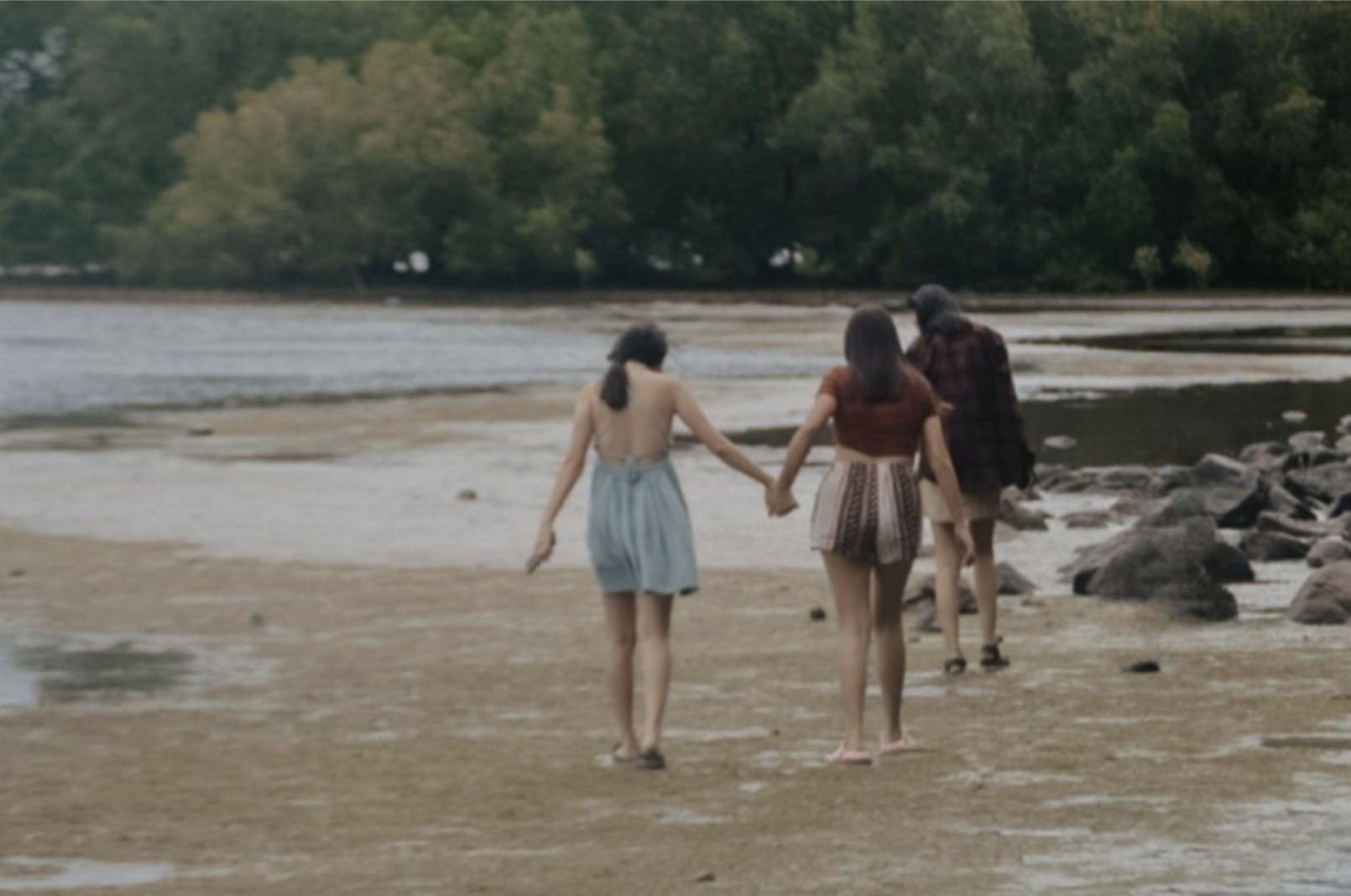
Result:
Both tools work best on areas with a fairly even background; complex textures right at the edge of your selection sometimes need a second pass to blend seamlessly.

すべて明確でしたか?

どのように改善できますか?

フィードバックありがとうございます!

セクション 1.  4

AIに質問する

expand

AIに質問する

ChatGPT

何でも質問するか、提案された質問の1つを試してチャットを始めてください

Editing Photos with Magic Edit and Magic Eraser

Magic Edit replaces part of a photo based on a text description, while Magic Eraser removes an unwanted object and fills the gap automatically. Both work by painting over the area you want to change.

Using Magic Edit:

  • Select a photo already on your canvas;
  • Open Edit photo → Magic Edit;
  • Paint over the region to replace, such as a plain sky;
  • Type what should appear instead, for instance "sunset with orange clouds";
  • Click Generate and pick the result you prefer.

Result:

Using Magic Eraser:

  • Select the photo;
  • Open Edit photo → Magic Eraser;
  • Paint over the object to remove, such as a passerby in the background;
  • Canva fills the erased area automatically using the surrounding pixels.

Result:

Both tools work best on areas with a fairly even background; complex textures right at the edge of your selection sometimes need a second pass to blend seamlessly.

すべて明確でしたか?

どのように改善できますか?

フィードバックありがとうございます!

セクション 1.  4
some-alt