セクション 1. 章 14

single
Challenge: Using iloc[]
メニューを表示するにはスワイプしてください
The DataFrame you are working with:
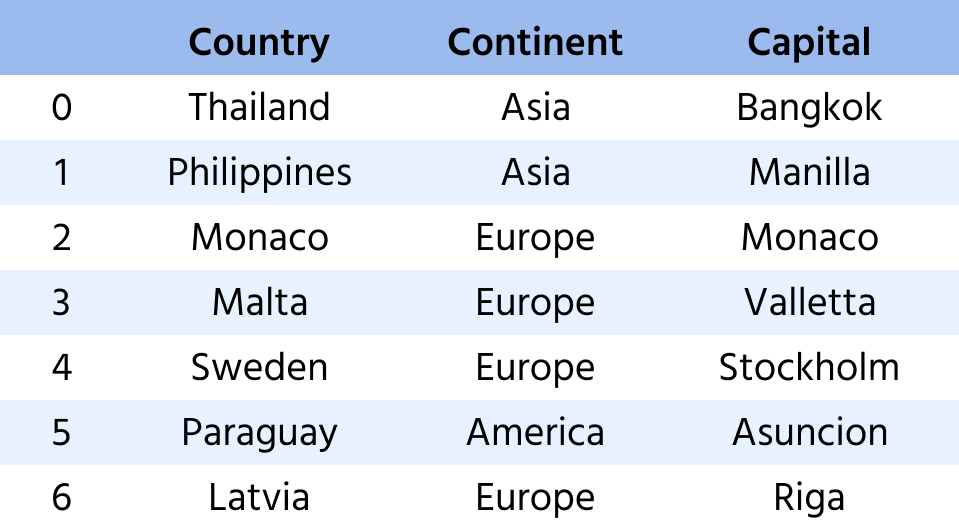
You can also use negative indexing to access rows in the DataFrame. Negative indexing starts from the end of the DataFrame: index -1 points to the last row, -2 to the second to last, and so on.
To access the seventh row (which refers to Latvia), you can use either index 6 or -1.
123456import pandas countries_data = {'country' : ['Thailand', 'Philippines', 'Monaco', 'Malta', 'Sweden', 'Paraguay', 'Latvia'], 'continent' : ['Asia', 'Asia', 'Europe', 'Europe', 'Europe', 'South America', 'Europe'], 'capital':['Bangkok', 'Manila', 'Monaco', 'Valletta', 'Stockholm', 'Asuncion', 'Riga']} countries = pandas.DataFrame(countries_data) # Accessing to the seventh row using negative indexing print(countries.iloc[-1])
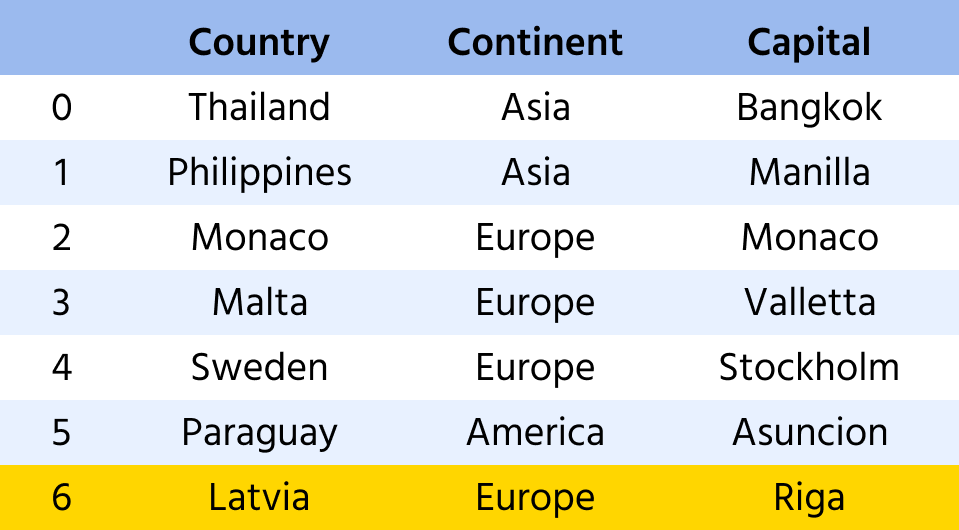
Running the above code will return the row highlighted in the image below:
タスク
スワイプしてコーディングを開始
You are given a DataFrame named audi_cars.
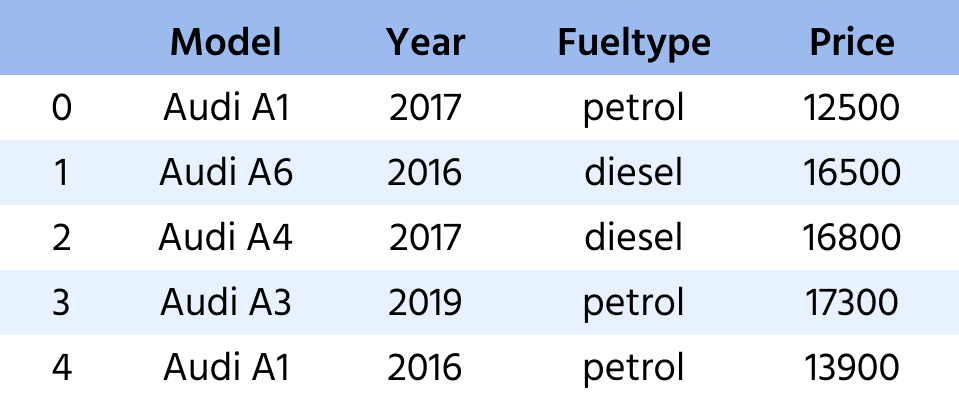
- Select the entire row (all columns) for the
'Audi A1'model from the year 2017 and store it inaudi_A1_2017. - Do the same for the
'Audi A1'model from the year 2016 and store it inaudi_A1_2016. - Finally, select the
'Audi A3'model and store it inaudi_A3.
解答
 実践的な練習のためにデスクトップに切り替える下記のオプションのいずれかを利用して、現在の場所から続行する
すべて明確でしたか?
フィードバックありがとうございます!
セクション 1. 章 14
single
AIに質問する

AIに質問する

何でも質問するか、提案された質問の1つを試してチャットを始めてください
