Managing Email and Calendar with an Agent
メニューを表示するにはスワイプしてください
Email and calendar management are where most professionals feel the biggest daily drain on their time. Inbox overload, scheduling back-and-forth, follow-ups that fall through the cracks – these are exactly the kinds of repetitive, high-volume tasks that agents handle well.
This chapter covers the practical patterns for delegating email and calendar work, and which tools make it easiest.
Managing Your Email with AI
The most useful email tasks to delegate to an agent fall into three categories.
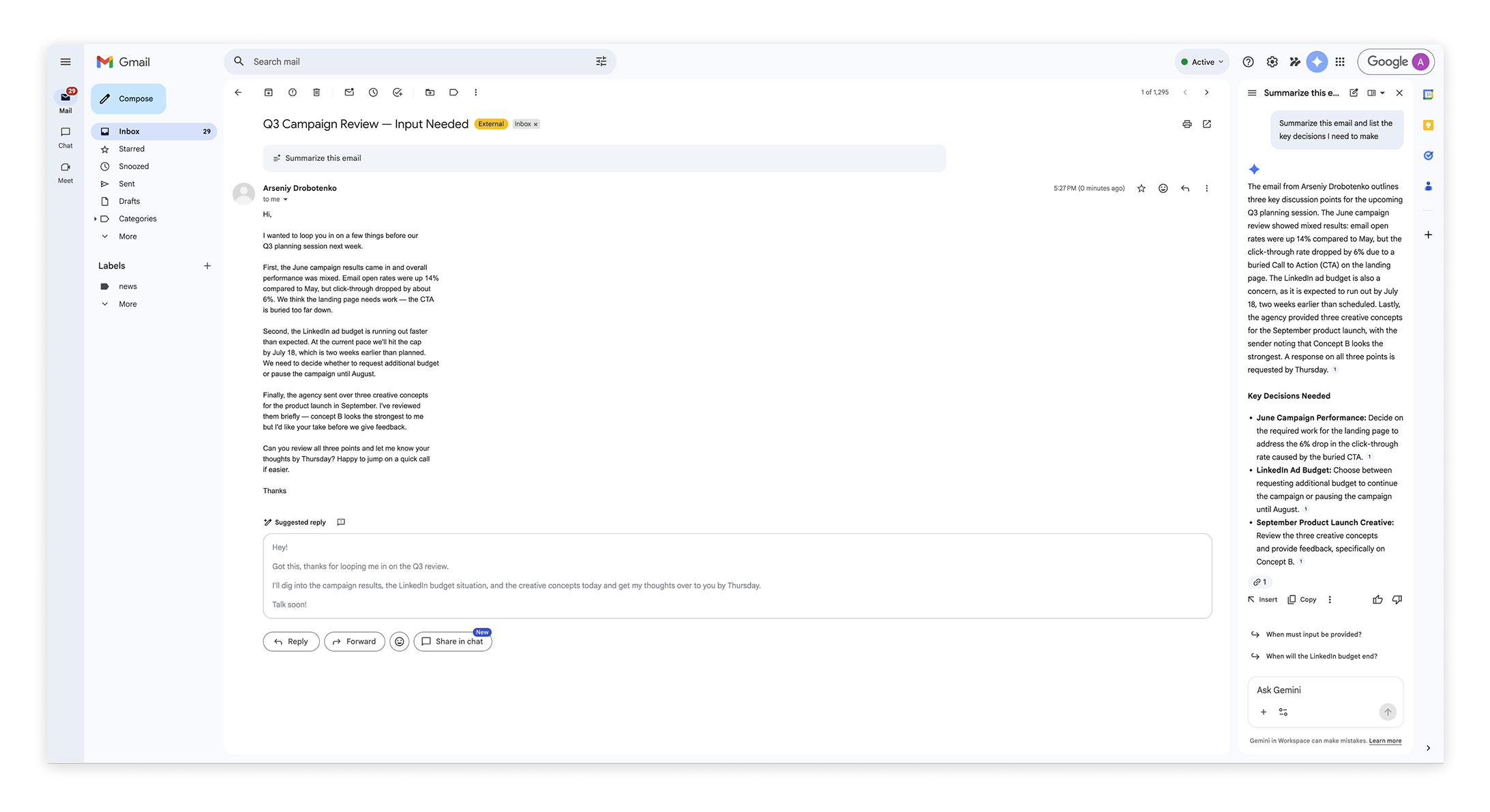
Summarizing and triaging – if you have come back from a day off or a long meeting block, an agent can read through your unread emails and give you a prioritized summary of what needs your attention and what can wait.
Drafting replies – give the agent the context of the original email and what you want to say, and it will produce a draft you can review and send. This works especially well for routine responses, follow-ups and acknowledgements.
Identifying action items – paste a thread into the agent and ask it to extract every commitment or next step mentioned, by whom, and by when.

Never send an agent-drafted email without reading it first. Even a well-written draft may miss context about the relationship, the history, or the appropriate tone for that specific person. The agent writes the draft – you make the call on whether to send it.
Managing Your Calendar with AI
Calendar agents work best for scheduling coordination and time planning rather than for making decisions about your priorities.
Useful patterns include:
- Finding available slots – describe who you need to meet, for how long and roughly when, and the agent can identify options based on your calendar;
- Preparing for the day – ask the agent to summarize what is on your calendar and flag any conflicts or back-to-back blocks that need attention;
- Scheduling follow-ups – after a meeting, ask the agent to draft a follow-up email and suggest a time for the next check-in.
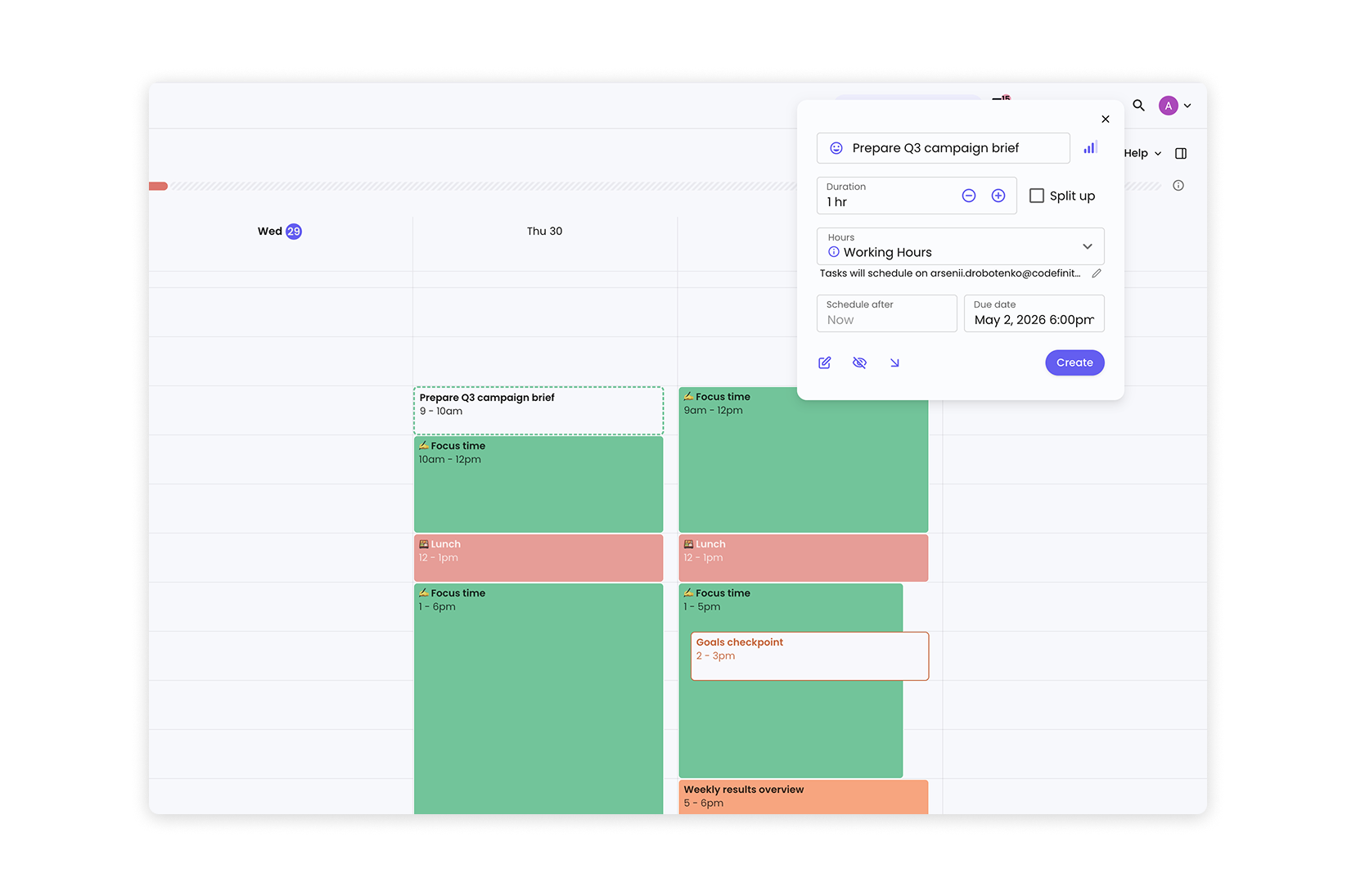

Scheduling agent – an AI tool that connects to your calendar and can find available time slots, suggest meeting times, and help coordinate schedules across participants. Examples include Reclaim.ai and Motion, as well as the calendar features built into Copilot and Gemini.
A Practical Starting Point
If you want to start immediately, the simplest first step is this: at the start of your next workday, paste your last ten unread emails into any AI assistant and ask it to give you a prioritized summary with suggested next steps for each one.
This takes about two minutes to set up and immediately shows you what the agent is capable of with your actual inbox.

Copilot in Outlook (for Microsoft 365 users) and Gemini in Gmail (for Google Workspace users) are the most integrated options for email agents – they work directly inside your inbox without any copy-pasting. If your organization uses either platform, these are worth exploring as a first step before using a standalone agent.
What about Tools Like Reclaim.ai and Motion?
Reclaim.ai and Motion are purpose-built scheduling agents that go beyond what built-in calendar tools offer. They can automatically protect time for focused work, reschedule tasks when your day changes, and optimize your week based on your priorities and deadlines.
Both tools connect to Google Calendar and Outlook, and both have free tiers you can try without a company-wide rollout. They are particularly useful if you manage a lot of recurring tasks alongside meetings and find that your calendar rarely reflects how you actually want to spend your time.
フィードバックありがとうございます!
AIに質問する

AIに質問する

何でも質問するか、提案された質問の1つを試してチャットを始めてください
