Research, Summarizing and Document Work
メニューを表示するにはスワイプしてください
After email, the second biggest time sink for most knowledge workers is dealing with information – finding it, reading through it, extracting what matters, and turning it into something usable. Agents are genuinely strong here, and this is where many professionals see the most immediate return.
Research: Getting Up to Speed Quickly
When you need to understand a topic, a competitor, an industry or a regulation quickly, an agent can compress hours of reading into a structured briefing in minutes.
The key is giving the agent a clear scope. Instead of asking "tell me about the electric vehicle market," try "give me a two-page briefing on the European electric vehicle market in 2025 – cover market size, the three largest players, and the main regulatory changes in the last 12 months".
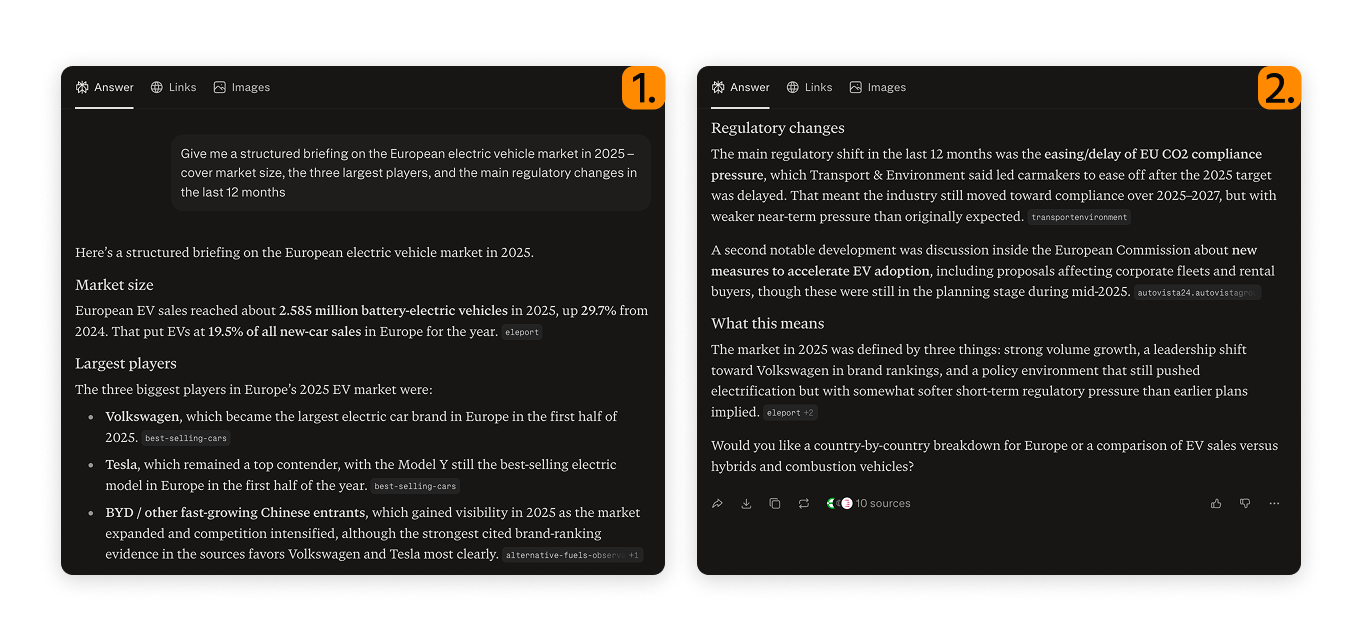

For research tasks, Perplexity is worth using alongside Claude or ChatGPT. It is built specifically for research and cites its sources inline, which makes it easier to verify claims and trace information back to the original source.
Summarizing Long Documents
One of the most practical agent use cases is summarizing documents you need to understand but do not have time to read in full – reports, contracts, research papers, meeting transcripts, or policy documents.
The most useful summarization prompts are specific about format:

- Summarize this document in five bullet points, focusing on the conclusions and recommended actions;
- Read this contract and flag any clauses that relate to termination, liability or exclusivity;
- This is a 90-minute meeting transcript – extract the key decisions made and list the action items with owners.

Document grounding – when an agent bases its responses strictly on a document you have provided rather than its general knowledge. This reduces the risk of the agent inventing information and makes the output directly traceable to your source material.
Working with Multiple Documents
When you need to work across several documents at once – comparing reports, synthesizing research from multiple sources, or finding inconsistencies across versions – Claude Projects is particularly well suited. You can upload several files into a project and ask the agent to reason across all of them in a single session.
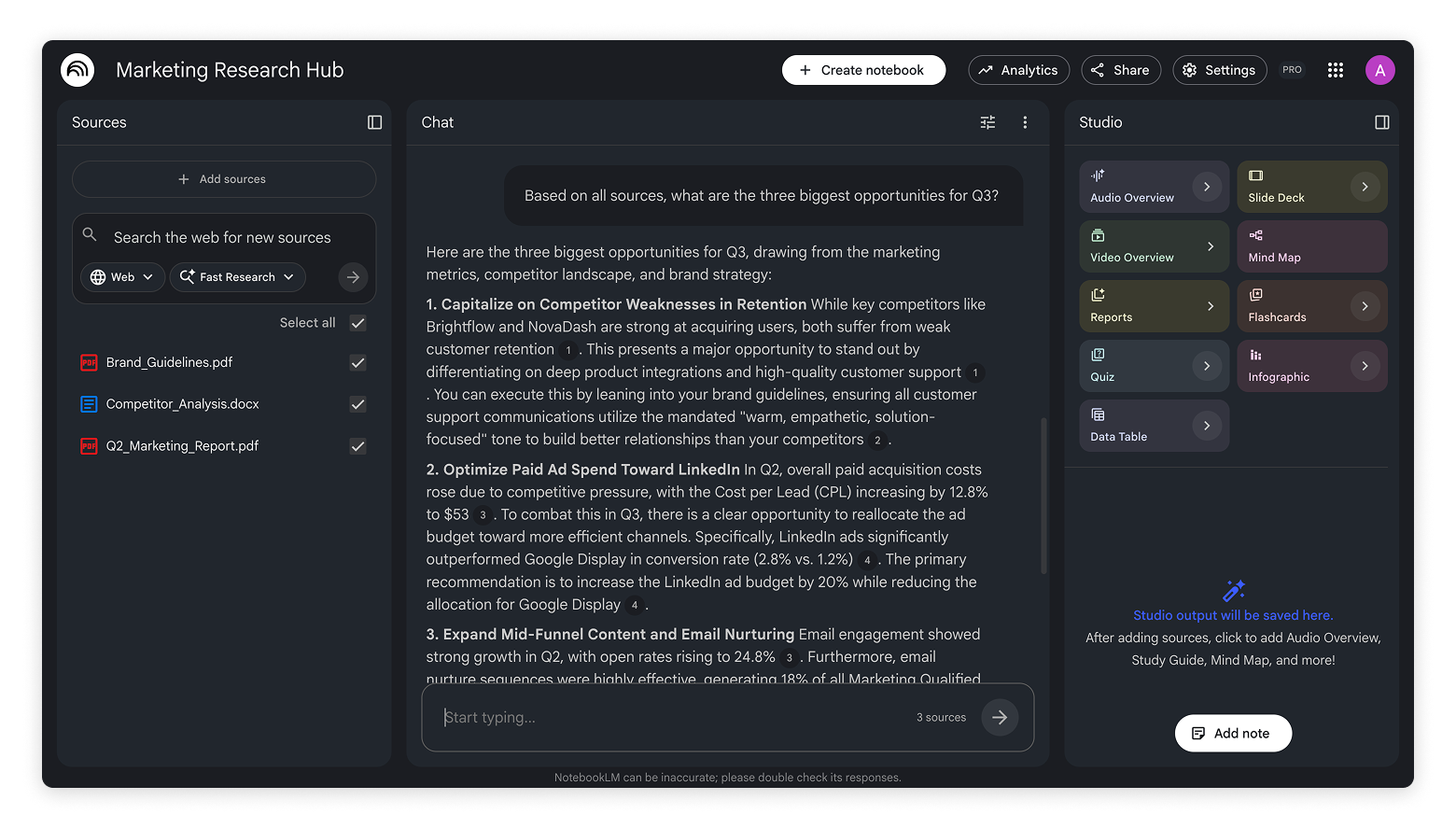
NotebookLM from Google is another strong option for this pattern. You add your sources – documents, PDFs, even YouTube links – and it builds a knowledge base you can then query conversationally.
What File Types Can Agents Work with?
Most major AI platforms support PDF, Word, plain text, spreadsheet and PowerPoint files – and when a format is not supported directly, converting it to PDF before uploading almost always solves the problem.
If a file type is not supported directly, converting it to PDF before uploading almost always solves the problem.
フィードバックありがとうございます!
AIに質問する

AIに質問する

何でも質問するか、提案された質問の1つを試してチャットを始めてください
Research, Summarizing and Document Work
After email, the second biggest time sink for most knowledge workers is dealing with information – finding it, reading through it, extracting what matters, and turning it into something usable. Agents are genuinely strong here, and this is where many professionals see the most immediate return.
Research: Getting Up to Speed Quickly
When you need to understand a topic, a competitor, an industry or a regulation quickly, an agent can compress hours of reading into a structured briefing in minutes.
The key is giving the agent a clear scope. Instead of asking "tell me about the electric vehicle market," try "give me a two-page briefing on the European electric vehicle market in 2025 – cover market size, the three largest players, and the main regulatory changes in the last 12 months".
For research tasks, Perplexity is worth using alongside Claude or ChatGPT. It is built specifically for research and cites its sources inline, which makes it easier to verify claims and trace information back to the original source.
Summarizing Long Documents
One of the most practical agent use cases is summarizing documents you need to understand but do not have time to read in full – reports, contracts, research papers, meeting transcripts, or policy documents.
The most useful summarization prompts are specific about format:
- Summarize this document in five bullet points, focusing on the conclusions and recommended actions;
- Read this contract and flag any clauses that relate to termination, liability or exclusivity;
- This is a 90-minute meeting transcript – extract the key decisions made and list the action items with owners.
Document grounding – when an agent bases its responses strictly on a document you have provided rather than its general knowledge. This reduces the risk of the agent inventing information and makes the output directly traceable to your source material.
Working with Multiple Documents
When you need to work across several documents at once – comparing reports, synthesizing research from multiple sources, or finding inconsistencies across versions – Claude Projects is particularly well suited. You can upload several files into a project and ask the agent to reason across all of them in a single session.
NotebookLM from Google is another strong option for this pattern. You add your sources – documents, PDFs, even YouTube links – and it builds a knowledge base you can then query conversationally.
What File Types Can Agents Work with?
Most major AI platforms support PDF, Word, plain text, spreadsheet and PowerPoint files – and when a format is not supported directly, converting it to PDF before uploading almost always solves the problem.
If a file type is not supported directly, converting it to PDF before uploading almost always solves the problem.
フィードバックありがとうございます!
