Chapter with GIFs
メニューを表示するにはスワイプしてください
Key Points
- Adjust row height and column width by dragging or double-clicking borders, or via Row Height/Column Width from the right-click menu;
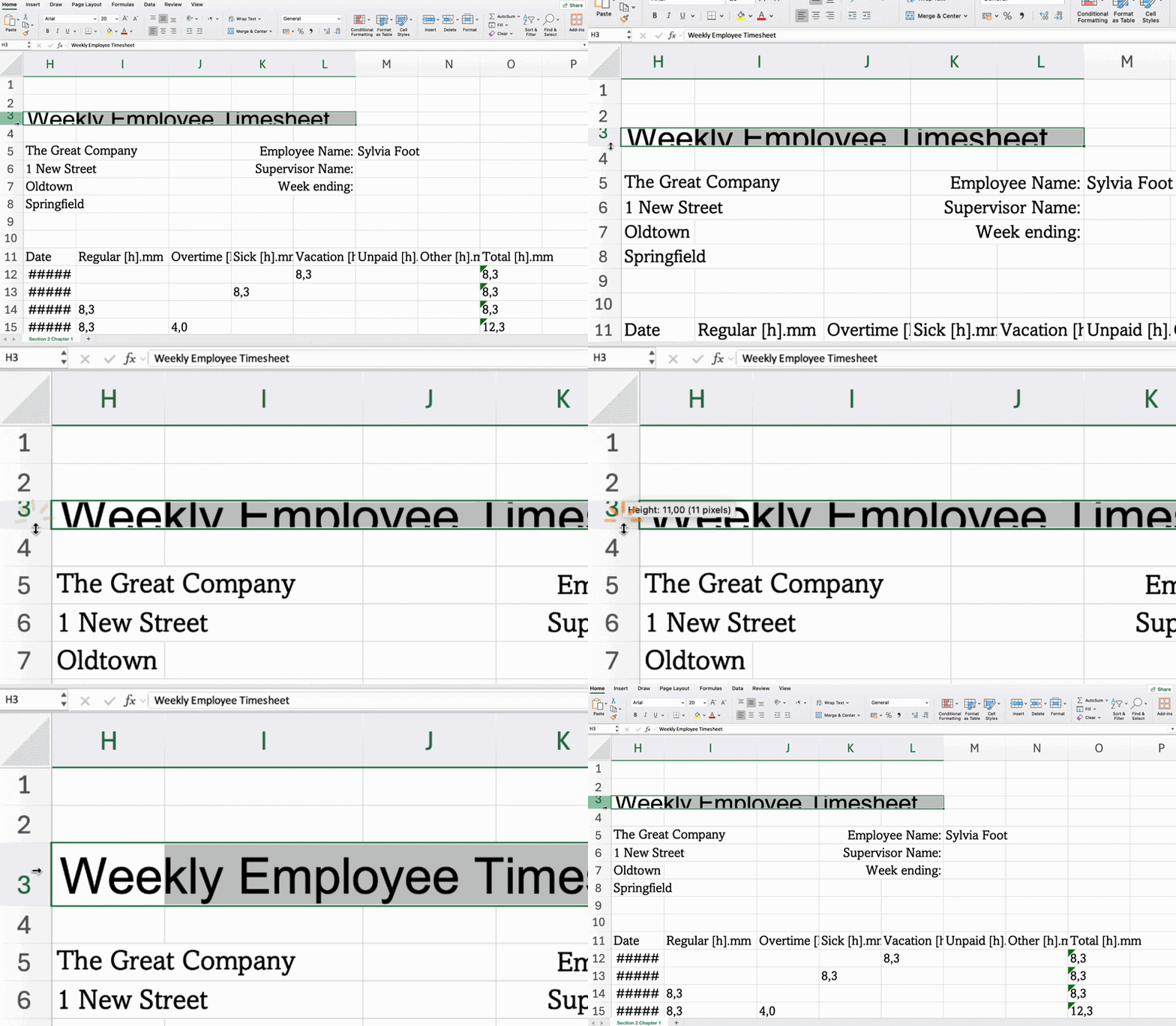
- Add borders with Borders in the Home tab → Font group;
- Apply background color using Fill Color in the Home tab → Font group;
- Combine cells and center content with Merge & Center in the Home tab → Alignment group;
- Use Wrap Text to display all content without widening the column in the Home tab → Alignment group;
- Set vertical and horizontal alignment in the Home tab → Alignment group.
Key Points
- Adjust row height and column width by dragging or double-clicking borders, or via Row Height/Column Width from the right-click menu;
- Add borders with Borders in the Home tab → Font group;
- Apply background color using Fill Color in the Home tab → Font group;
- Combine cells and center content with Merge & Center in the Home tab → Alignment group;
- Use Wrap Text to display all content without widening the column in the Home tab → Alignment group;
- Set vertical and horizontal alignment in the Home tab → Alignment group.
すべて明確でしたか?
フィードバックありがとうございます!
セクション 1. 章 1
AIに質問する

AIに質問する

何でも質問するか、提案された質問の1つを試してチャットを始めてください
Chapter with GIFs
Key Points
- Adjust row height and column width by dragging or double-clicking borders, or via Row Height/Column Width from the right-click menu;
- Add borders with Borders in the Home tab → Font group;
- Apply background color using Fill Color in the Home tab → Font group;
- Combine cells and center content with Merge & Center in the Home tab → Alignment group;
- Use Wrap Text to display all content without widening the column in the Home tab → Alignment group;
- Set vertical and horizontal alignment in the Home tab → Alignment group.
Key Points
- Adjust row height and column width by dragging or double-clicking borders, or via Row Height/Column Width from the right-click menu;
- Add borders with Borders in the Home tab → Font group;
- Apply background color using Fill Color in the Home tab → Font group;
- Combine cells and center content with Merge & Center in the Home tab → Alignment group;
- Use Wrap Text to display all content without widening the column in the Home tab → Alignment group;
- Set vertical and horizontal alignment in the Home tab → Alignment group.
すべて明確でしたか?
フィードバックありがとうございます!
セクション 1. 章 1
