Working with Pointers
メニューを表示するにはスワイプしてください
Using the reference operator & and the dereference operator *, we can create and work with pointers.
A pointer is a data type, just like int, char, or double.
The pointer is designed to store an address, which you can obtain using the & operator.
To declare a pointer, prepend it with the * character.

main.c
123int* intPointer; // Pointer to an `int` variable double* doublePointer; // Pointer to a `double` variable char* charPointer; // Pointer to a `char` variable
In essence, a pointer is a variable that holds the address of another object.
main.c
123int x = 100; // Variable int* pX; // Pointer to an `int` variable pX = &x; // `pX` now points to `x`

Typically, pointers are named by prefixing the letter p to the name of the object they're pointing to.
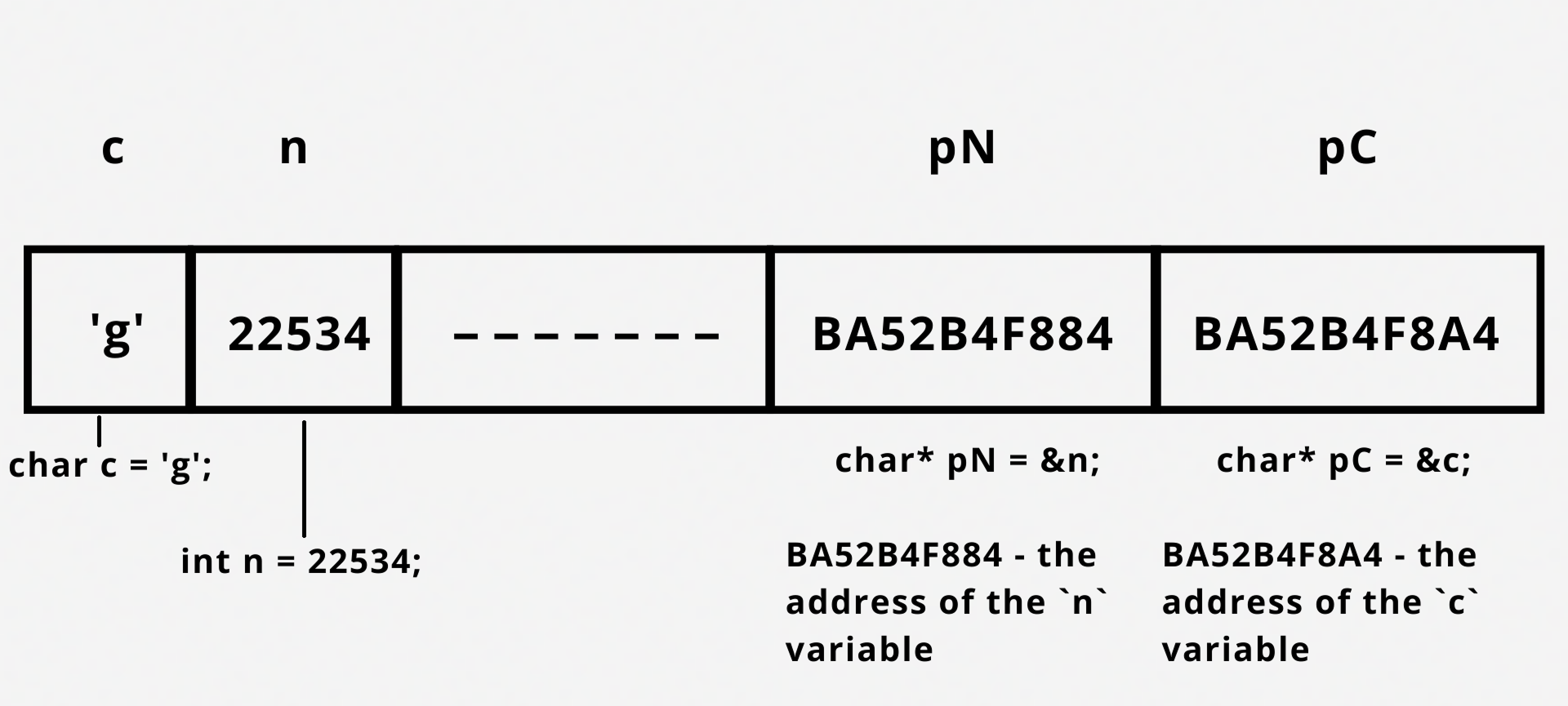
When you dereference a pointer, you access the value of the variable it points to.
Main.c
12345678910111213#include <stdio.h> int main() { int x = 22543; // Variable int* pX = &x; // `pX` is pointer to `x` printf("The value of `pX` is %p\n", pX); // Value of pointer `pX` printf("The value of `x` by pointer `pX` is %d\n", *pX); // Pointer dereference return 0; }
*(&variable) == *pVariable
If you attempt to dereference a null pointer, the compiler will raise an error:
Main.c
1234567#include <stdio.h> int main() { int* pX; printf("x = %p", pX); return 0; }
スワイプしてコーディングを開始
Determine the size of int and double pointers.
解答
 実践的な練習のためにデスクトップに切り替える下記のオプションのいずれかを利用して、現在の場所から続行する
フィードバックありがとうございます!

single
AIに質問する

AIに質問する

何でも質問するか、提案された質問の1つを試してチャットを始めてください
