Customizing Transitions with Timing Functions
Scorri per mostrare il menu
The transition-timing-function specifies the speed curve of a transition effect. It determines how fast an animation starts and stops and the pace at which it progresses.
transition-timing-function: time_function;
There are essential keywords that describe the different time_functions:
ease- Default value. A transition effect with a slow start, then fast, then ends slowly;linear- It has a constant speed throughout the transition;ease-in- A transition effect with a slow start;ease-out- A transition effect with a slow end;ease-in-out- A transition effect with a slow start and end, and a fast middle.
Let's run the following example to see the difference between them. The transition will work only on the container hover.

index.html

index.css
Cubic Bezier curve
We can also use the cubic-bezier() function to create a custom timing-function. This function takes four values representing the control points of a cubic bezier curve, which determines the shape of the timing function.
Note
No worries. We do not need the knowledge of mathematics to generate the cubic bezier function as a css property value. We can use the https://cubic-bezier.com/ source to generate our custom functions.
Let's consider the following example to see how easy it is to use. The cubic-bezier function was generated with the help of dragging the points on that source.
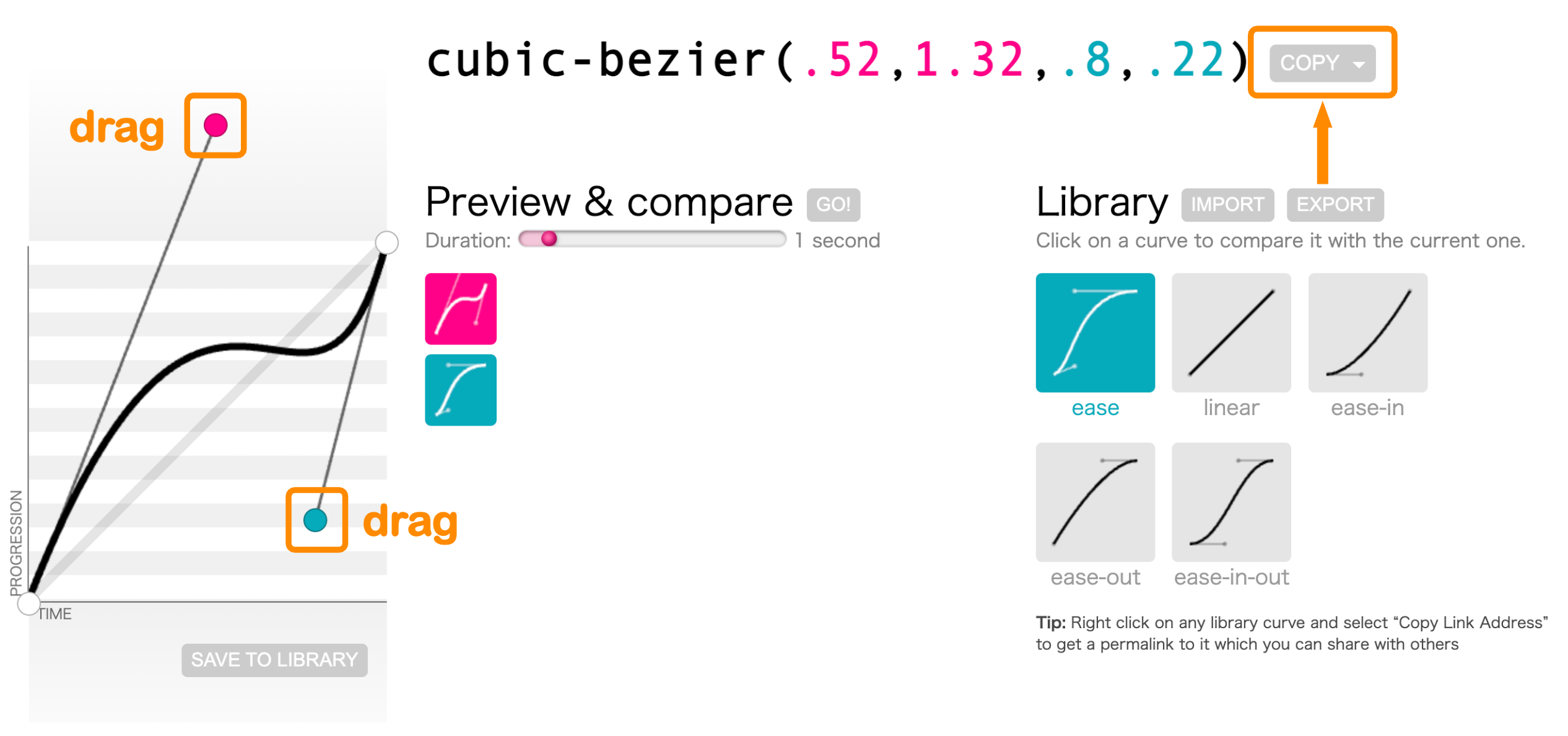
As a result, we can copy the function at the top to our css file.
index.html
index.css
Grazie per i tuoi commenti!
Chieda ad AI

Chieda ad AI

Chieda pure quello che desidera o provi una delle domande suggerite per iniziare la nostra conversazione
Customizing Transitions with Timing Functions
The transition-timing-function specifies the speed curve of a transition effect. It determines how fast an animation starts and stops and the pace at which it progresses.
transition-timing-function: time_function;
There are essential keywords that describe the different time_functions:
ease- Default value. A transition effect with a slow start, then fast, then ends slowly;linear- It has a constant speed throughout the transition;ease-in- A transition effect with a slow start;ease-out- A transition effect with a slow end;ease-in-out- A transition effect with a slow start and end, and a fast middle.
Let's run the following example to see the difference between them. The transition will work only on the container hover.
index.html
index.css
Cubic Bezier curve
We can also use the cubic-bezier() function to create a custom timing-function. This function takes four values representing the control points of a cubic bezier curve, which determines the shape of the timing function.
Note
No worries. We do not need the knowledge of mathematics to generate the cubic bezier function as a css property value. We can use the https://cubic-bezier.com/ source to generate our custom functions.
Let's consider the following example to see how easy it is to use. The cubic-bezier function was generated with the help of dragging the points on that source.
As a result, we can copy the function at the top to our css file.
index.html
index.css
Grazie per i tuoi commenti!
