What Is Responsive Web Design?
Scorri per mostrare il menu
We can not imagine modern web development without adaptive/responsive designs. It allows users to use web sources equally on any device: a smartphone, a tablet, a desktop, or a TV.
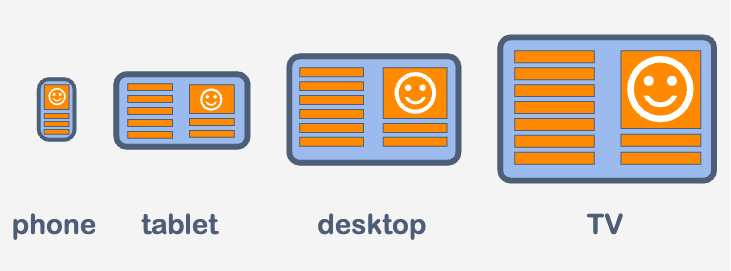
How does it work?
- Development team defines how each element will look depending on the screen size;
- Set the necessary instructions to the code;
- Browser tracks the changes of a viewport;
- Browser applies the rules that the dev team put in the form of the code.
Media-queries
Media-query is what makes adaptive/responsive designs possible. With the help of these queries, developers can set the styles of any element depending on the screen size.
Note
We can perceive media-query as instructions: "If a user screen is a desktop, apply such styles to the element. If a user screen is a smartphone, apply other styles to the element. And so on.".
The basic syntax of the media-query is as follows:
@media <media_type> <operator> (<media_feature>) {
 /* CSS rules */
}
<media_type>- declares the type of device. Possible values:all- default value. If nothing is specified, the media rule works for all devices;print- the media rule works for the devices that produce printed documents, like printers;screen- the media rule works for all devices with the physical screen.
<media_feature>- declares device characteristics. Most common use:min-width:- the minimum width of the viewport;max-width:- the maximum width of the viewport.
<operator>- media-type and media-feature are separated by the optional logical operator. Its values can be:andor,.
Note
In the following chapters, we will consider using media-queries in practice.
Grazie per i tuoi commenti!
Chieda ad AI

Chieda ad AI

Chieda pure quello che desidera o provi una delle domande suggerite per iniziare la nostra conversazione
