Building Your First Notebook
Scorri per mostrare il menu
A notebook is a container for one topic and the sources that belong to it. Create one, fill it, and everything you generate afterwards comes out of that set.
What Counts as a Source
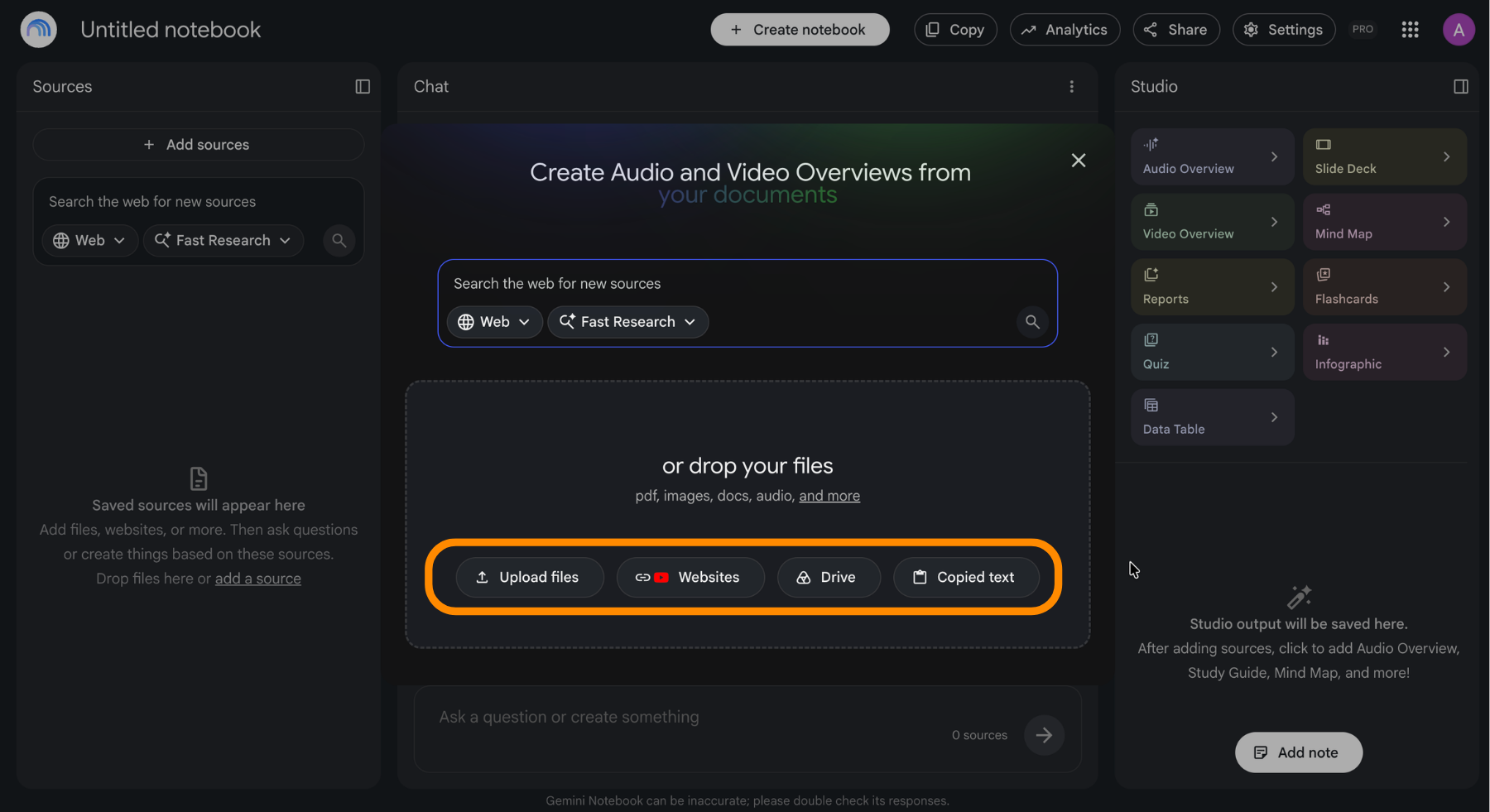
The upload panel accepts more than files:
- Documents: PDF, DOCX, TXT, Markdown, and Google Docs, Slides, or Sheets from Drive;
- Data: CSV files and spreadsheets;
- Web pages: paste a URL and the page is imported as a source;
- YouTube videos: paste a link and the transcript becomes a source;
- Audio and images: recordings, screenshots, and scans.
Everything above draws from the same pool. A YouTube link and a 400-page PDF each occupy one source slot.
The Limits Worth Knowing
The free plan gives you 50 sources per notebook and 100 notebooks. Paid tiers raise that to 100, 300, or up to 600 sources. What does not change on any tier is the per-source ceiling: 500,000 words or 200 MB, whichever comes first.
Two practical consequences. Merging several short PDFs into one file before uploading buys you source slots for free. And a single enormous file is a problem no upgrade solves, so split it instead.
One Notebook, One Topic
The most common mistake is treating one notebook as a bucket for everything you read this year. Grounding works because the source set is deliberate. Once a notebook holds a client project, a university course, and a hobby, answers start pulling from material that has nothing to do with the question.
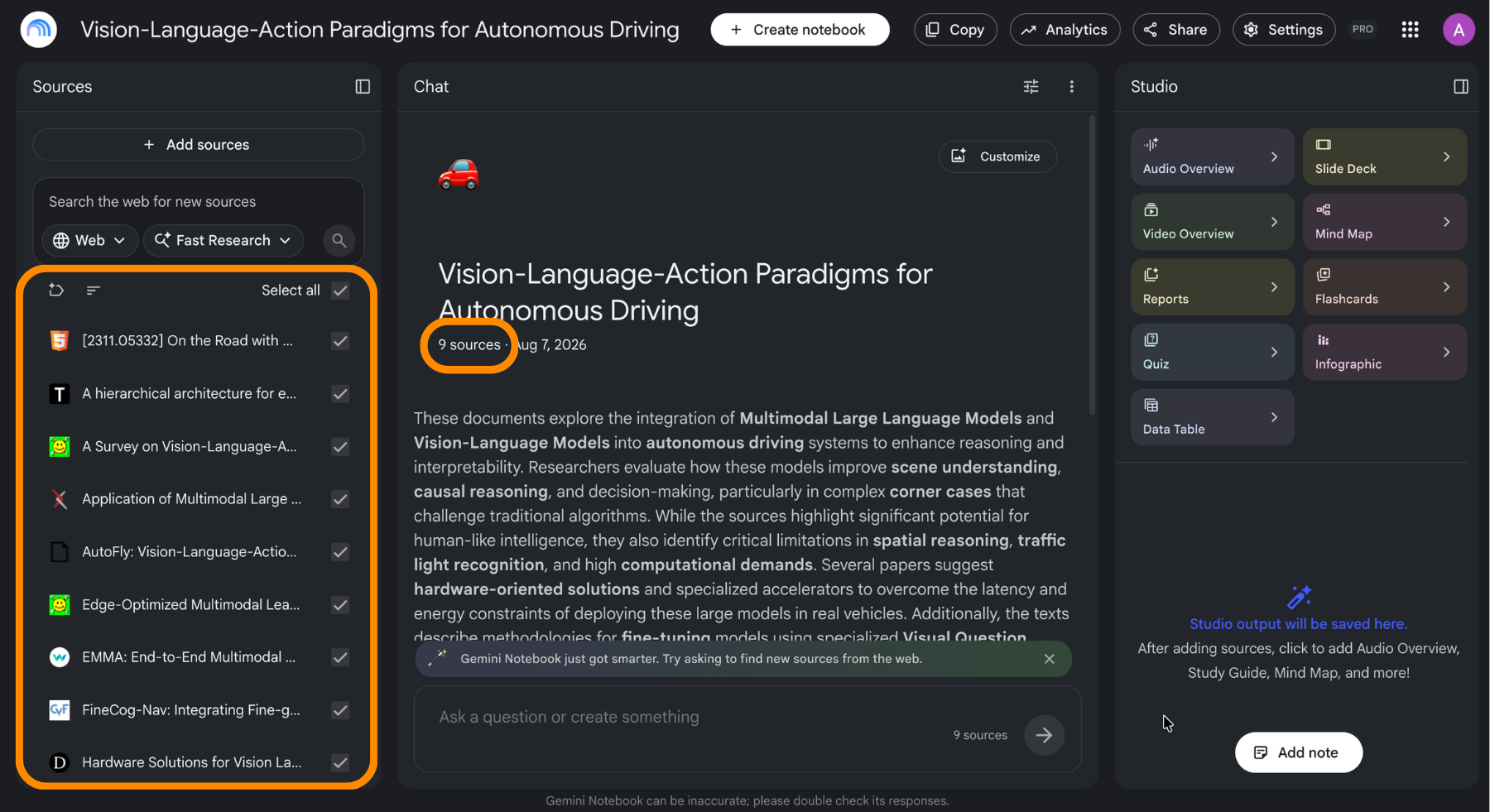
You can also narrow the set per question. Each source has a checkbox, and unchecking the irrelevant ones focuses an answer without deleting anything.
Grazie per i tuoi commenti!
Chieda ad AI

Chieda ad AI

Chieda pure quello che desidera o provi una delle domande suggerite per iniziare la nostra conversazione
