Enhancing Videos with AI Tools
Scorri per mostrare il menu
Canva's video AI tools handle tasks that used to require a separate video editor: matching cuts to a beat, adding captions automatically, and smoothing out a rough voiceover.
Beat Sync:
- Add a video and an audio track to your timeline;
- Click the audio track → Beat Sync;
- Canva detects the beat and trims clip transitions to match it automatically.
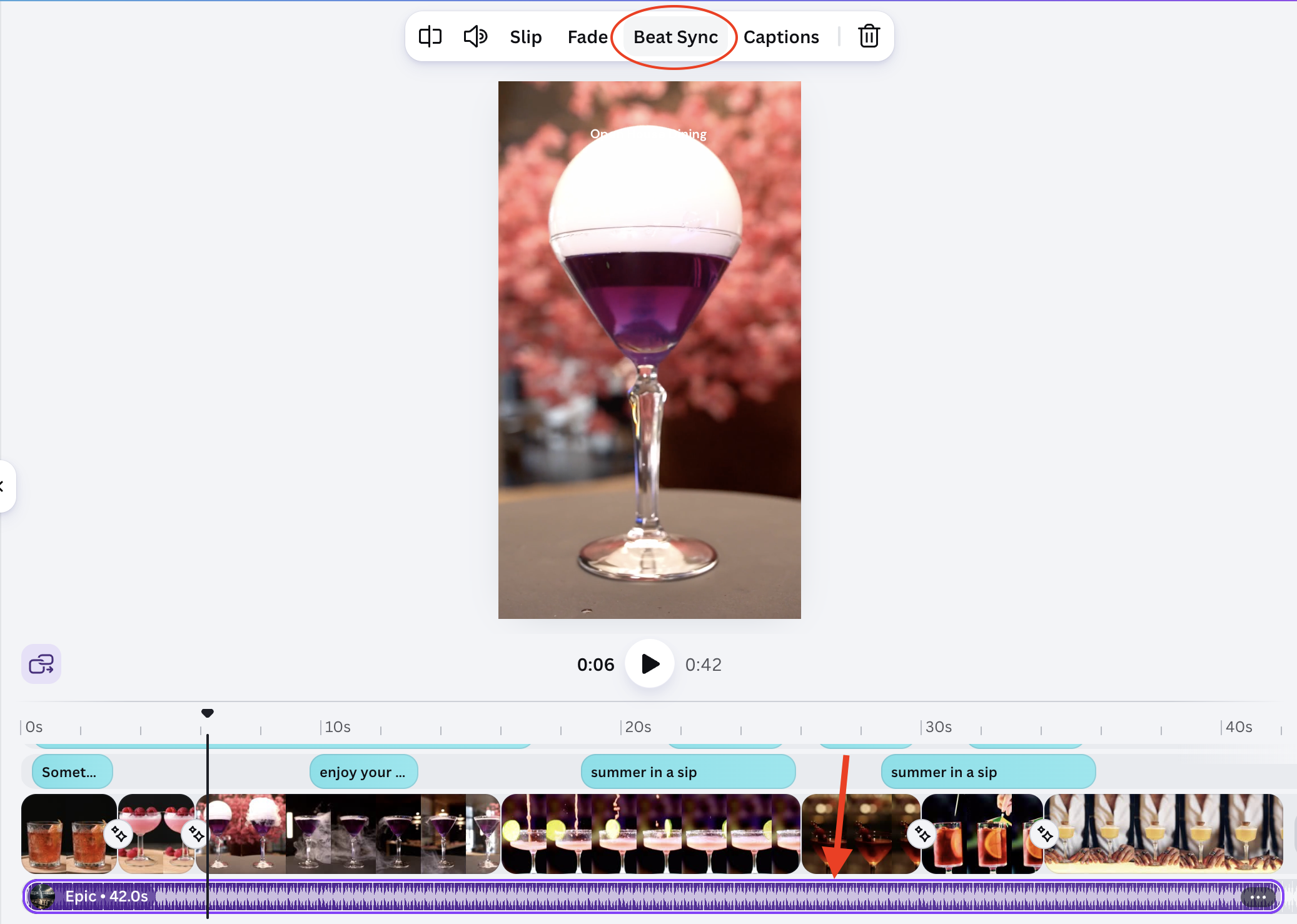
Result:
(open full screen)
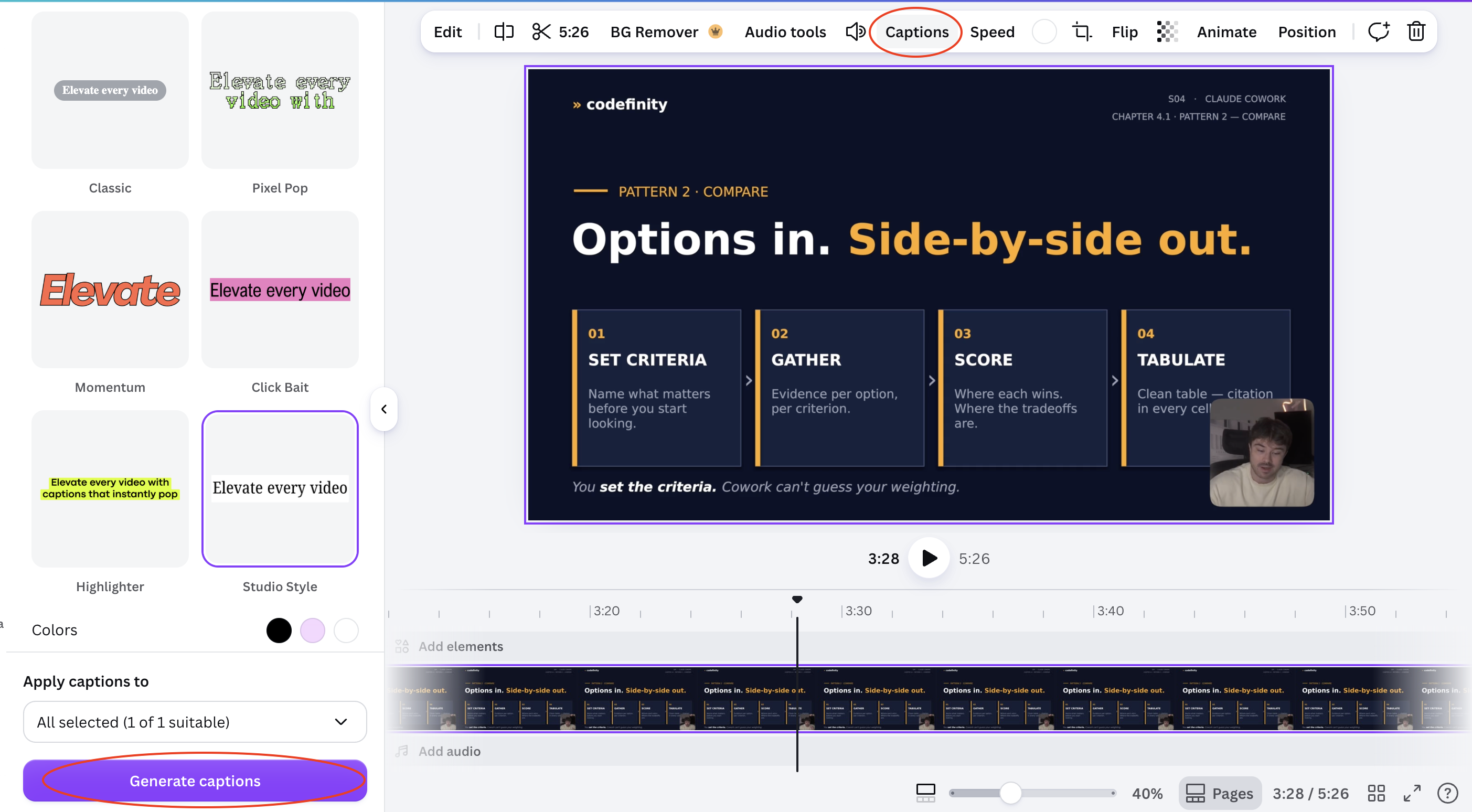
Auto captions:
- Select your video clip;
- Click Captions in the toolbar;
- Select the Style
- Click Generate captions
- Canva transcribes the audio and places timed caption text on the video;
- Edit any line that was transcribed incorrectly.
Result:
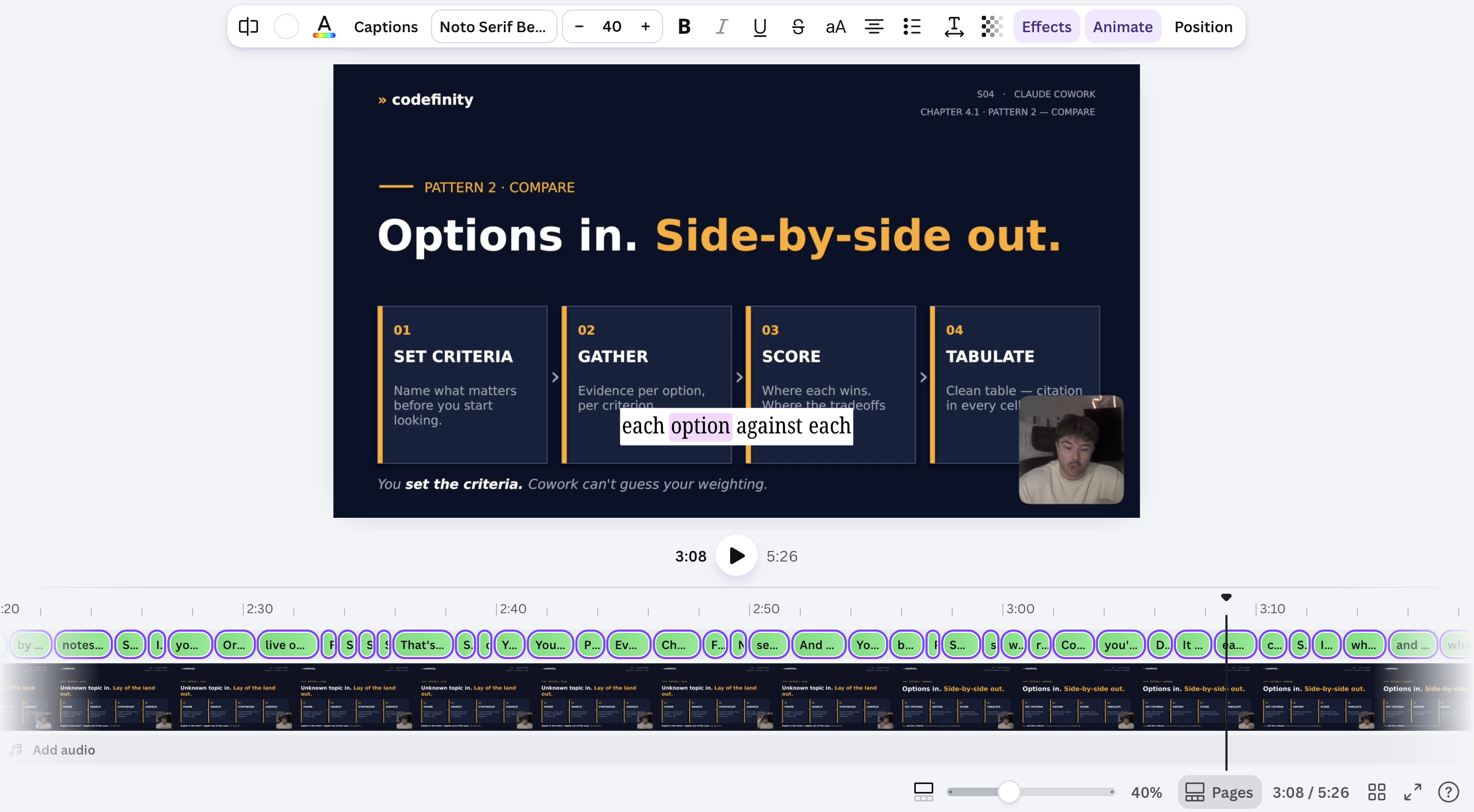
Auto-generated captions and beat-matched cuts both need a quick manual check — transcription can miss names or jargon, and beat detection can misread a quiet intro as the start of the track.
Tutto è chiaro?
Grazie per i tuoi commenti!
Sezione 1. Capitolo 8
Chieda ad AI

Chieda ad AI

Chieda pure quello che desidera o provi una delle domande suggerite per iniziare la nostra conversazione
