Filtraggio
Scorri per mostrare il menu
Attivazione e disattivazione dei filtri
- Fare clic su una qualsiasi cella all'interno dell'intervallo → Scheda Dati → Filtro, oppure premere
Ctrl+Shift+L(Win)/Control+Shift+L(Mac). Le frecce a discesa compaiono in ogni cella dell'intestazione; - Le tabelle create con
Ctrl+Thanno i filtri abilitati automaticamente nella riga di intestazione — nessun passaggio manuale necessario; - Fare nuovamente clic su Filtro nella barra multifunzione, oppure premere una seconda volta
Ctrl+Shift+L. Le frecce a discesa vengono rimosse dalla riga di intestazione.
Il tipo di filtro dipende dai tipi di dati:
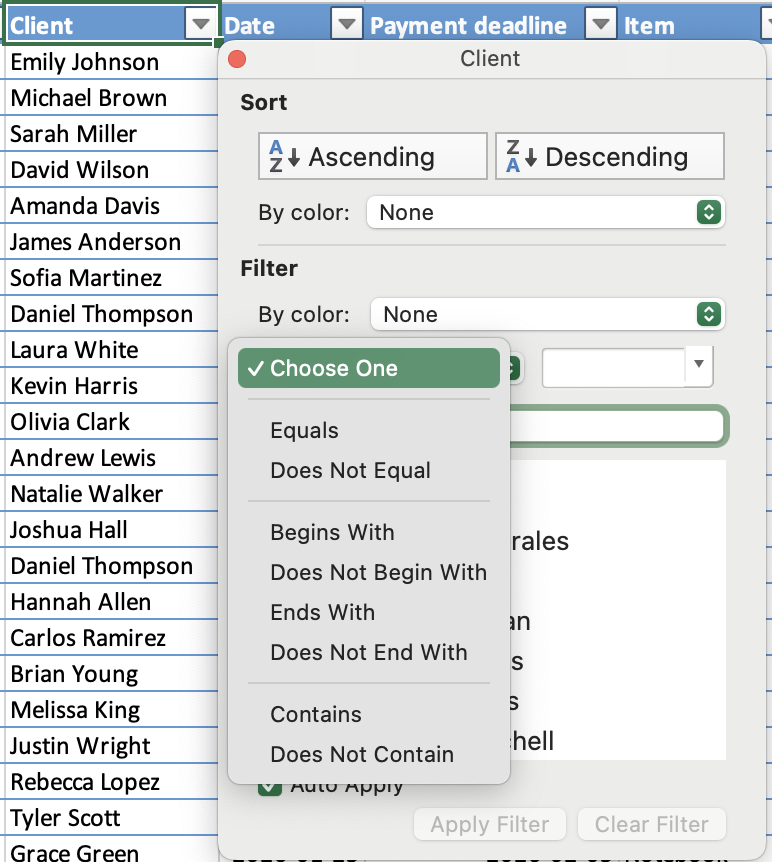
- Filtro testo: filtro per valori specifici o condizioni di testo;
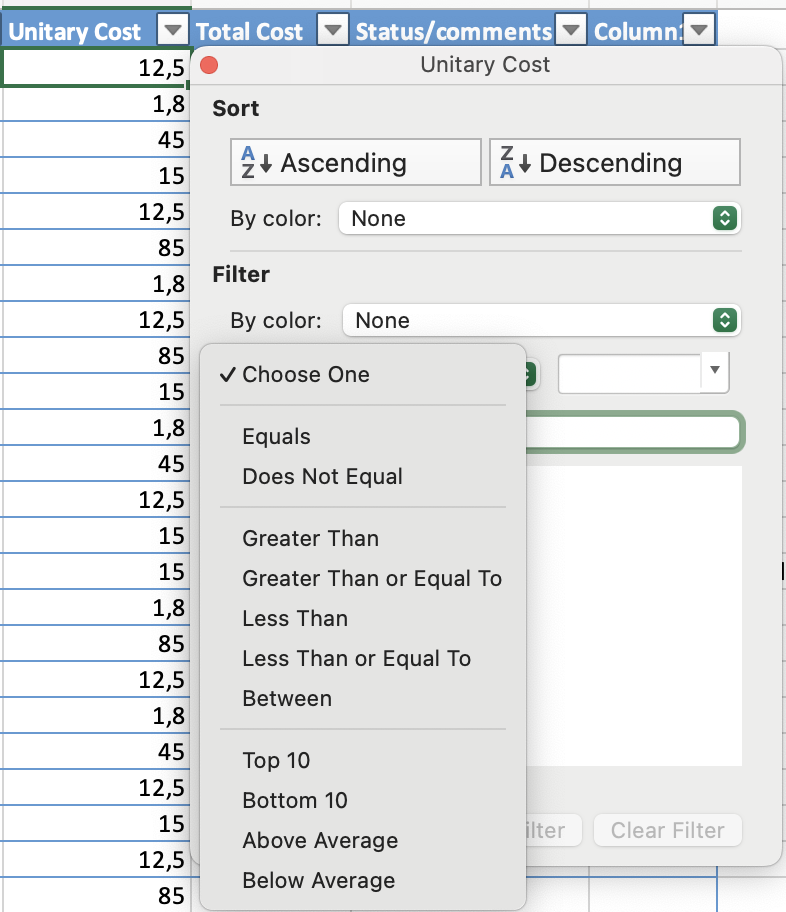
- Filtro numerico: filtro tramite confronti come maggiore di, minore di o compreso tra;
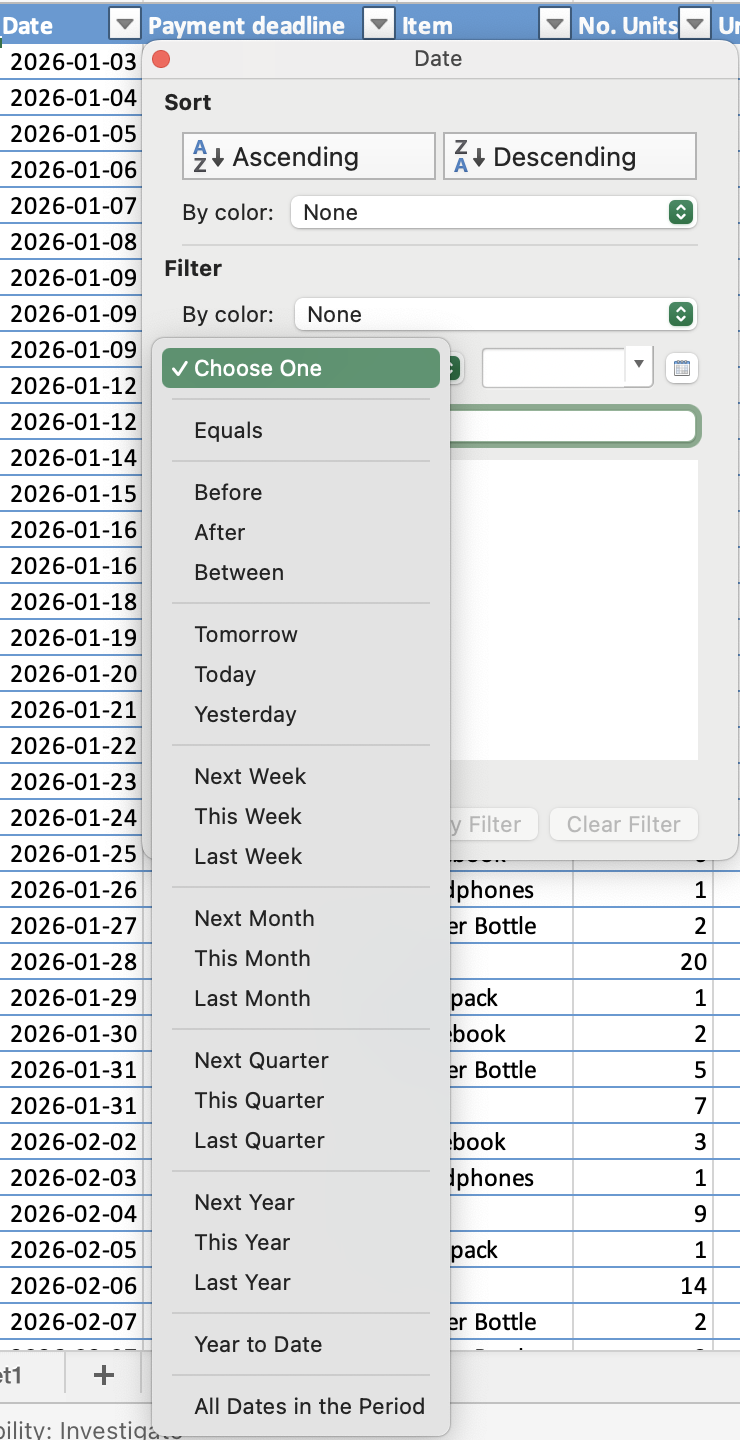
- Filtro data: filtro per periodi, come date specifiche, mesi o anni.
Logica AND / OR tra più filtri
- OR: all'interno di una singola colonna — una riga viene visualizzata se corrisponde a uno qualsiasi dei valori selezionati;
- AND: tra colonne diverse — una riga deve soddisfare tutti i filtri attivi per rimanere visibile.

La scorciatoia disattiva tutti i filtri contemporaneamente. Premendo Ctrl+Shift+L per disattivare i filtri vengono rimosse tutte le condizioni di filtro attive su tutte le colonne simultaneamente — non solo sulla colonna corrente. Se desideri reimpostare solo una colonna, utilizza invece Cancella filtro dal menu a discesa di quella colonna.
Grazie per i tuoi commenti!
Chieda ad AI

Chieda ad AI

Chieda pure quello che desidera o provi una delle domande suggerite per iniziare la nostra conversazione
Filtraggio
Attivazione e disattivazione dei filtri
- Fare clic su una qualsiasi cella all'interno dell'intervallo → Scheda Dati → Filtro, oppure premere
Ctrl+Shift+L(Win)/Control+Shift+L(Mac). Le frecce a discesa compaiono in ogni cella dell'intestazione; - Le tabelle create con
Ctrl+Thanno i filtri abilitati automaticamente nella riga di intestazione — nessun passaggio manuale necessario; - Fare nuovamente clic su Filtro nella barra multifunzione, oppure premere una seconda volta
Ctrl+Shift+L. Le frecce a discesa vengono rimosse dalla riga di intestazione.
Il tipo di filtro dipende dai tipi di dati:
- Filtro testo: filtro per valori specifici o condizioni di testo;
- Filtro numerico: filtro tramite confronti come maggiore di, minore di o compreso tra;
- Filtro data: filtro per periodi, come date specifiche, mesi o anni.
Logica AND / OR tra più filtri
- OR: all'interno di una singola colonna — una riga viene visualizzata se corrisponde a uno qualsiasi dei valori selezionati;
- AND: tra colonne diverse — una riga deve soddisfare tutti i filtri attivi per rimanere visibile.
La scorciatoia disattiva tutti i filtri contemporaneamente. Premendo Ctrl+Shift+L per disattivare i filtri vengono rimosse tutte le condizioni di filtro attive su tutte le colonne simultaneamente — non solo sulla colonna corrente. Se desideri reimpostare solo una colonna, utilizza invece Cancella filtro dal menu a discesa di quella colonna.
Grazie per i tuoi commenti!
