Prevenire l'inserimento errato dei dati
Scorri per mostrare il menu

In questo capitolo, si continua a lavorare nella stessa cartella di lavoro del capitolo precedente.
Il principio strutturale più importante in un file Excel ben costruito: input e calcolo sono separati. Solo le celle dedicate all'inserimento devono accettare la digitazione manuale. Tutte le altre celle devono essere bloccate, vuote o basate su formule. Questa separazione rende la cartella di lavoro prevedibile man mano che cresce.

La convalida dei dati è una regola applicata a un intervallo specifico di celle che controlla quali valori possono essere inseriti. Funziona come filtro prima che i dati raggiungano formule o tabelle. Si applica da Dati → Convalida dati.
Excel supporta sei tipi di regole di convalida. Ognuna controlla una diversa dimensione di ciò che è consentito.
Elenchi a discesa
L'inserimento di testo libero in colonne categoriali ("Paid", "PAID", "paid", "Piad") crea incoerenze che interrompono silenziosamente filtri e tabelle pivot. Gli elenchi a discesa eliminano completamente questo problema, costringendo gli utenti a scegliere invece di digitare.
Selezionare la/le cella/e → Dati → Convalida dati → Consenti: Elenco → Inserire i valori separati da virgole o punti e virgola (a seconda del delimitatore del sistema), ad esempio, Paid,Pending,Cancelled. Fare clic su OK.
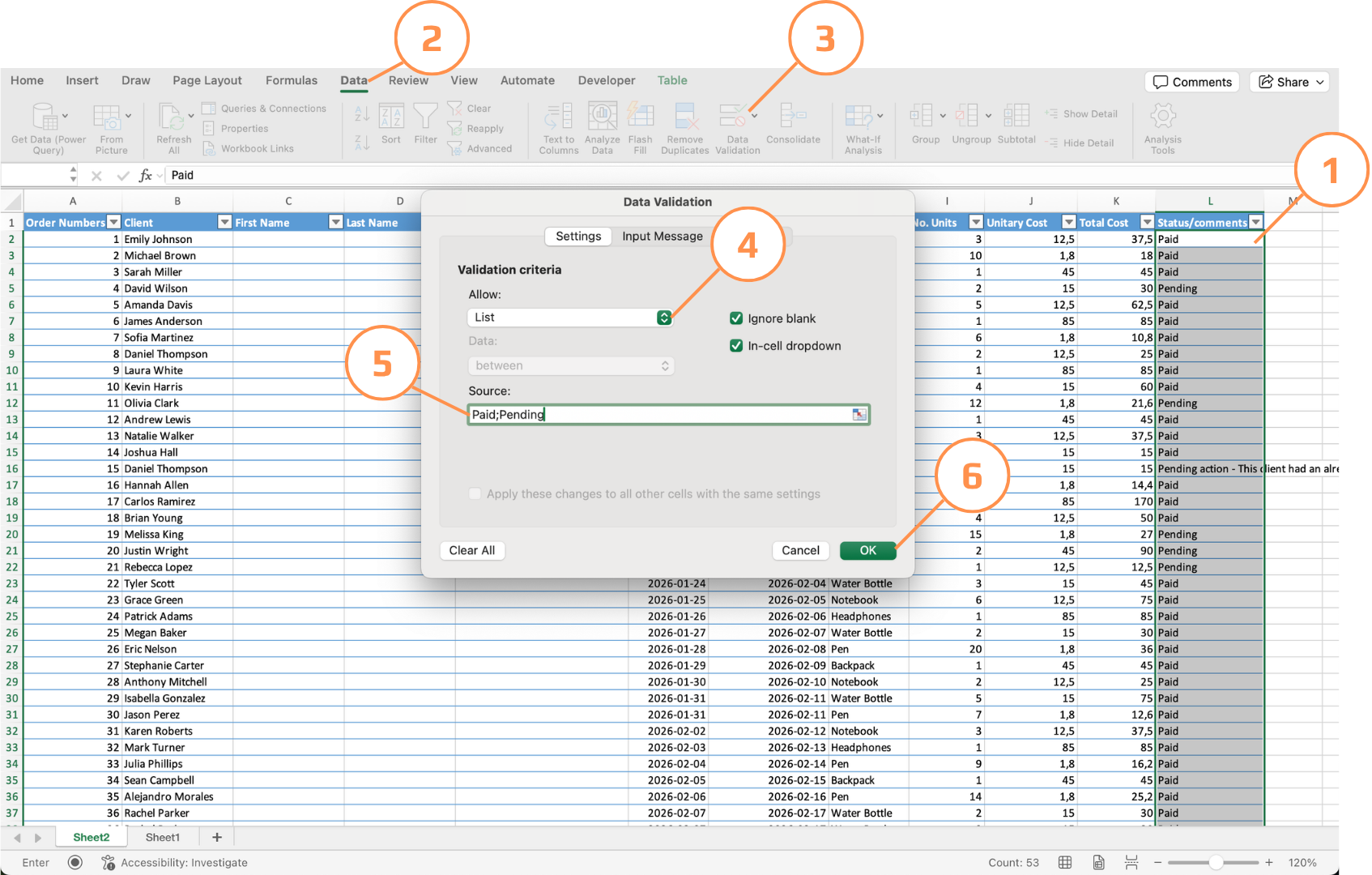
Regole di convalida
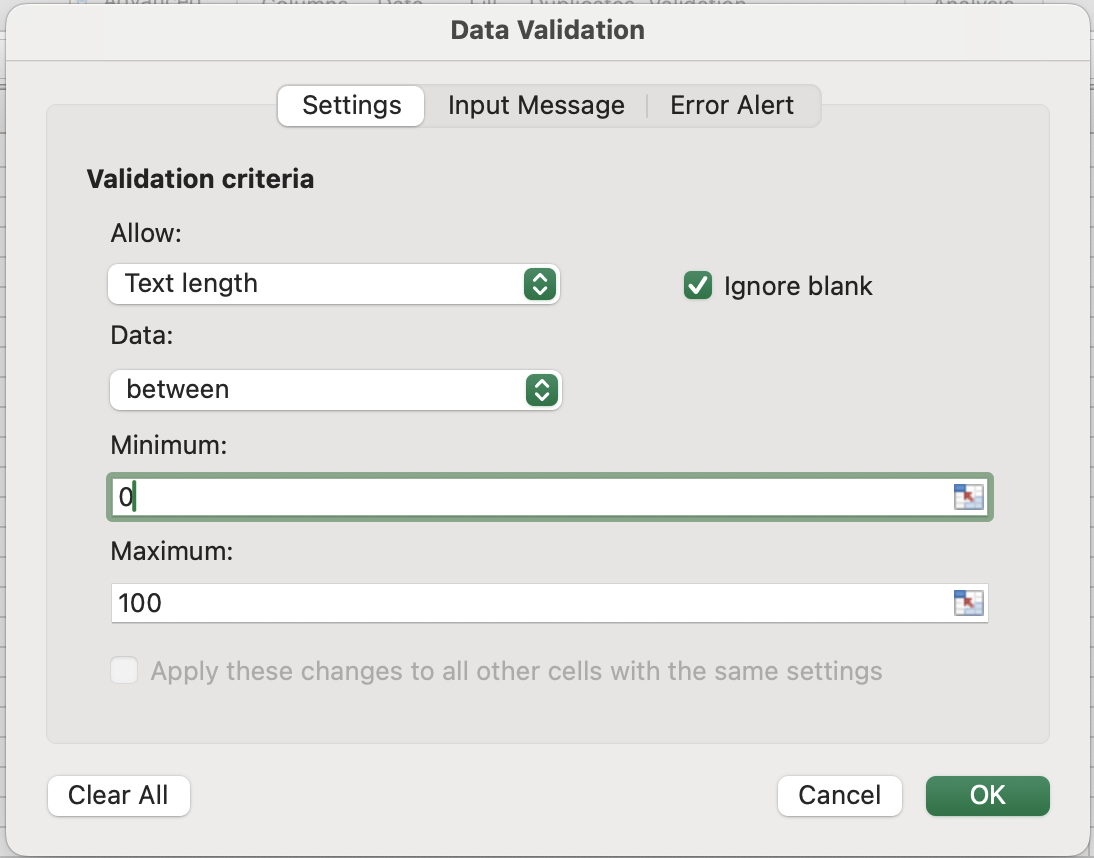
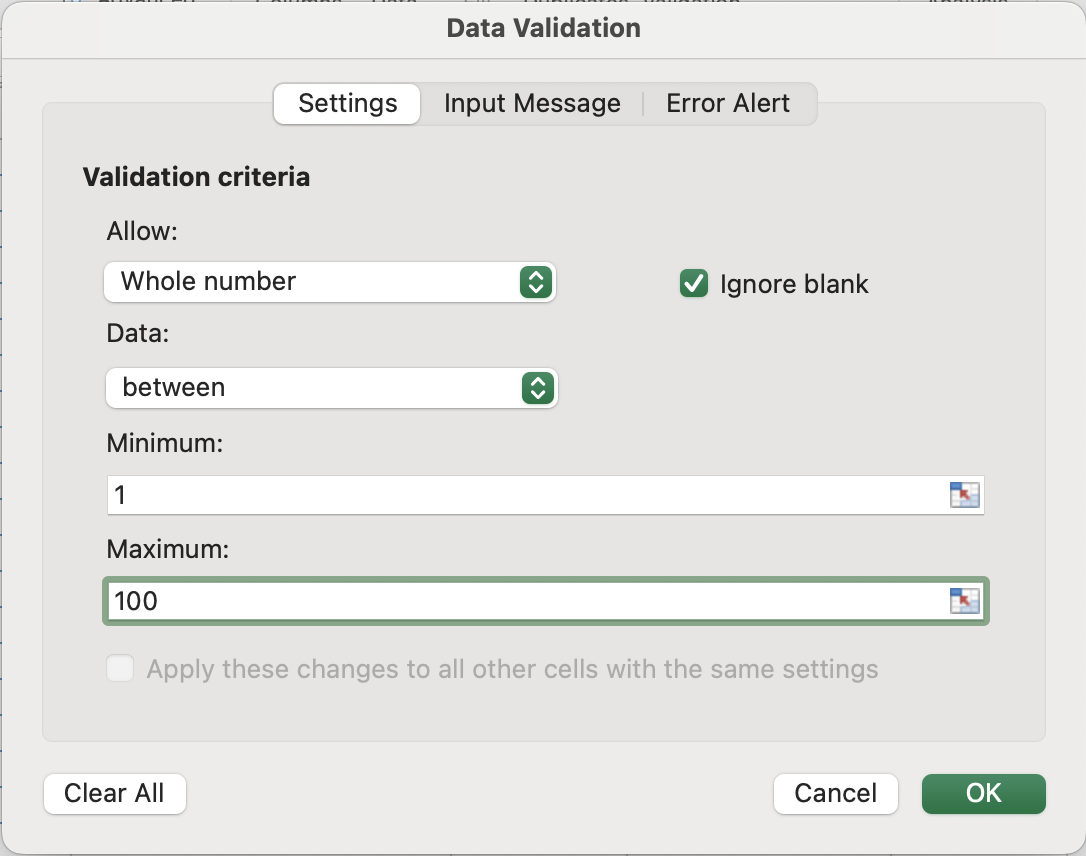
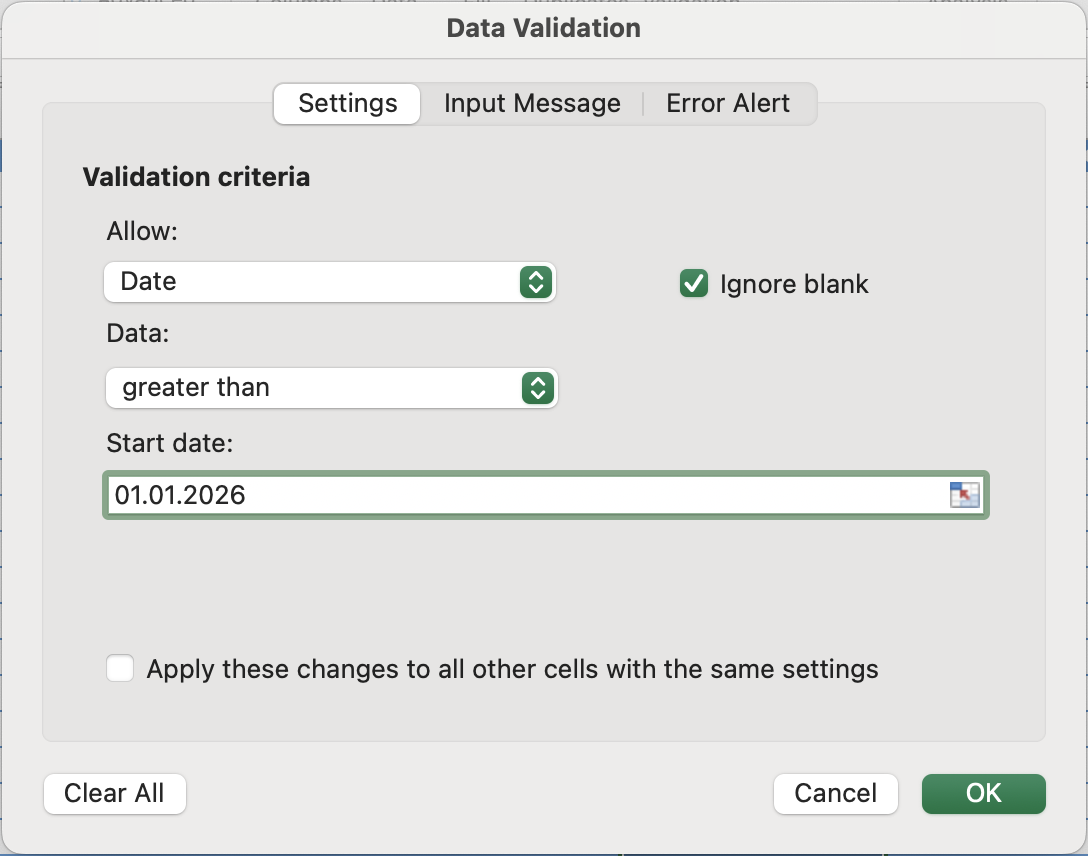
La convalida della lunghezza del testo, dei numeri interi e delle date funziona allo stesso modo internamente: si definisce una condizione e Excel blocca tutto ciò che non la soddisfa. Ciò che cambia è la dimensione controllata:
- Lunghezza del testo non considera il valore in sé, ma conta i caratteri utilizzando internamente
LEN(). Quindi"1234"e"hello"hanno entrambe lunghezza 4, indipendentemente dal tipo. Utile per numeri di telefono, codici postali o qualsiasi campo con un requisito fisso di caratteri; - Numero intero verifica che il valore rientri in un intervallo numerico e non abbia componenti decimali;
- Decimale è lo stesso controllo di intervallo ma consente valori frazionari, utile per prezzi o misurazioni;
- Data è la più sottile. Poiché le date sono memorizzate come numeri seriali, una regola come "maggiore di oggi" è in realtà un confronto numerico:
TODAY()restituisce un intero e la data inserita deve semplicemente produrre un numero maggiore per essere accettata.
Messaggi di input vs Avvisi di errore
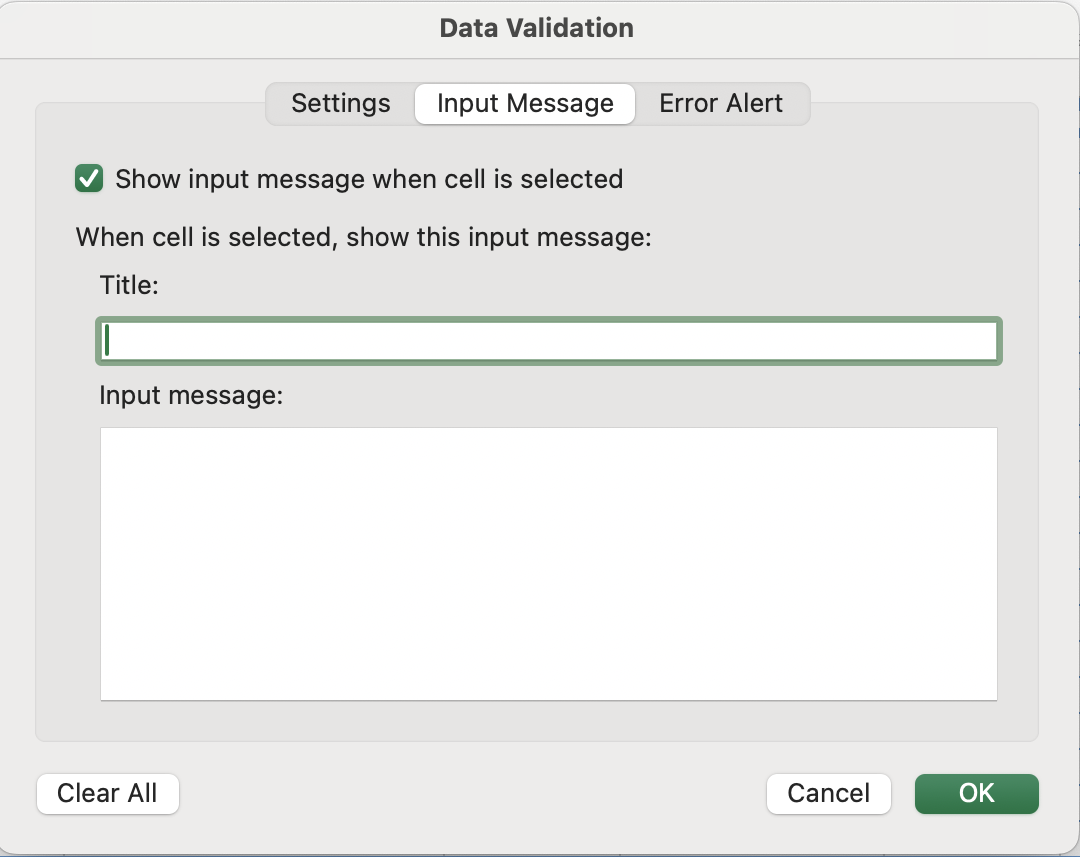
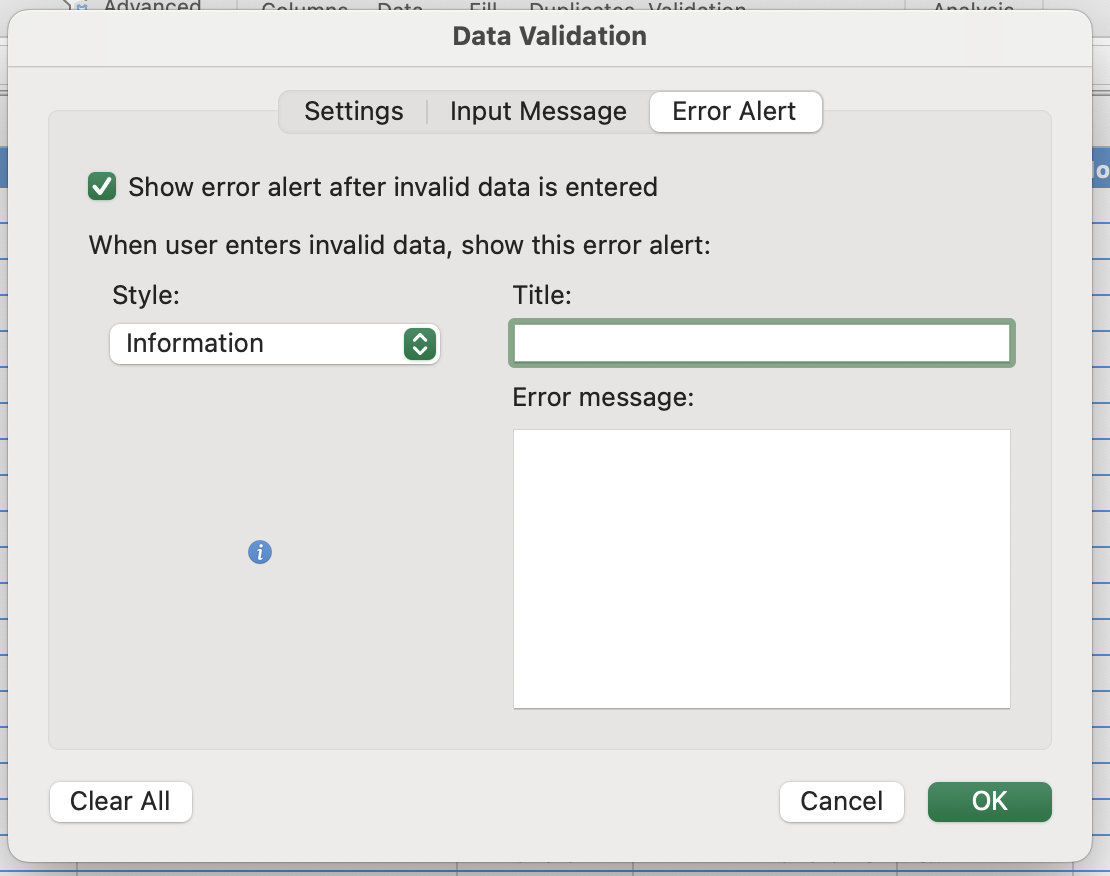
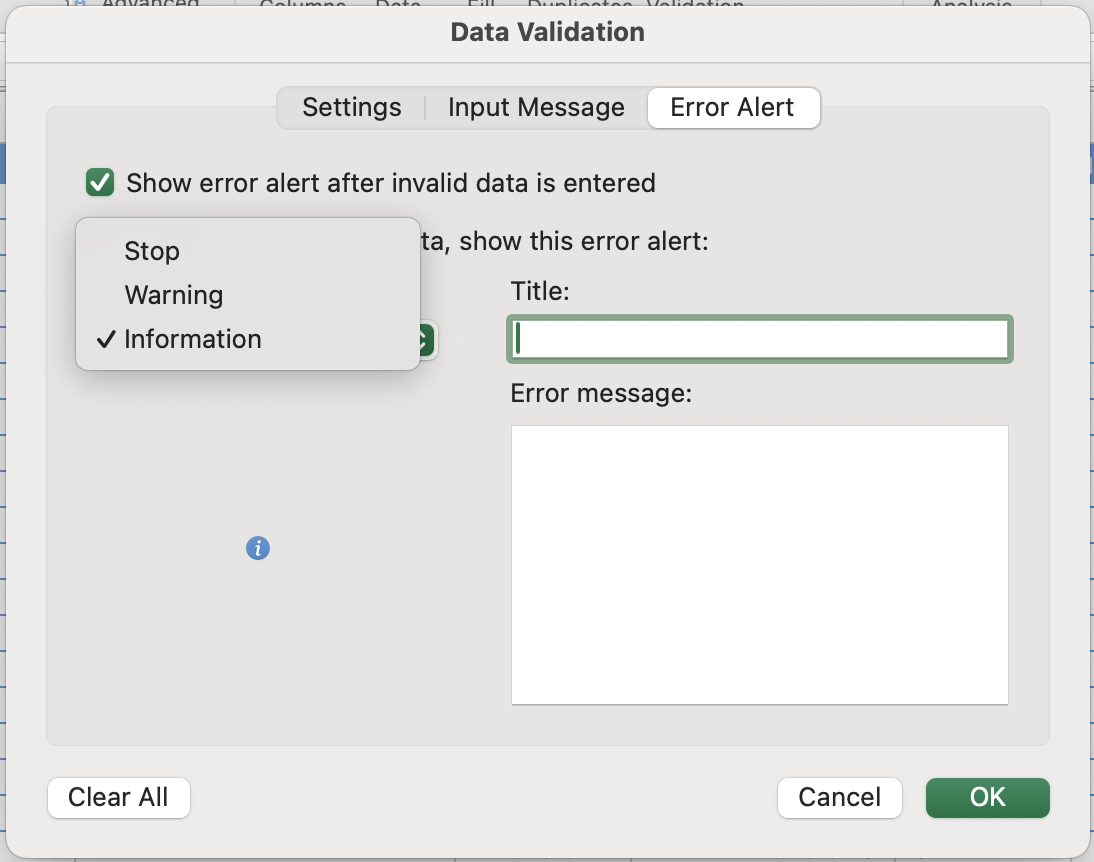
La convalida presenta due livelli di comunicazione. Il primo informa l'utente su cosa inserire prima che inizi. Il secondo gestisce cosa accade quando viene inserito un valore non valido. Questi aspetti sono configurati in schede separate della finestra di dialogo Convalida dati.
Rimozione dei Duplicati
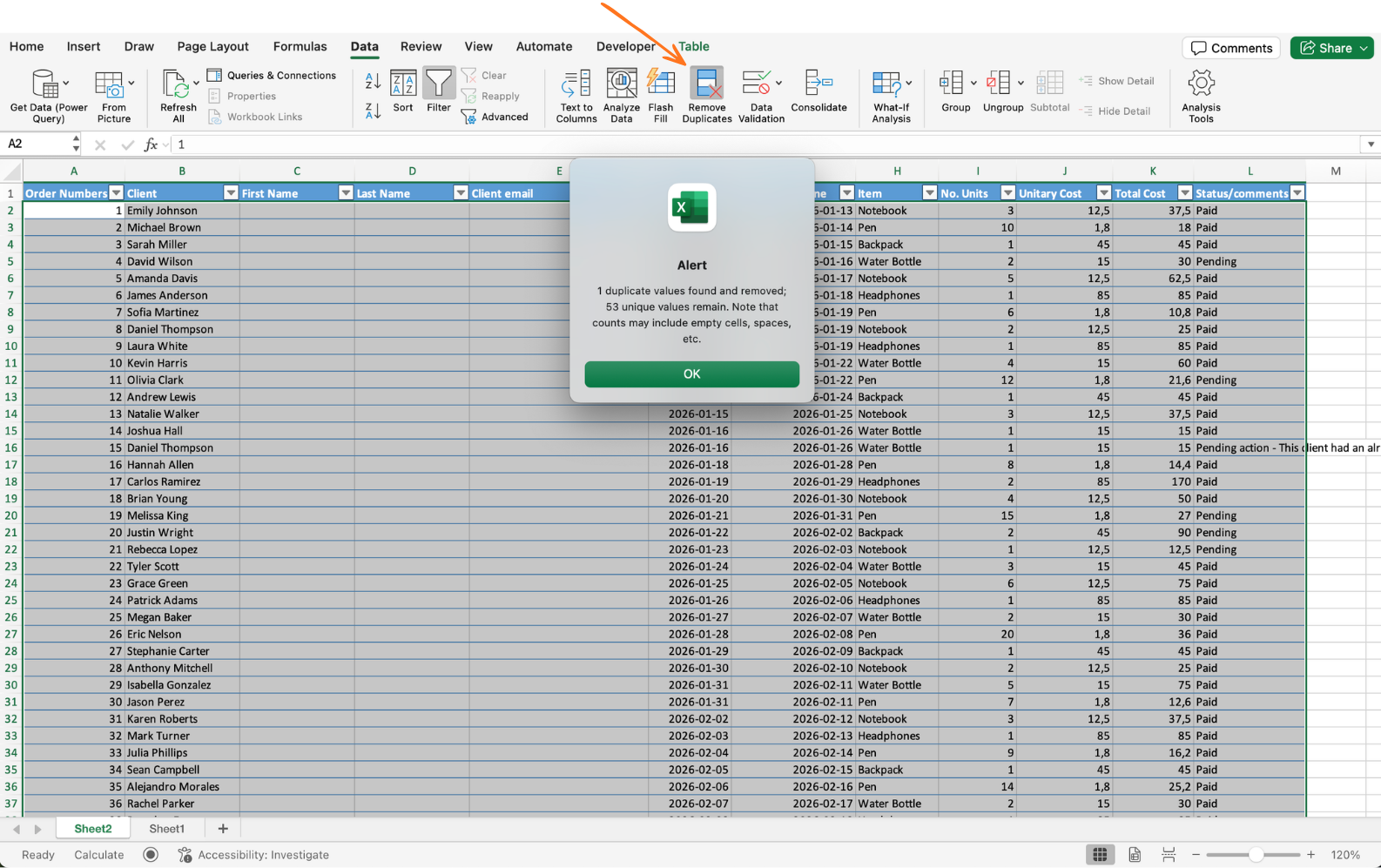
Utilizzare Dati → Rimuovi Duplicati. Selezionare le colonne da confrontare. Excel mantiene la prima occorrenza di ogni combinazione e rimuove le altre. Ideale per dati importati o storici.
Non è possibile annullare dopo aver chiuso la finestra di dialogo se si salva. Lavorare sempre su una copia dei dati oppure utilizzare Ctrl+Z immediatamente se il risultato non è corretto. La finestra di dialogo indica anche quanti duplicati sono stati rimossi — verificare che questo numero sia coerente prima di chiudere.
Attività
- Creazione di un menu a discesa controllato per Stato Pagamento
Individuare la colonna Stato Pagamento nel dataset e selezionare tutte le righe con dati, inclusa l'ultima. Aprire Convalida dati, scegliere Elenco e inserire le opzioni: Paid, Pending.
Fare clic su qualsiasi cella della colonna per verificare che il menu a discesa appaia. Provare a digitare un valore diverso: dovrebbe essere bloccato o mostrare un avviso.
- Conversione del menu a discesa in un sistema dinamico
Creare una fonte per il menu a discesa in un nuovo foglio. Nella cella A1, digitare Statuses. In A2 e A3, inserire Paid e Pending. Convertire questo intervallo in una tabella utilizzando Ctrl/Cmd + T.
Tornare al dataset principale, selezionare la colonna Stato Pagamento e aprire nuovamente la Convalida dati. Sostituire la fonte con:
=INDIRECT("TableName[Statuses]")
Assicurarsi di utilizzare il nome reale della tabella.
Per testare, tornare alla tabella di origine e aggiungere un nuovo valore, ad esempio Booked. Poi tornare al dataset e verificare che il nuovo valore appaia automaticamente nel menu a discesa.
- Rimozione dei record duplicati
Selezionare l'intero dataset o tabella. Andare su Dati → Rimuovi duplicati e scegliere una colonna univoca come Order ID.
Excel mostrerà quanti duplicati sono stati rimossi — confermare il risultato.
Grazie per i tuoi commenti!
Chieda ad AI

Chieda ad AI

Chieda pure quello che desidera o provi una delle domande suggerite per iniziare la nostra conversazione
