Controllo dei riferimenti e dei risultati delle formule
Scorri per mostrare il menu
Quando trascini una formula verso il basso, Excel regola automaticamente ogni riferimento di cella di una riga. Nella maggior parte dei casi è proprio quello che desideri: la formula per la riga 10 dovrebbe fare riferimento ai dati della riga 10. Tuttavia, alcuni riferimenti non dovrebbero mai cambiare: un'aliquota fiscale memorizzata in una singola cella, un tasso di cambio, una soglia fissa. Senza i simboli del dollaro, trascinare la formula interrompe silenziosamente questi riferimenti.

Se =D9*G1 viene trascinata verso il basso, la riga 10 diventa =D10*G2, la riga 11 diventa =D11*G3 e così via. G2 e G3 sono vuote — quindi ogni calcolo delle tasse restituisce zero. Nessun messaggio di errore. Solo numeri sbagliati che sembrano plausibili.
Riferimenti di cella
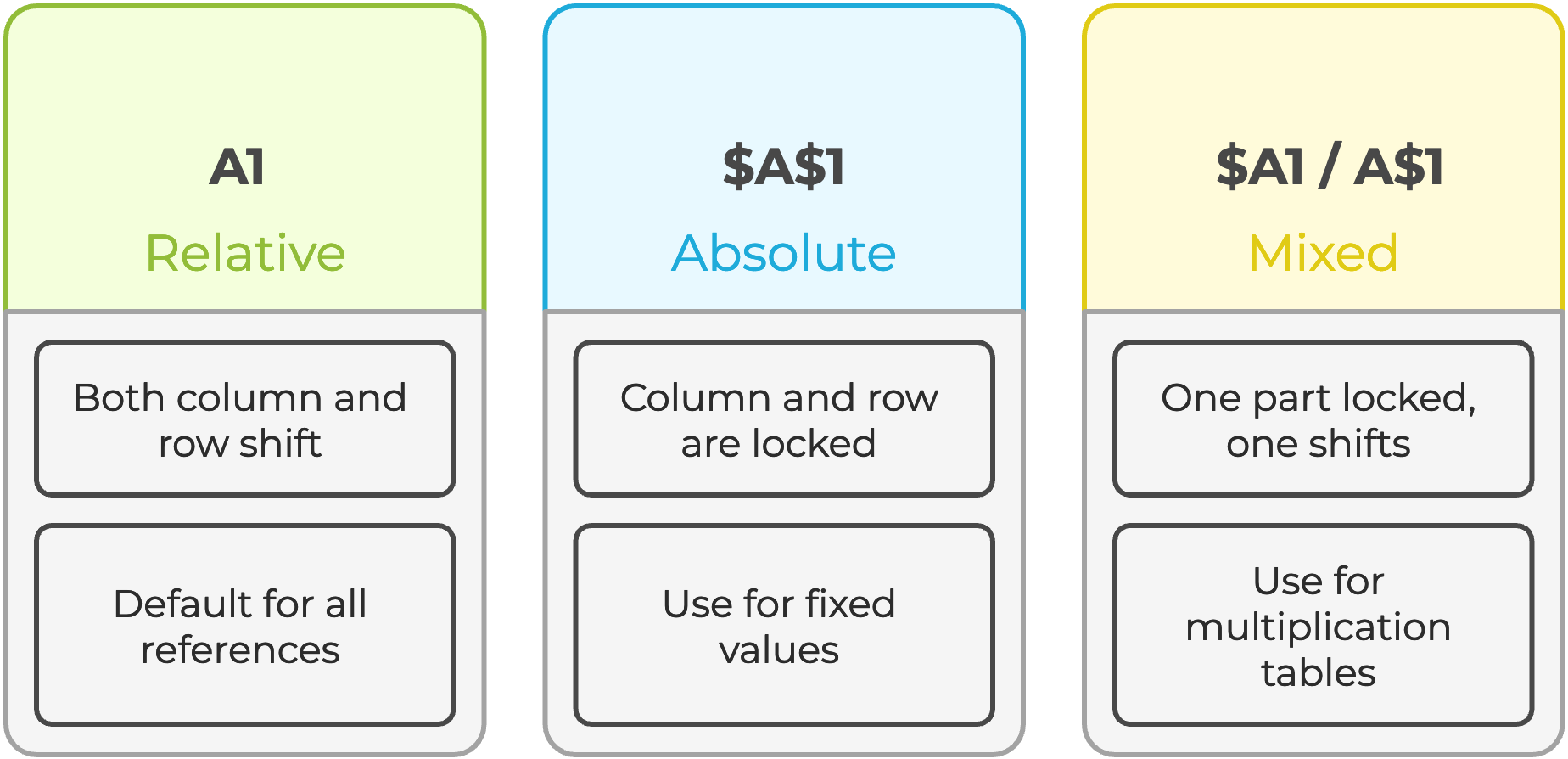
Selezionare un riferimento di cella all'interno di una formula nella barra della formula e premere F4 per scorrere automaticamente tutti e quattro i tipi di riferimento.
Incolla speciale
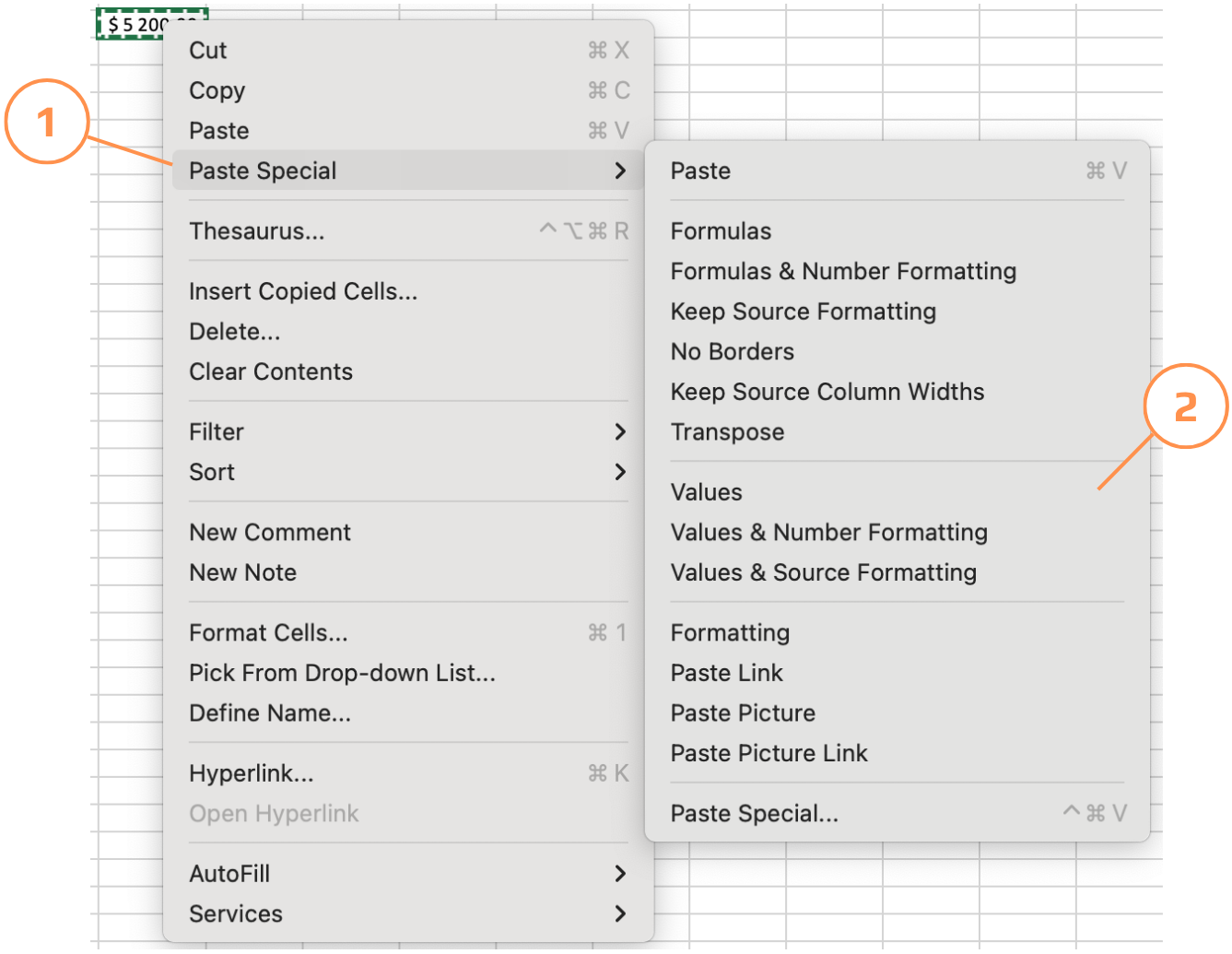
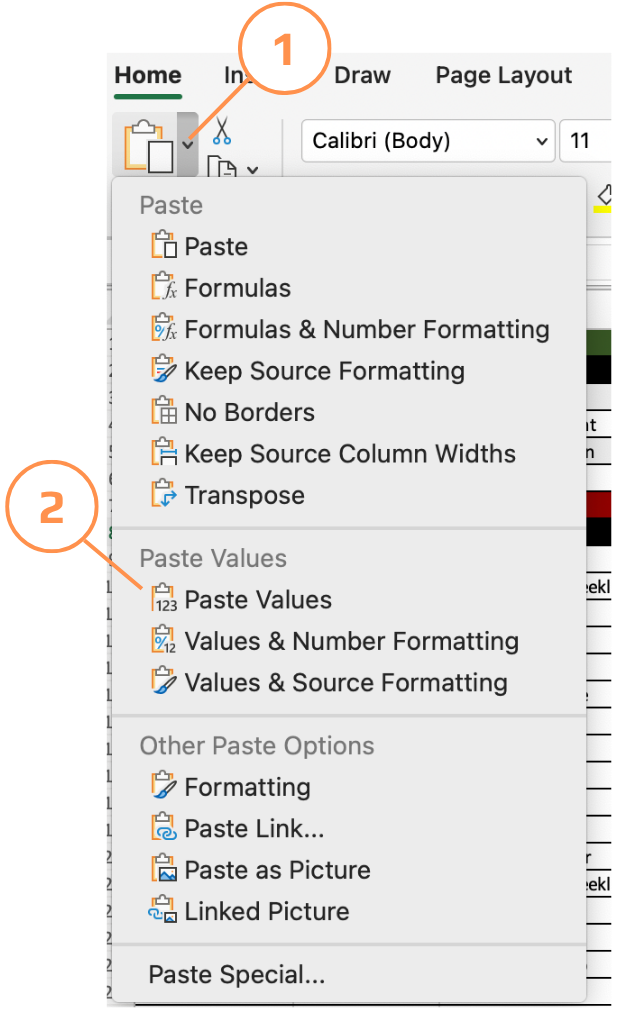
A volte è necessario bloccare i risultati calcolati, inviare un'istantanea a un collega, evitare il ricalcolo o interrompere una dipendenza circolare. Incolla valori rimuove la formula e mantiene solo il numero prodotto dalla formula.
- Utilizzare la scorciatoia
Ctrl+Alt+Vper incollare solo i valori; - Copiare le celle → clic destro sulla destinazione → scegliere Incolla speciale → Valori;
- Il menu Incolla speciale offre più opzioni oltre ai valori — è possibile incollare solo i formati, solo le formule, trasporre righe in colonne o incollare come immagine collegata. Tutto accessibile da Home → Incolla → Incolla speciale.
Estrazione di dati da un altro foglio
Quando un valore viene utilizzato in più fogli: un'aliquota fiscale, un anno, un nome aziendale, conservarlo una sola volta in un foglio dedicato e fare riferimento ad esso ovunque è molto più ordinato che duplicarlo. Se il valore cambia, lo aggiorni in un solo punto e tutte le formule si aggiornano automaticamente.
=D9*'Tax rate'!$A$2
Il ! (punto esclamativo) separa il nome del foglio dall'indirizzo della cella. Excel lo inserisce automaticamente quando si fa clic su una cella di un altro foglio durante l'inserimento di una formula, quindi non è necessario digitarlo manualmente.
Grazie per i tuoi commenti!
Chieda ad AI

Chieda ad AI

Chieda pure quello che desidera o provi una delle domande suggerite per iniziare la nostra conversazione
