Variables
Scorri per mostrare il menu
In programming, variables are like labeled containers that hold some value. The data may be in the form of a number, text, boolean (true / false) or some other type.
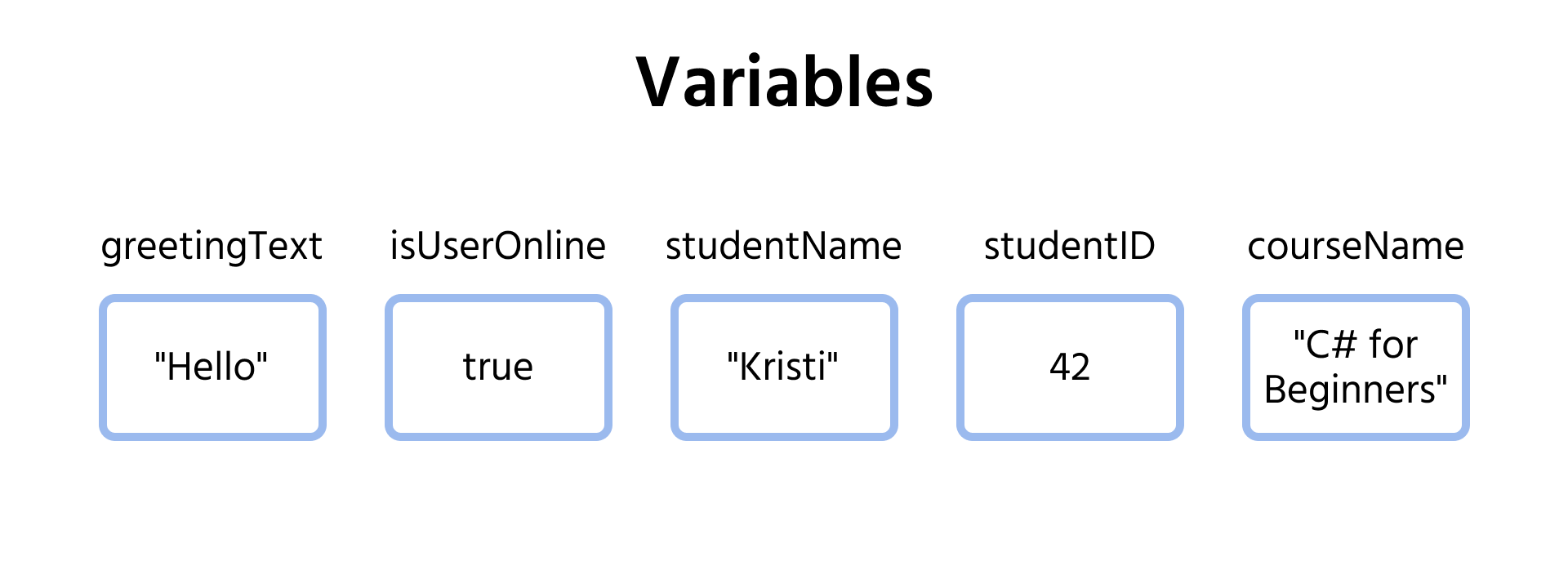
The term "variable" means "changeable" hence the value that a variable holds can be changed any time.
You can create a simple variable in C# using the var keyword:
var variableName = value;
The different components of this syntax are highlighted in the graphic below:
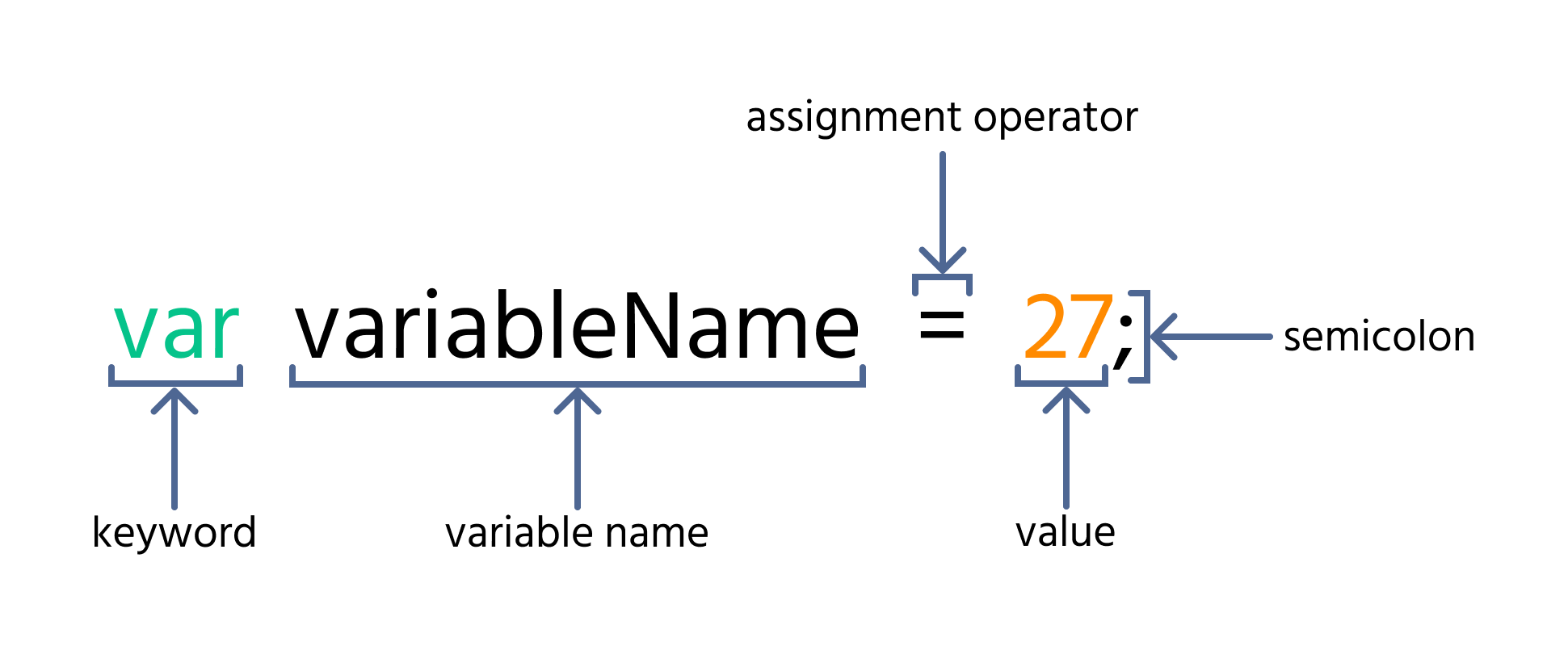
The equal sign (=) is called the assignment operator. It is used for assigning values to variables.
We will only use numbers for values of variables in this section. In the next section, we will learn how to work with different types of data in appropriate detail.
Note
A statement which includes
=operator is called an assignment statement, for-example:variableName = value.

main.cs
1234567891011namespace TestConsoleApp { internal class Program { static void Main(string[] args) { var myVar = 10; System.Console.WriteLine(myVar); // Outputs: 10 } } }
The code above creates a new variable called myVar which holds the value 10. It then outputs the value of the variable using the System.Console.WriteLine statement.
We can change the value it holds using the assignment operator:
main.cs
1234567891011121314namespace TestConsoleApp { internal class Program { static void Main(string[] args) { var myVar = 10; System.Console.WriteLine(myVar); // Outputs: 10 myVar = 20; System.Console.WriteLine(myVar); // Outputs: 20 } } }
Note
The
varkeyword is only used when creating a new variable. Therefore when assigning a new value to an already declared variable, only use the assignment operator (=), as is the case in themyVar = 20statement.
Grazie per i tuoi commenti!
Chieda ad AI

Chieda ad AI

Chieda pure quello che desidera o provi una delle domande suggerite per iniziare la nostra conversazione
