Multi Criteria Lookup Techniques
Scorri per mostrare il menu
Why Multi Criteria Lookups Are Needed
In many real-world scenarios, one condition is not enough to retrieve the correct result. For example, you may need to return:
- Orders from a specific customer in a specific region;
- Employees from a specific department with a salary above a certain amount;
- Products that belong to a category and meet a price condition.
These situations require multiple criteria.
The FILTER function can handle this by combining logical conditions inside the formula.
Using Multiple Conditions with FILTER
Each condition creates a TRUE or FALSE result.
When multiple conditions must all be satisfied, they can be combined by multiplying the logical tests.
This acts as an AND condition.
Example Returning Orders by Customer and Region
Assume the worksheet contains the following table.
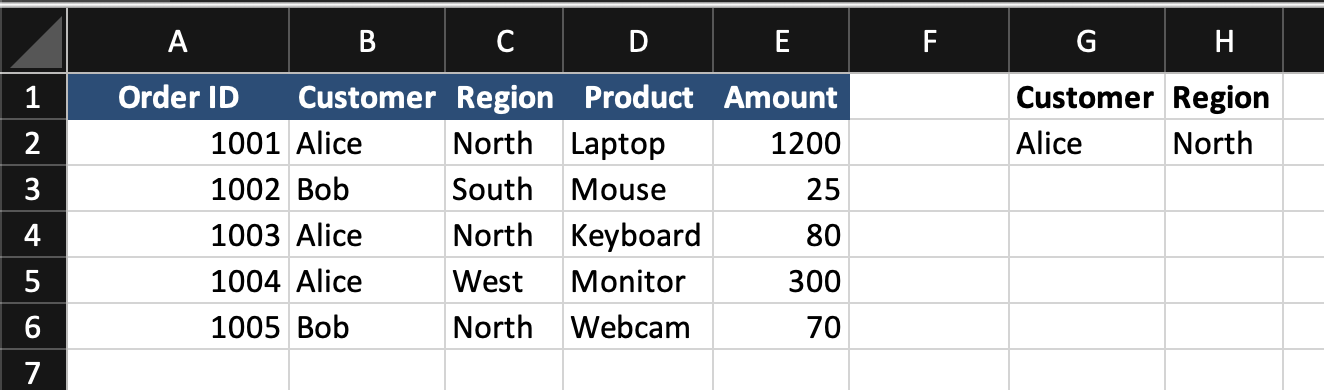
The customer name is entered in G2.
The region is entered in H2.
The goal is to return all orders that match both conditions.
FILTER Formula with Two Conditions
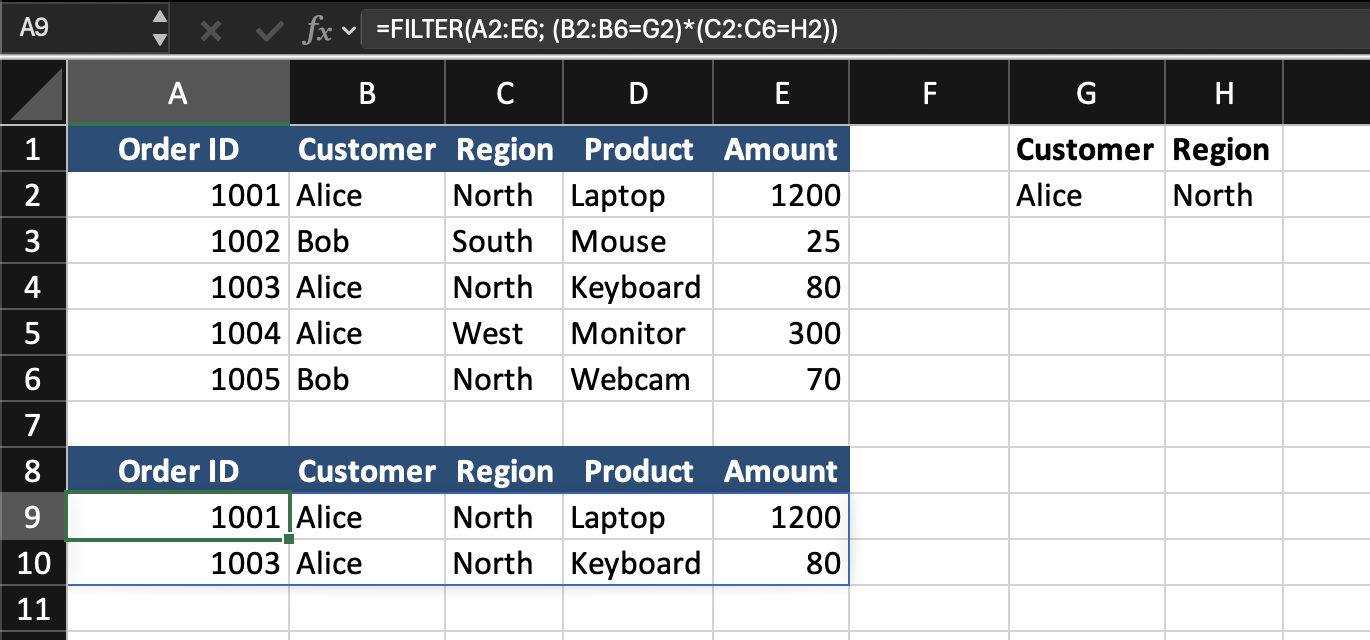
=FILTER(A2:E6; (B2:B6=G2)*(C2:C6=H2))
- The first condition
B2:B6=G2checks which rows match the selected customer; - The second condition
C2:C6=H2checks which rows match the selected region; - The two conditions are multiplied
(B2:B6=G2)*(C2:C6=H2). Only rows where both conditions are TRUE are returned.
Adding an if_empty Argument
If no rows match both conditions, FILTER returns an error.
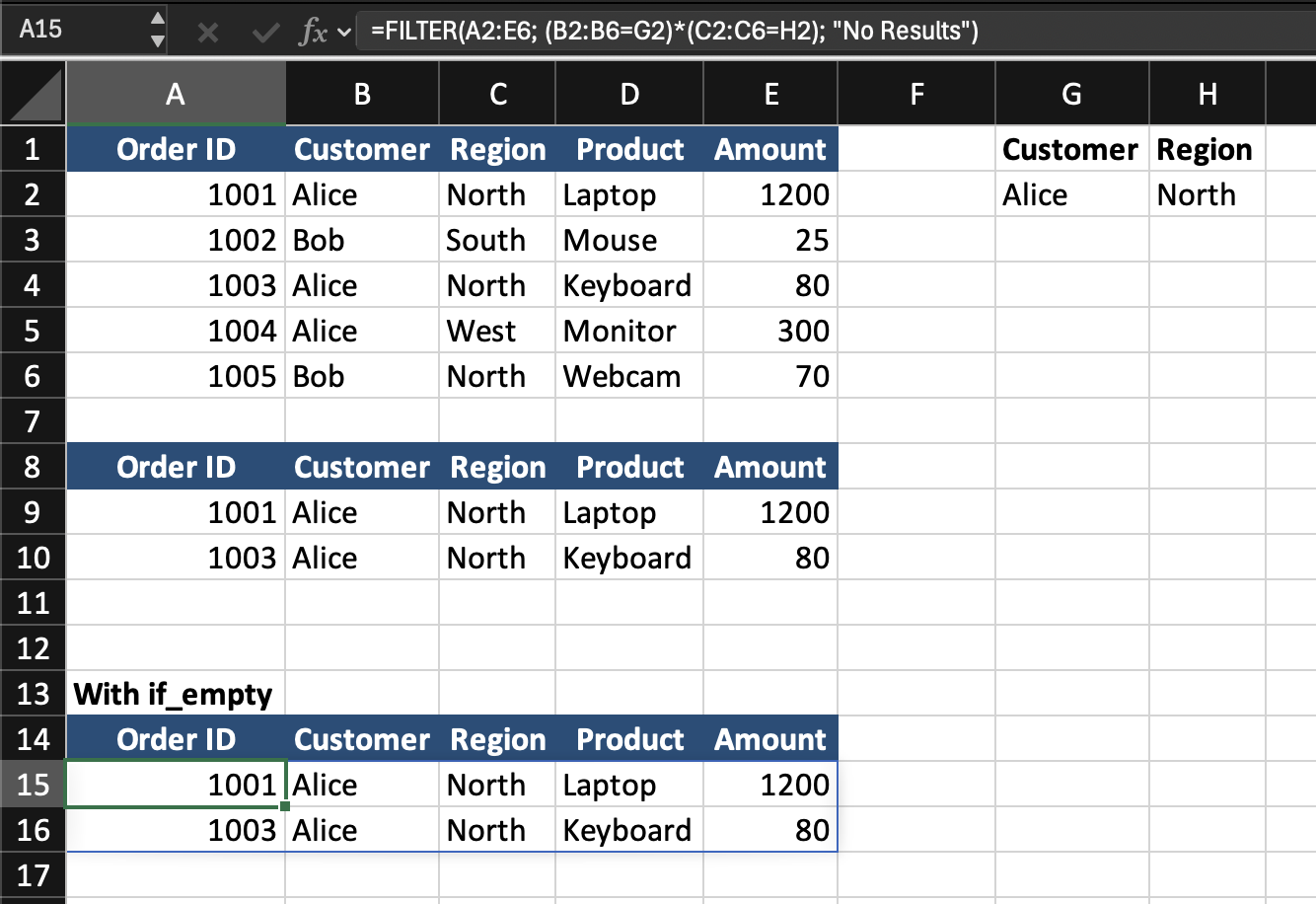
To display a cleaner message, add the third argument:
=FILTER(A2:E6; (B2:B6=G2)*(C2:C6=H2); "No Results")
This displays No Results when no matching records exist.
Practical Use of Multi Criteria Lookups
This technique is useful when:
- One lookup value is not specific enough;
- Records must be filtered by more than one field;
- Dynamic reporting requires multiple inputs.
It is one of the most powerful modern alternatives to older complex array formulas.
Task
Scenario
A worksheet contains an employee table with Employee ID, Employee Name, Department, Location, Salary. A Department is entered in one input cell. A Location is entered in another input cell.
Your goal is to return all employees who match both conditions.
Task Instructions
- Use
FILTERwith two conditions; - Return all matching rows;
- Display
No Resultsif no employees match both criteria.
Grazie per i tuoi commenti!
Chieda ad AI

Chieda ad AI

Chieda pure quello che desidera o provi una delle domande suggerite per iniziare la nostra conversazione
