Understanding Sass Syntax for Better CSS
Glissez pour afficher le menu
To start writing sass code, we need to create a file with the extension .scss. (e.g., feature.scss).
Let's consider the sass syntax on the following css code. We will manipulate the button that will have some hover effect. We write css code for it:
.button {
  font-size: 24px;
  color: green;
  background-color: rebeccapurple;
}

.button:hover {
  background-color: darkmagenta;
}
Let's rewrite the same code into sass syntax:
.button {
  font-size: 24px;
  color: green;
  background-color: rebeccapurple;

  &:hover {
    background-color: darkmagenta;
  }
}
The difference is that we use styles for one element inside the first pair of the {} brackets. Also, we don't use the element class name twice. We use the ampersand (&) instead.
Note
In case of any questions or misunderstanding of some sass features, it is highly recommended to use sass documentation.
Compilation
Browsers don't understand the preprocessor syntax. It understands only html, css, and javascript syntax. So, how does it work? We need to compile the sass file into the css file. After compilation, we will see the result.
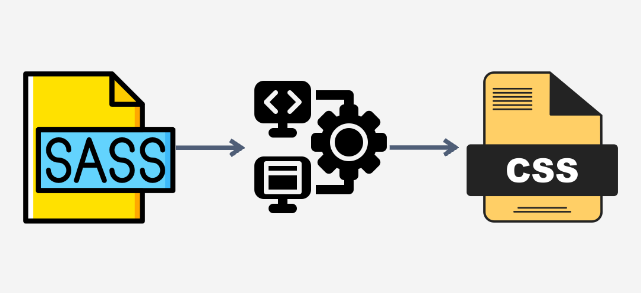
We have such options to compile sass into css:
- Use Visual Studio Code extension - Live Sass Compiler;
- Use the app - Scout App.
Merci pour vos commentaires !
Demandez à l'IA

Demandez à l'IA

Posez n'importe quelle question ou essayez l'une des questions suggérées pour commencer notre discussion
Understanding Sass Syntax for Better CSS
To start writing sass code, we need to create a file with the extension .scss. (e.g., feature.scss).
Let's consider the sass syntax on the following css code. We will manipulate the button that will have some hover effect. We write css code for it:
.button {
  font-size: 24px;
  color: green;
  background-color: rebeccapurple;
}

.button:hover {
  background-color: darkmagenta;
}
Let's rewrite the same code into sass syntax:
.button {
  font-size: 24px;
  color: green;
  background-color: rebeccapurple;

  &:hover {
    background-color: darkmagenta;
  }
}
The difference is that we use styles for one element inside the first pair of the {} brackets. Also, we don't use the element class name twice. We use the ampersand (&) instead.
Note
In case of any questions or misunderstanding of some sass features, it is highly recommended to use sass documentation.
Compilation
Browsers don't understand the preprocessor syntax. It understands only html, css, and javascript syntax. So, how does it work? We need to compile the sass file into the css file. After compilation, we will see the result.
We have such options to compile sass into css:
- Use Visual Studio Code extension - Live Sass Compiler;
- Use the app - Scout App.
Merci pour vos commentaires !
