Notice: This page requires JavaScript to function properly.
Please enable JavaScript in your browser settings or update your browser.
Apprendre Translating and Animating Content with AI | Canva AI Toolkit
Canva AI

Translating and Animating Content with AI

Glissez pour afficher le menu

Translate rewrites all the text in a design into another language while keeping the original layout, and Animate adds motion to a static page without any manual keyframing.

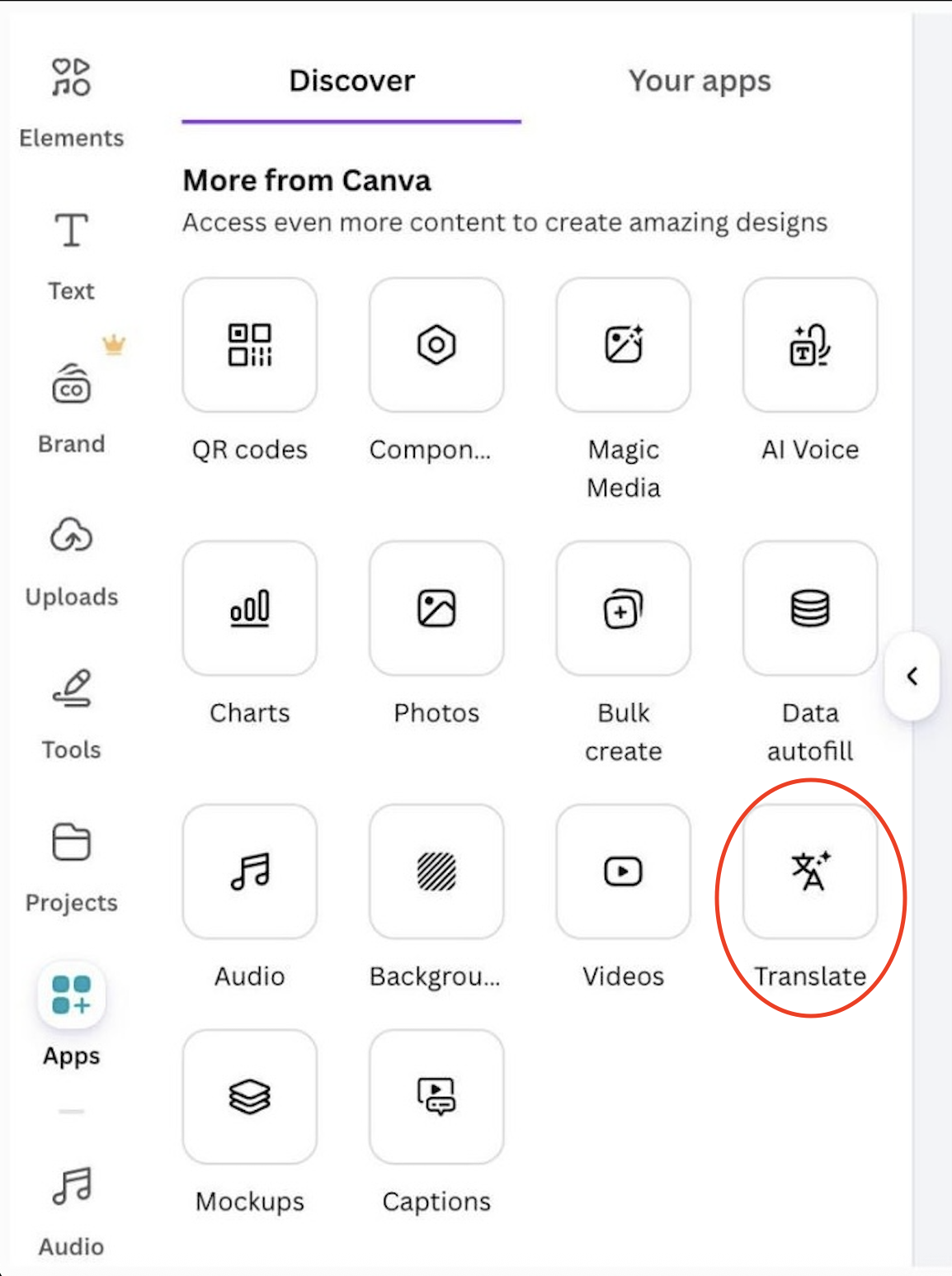
Translating a design:

  • Open Apps → Translate;
  • Choose the target language;
  • Canva replaces the text in every text box and regenerates the layout if needed.
Result:

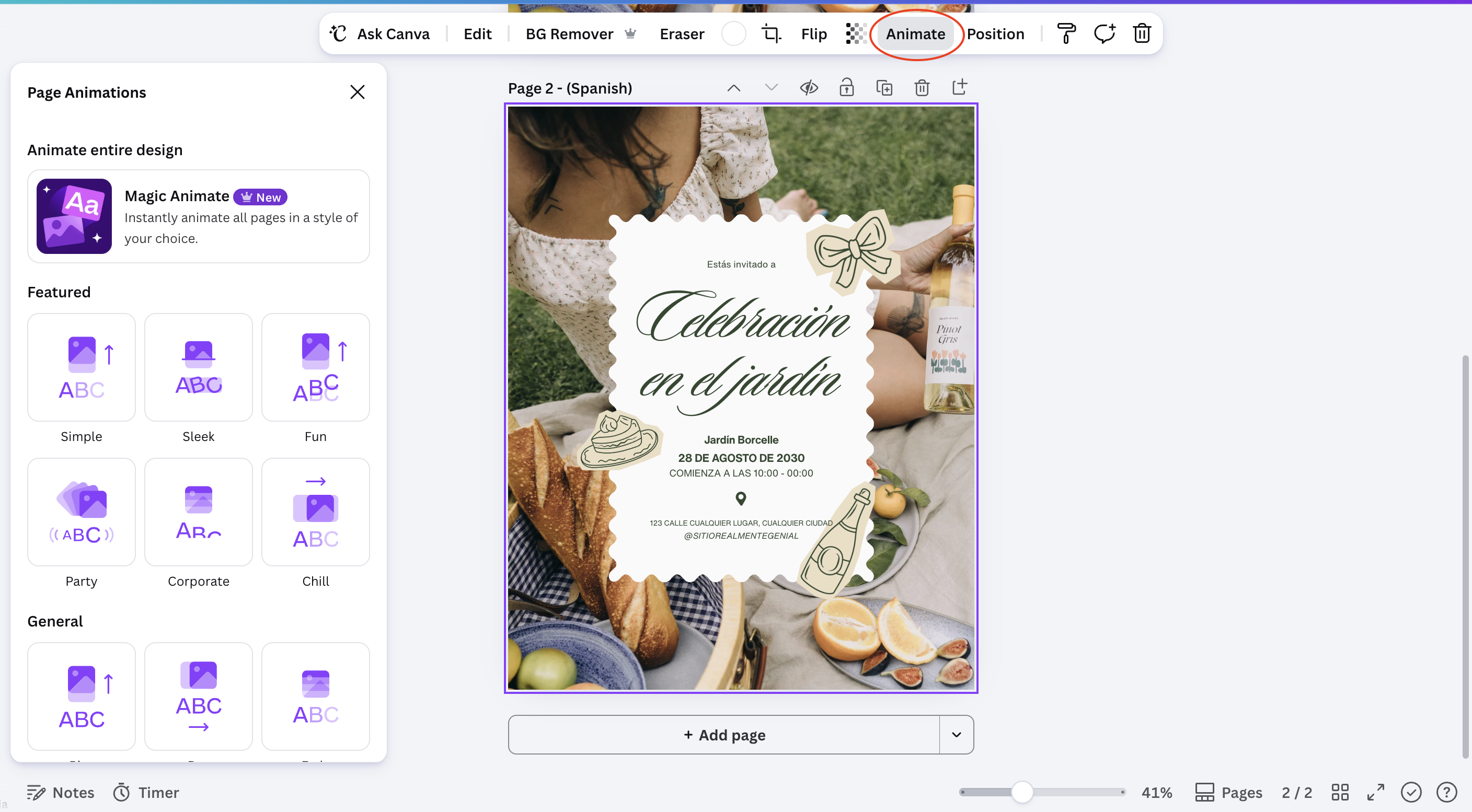
Animating a page:

  • Select a page or an individual element;
  • Open Animate;
  • Choose a style, such as Fade, Rise, or Pulse;
  • Preview the result before exporting.

Result:

Note
Note

Translate changes text only. Images, icons, and any text baked into a photo stay exactly as they were, so double-check for leftover source-language text inside images.

Both tools are reversible: switching the language back or removing an animation restores the design to its previous state without losing any content.

Tout était clair ?

Comment pouvons-nous l'améliorer ?

Merci pour vos commentaires !

Section 1. Chapitre 9

Demandez à l'IA

expand

Demandez à l'IA

ChatGPT

Posez n'importe quelle question ou essayez l'une des questions suggérées pour commencer notre discussion

Translating and Animating Content with AI

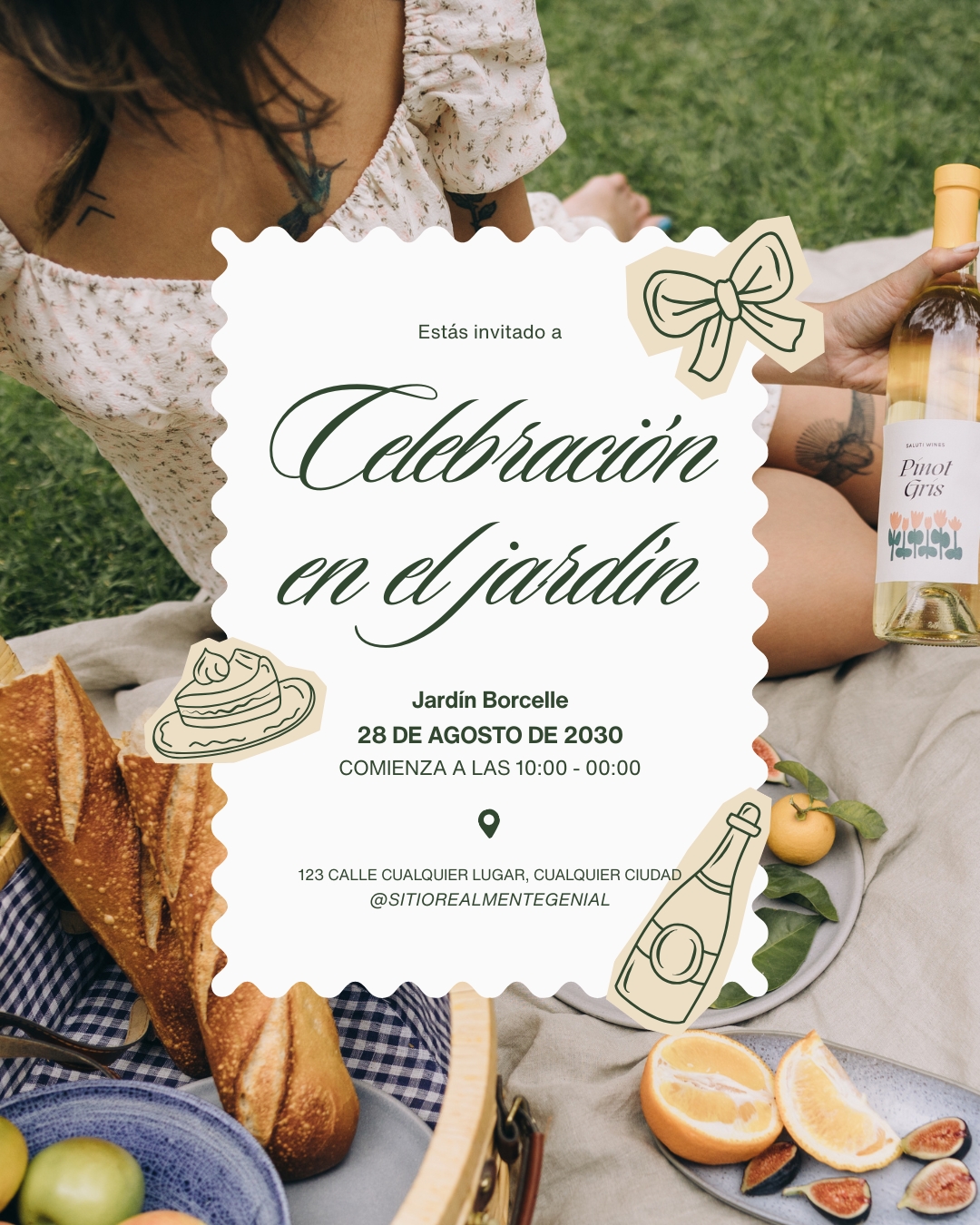
Translate rewrites all the text in a design into another language while keeping the original layout, and Animate adds motion to a static page without any manual keyframing.

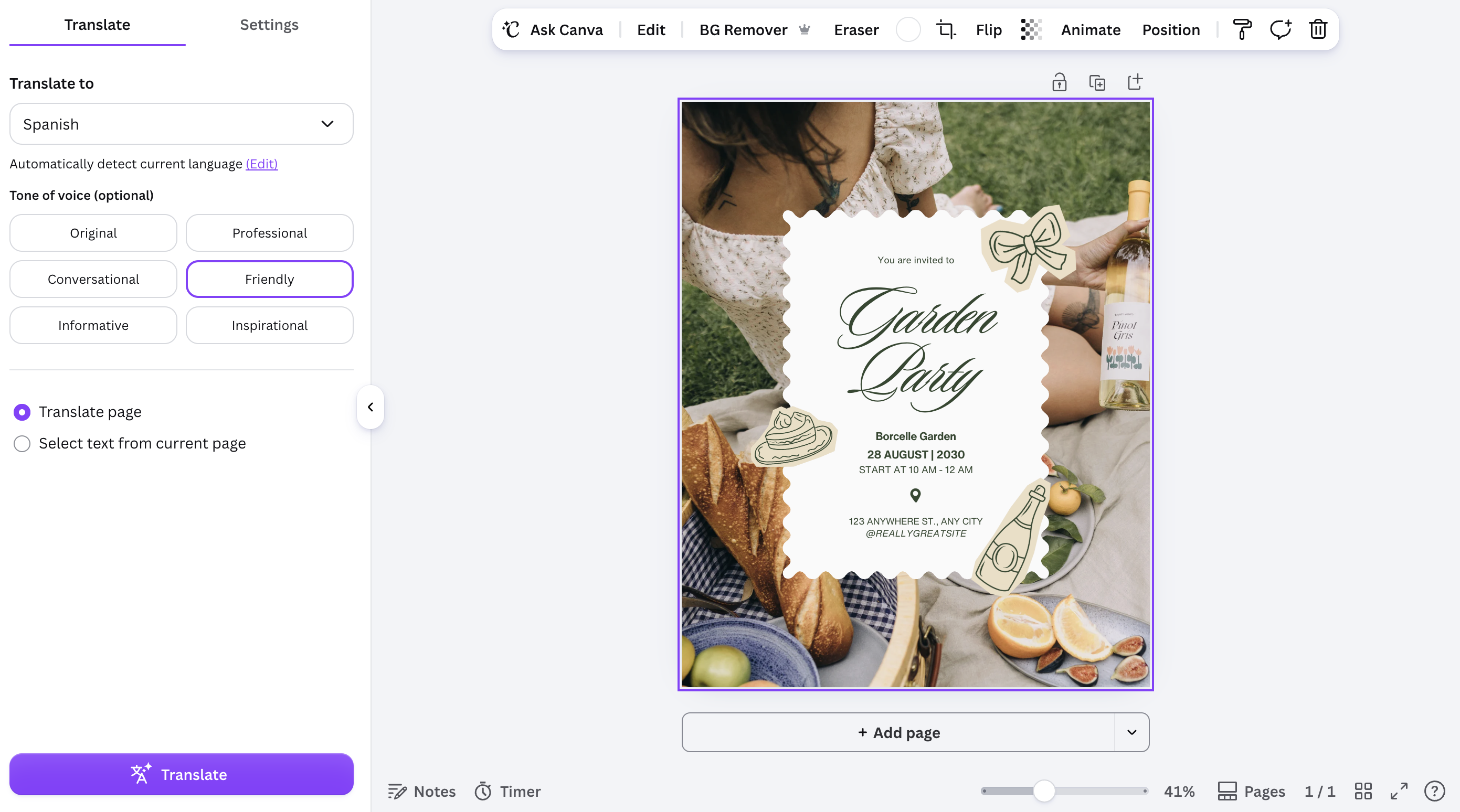
Translating a design:

  • Open Apps → Translate;
  • Choose the target language;
  • Canva replaces the text in every text box and regenerates the layout if needed.
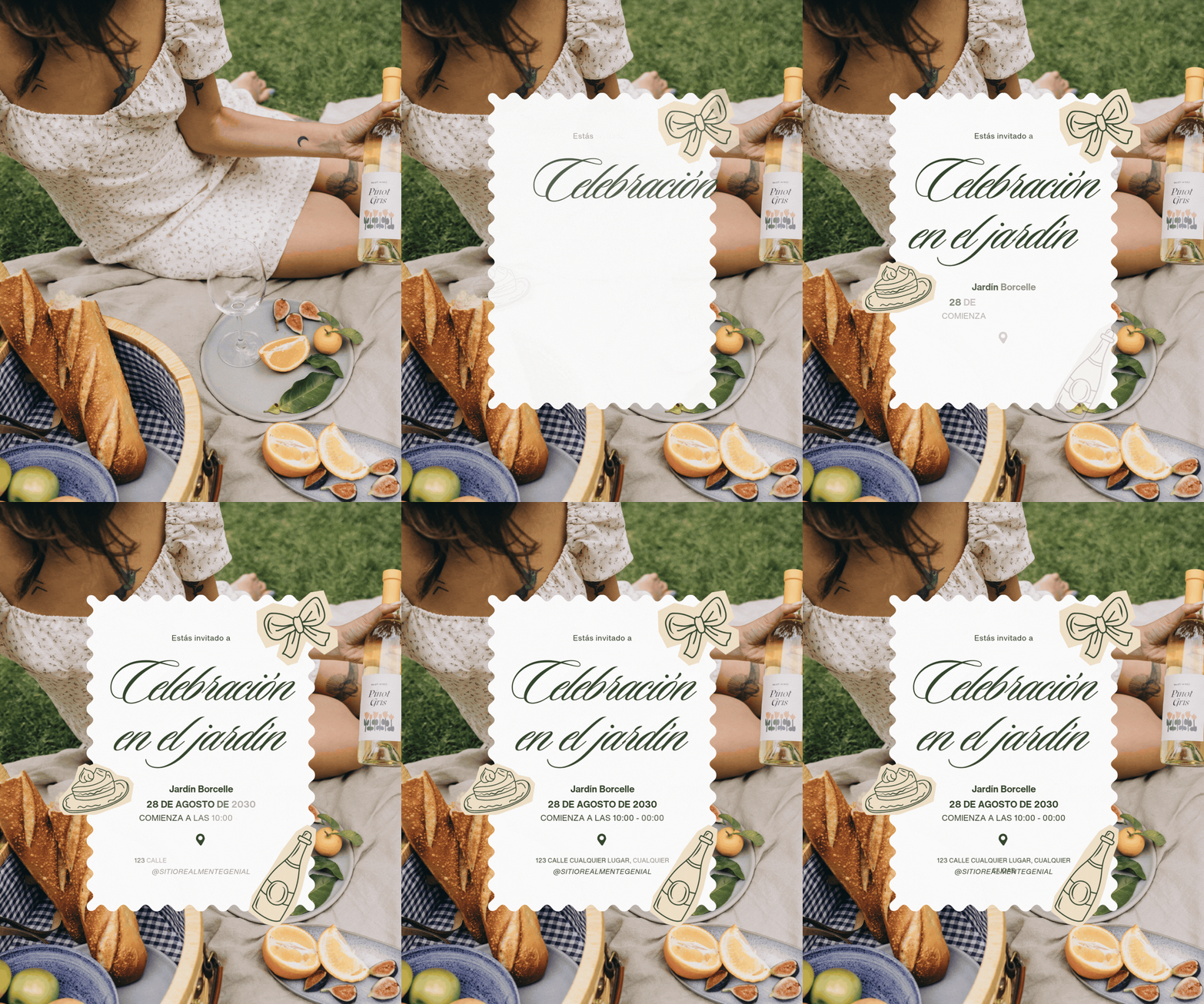
Result:
Animating a page:

  • Select a page or an individual element;
  • Open Animate;
  • Choose a style, such as Fade, Rise, or Pulse;
  • Preview the result before exporting.

Result:
Note
Note

Translate changes text only. Images, icons, and any text baked into a photo stay exactly as they were, so double-check for leftover source-language text inside images.

Both tools are reversible: switching the language back or removing an animation restores the design to its previous state without losing any content.

Tout était clair ?

Comment pouvons-nous l'améliorer ?

Merci pour vos commentaires !

Section 1. Chapitre 9
some-alt