Des Données au Graphique
Glissez pour afficher le menu
Excel propose deux méthodes pour créer un graphique. Graphiques recommandés est le point de départ le plus rapide. Excel analyse les données sélectionnées et suggère des types de graphiques adaptés à leur structure. Le groupe Graphiques dans l’onglet Insertion permet de choisir manuellement n’importe quel type de graphique.

Diagramme en colonnes / barres
La hauteur de chaque barre représente la valeur. Les espaces entre les barres soulignent que les catégories sont distinctes et indépendantes, et non pas une séquence continue.
Comparaison :
- Chiffre d'affaires total par produit ;
- Ventes par région ou catégorie ;
- Tout classement ou comparaison côte à côte ;
- Peu adapté pour montrer l'évolution dans le temps.
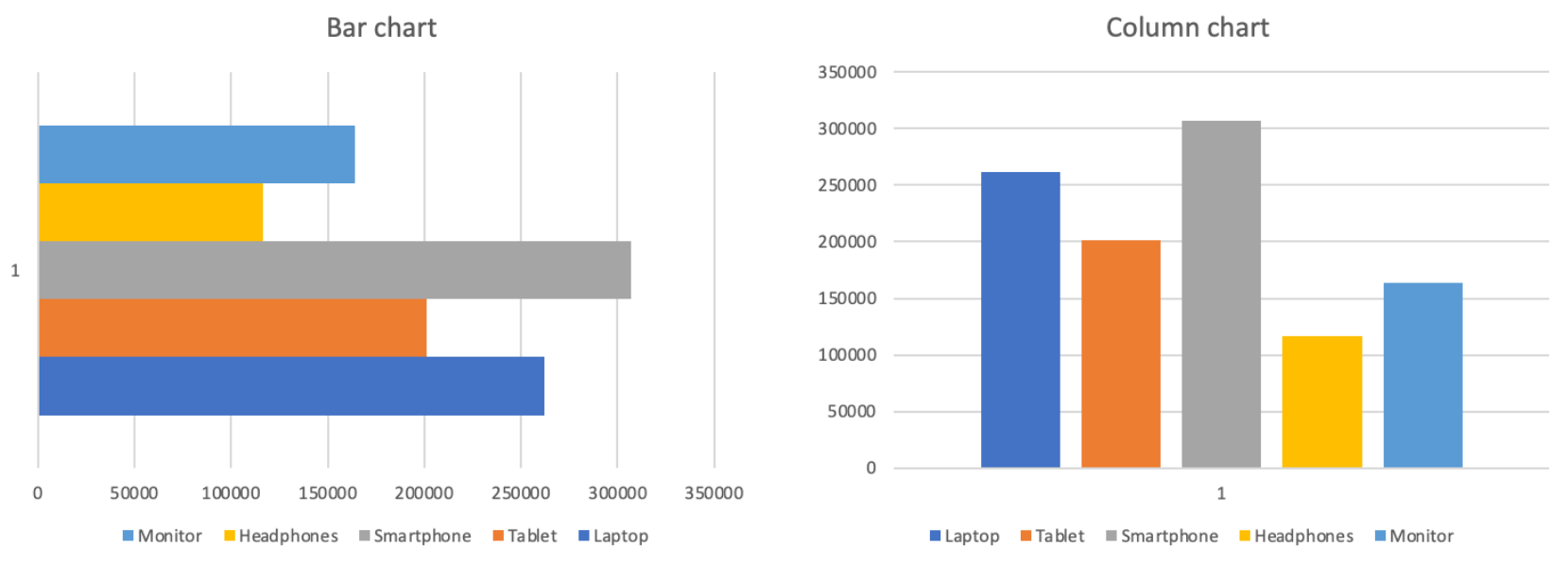
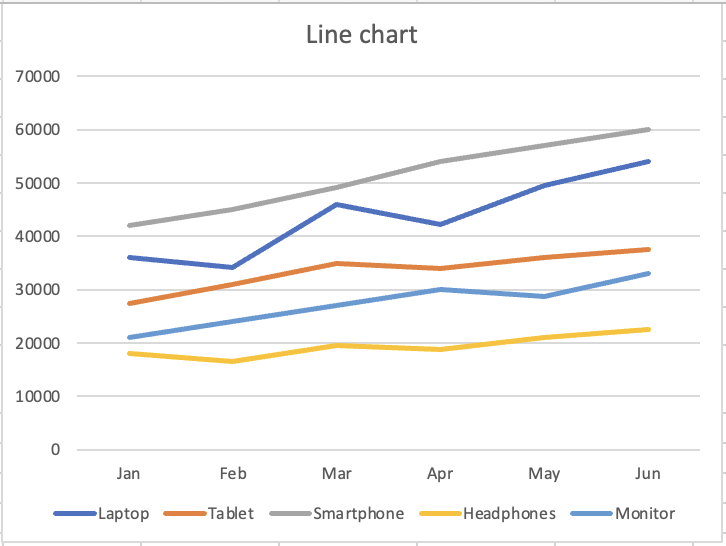
Diagramme en courbes
La ligne continue suggère un mouvement et une progression. Chaque point est relié au suivant, indiquant une direction et un élan. La forme visuelle indique au lecteur « ceci évolue ».
Tendance dans le temps :
- Chiffre d'affaires mensuel par produit ;
- Tout indicateur suivi sur plusieurs périodes ;
- Comparaison des tendances de plusieurs séries ;
- Peu adapté pour comparer des catégories distinctes.
Merci pour vos commentaires !
Demandez à l'IA

Demandez à l'IA

Posez n'importe quelle question ou essayez l'une des questions suggérées pour commencer notre discussion
