Ensimmäisen Pivot-taulukon Luominen
Pyyhkäise näyttääksesi valikon
Kun data on valmisteltu, sitä voidaan tiivistää Pivot-taulukon avulla.
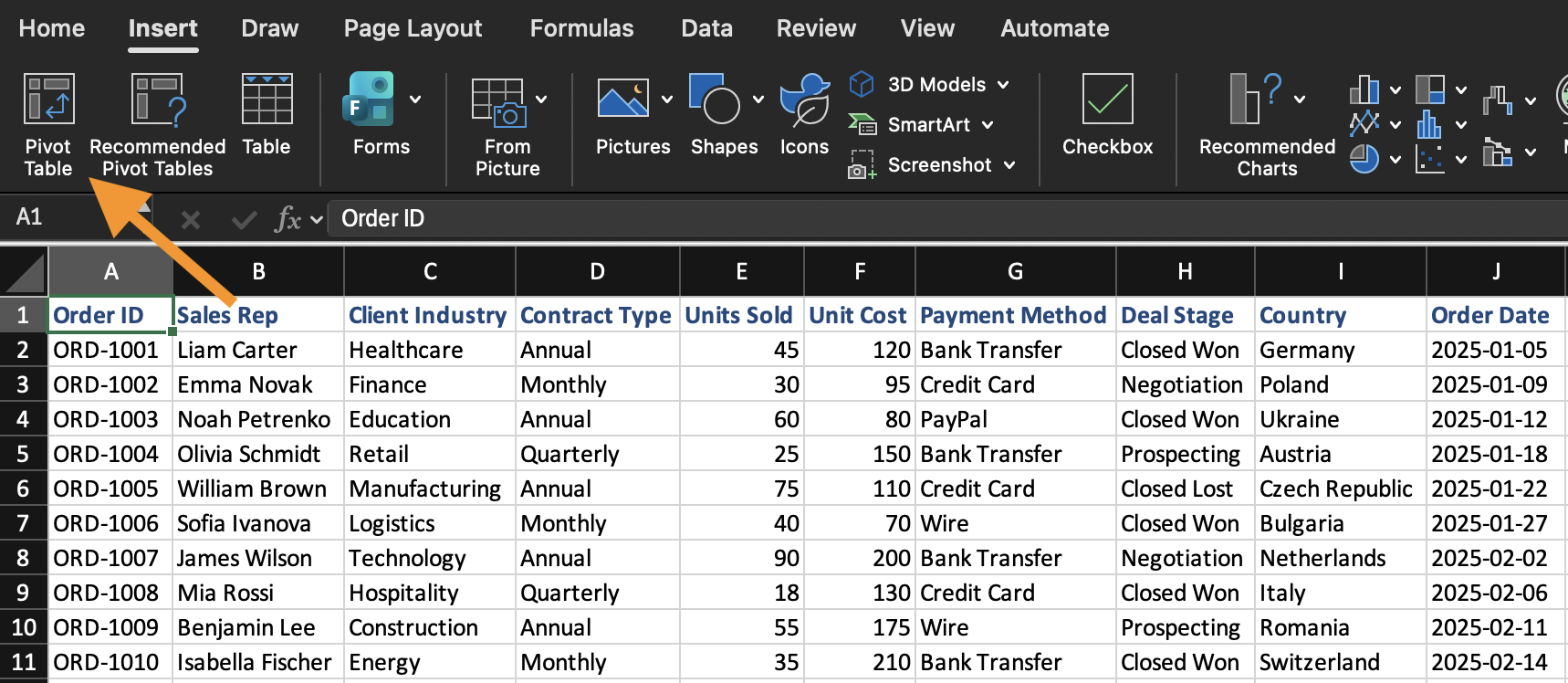
Pivot-taulukko luodaan olemassa olevasta tietojoukosta. Pivot-taulukon lisääminen:
- Valitse mikä tahansa solu tietojoukosta;
- Avaa Lisää-välilehti;
- Napsauta Pivot-taulukko;
- Vahvista tietojen alue;
- Valitse sijoitetaanko Pivot-taulukko uudelle laskentataulukolle.
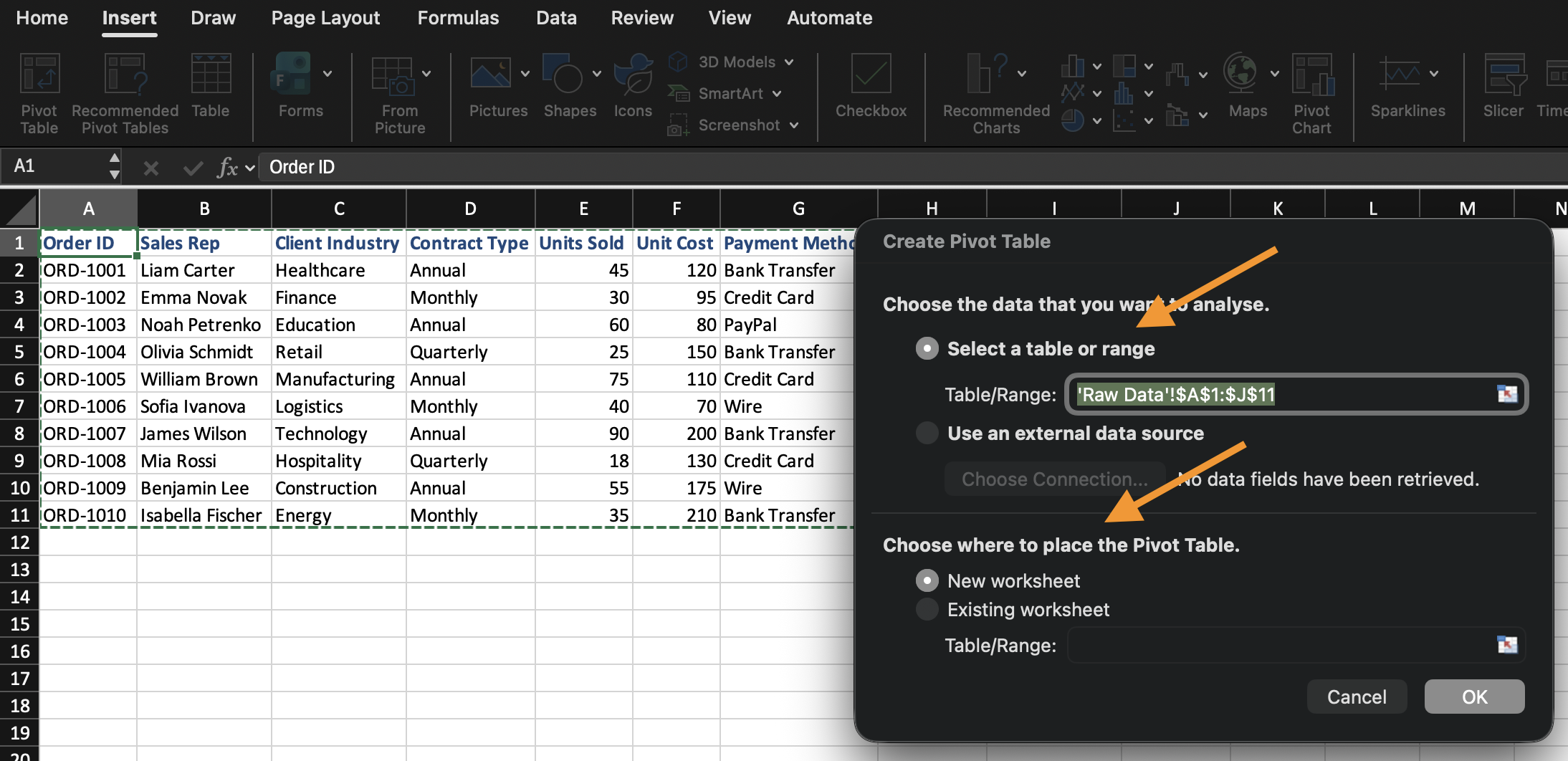
Excel luo tyhjän Pivot-taulukon ja avaa Pivot-taulukon kenttäluettelon.
Kenttäluettelon alueiden ymmärtäminen
Kenttäluettelo määrittää, miten Pivot-taulukko rakennetaan. Se koostuu neljästä eri alueesta, joista jokainen käsittelee kenttää eri tavalla:
- Rivit: määrittää ryhmittelyn. Tähän sijoitettu kenttä toimii tietojen jakajana (esim.
Categorytähän sijoitettuna luo yhden rivin kutakin kategoriaa kohden); - Sarakkeet: määrittää myös ryhmittelyn, mutta vaakasuunnassa ylhäällä rivien sijaan. Toimii samalla tavalla kuin rivit, mutta vaakatasossa;
- Arvot: määrittää laskennan. Kenttää ei vain näytetä, vaan Excel laskee siitä yhteenvedon (Summa, Lukumäärä, Keskiarvo jne.) rivien/sarakkeiden ryhmittelyn mukaan;
- Suodattimet: rajaa koko Pivot-taulukon tietyn osajoukon mukaan ilman, että kyseinen kenttä näkyy taulukossa.
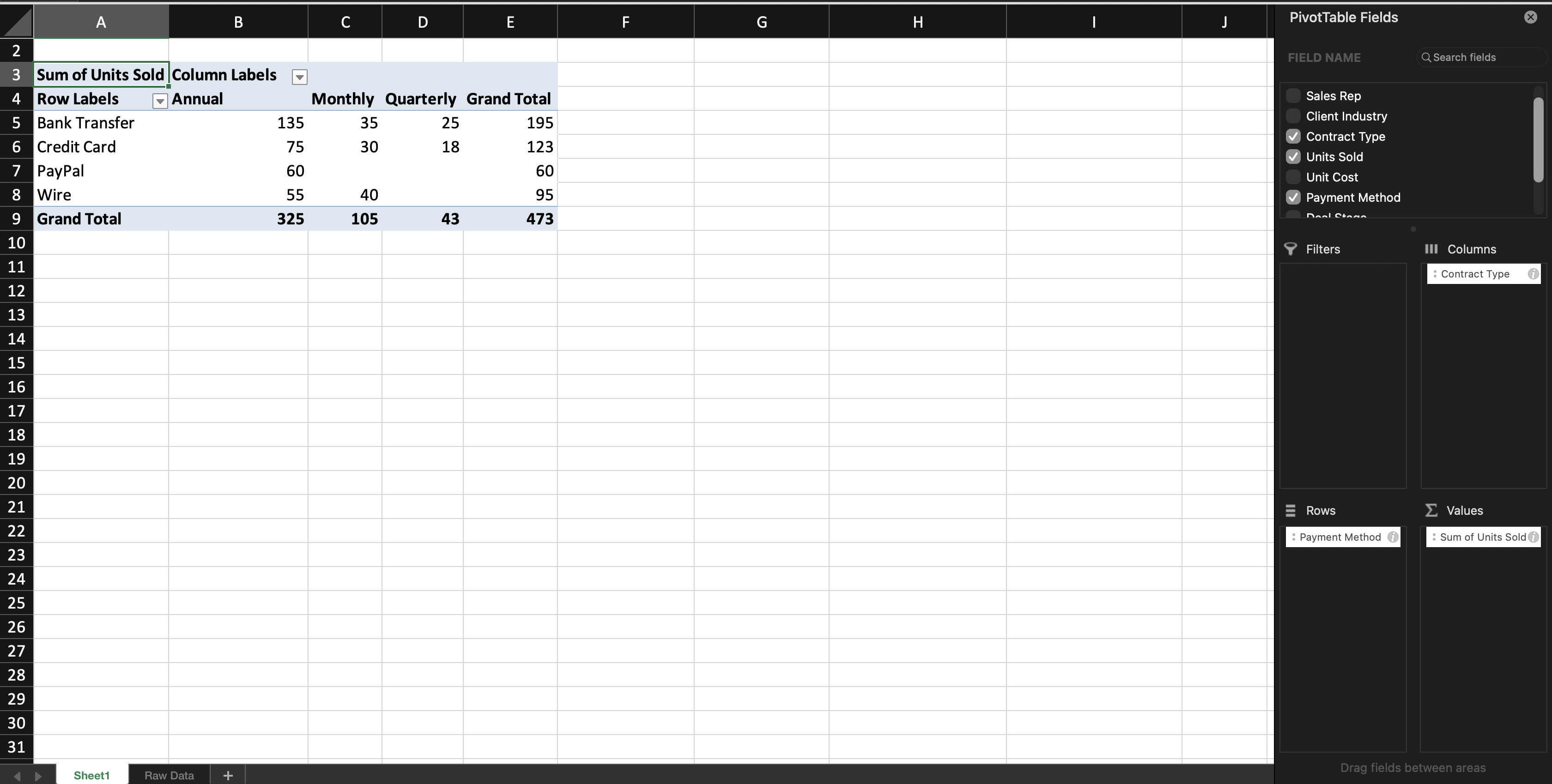
Kun lisäät tekstikentän riveihin (tai sarakkeisiin), Excel ryhmittelee tietueet kyseisen kentän mukaan. Kun lisäät numeerisen kentän arvoihin, Excel laskee oletuksena summan (Summa) — tämä oletus perustuu kentän tietotyyppiin: numeeriset kentät oletuksena Summataan, kun taas tekstikentät lasketaan (Count), koska tekstiarvoja ei voi summata. Opit seuraavassa luvussa, miten tätä oletusta voi muuttaa.
Voit muokata Pivot-taulukkoa milloin tahansa siirtämällä kenttiä alueiden välillä. Lähdetietoja ei muuteta.

Jos Pivot-taulukon kenttäluettelopaneeli sulkeutuu, napsauta mitä tahansa Pivot-taulukon sisällä, niin paneeli ilmestyy uudelleen automaattisesti.
Tehtävä
Luo ensimmäinen Pivot-taulukko.
Toimi seuraavasti:
- Lisää Pivot-taulukko tietoaineistosta;
- Aseta Category riveihin;
- Aseta Sales arvoihin;
Luo Pivot-taulukko uudelle laskentataulukolle.
Kiitos palautteestasi!
Kysy tekoälyä

Kysy tekoälyä

Kysy mitä tahansa tai kokeile jotakin ehdotetuista kysymyksistä aloittaaksesi keskustelumme
