Multiple Dimensions Analysis
Pyyhkäise näyttääksesi valikon
A Pivot Table becomes more powerful when you analyze data across more than one dimension. Instead of grouping by a single field, you can combine fields to compare categories, regions, or time periods at the same time.
A dimension is any field used to group data, for example: Category, Region, Date, Product.
In previous chapters, you used one field in the Rows area. Now you'll combine multiple fields to create a layered analysis.
Adding Multiple Fields to Rows
You can place more than one field in the Rows area. To do this:
- Place the first field in Rows;
- Drag a second field below it in the Rows area.
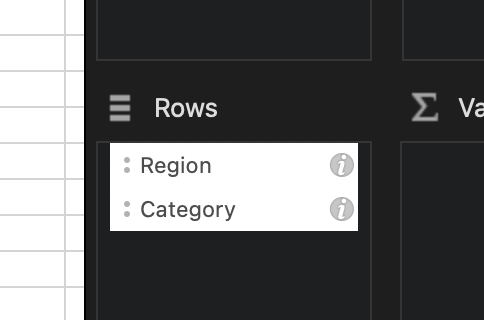
The Pivot Table creates a hierarchical structure:
- First level (outer group - Region);
- Second level (inner group - Category).
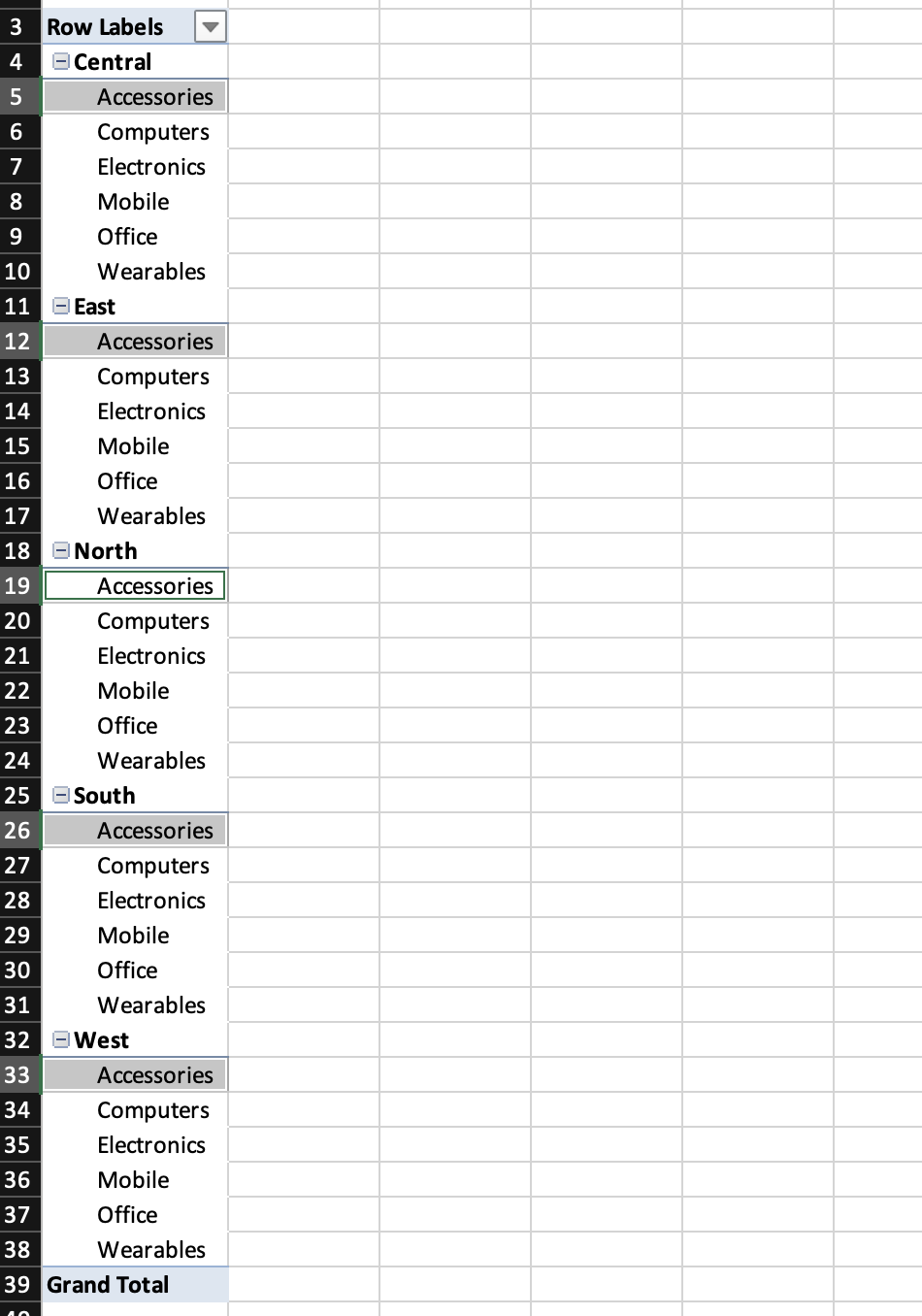
The order of fields in the Rows area matters. Changing the order changes the structure of the report.
Combining Rows and Columns
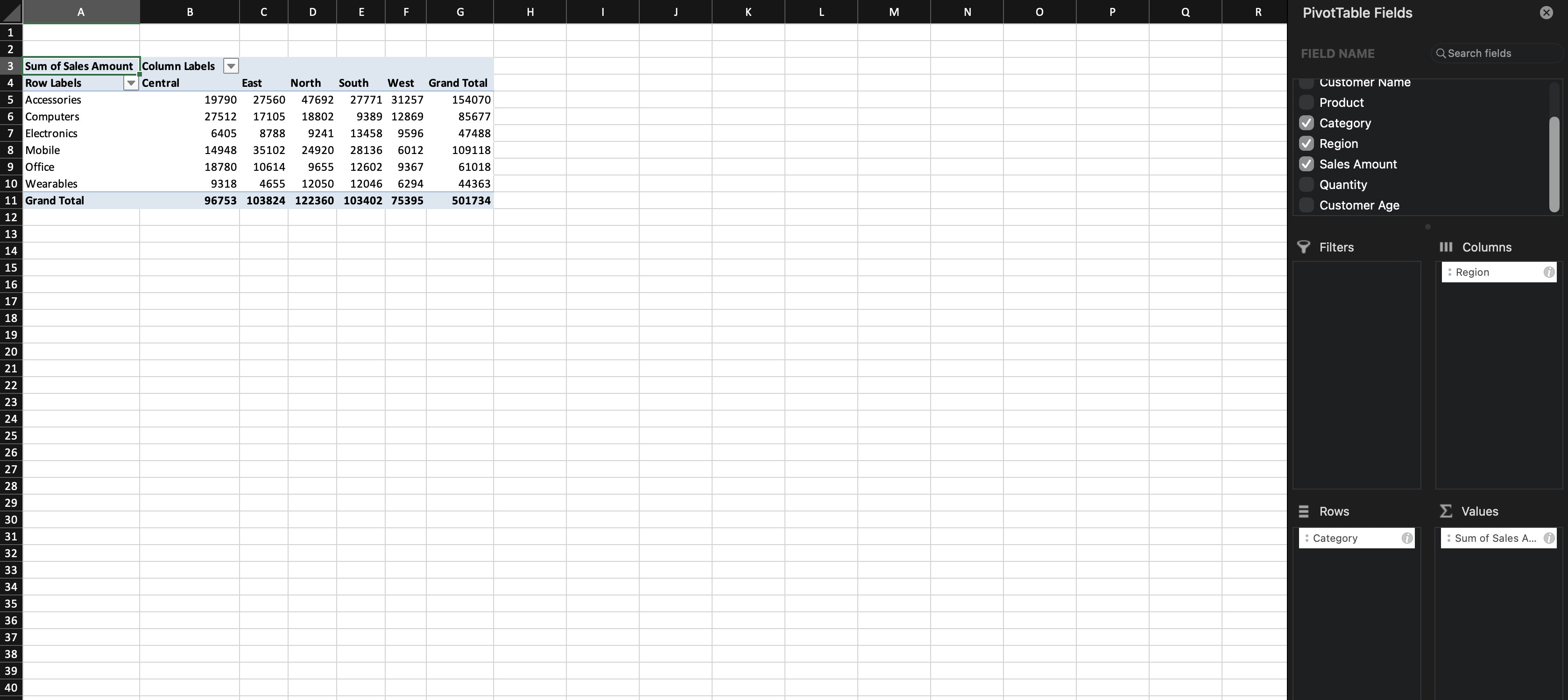
You can also analyze data using both Rows and Columns. Example structure:
- Rows → Category;
- Columns → Region;
- Values → Sales.
This creates a matrix layout where you compare totals across two dimensions at once.

Pivot Tables do not duplicate data.
They reorganize it based on the dimensions you choose. The same dataset can answer different questions depending on how fields are arranged.
Task
Create a Pivot Table with:
- Rows: Category;
- Columns: Region;
- Values: Sum of Sales.
Create New or Modify the Pivot Table:
- Move Region below Category in the Rows area;
- Remove it from Columns.
Compare the two layouts.
Kiitos palautteestasi!
Kysy tekoälyä

Kysy tekoälyä

Kysy mitä tahansa tai kokeile jotakin ehdotetuista kysymyksistä aloittaaksesi keskustelumme
