Lopullinen Photoshop-Projekti: Edistyneiden Muokkaustaitojen Soveltaminen
Pyyhkäise näyttääksesi valikon
Muutama asia, jotka mainitsin videolla ja jotka voivat olla hyödyllisiä:
Ctrl/Cmd+ Luo uusi taso -kuvake luo uuden tason valitun tason alle;Ctrl/Cmd+ hiiren klikkaus tason pikkukuvassa tekee valinnan tason elementtien ympärille;- Nimeä tasot luodessasi niitä, jotta työ pysyy järjestyksessä;
- Pyri aina säilyttämään ei-tuhoava työnkulku (tasomaskit, ryhmät, älykkäät objektit, älykkäät suotimet jne.).
Lataa tähän lukuun liitetty kuva ja lisää toinen varjo kävelevälle miehelle. Tässä on viitekuva:
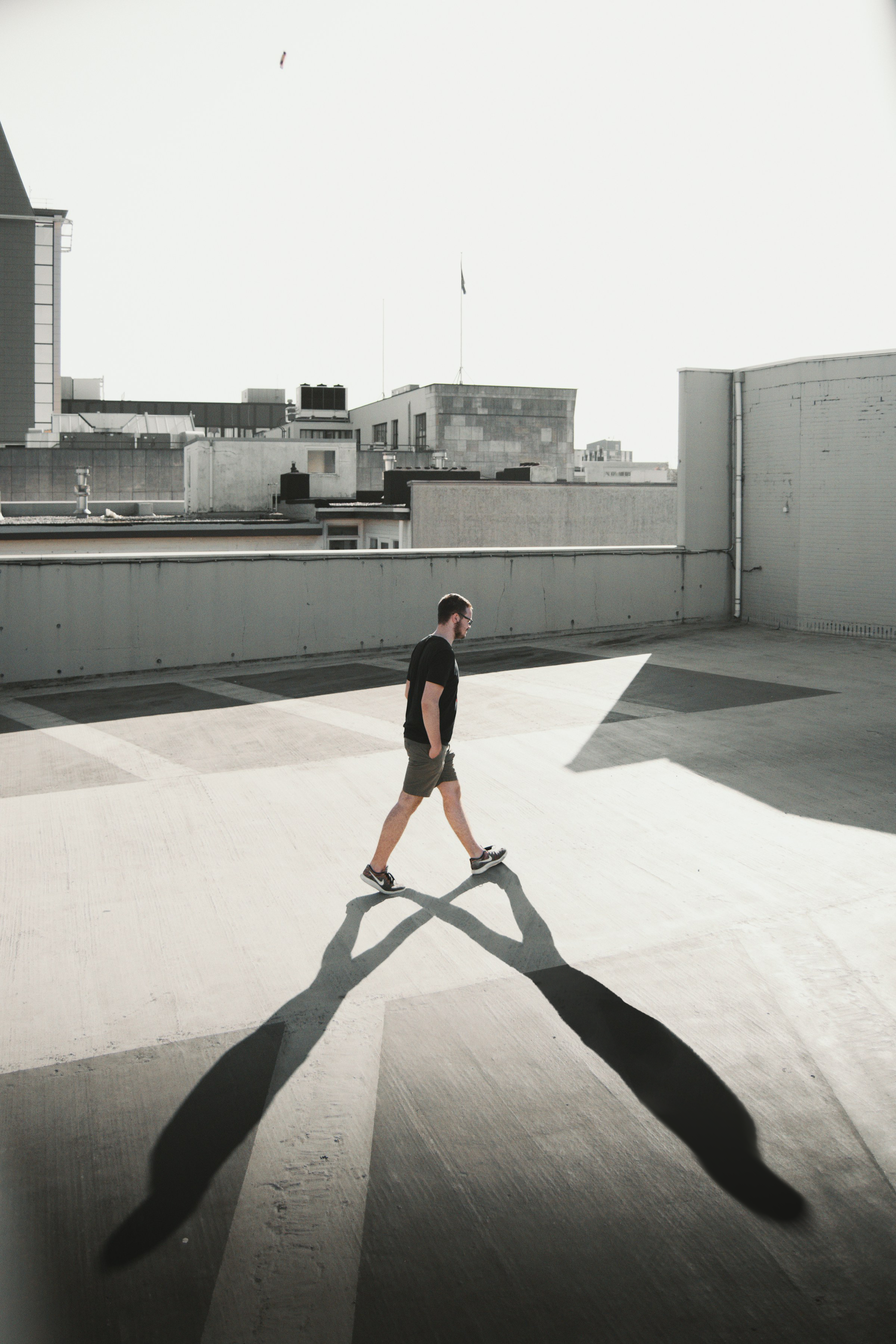
Tässä on joitakin vihjeitä: Maskaus, Peittävyys, Sumennus, Sivellin, Yhdistäminen.
Oliko kaikki selvää?
Kiitos palautteestasi!
Osio 6. Luku 5
Kysy tekoälyä

Kysy tekoälyä

Kysy mitä tahansa tai kokeile jotakin ehdotetuista kysymyksistä aloittaaksesi keskustelumme
Lopullinen Photoshop-Projekti: Edistyneiden Muokkaustaitojen Soveltaminen
Muutama asia, jotka mainitsin videolla ja jotka voivat olla hyödyllisiä:
Ctrl/Cmd+ Luo uusi taso -kuvake luo uuden tason valitun tason alle;Ctrl/Cmd+ hiiren klikkaus tason pikkukuvassa tekee valinnan tason elementtien ympärille;- Nimeä tasot luodessasi niitä, jotta työ pysyy järjestyksessä;
- Pyri aina säilyttämään ei-tuhoava työnkulku (tasomaskit, ryhmät, älykkäät objektit, älykkäät suotimet jne.).
Lataa tähän lukuun liitetty kuva ja lisää toinen varjo kävelevälle miehelle. Tässä on viitekuva:
Tässä on joitakin vihjeitä: Maskaus, Peittävyys, Sumennus, Sivellin, Yhdistäminen.
Oliko kaikki selvää?
Kiitos palautteestasi!
Osio 6. Luku 5
