Siirry ja Erityisvalintatyökalut
Pyyhkäise näyttääksesi valikon
Ctrl + Arrow ja Ctrl + A ovat tehokkaita, mutta ne toimivat datasi rakenteen mukaan — ne seuraavat täytettyjä ja tyhjiä soluja. Joskus sinun täytyy kuitenkin työskennellä datan tyypin mukaan: etsi kaikki tyhjät, kaikki kaavat, kaikki kiinteät arvot. Tätä varten on Siirry erityiseen.
Siirry suoraan mihin tahansa soluun
Nopein tapa siirtyä tiettyyn soluun, kun tiedät sen osoitteen.
Siirry-ikkuna
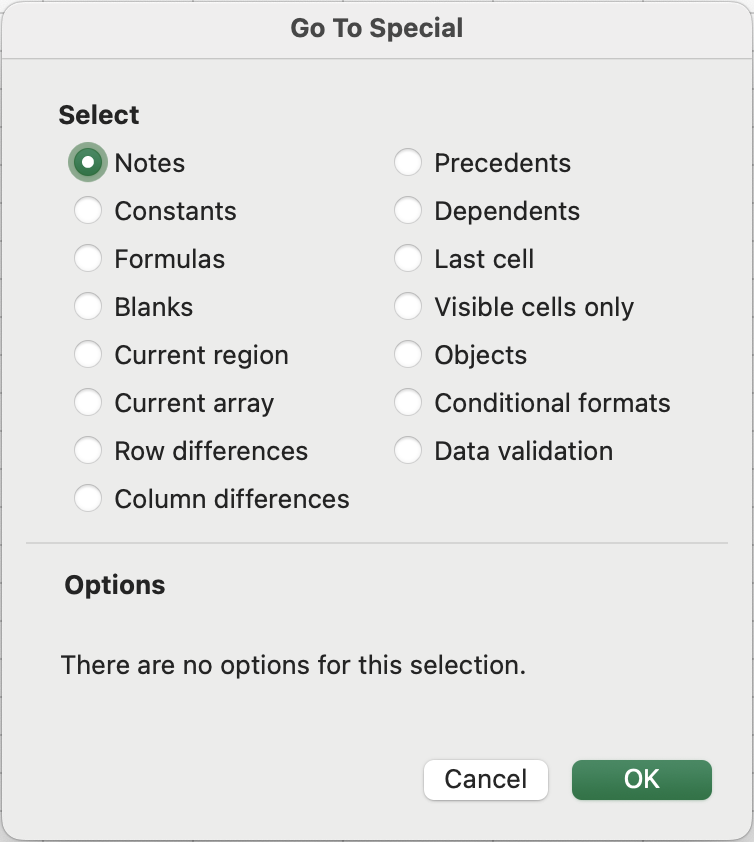
Hyödyllisimmät vaihtoehdot
-
Tyhjät: valitsee kaikki tyhjät solut nykyisestä valinnasta tai käytetystä alueesta. Nopein tapa löytää puuttuvat tiedot;
-
Vakiot: valitsee solut, jotka sisältävät kiinteitä arvoja (numeroita, tekstiä, päivämääriä) — mutta ei kaavoja. Käytetään varmistamaan, että sarake sisältää vain raakadataa, tai muotoilemaan vain arvot ilman, että kaavasoluja muutetaan;
-
Kaavat: päinvastainen kuin Vakiot — valitsee vain solut, joissa on kaavoja. Hyödyllinen taulukon tarkastamiseen, jotta varmistetaan, ettei odottamattomia laskelmia ole lisätty;
-
Virheet (kaavat → virheet): valitsee vain solut, joissa on virhearvoja (
#N/A,#REF!,#DIV/0!jne.). Korvaamaton apu rikkinäisten kaavojen nopeaan paikantamiseen suurissa taulukoissa; -
Nykyinen alue: valitsee yhtenäisen tietolohkon aktiivisen solun ympäriltä — vastaa
Ctrl + Atietolohkon sisällä. Hyödyllinen, kun halutaan olla tarkka siitä, mikä on "nykyinen tietolohko" ennen toimenpiteitä.
- Paina
Ctrl + G(Windows) taiFn + F5(Mac) avataksesi Siirry-valintaikkunan. - Napsauta Erikois-painiketta. Valitse Tyhjät ja paina OK.
- Excel korostaa tyhjät solut. Täytä tyhjä solu puuttuvalla arvolla "Emily Clark".
Kiitos palautteestasi!
Kysy tekoälyä

Kysy tekoälyä

Kysy mitä tahansa tai kokeile jotakin ehdotetuista kysymyksistä aloittaaksesi keskustelumme
